


Marketing automation for event planners
The next client wants to see the last event before they book you. Maggie, your AI CMO, turns your events, venues and supplier partners into posts for LinkedIn, Instagram, Google Business and your website, and you approve every one.
Free to start · No credit card · 30 free posts
Used by 600+ users and trusted by teams at
aeglesriphal.com
moonlakespa.com
shop.theteagroup.com
clo100.com
logtrics.io
mymorez.com
nextidal.com
otisapp.com
storaitelling.com
theheatpumps.co.uk
web-translations.com
exposeai.tech
orielipo.com
whitelabelcrowd.fund
elliptic.co
med.moonlakespa.com
netdex.co.il
orawellness.uk
reenest.com
syngage.ai
thepenthouseliving.com
zengolf.studio
imaintain.uk
rebuildingsociety.com
aurasocial.world
goaimex.com
moneyparents.com
newgenrenewables.uk
osmosisai.co
saunders.ac
teeza.app
thursdayclub.com
Why event planners struggle to keep their marketing going
Event weeks swallow everything. Site visits, supplier calls, run sheets and late finishes, and then straight on to the next one.
You're busiest when you should be posting
Companies book their Christmas party in late summer and their conference a year ahead. That's exactly when you're on site delivering this season's events and nothing gets posted.
Every event is gone in a night
The room you dressed, the stage you built, the smile on the client's face at the end. Hundreds of photos sit in a shared folder and the event is never written up.
Referrals don't fill the calendar
Venues and past clients send work your way, but not on your schedule. Quiet months arrive with nothing to show new clients who are searching for a planner.
Two kinds of client, two kinds of post
Corporate buyers want reliability, budgets and logistics on LinkedIn. Private clients want ideas and atmosphere on Instagram. Writing for both is a job in itself.

Christmas party season is booking now, and your posts are already lined up.
It's Monday in August. You've just delivered a three-day sales conference, offices are starting to plan their Christmas parties, and your website's events page hasn't changed since last winter.
You paste your website into cmo.so. Maggie reads it and writes your brand profile: corporate conferences, team away days, Christmas and summer parties and private celebrations, the venues you work with most, your supplier partners, and the calm, organised voice your clients rely on. You correct one thing: you no longer plan weddings.
By Tuesday the drafts are waiting, each with a picture in your company's look: a write-up of the sales conference for your blog and LinkedIn, a guide for office managers on when to book a Christmas party and what to ask a venue, an Instagram post shouting out the caterer and florist you worked with, and a Google Business update with a button to request a quote. You approve three between site visits and add the client's kind words, with permission, to the fourth.
The posts go out at the times you set for each channel, and each comes back with its link. While you're walking a new venue, Maggie is already planning posts for the new year's conference season, and Search Console in cmo.so shows which guides people are finding.
A marketing assistant who knows the events calendar
Each of those problems has an answer, and you still decide what goes out under your company's name.
Event write-ups and planning guides
Stories of the events you've delivered, venue spotlights and guides on budgets, timings and themes, written for Google and for AI answers. Published to your WordPress, Shopify, Wix or Webflow site, or any site through the cmo.so API.
Blog on autopilotAhead of every booking season
Christmas parties, summer events, conference season and awards nights. Posts are written and queued months ahead, while clients are still deciding who to book.
Seasonal scheduleLinkedIn for corporate clients
Posts for office managers, HR teams, marketing teams and associations about events you've run, how you handle the detail and what makes a team event work.
LinkedInYour style, not a template
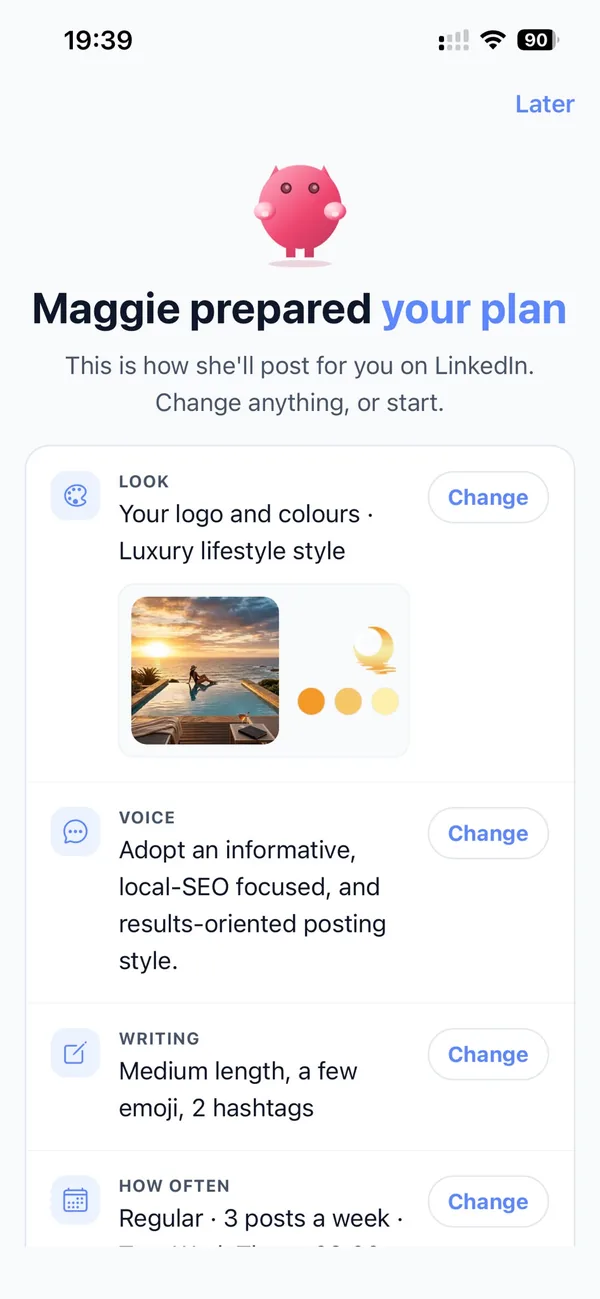
Enter your website and Maggie builds your brand profile: the events you plan, who books you, what sets you apart, competitors and voice. Every post and picture starts from it.
Brand profileOne event, every channel
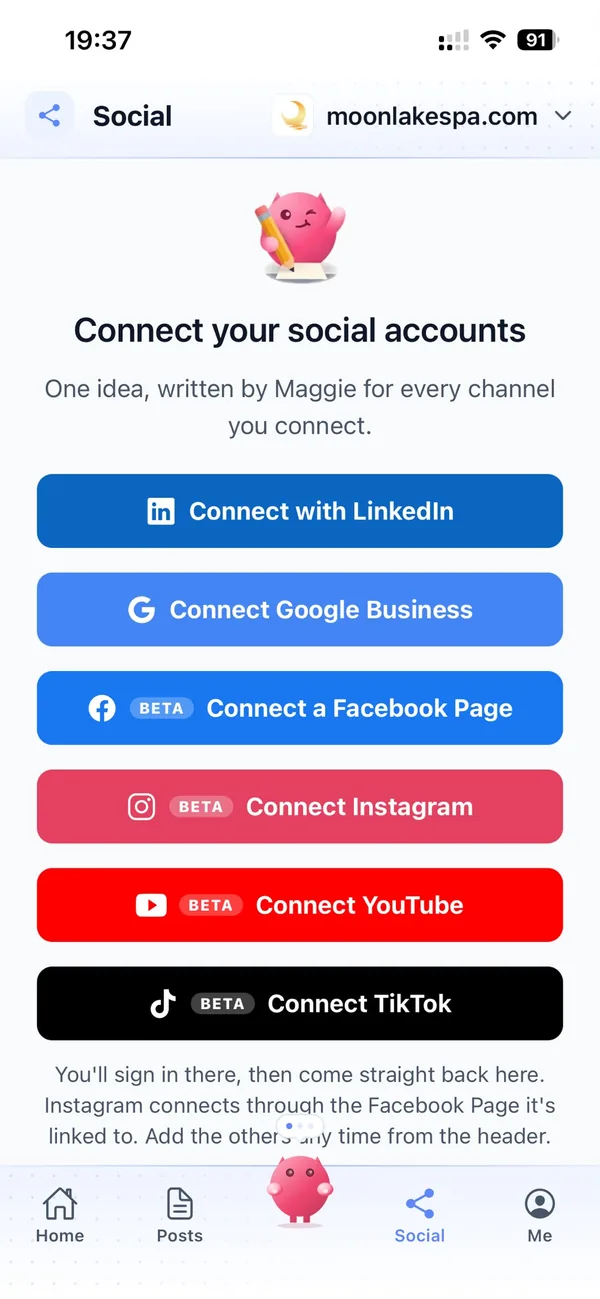
One event becomes a post for each channel in its own style: a blog write-up, a LinkedIn post, a Google Business update, and Instagram and Facebook posts with supplier shout-outs (in beta).
Every channelApprove between site visits
By default nothing goes out until you approve it. Swipe through drafts in the iPhone app or at app.cmo.so, edit a line, skip a post, or pause a channel during event week.
ApprovalsYour marketing team, in your pocket
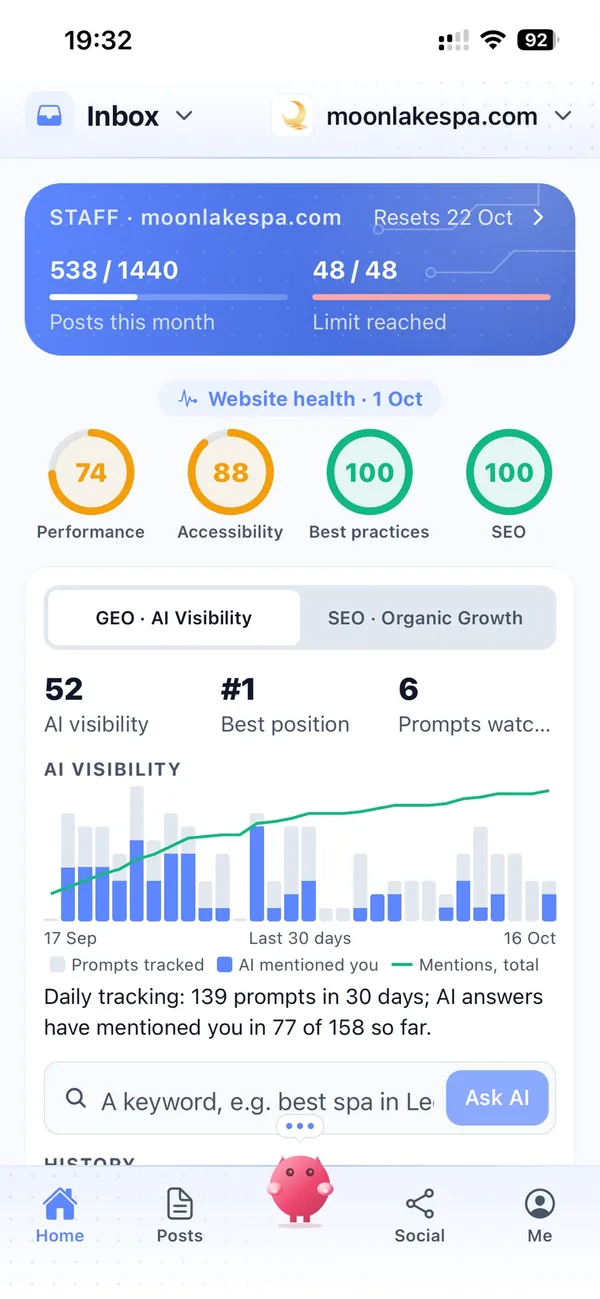
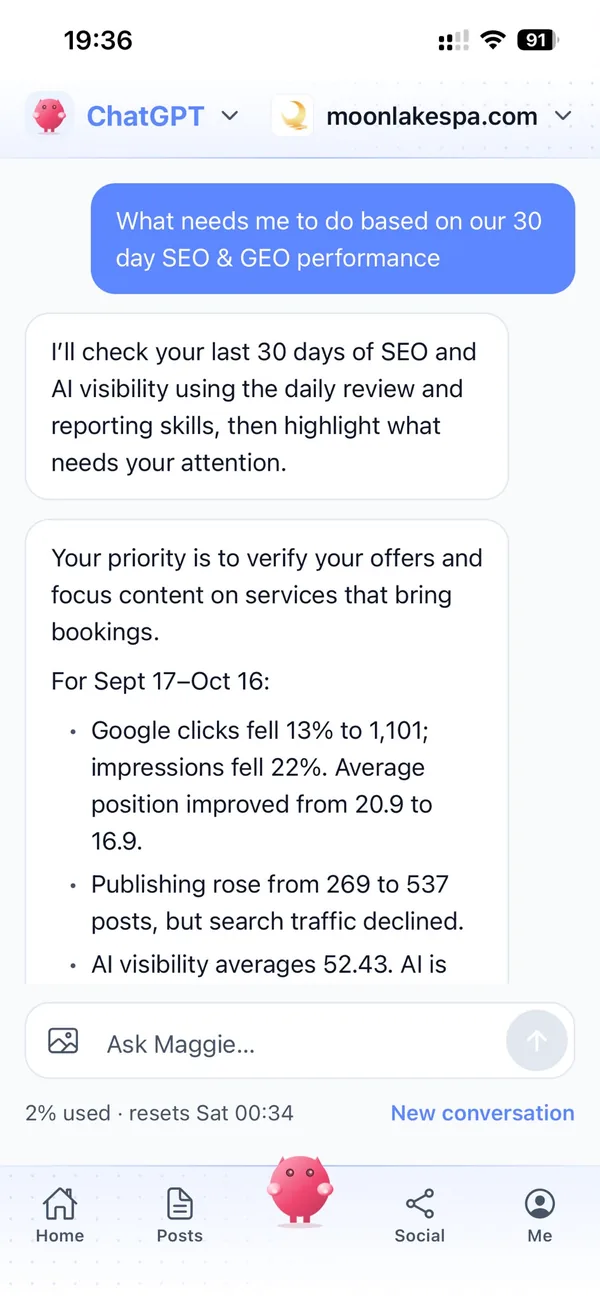
Real screens from the cmo.so app on iPhone.
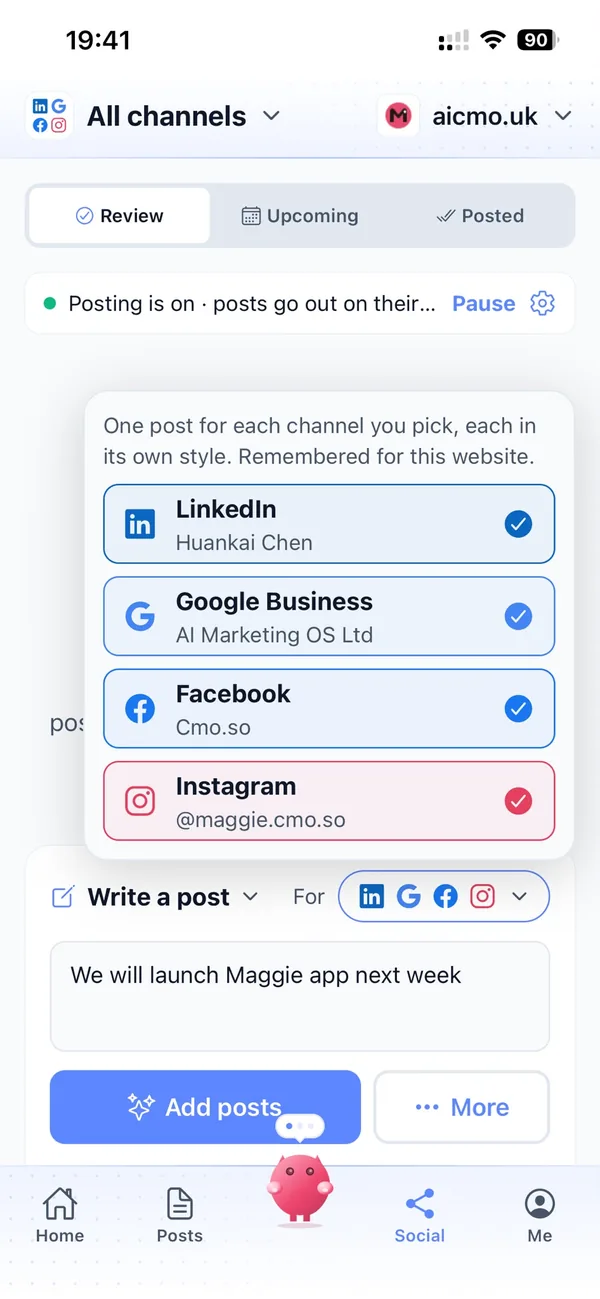
From your website to a season of event posts in four steps
Enter your website
Maggie reads it and drafts your company's brand profile in minutes.
Check your profile
Correct the events you plan and the areas you cover, add recent events and choose your channels.
Review the drafts
Your first week of posts arrives with pictures. Approve, edit or skip each one.
Let them go out
Approved posts go out at each channel's times and every one comes back with its link.
Why not just…
The usual ways event planners try to find new clients, and where each one runs out.
…wait for venue referrals?
Venue referrals are valuable, and they arrive when the venue decides. Your own website, LinkedIn and Google Business profile bring clients who are looking for you directly.
…list on event marketplaces?
Marketplaces put you next to every other planner and often compare on price first. Posts showing your real events give clients a reason to choose you for more than cost.
…pay a marketing agency?
SEO and content agencies often cost around £1,000 a month, which is a lot for a small events team. Maggie writes and publishes every week from £15 a month.
…write it with ChatGPT?
You still brief it, check it, make the picture and post it yourself, and it doesn't know your events, venues or suppliers. Maggie remembers your company and puts posts out on schedule.
Cut the £5,900/mo marketing bill to £15/mo
Everything a marketing team does, done by Maggie.
| What needs doing | Without cmo.so | With cmo.so |
|---|---|---|
| Full-time marketing hire | £3,000/mo | Included |
| SEO and AI search (GEO) agency | £1,000/mo | Included |
| Content writer, AI-assisted | £500/mo | Included |
| Social media manager, freelance | £800/mo | Included |
| Designed pictures for every post | £300/mo | Included |
| SEO and GEO softwareRank tracking, site audits, AI visibility | £250/mo | Included |
| AI writing and image tools | £50/mo | Included |
| Working hours | Office hours | 24/7 |
| Total per month | £5,900+ | From £15/mo |
Typical UK costs for a small business in 2026, with AI already cutting freelance rates. Estimates only; your own quotes will vary.
- 5 social posts, 30 once verified
- 15 Maggie messages a day
- Upgrade any time
- 12 posts a day
- 150 Maggie messages a day
- All channels
- 96 posts a day
- 1,000 Maggie messages a day
- All channels
Per website, billed monthly. Blog and social posts share one allowance; your best plan sets how much you can talk to Maggie across all your websites.
Marketing automation for event planners: your questions
Still unsure?
What is marketing automation for event planners?
It's software that does the repeating work of marketing an events business: planning posts around booking seasons, writing blog and social posts, making pictures and publishing them on schedule.
With cmo.so, Maggie does all of it from your company's website, and nothing goes out until you approve it.
How do event planners get more clients online?
Event planners get more clients online by showing finished events where clients look: LinkedIn for corporate buyers, Instagram for private clients, an active Google Business profile and helpful planning guides on their own website.
Maggie, your AI CMO, writes those posts every week, queues them ahead of each booking season, and Search Console shows which ones bring people to your website.
How much does marketing automation cost for an event planner?
There's a free plan with no card needed. Paid plans are per website and billed monthly: Air at £15 a month covers two posts a day, which suits most independent planners, and Pro at £45 a month suits a company posting on several channels.
Founding members get lower prices for good on every plan until 1 January 2027. You can cancel any time.
Which channels should event planners start with?
Most corporate event planners start with LinkedIn and their own blog, and most planners of private events start with Instagram and Google Business.
Instagram and Facebook are in beta in cmo.so. Each channel has its own posting times and queue, so you can run both kinds of client side by side.
Can it write about events we can't name?
Yes. Posts can describe the brief, the venue style and how you delivered it without naming the client, and you decide what's shared.
Every post waits for your approval by default, so nothing about a client goes out without your say.
Can posts thank our venues and suppliers?
Yes, and they make warm, genuine posts that partners often share. Tell Maggie who you worked with and she credits them in the write-up and social posts.
Posts can also feature the venues you know well, which helps clients searching for a venue find you as well.
Will my Christmas party posts be ready in time?
They will be ready in time. Maggie plans topics around the dates that matter to your business and writes posts months ahead, so they go out while offices are still choosing a planner.
You can pause a channel at any time once you're fully booked.
Does it take bookings or answer enquiries?
No, it doesn't. cmo.so writes and publishes posts; it doesn't answer messages, take bookings or connect to booking systems.
Posts can link to your enquiry page, and Google Business posts can carry a button, so interested clients reach you in one tap.
Does it help us show up in AI answers?
It can help with that. Maggie writes clear, quotable answers to the questions clients ask, such as how far ahead to book a conference venue, the kind of content Google and AI answers can pick up.
AI visibility in cmo.so shows how Google's AI answers describe and mention your company.
Is it safe to let AI post for my events company?
Yes, because nothing goes out until you approve it. Approvals are on by default, and you can keep them on for every channel or let a channel you trust run on autopilot.
Social channels connect through each platform's official sign-in, so cmo.so never sees your passwords, and cmo.so never sells or rents your data.
Can my team approve posts too?
Yes. In Me → Team you can add people and choose what each can see or change, using presets such as editor or manager.
So the planner who ran an event can check its write-up while you keep an eye on LinkedIn.
Let your last event win your next booking
Enter your website. Your brand profile and first week of posts are ready in minutes, and nothing goes out until you approve it.
- Free plan, no card needed
- You approve every post
- Cancel any time