


Run your marketing from ChatGPT with the cmo.so plugin
Ask how your website is doing, what needs you today and which Google searches to fix, and get answers from your own cmo.so data with cards you can act on. Every change is shown to you first and only happens when you confirm.
Free with a cmo.so account · chatgpt.com and the ChatGPT desktop app
On chatgpt.com or in the desktop app
Both connect to the same cmo.so server and show the same answers. Maggie is waiting for a listing in ChatGPT's plugin directory; until then, add it one of these two ways.
What to type in ChatGPT
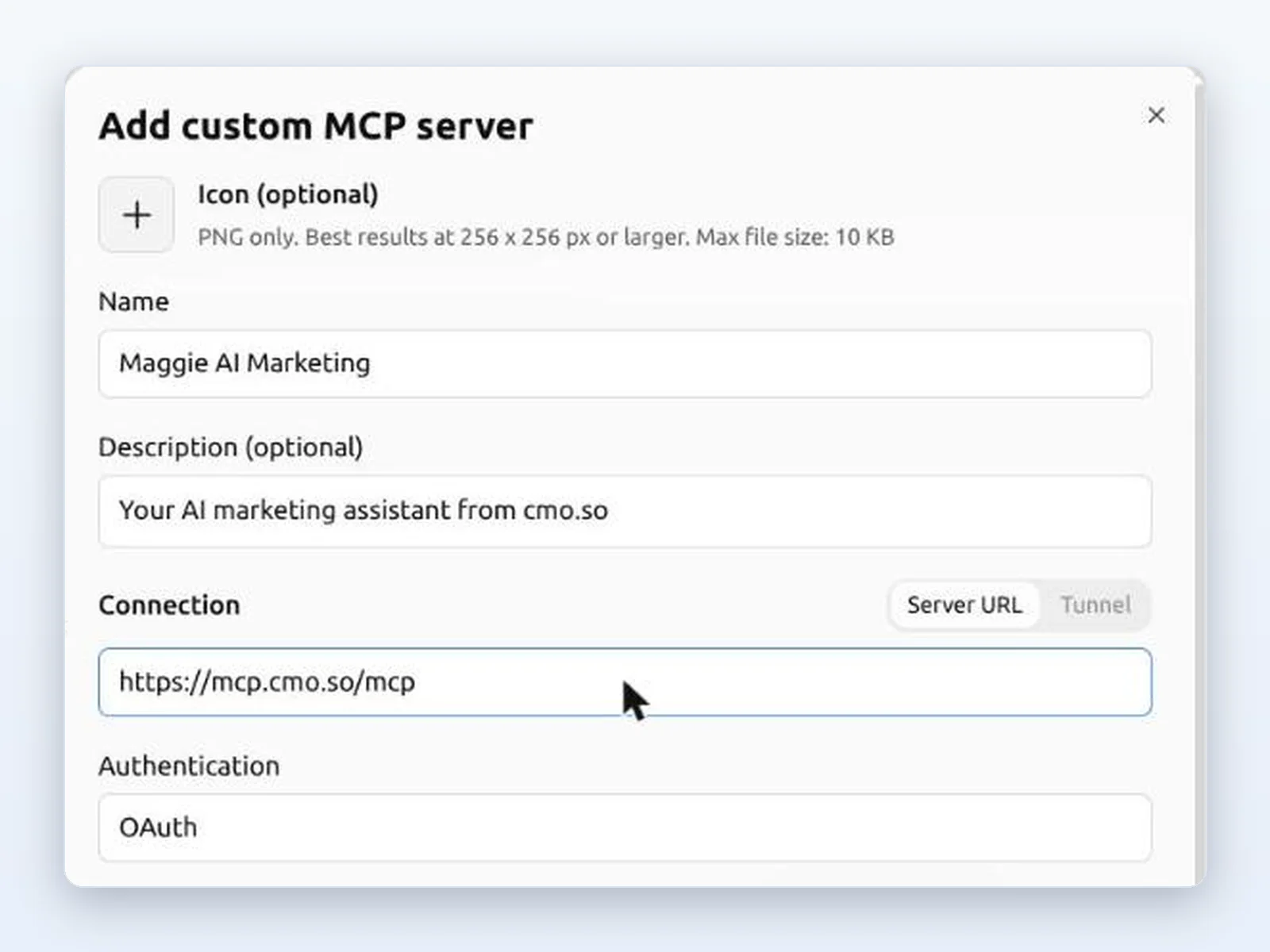
The form asks for three things. Copy each one into the matching field; ChatGPT fills in the rest from the cmo.so server.
https://mcp.cmo.so/mcpcmo.soYour AI marketing assistant from cmo.soAuthentication stays on OAuth: you sign in on cmo.so, so your password never goes into ChatGPT.
Add Maggie to ChatGPT in the browser
Six steps, recorded on chatgpt.com in October 2026. Personal details are replaced with you@example.com.
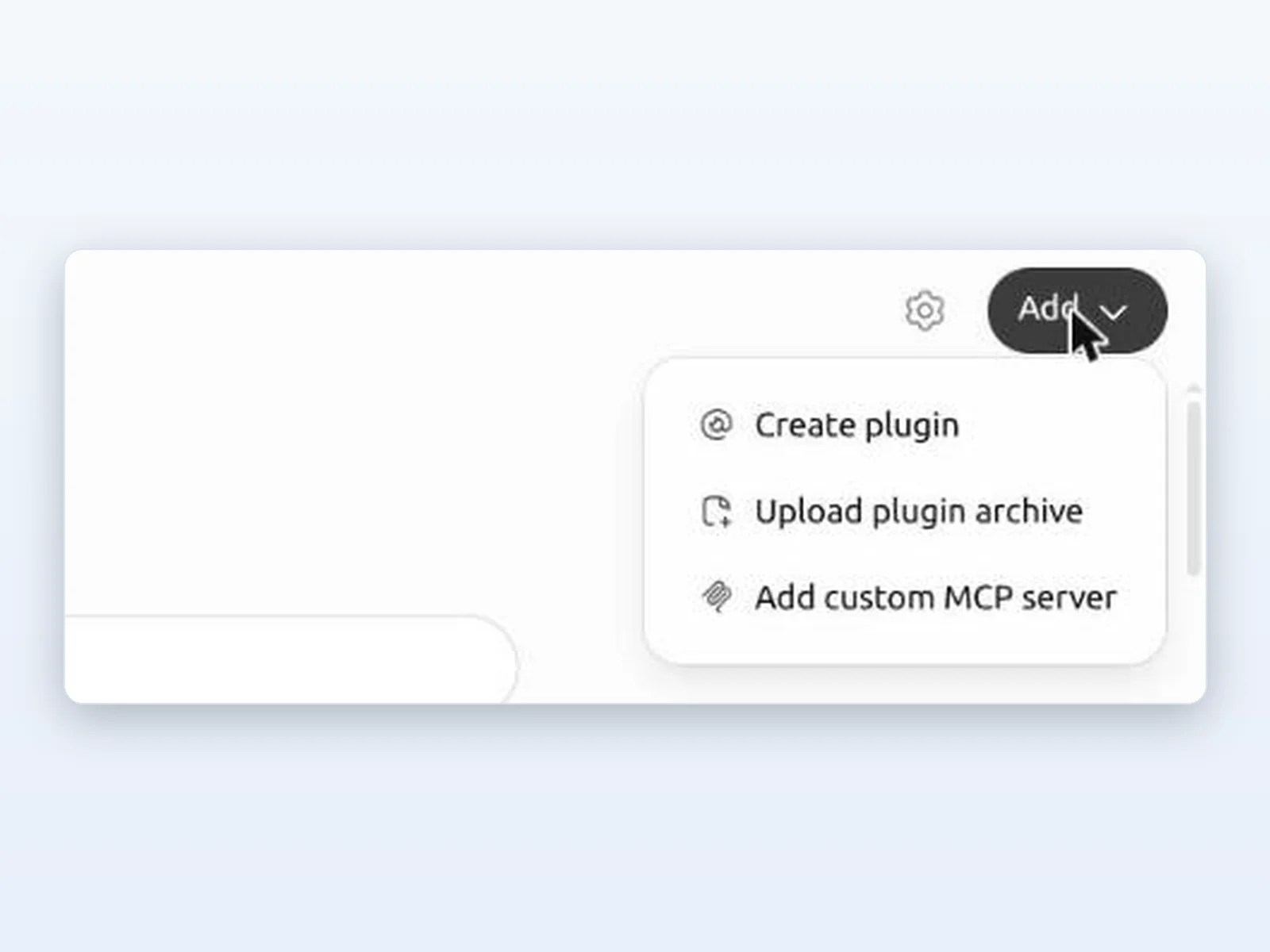
Open Plugins and choose Add custom MCP server
In ChatGPT, open Plugins from the left bar (or go to chatgpt.com/plugins). Press Add at the top right and choose Add custom MCP server.
Tip Don't see the option? Not every ChatGPT plan or workspace allows custom plugins; use the desktop way below or ask your workspace admin.
Fill in the name and the server URL
Type a name such as cmo.so, add the description if you like, and paste https://mcp.cmo.so/mcp under Connection, Server URL. Leave Authentication on OAuth.
Confirm and create it
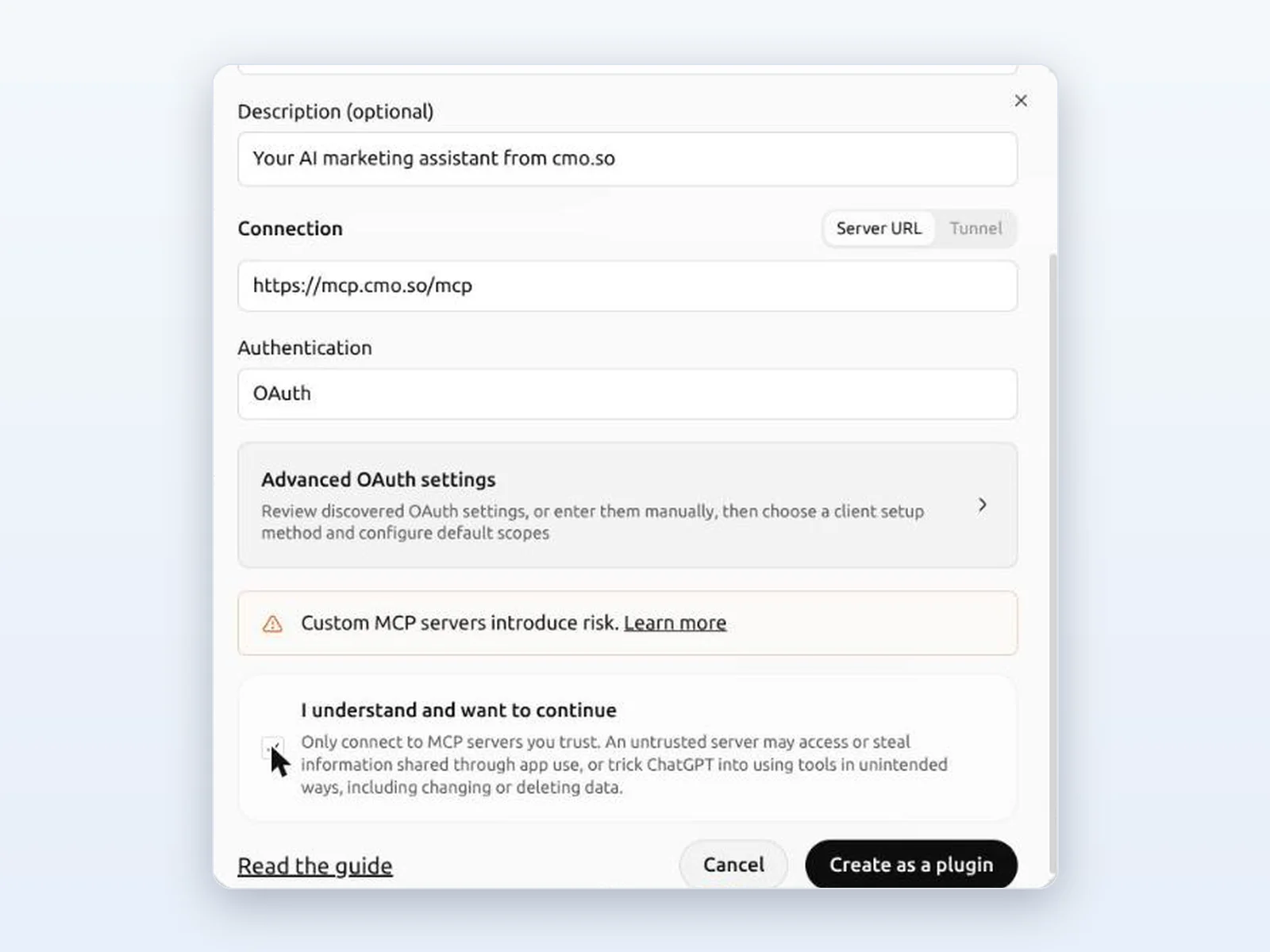
Scroll down, read the notice about custom servers, tick I understand and want to continue and press Create as a plugin.
Tip If ChatGPT says an app with that name already exists, you added it before: pick another name or open the existing one.
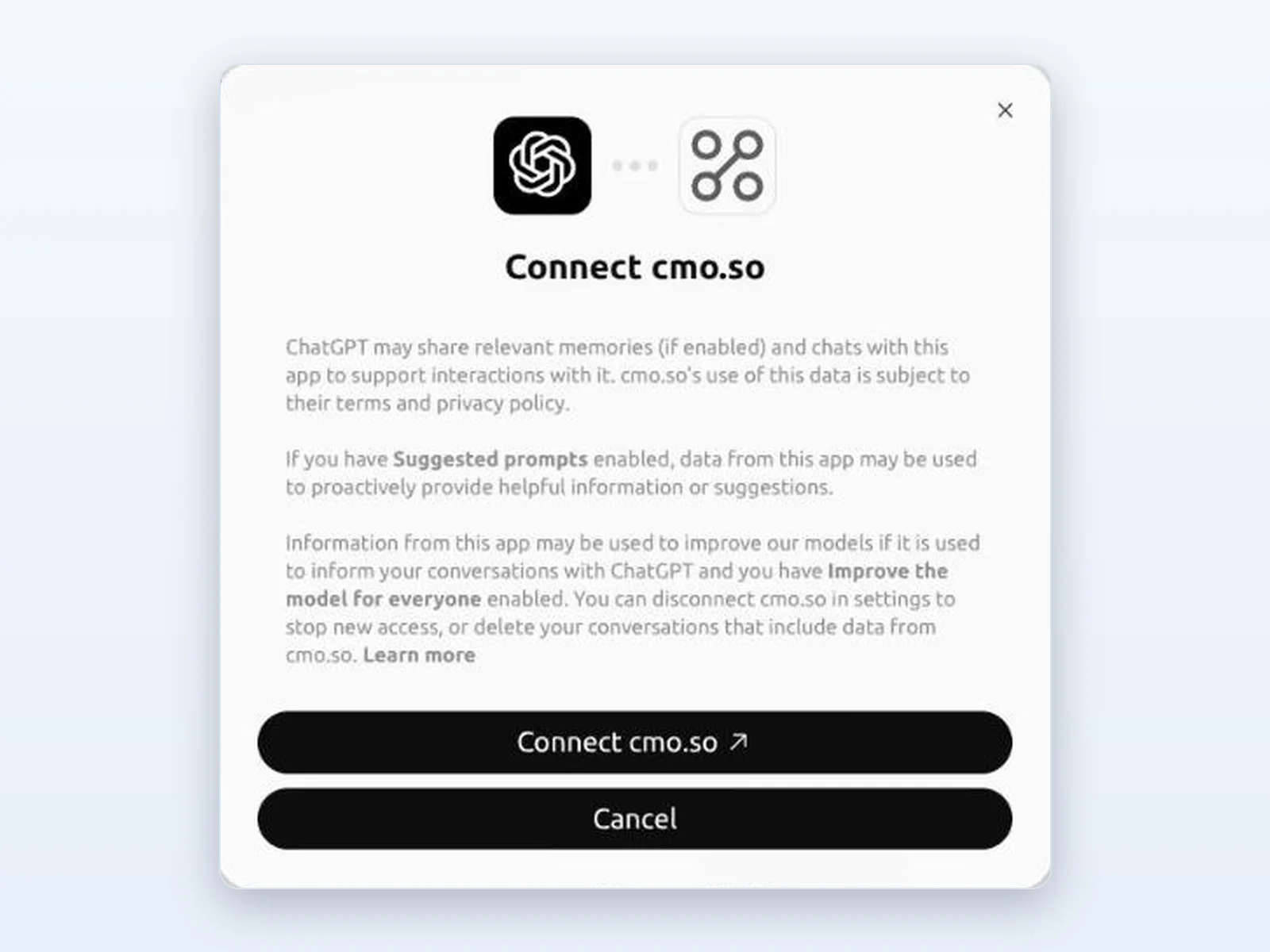
Connect cmo.so
ChatGPT explains what it shares with the plugin. Press Connect cmo.so; a cmo.so page opens.
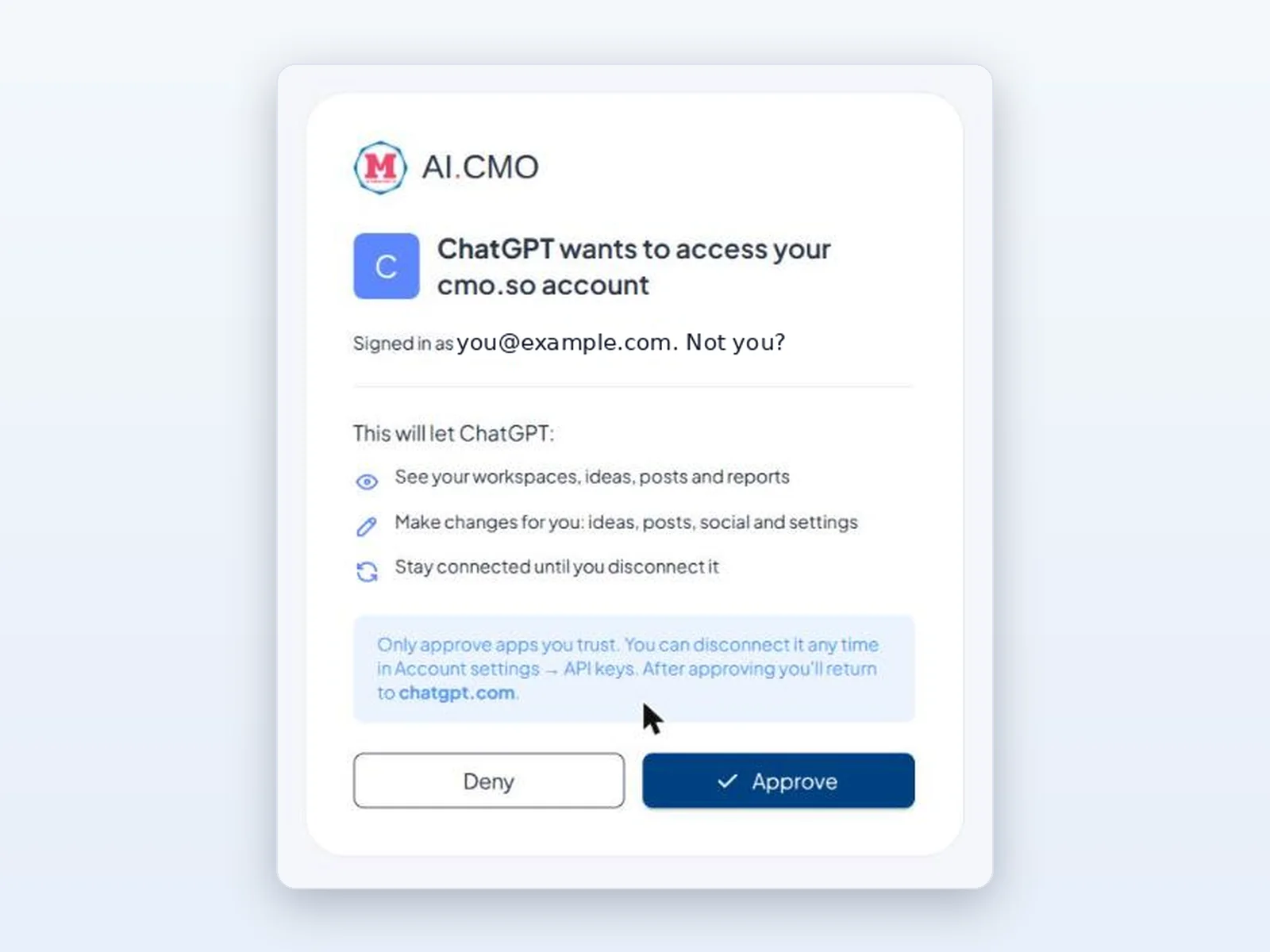
Sign in and approve on cmo.so
Sign in to your cmo.so account if asked, check what ChatGPT will be allowed to do and press Approve. You're sent back to ChatGPT.
Tip You can disconnect it any time in your cmo.so account settings, under API keys.
Try it in chat
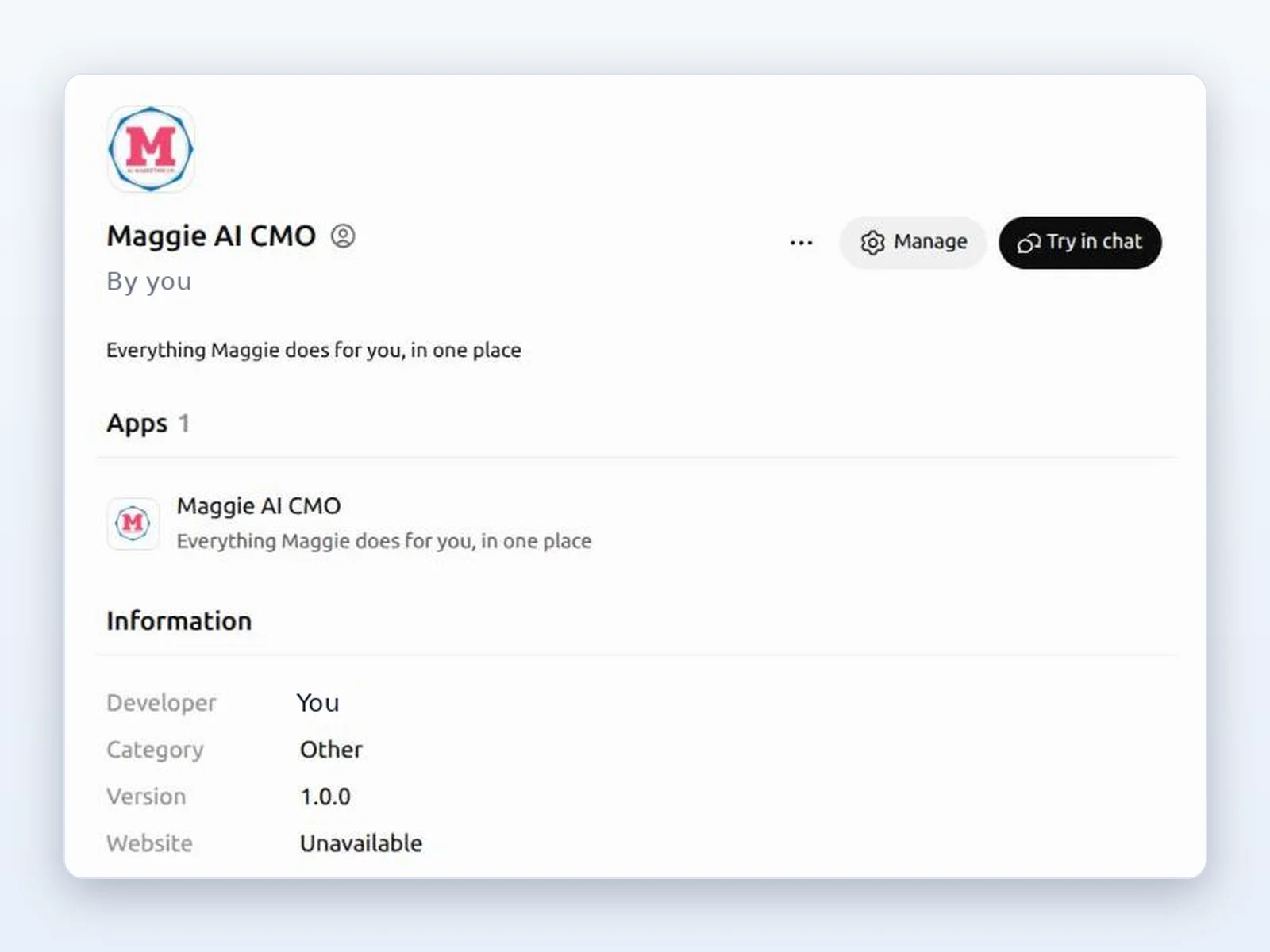
The plugin now shows under Installed as Maggie AI CMO. Press Try in chat and ask about your website, or type @Maggie in any chat to call it.
Add the plugin archive
For the ChatGPT desktop app on Mac or Windows. The archive holds the plugin's settings and logo; it connects to the same cmo.so server.
Download the archive and open Upload plugin archive
Download maggie-chatgpt-plugin.zip (version 1.0.1). In ChatGPT, open Plugins, press Add and choose Upload plugin archive.
Download the plugin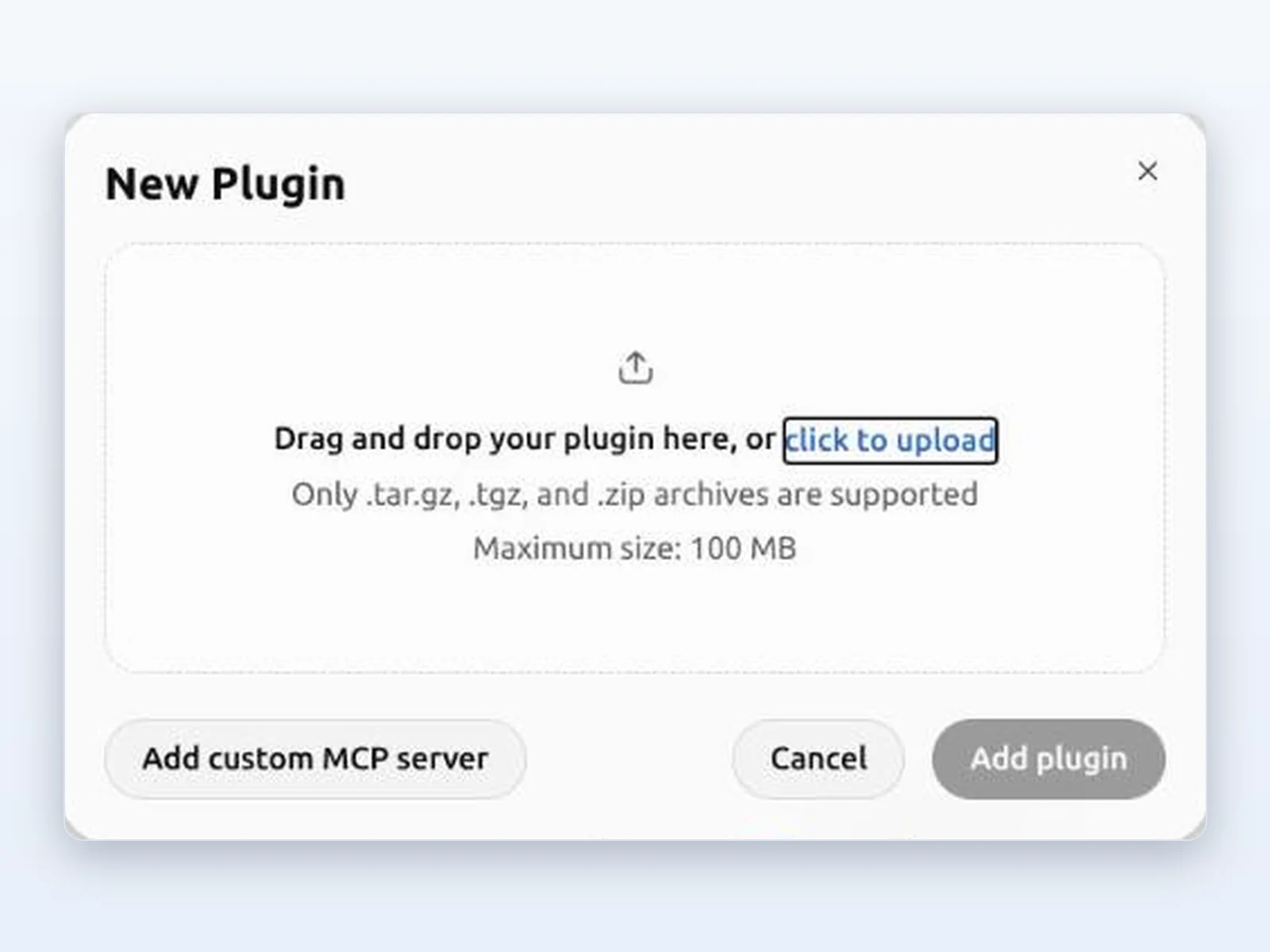
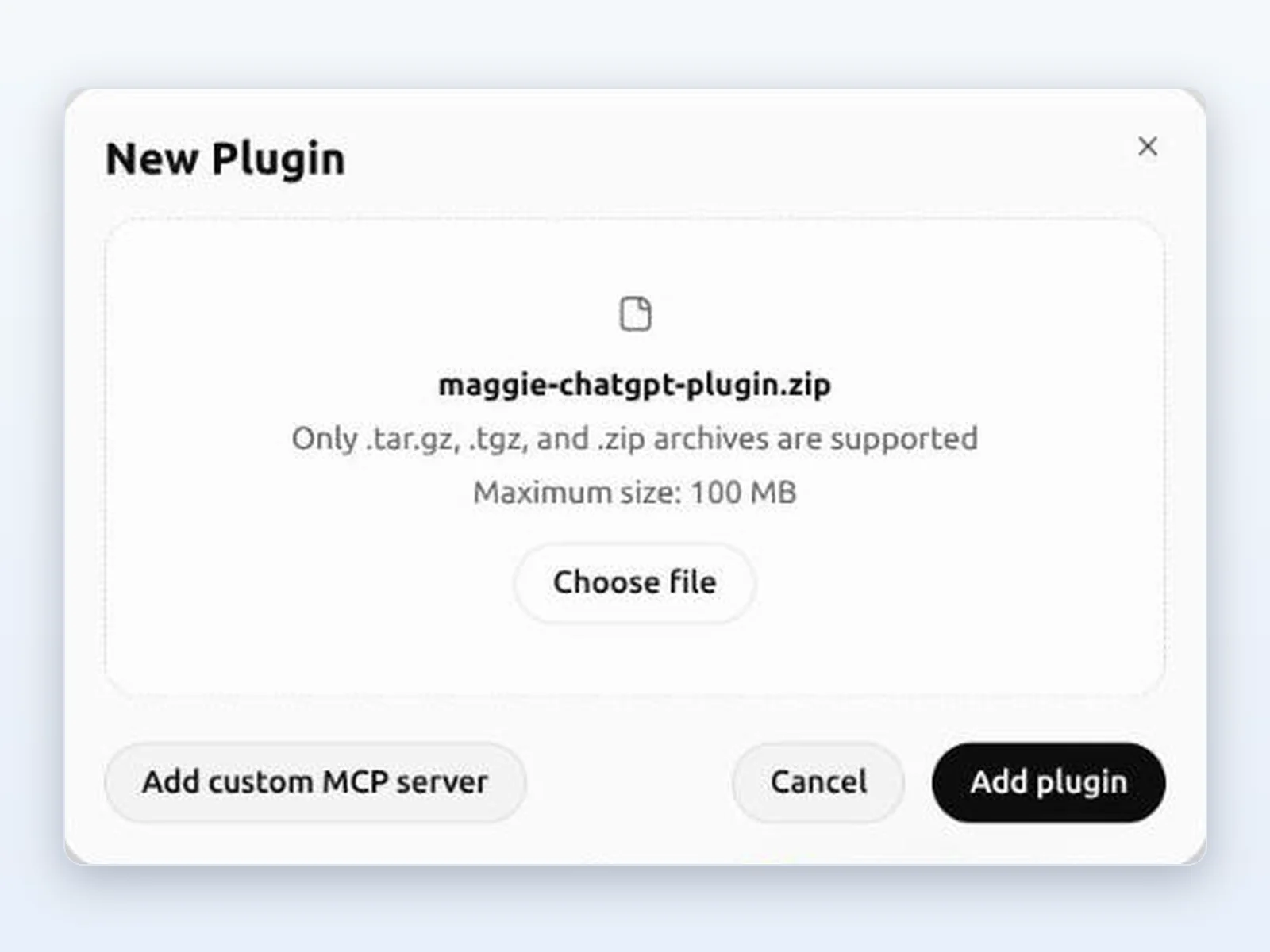
Choose the file and add it
Drag the .zip into the window or press Choose file, then press Add plugin. Don't unzip it first.
Open it in the desktop app
Maggie AI Marketing now has its own page with three starter questions. Press Open in desktop app, or pick a starter question.
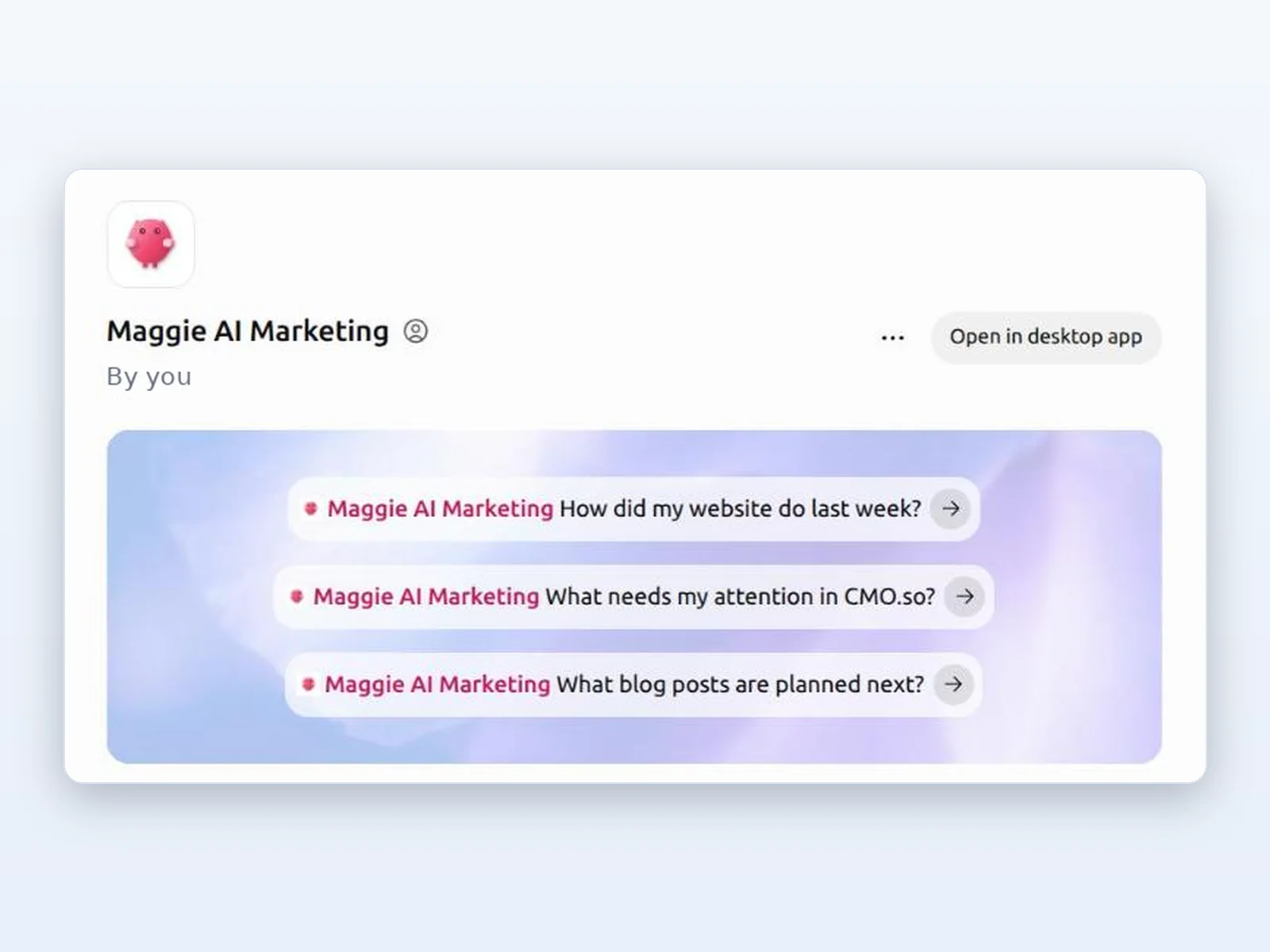
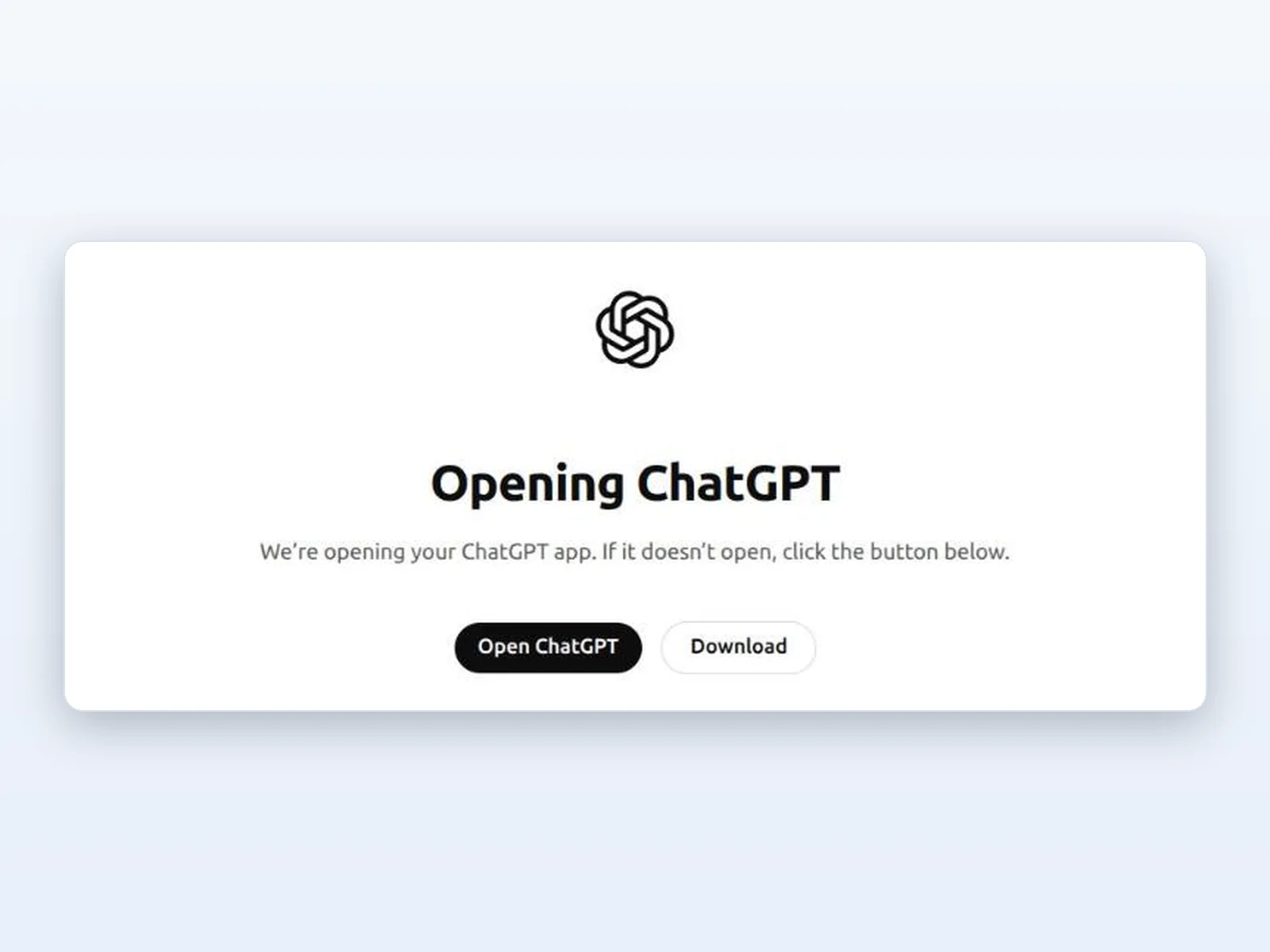
Let ChatGPT open the app and sign in
Your browser hands over to the ChatGPT desktop app; press Open ChatGPT if it doesn't open by itself. The first time Maggie answers, sign in to cmo.so and approve, the same as on the web.
Tip No desktop app yet? The Download button gets it, or use the chatgpt.com way above.
What it looks like
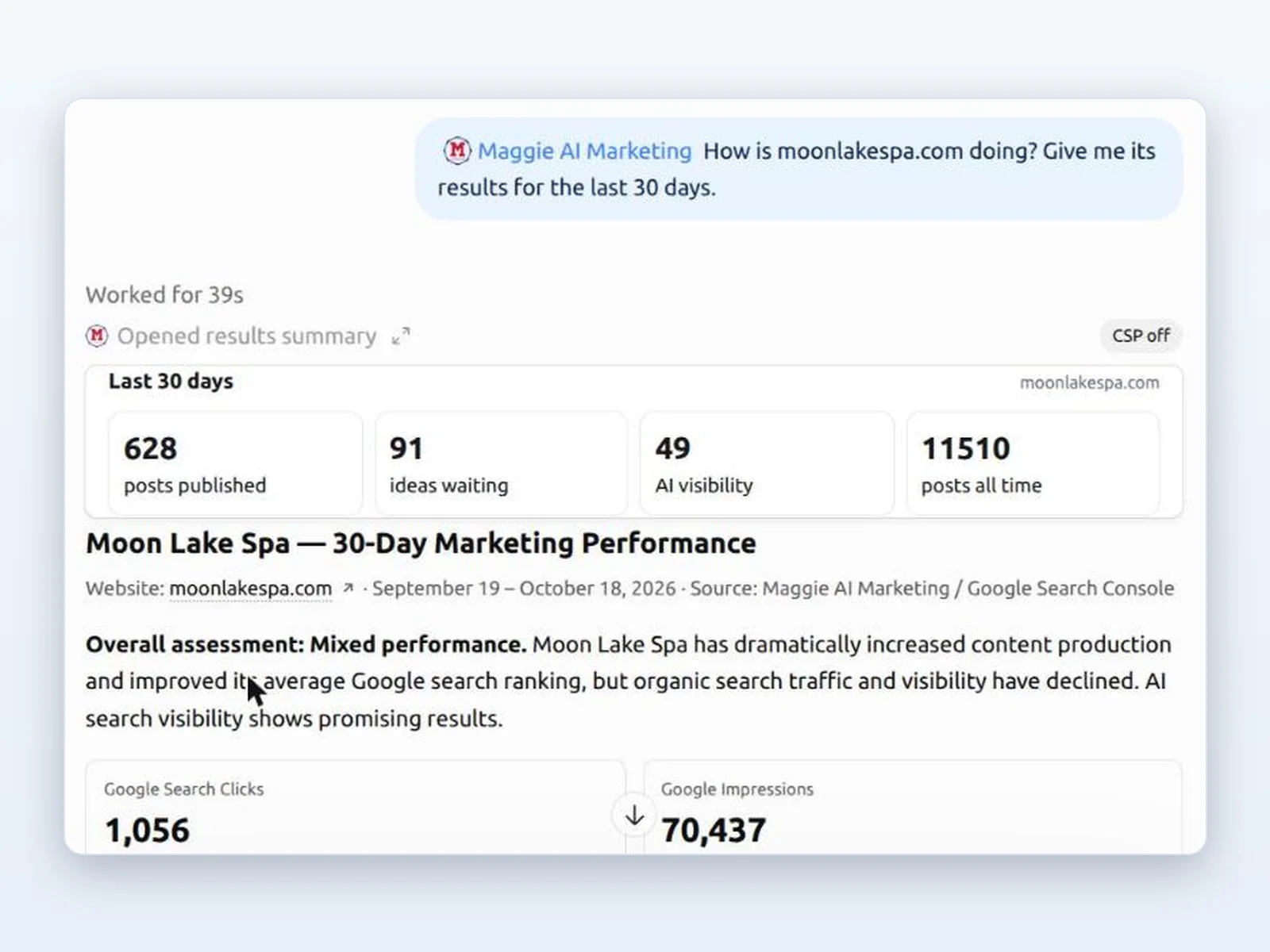
Three real questions about moonlakespa.com, a spa website managed with cmo.so, and Maggie's answers in ChatGPT.
“How is my website doing this month?”
Maggie pulls the last 30 days: posts published, ideas waiting, AI visibility and Search Console clicks and impressions against the month before, then sums up what changed.
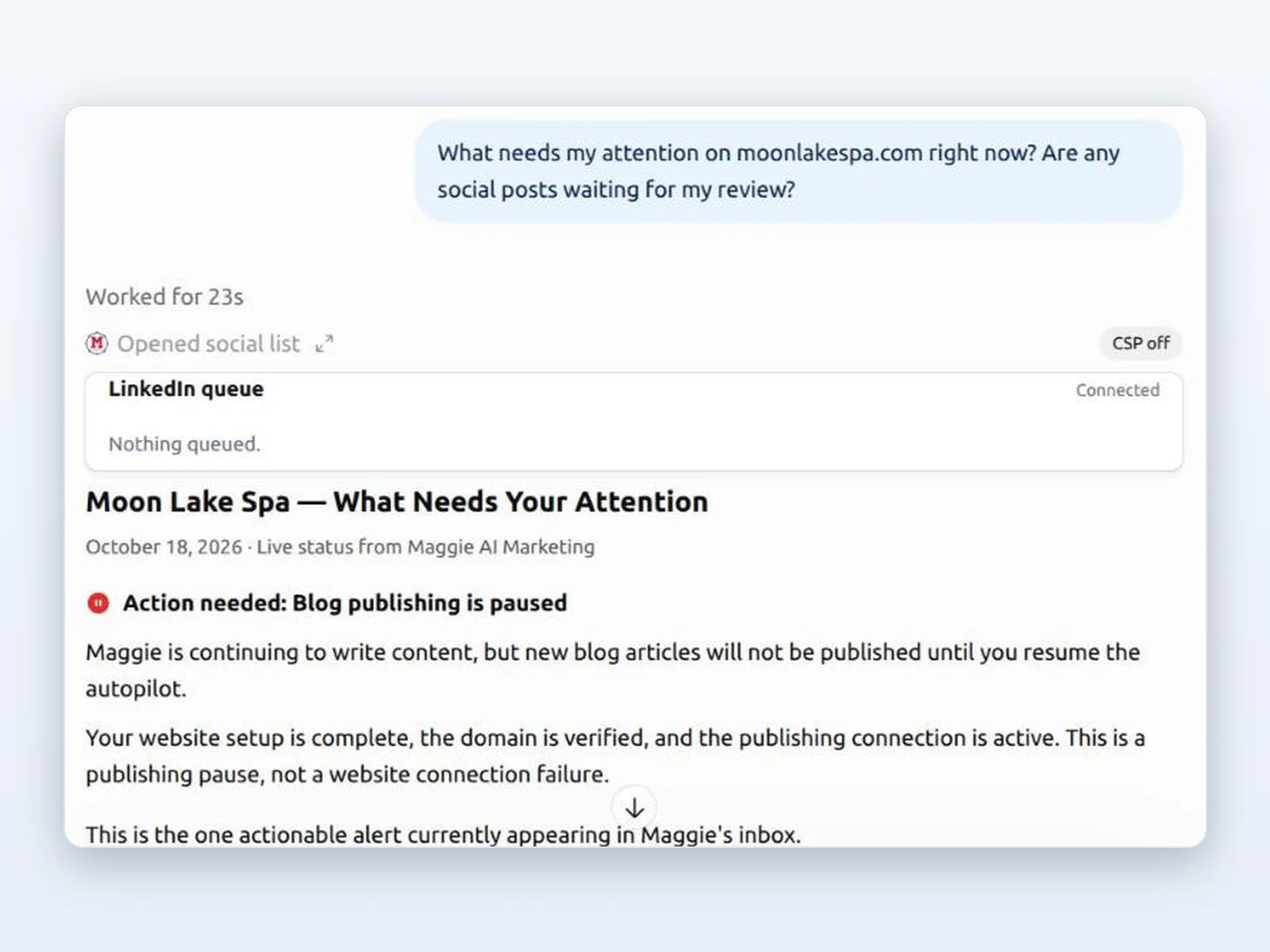
“What needs my attention right now?”
She reads your cmo.so inbox and queues: here, a paused blog autopilot and an empty social queue, with which channels are connected.
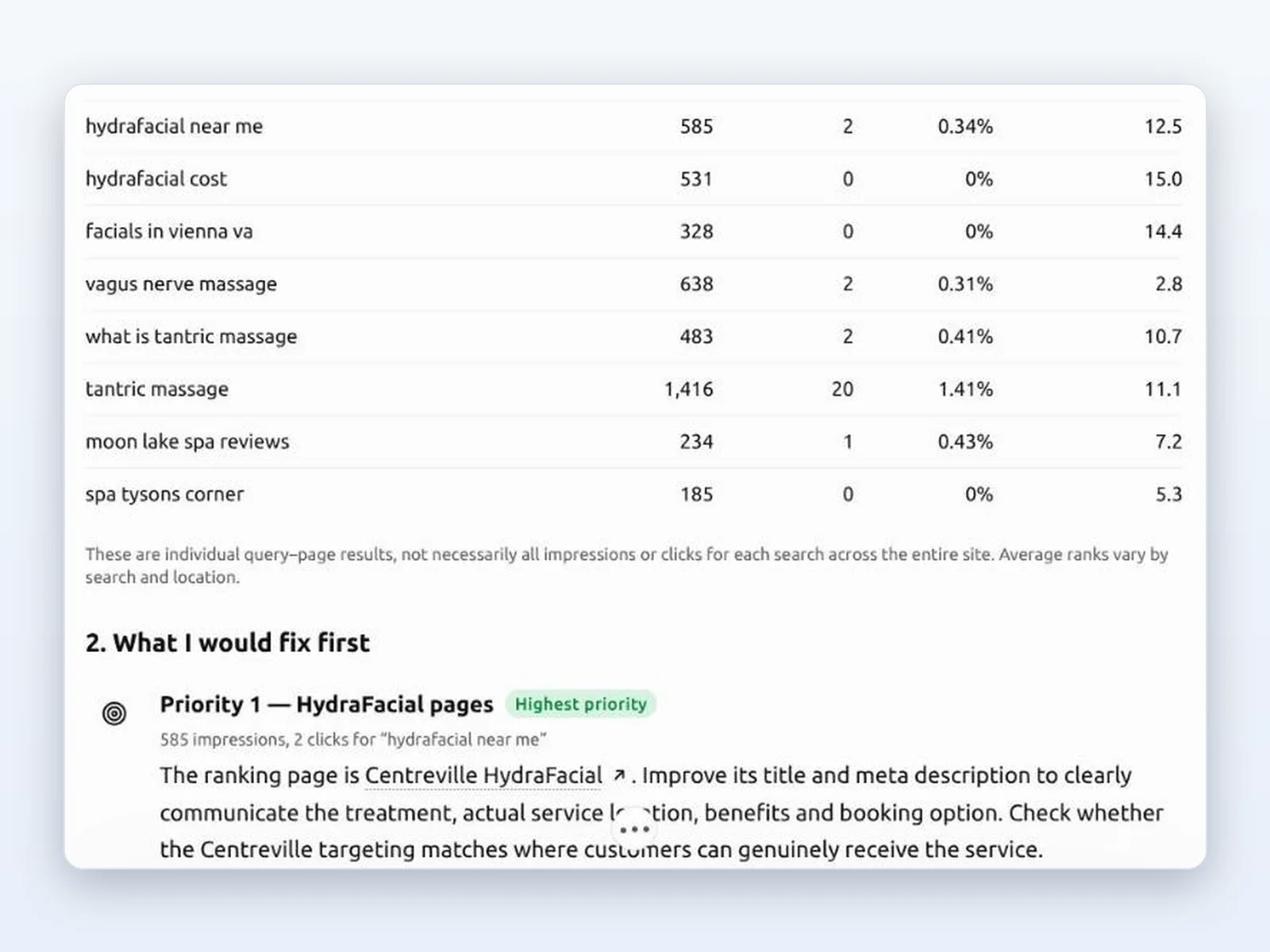
“Which searches show my site but get few clicks?”
From your Search Console data she lists the searches with many impressions and few clicks, then ranks what to fix first and which page to change.
Nine things to ask Maggie in ChatGPT
Copy one into ChatGPT once the plugin is added. Questions run straight away; anything that changes something shows you a preview first.
“How did my website do last week?”
Posts published, ideas waiting, AI visibility and Search Console clicks, as a results card.
“What needs my attention in cmo.so?”
Posts to review, setup steps, posts that couldn't go out and pauses.
“What blog posts are planned next?”
The ideas and drafts Maggie writes next for your autopilot.
“Which searches show my site but get few clicks?”
Search Console queries with high impressions and low click-through, and what to fix first.
“Show my LinkedIn posts waiting for review”
Your social queue with each post's text, ready to approve or skip.
“Approve the LinkedIn post about our spring offer”
Shows the approval and when it goes out, then waits for your yes.
“Add a blog idea from this link: https://example.com/article”
Previews the idea Maggie will add to your plan.
“How visible is my business in Google's AI answers?”
Your AI visibility score, best position and the questions you show up for.
“Pause publishing until Monday”
Previews the pause; nothing stops until you confirm.
The cmo.so ChatGPT plugin at a glance
- Version
- 1.0.1
- Works in
- chatgpt.com (as a custom MCP server) and the ChatGPT desktop app (from the plugin archive)
- Server
- https://mcp.cmo.so/mcp, signed in with OAuth on cmo.so
- Download
- maggie-chatgpt-plugin.zip: plugin settings and logo, no code
- Can do
- Results, inbox, blog plan, ideas and drafts, social queues, Search Console, AI visibility, business profile and brand voice
- Changes
- Always previewed first, with any cost; nothing happens until you confirm
- Never does
- Sell or change plans, show your keys or passwords, or see other people's data
- You need
- A cmo.so account with your website added (the free plan is enough to start)
- Disconnect
- In your cmo.so account settings, under API keys, or by uninstalling it in ChatGPT
Things to know
The archive is for the desktop app
A plugin added from the .zip opens in the ChatGPT desktop app. In the browser, add cmo.so as a custom MCP server instead.
Answers follow your ChatGPT language
ChatGPT replies in the language it uses with you, so the same question can come back in another language. Ask it to answer in English if you prefer.
Limits follow your cmo.so plan
Posts per day, AI generations and Maggie's daily messages are the same as in the app. When something would go over, Maggie says so instead of doing it.
Connect your blog and channels in cmo.so
Your website platform and social accounts are connected once in the cmo.so app; Maggie can open that form for you from the chat.
cmo.so ChatGPT plugin questions
Still unsure?
What is the cmo.so ChatGPT plugin?
It brings Maggie, the cmo.so marketing assistant, into ChatGPT. Once it's added, you can ask ChatGPT how your website is doing, what needs you today, what to write next and which Google searches to fix, and the answers come from your own cmo.so data, often as cards with the numbers laid out.
It can also make changes for you, such as approving a LinkedIn post, adding blog ideas or pausing publishing, but only after it shows you exactly what will happen and you confirm.
How do I add it to ChatGPT?
On chatgpt.com, open Plugins, press Add, choose Add custom MCP server, paste https://mcp.cmo.so/mcp as the server URL, create it and sign in on cmo.so when asked. The step-by-step guide on this page shows every screen.
For the ChatGPT desktop app, download the plugin archive from this page, choose Upload plugin archive in the same Add menu and open it in the desktop app. Both ways connect to the same cmo.so server.
Why are there two ways to add it?
ChatGPT treats them differently. A custom MCP server added on chatgpt.com works in the browser right away. A plugin uploaded as an archive opens in the ChatGPT desktop app, which is available for Mac and Windows.
Maggie has been submitted for ChatGPT's plugin directory. Once she's listed there, adding her will be a single click, and these steps will still work.
Is it free?
The plugin is free. You need a cmo.so account with your website added, and the free plan is enough to try it.
What Maggie can do follows your cmo.so plan, exactly as in the app: posts per day, AI generations and daily messages. The plugin never sells plans or asks for payment in ChatGPT; upgrades happen in the cmo.so app.
Which ChatGPT plans can use it?
Any ChatGPT account that lets you add plugins can use it. The Add custom MCP server option isn't offered on every plan or workspace; if you don't see it, use the desktop app way or ask your workspace admin to allow custom plugins.
The plugin itself has no extra cost on either side, beyond your ChatGPT subscription and your cmo.so plan.
What does signing in give ChatGPT access to?
The cmo.so approval page lists it: seeing your workspaces, ideas, posts and reports, making changes for you to ideas, posts, social and settings, and staying connected until you disconnect it. You approve that on cmo.so, so your password is never typed into ChatGPT.
Even with that access, every change still goes through a preview and your confirmation in the chat, and the plugin only acts on websites your cmo.so account can manage.
Can it change things without asking me?
No. Any action that changes something first returns a preview of what will happen and what it costs, such as an AI generation or a post credit, and nothing changes. Only when you confirm does it run.
Questions, such as results, inbox or Search Console data, run straight away because they don't change anything.
Where does the data in the answers come from?
From your cmo.so account: the blog posts and ideas Maggie manages, your social queues, the Search Console and AI visibility data cmo.so keeps for your website, and your business profile. The answers say when the data was last synced.
ChatGPT writes the summary around that data, so it's worth checking any decision against the numbers in the cards, as ChatGPT itself suggests.
I have several websites. How does it know which one I mean?
Name the website in your question, such as moonlakespa.com, and Maggie uses it. If you have only one website, you don't need to name it.
You can also ask which websites she can manage for you; she lists the ones your cmo.so account can see, with your role on each.
How do I remove or disconnect it?
In ChatGPT, open the plugin from Plugins, press the three dots and choose Uninstall. To cut its access from the cmo.so side as well, remove it in your cmo.so account settings under API keys.
Removing it doesn't change anything in your cmo.so account; your posts, ideas and settings stay as they are.
What's in the download?
The archive maggie-chatgpt-plugin.zip holds plugin.json, mcp.json and the logo: the plugin's name, description, starter questions and the address of the cmo.so server. It contains no code and no keys.
It's version 1.0.1. When a new version comes out, download it again and use Upload new version on the plugin's page in ChatGPT.
Does it work in other assistants?
Yes. The same server works in Claude, Cursor, VS Code and other MCP clients; the cmo.so MCP server page has a ready snippet for each.
If you live in the terminal, the cmo.so CLI gives you the same tools as commands, and Ask Maggie is built into the cmo.so app.
Bring Maggie into ChatGPT
Create a free cmo.so account and add your website, then add the plugin. It takes about two minutes.
- Free plan, no card needed
- You approve every post
- Cancel any time