


Run your marketing from the terminal with the cmo.so CLI
Check results, review your social queue and manage blog ideas and drafts with one command each, then script it in CI. Anything that changes something asks first.
npm i -g @cmo-so/cli- @cmo-so/cli
- Version 0.7.5
- Licence MIT
- Node >=20
- Downloads 335 last month
- Updated 18 Oct 2026
Or without installing: npx @cmo-so/cli login · Free cmo.so account to start
Try it, install it or put it in CI
Get going in a few commands
Pick what you want to do and copy it into your terminal. Commands that change something show what will happen and ask y/N first.
npm i -g @cmo-so/cli
cmo login
cmo init
cmo inboxcmo inbox
cmo results --period 7d
cmo social ls
cmo social approve 412 415cmo ideas generate -n 5 --brief "spring offers for new clients"
cmo ideas import-sitemap -n 10
cmo ideas ls
cmo autopilot statusname: Weekly marketing report
on:
schedule:
- cron: "0 8 * * 1"
jobs:
report:
runs-on: ubuntu-latest
steps:
- uses: actions/setup-node@v4
with:
node-version: 20
- run: npx -y @cmo-so/cli results --period 7d --json > results.json
env:
CMO_API_KEY: ${{ secrets.CMO_API_KEY }}
CMO_WORKSPACE: example.comcmo connect api-pull --key aicmo_… --write-env .envcmo tools
cmo run gsc_queries_get period=30d filter=low_ctr limit=10
cmo run ideas_generate count=3 --dry-runOptions for every command: --json, -w/--workspace <domain>, -y/--yes and --dry-run.
Every command
The everyday commands. cmo tools lists every action Maggie can take, and cmo run <tool> runs any of them.
cmo loginSign in in your browser with a device code; the sign-in renews itselfReadscmo logoutSign out and disconnect this computerReadscmo whoamiWho is signed in, and the key's accessReadscmo initSign in if needed and pick your default websiteReadscmo workspaces [ls]Your websitesReadscmo workspaces use <domain>Set the default website for later commandsReadscmo inboxWhat needs you now: posts to review, failures, setup steps, low quotaReadscmo results [--period 7d|30d]Posts published, ideas waiting and AI visibility for the last 7 or 30 daysReadscmo ideas [ls]Blog post ideasReadscmo ideas add <url|text>Add an idea from a link or a sentenceAsks firstcmo ideas generate [-n 5] [--brief …]Let Maggie come up with new ideas (uses AI generations)Asks firstcmo ideas import-sitemap [-n 10] [--sitemap <url>]Import pages from your sitemap as ideasAsks firstcmo ideas plan|discard|restore <id>Move an idea into the plan, discard it or bring it backAsks firstcmo posts [ls] [--status planned|draft|published]Blog posts by statusReadscmo posts show <id>One post in fullReadscmo posts publish <id>Publish a post to your websiteAsks firstcmo posts delete <id>Delete a postAsks first · can't undocmo autopilot [status]Whether the blog autopilot is on, paused, and posts per dayReadscmo autopilot pause|resumePause or resume the blog autopilotAsks firstcmo social [ls]Your social queue: LinkedIn, Facebook Page, Instagram, Google Business, YouTube, TikTokReadscmo social approve <id…>Approve one or more posts for their next posting timeAsks firstcmo social skip <id> | restore <id>Skip a post, or bring a skipped one backAsks firstcmo social draft "<topic>"Add a LinkedIn idea for Maggie to write upAsks firstcmo social pause|resumePause or resume social postingAsks firstcmo social video add <url>Add a video post for LinkedIn, Facebook, Instagram, YouTube or TikTokAsks firstcmo keys [ls]Your API keysReadscmo appsApps connected to your account: ChatGPT, Claude, this CLI…Readscmo connect api-pull [--key aicmo_…] [--write-env .env]Connect a project to cmo.so by API and write the key into .envAsks firstcmo open [path]Open the cmo.so app, optionally at a pageReadscmo toolsEvery action Maggie can takeReadscmo run <tool> key=value…Run any tool by name, e.g. cmo run gsc_queries_get period=30dAsks firstcmo mcpRun the local MCP server over stdioReadscmo feedback "<one line>" [--type bug]Tell the cmo.so team what to fix or buildAsks first
Nothing matches. Try another word.
Asks first: shows what will happen and waits for y. In scripts, pass --yes; without a terminal and without --yes, nothing is changed.
From install to your first approval
About two minutes. These are the CLI's real messages, with example.com in place of a real website.
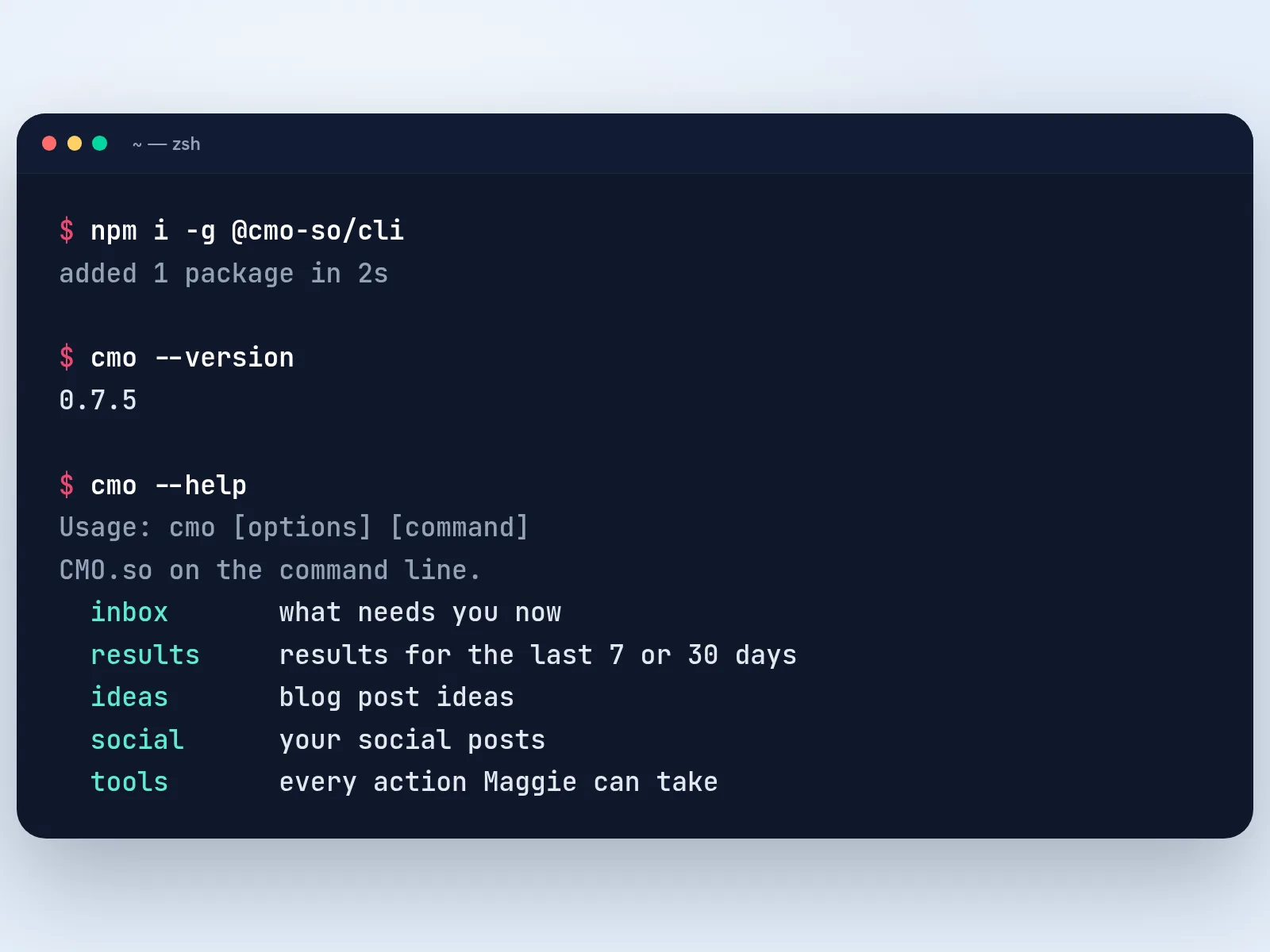
Install the CLI
Run npm i -g @cmo-so/cli (Node 20 or later). Check it with cmo --version, and see every command with cmo --help.
Tip Rather not install? Put npx @cmo-so/cli in front of any command instead of cmo.
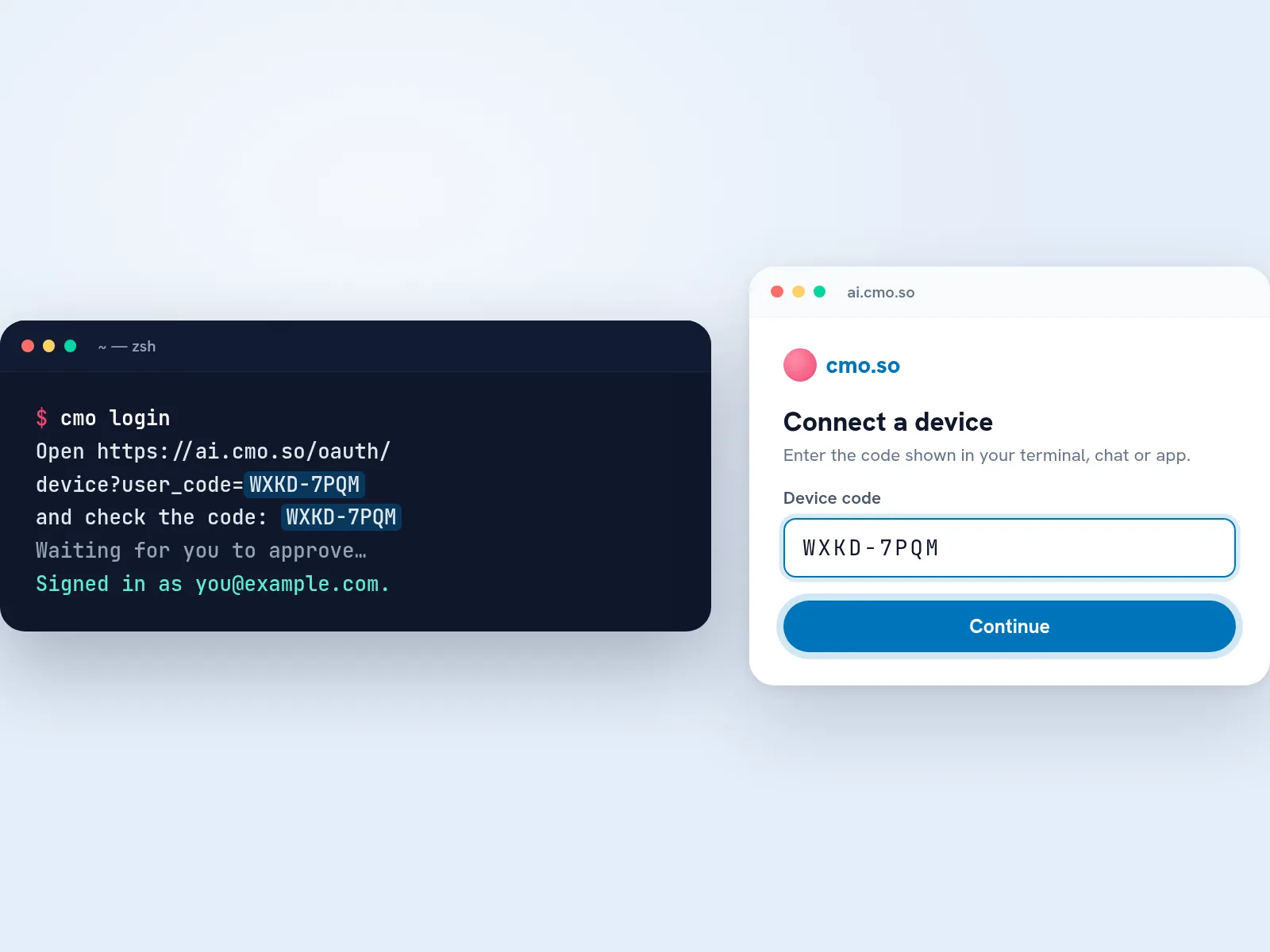
Sign in with a device code
Run cmo login. Your browser opens the Connect a device page with the code filled in: check it matches your terminal, press Continue and approve. The terminal says who is signed in.
Tip The sign-in is kept in ~/.config/cmo/credentials.json, readable only by you, and renews itself.
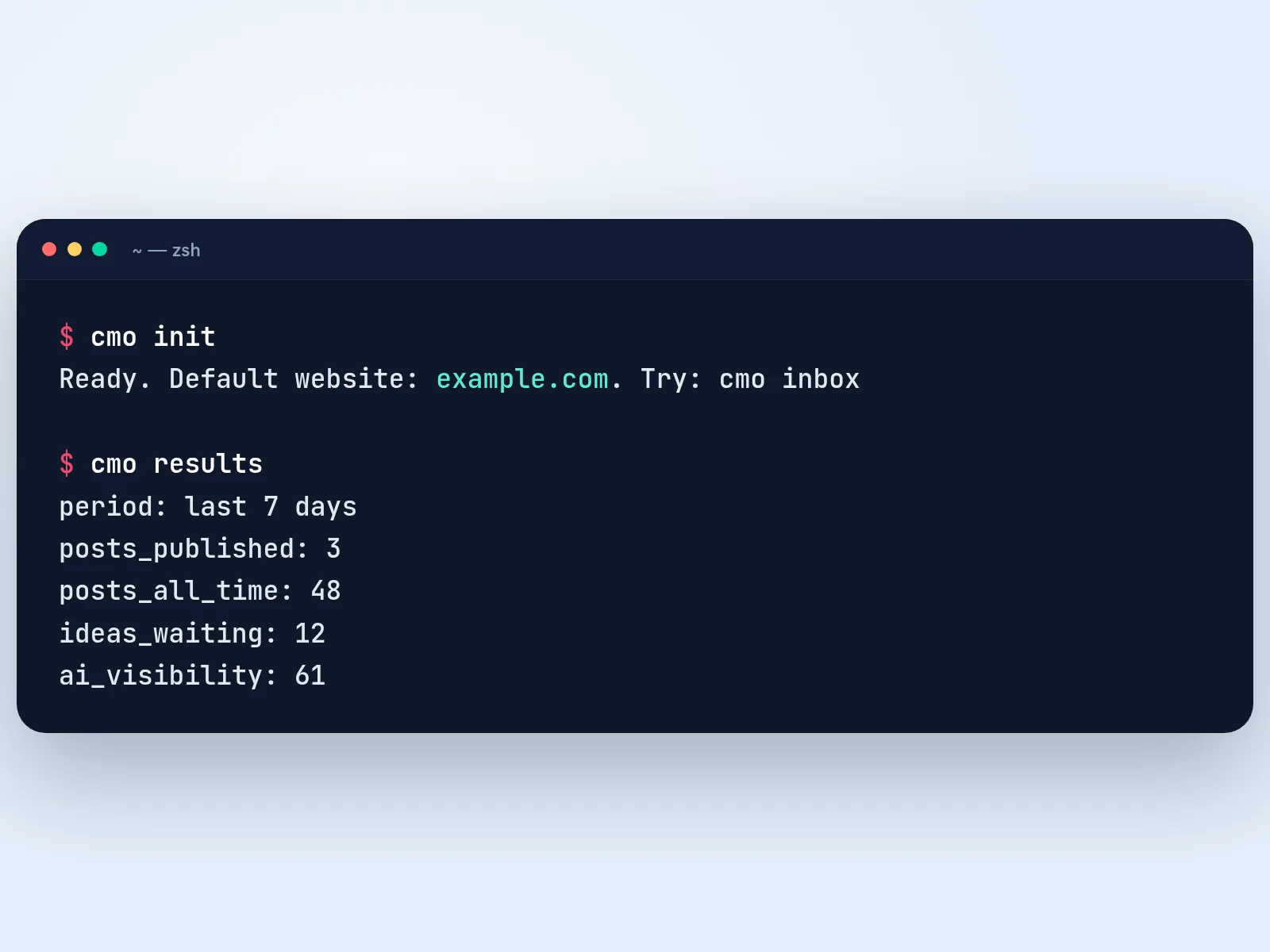
Pick your website
Run cmo init to choose your default website (with one website it's picked for you), then cmo results to see the last 7 days. Use -w example.com to act on another website for one command.
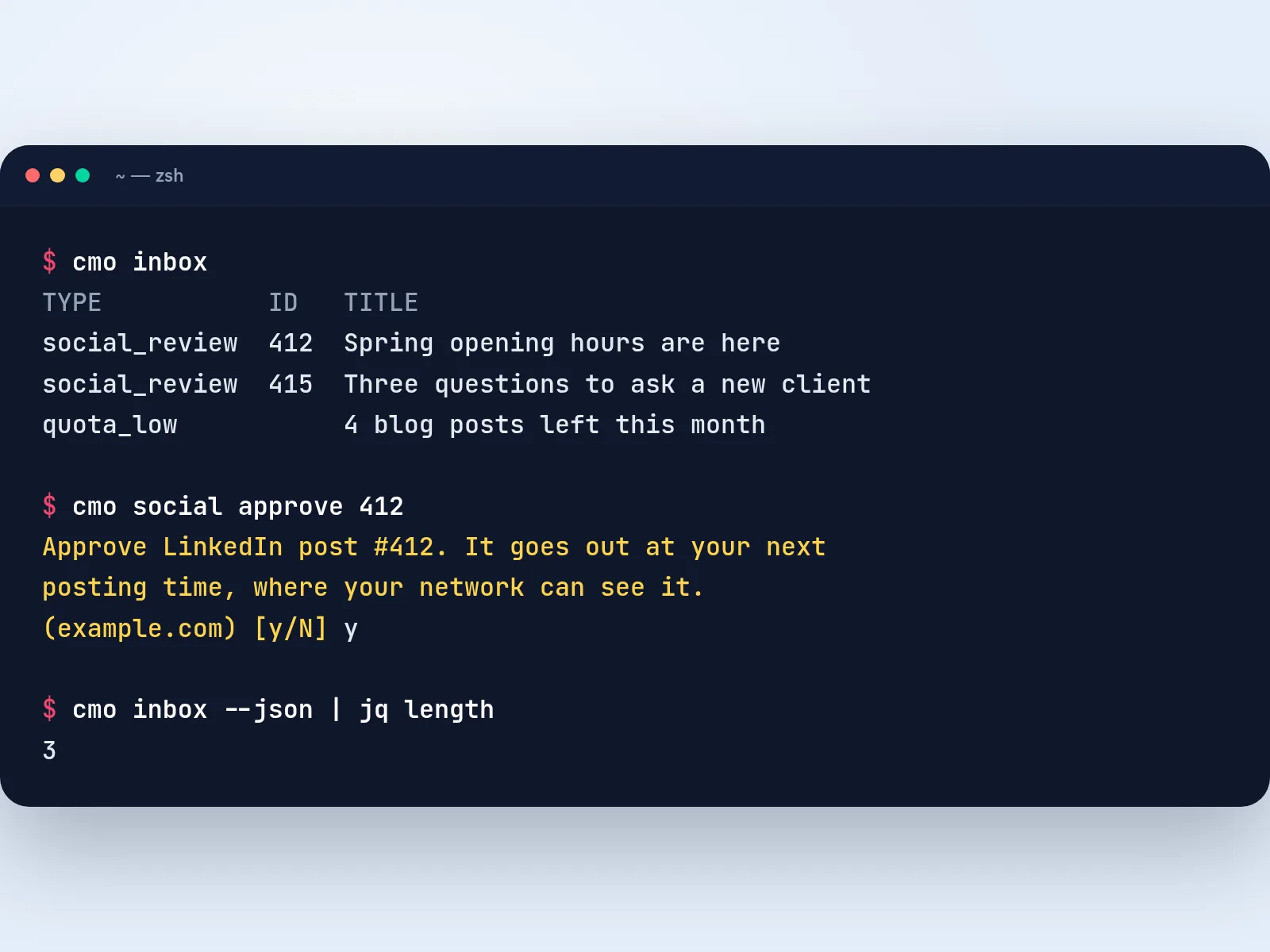
Review and approve
cmo inbox lists what needs you. Approve a post with cmo social approve and its id: the CLI shows exactly what will happen and waits for y. Add --json to any command for machine-readable output.
Tip Exit codes: 0 done, 2 wrong input, 3 not signed in, 4 plan, permission or daily limit, 5 server problem.

An agency's Monday, scripted
Tom looks after marketing for eleven client websites. At 8:00 on Monday a GitHub Actions job runs cmo results --json for each of them and posts the numbers to the team's channel, so the week starts with facts instead of logins.
With his coffee he runs cmo inbox -w for the two clients with posts waiting, reads them with cmo social ls and approves the good ones in one line. One client launches a product on Thursday, so he runs cmo ideas generate with a short brief and lets the autopilot take it from there.
Every approval shows up in the cmo.so app, so the clients who prefer their phones see the same queue, and nothing he scripted can change a thing without --yes.
The cmo.so CLI at a glance
- Install
- npm i -g @cmo-so/cli (command: cmo), or npx @cmo-so/cli; Node 20 or later
- Sign in
- cmo login with a device code; for CI, CMO_API_KEY (takes priority) and CMO_WORKSPACE
- Stored at
- ~/.config/cmo/credentials.json, readable only by you; cmo logout disconnects it
- Options
- --json, -w/--workspace <domain>, -y/--yes, --dry-run
- Changes
- Shown first with any cost and asked y/N; without a terminal and without --yes, nothing changes
- Exit codes
- 0 done · 2 wrong input · 3 not signed in · 4 plan, permission or daily limit · 5 server problem
- Also includes
- cmo mcp, the local MCP server, and @cmo-so/mcp for client configs
- Licence
- MIT, published on npm as @cmo-so/cli
Things to know
Read-only keys stay read-only
A read-only API key can only run reading commands, which makes it a safe choice for reports in CI.
--json is the tool's own result
The JSON output is the same shape MCP clients get, so scripts don't break when the human-readable layout changes.
Plan limits apply
Posts per day, AI generations and daily limits are your plan's. When a command hits one, it exits with code 4 and changes nothing.
Keys are created in your account
cmo keys lists your keys; new keys are created and revoked under API access in your cmo.so account.
cmo.so CLI questions
Still unsure?
What is the cmo.so CLI?
It's cmo, a command-line client for cmo.so. It lets you check your results, review and approve your social posts, manage blog ideas and posts and control the blog autopilot from your terminal, with one command for each thing you'd otherwise do in the app.
Because every command can print JSON and run without prompts, it's also the easy way to put cmo.so into scripts and CI, such as a weekly report or a bulk approval.
How do I install it?
Run npm i -g @cmo-so/cli, then use the cmo command. It needs Node 20 or later and has no other dependencies.
To try it without installing, put npx @cmo-so/cli in front of any command, for example npx @cmo-so/cli login and npx @cmo-so/cli inbox. npx fetches the latest version each time.
How do I sign in?
Run cmo login. It prints a short code and opens the Connect a device page in your browser; check the code matches, continue and approve. The terminal then tells you who is signed in.
The sign-in is saved in ~/.config/cmo/credentials.json, readable only by you, and renews itself. cmo logout disconnects it, and you can also remove it under Connected apps in your cmo.so account.
Can I use it in CI or scripts?
Yes. Create an API key under API access in your cmo.so account and set it as CMO_API_KEY; it takes priority over cmo login. Set CMO_WORKSPACE to choose the website, and add --json for output your script can read.
Commands that change something need --yes in a script. Without a terminal and without --yes, nothing is changed, so a mistake in a pipeline can't approve or delete anything by accident.
Will it change things without asking?
No. Any command that changes something first shows what will happen, with any cost such as an AI generation, and asks y/N. Only y goes ahead.
--dry-run shows that preview without asking or changing anything, and --yes skips the question when you're sure, which is what scripts use. A read-only API key can only run reading commands at all.
Is it free?
The CLI is free and open source under the MIT licence. You need a cmo.so account, and the free plan is enough to start.
What it can do follows your cmo.so plan, the same as in the app: posts per day, AI generations and daily limits. When a command would go over a limit, it says so and exits with code 4.
What can it do?
The everyday commands cover your inbox, results, blog ideas and posts, the blog autopilot, your social queue across LinkedIn, Facebook, Instagram, Google Business, YouTube and TikTok, API keys, connected apps and connecting a project by API.
Beyond those, cmo tools lists every action Maggie can take, and cmo run <tool> key=value runs any of them, for example cmo run gsc_queries_get period=30d. That's the same set of tools the MCP server and Ask Maggie use.
How do I work with more than one website?
cmo init or cmo workspaces use <domain> sets your default website. For a single command, add -w example.com (or --workspace) to act on another one.
In scripts, set CMO_WORKSPACE instead. cmo workspaces lists every website you can manage, and team roles apply: on a shared website the CLI only does what your role allows.
What do the exit codes mean?
0 means done, 2 means wrong input, 3 means not signed in, 4 means your plan, permissions or a daily limit stopped it, and 5 means a server problem.
Scripts can branch on these, for example retrying later on 5 and alerting someone on 3 when a key has been revoked.
Is --json output stable?
Yes. --json prints the tool's own result exactly as it comes back, the same shape MCP clients get, rather than the human-readable table.
That means the friendly layout can improve without breaking your scripts. Pipe it into jq or your own code to pick out what you need.
Can it run the MCP server too?
Yes. cmo mcp runs cmo.so as a local MCP server over stdio, signed in with your cmo login or CMO_API_KEY, for tools such as Claude Desktop or Cursor.
The separate @cmo-so/mcp package does the same with a shorter config, and the hosted server at https://mcp.cmo.so/mcp needs no install at all. The MCP server page has a snippet for each tool.
Where do I report a problem or ask for a command?
Run cmo feedback with one line describing it, and add --type bug for a bug. It goes straight to the cmo.so team.
You can also ask Maggie in the app. Include the command you ran and its exit code, never your API key.
Your marketing, one command away
Create a free cmo.so account and add your website, then run npx @cmo-so/cli login.
- Free plan, no card needed
- You approve every post
- Cancel any time