


Connect Webflow to cmo.so
Maggie publishes each article as an item in a Webflow CMS collection, with its picture. Webflow connections are set up with our team for now: you prepare two things in Webflow, we do the rest.
Free to start · No credit card · You approve every post
Set up together, then hands-off
Webflow has no fixed blog, so each site's collection is mapped once. That's why we set Webflow up with you.
Connect your Webflow site
Steps 1 and 4 happen in Webflow; we handle the middle.
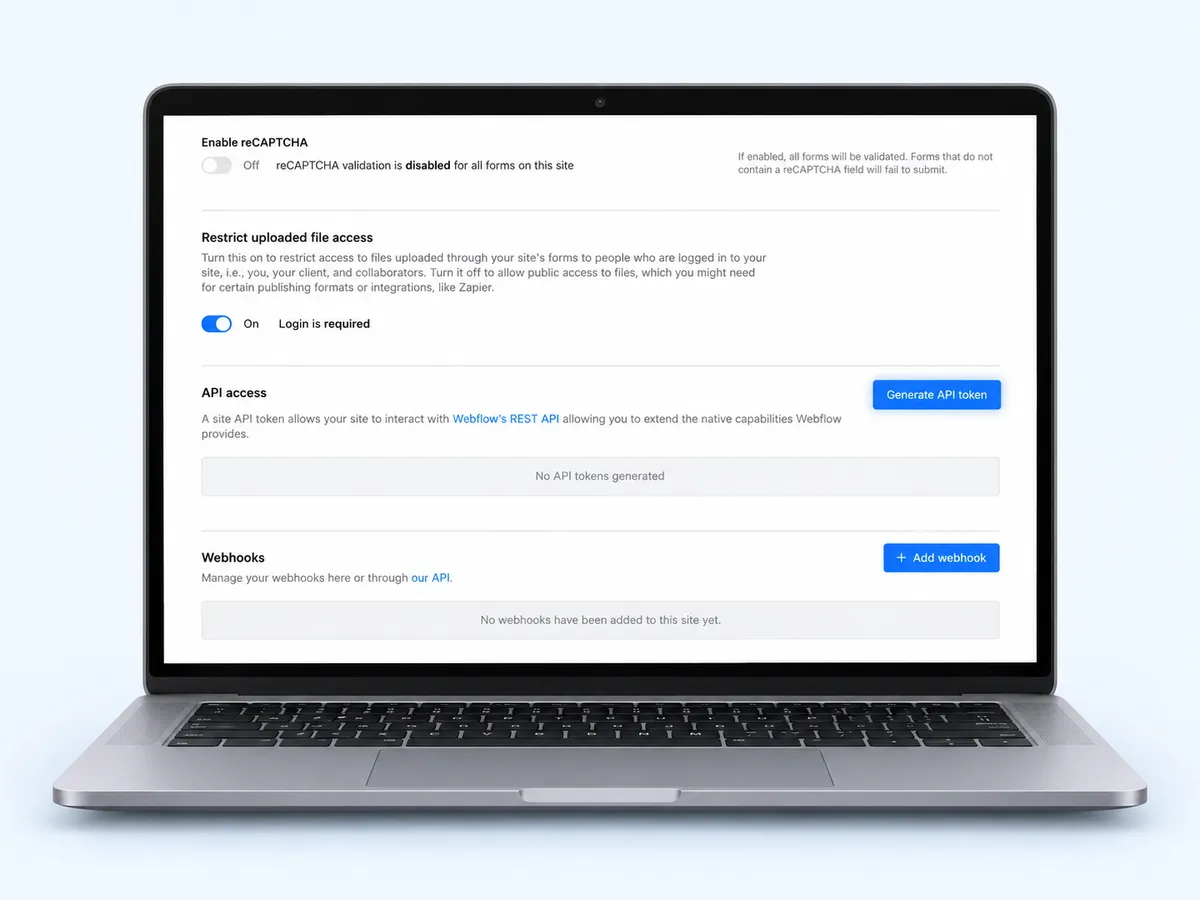
Open API access
In Webflow, open your site's settings → Apps & Integrations and scroll to API access. Press Generate API token.
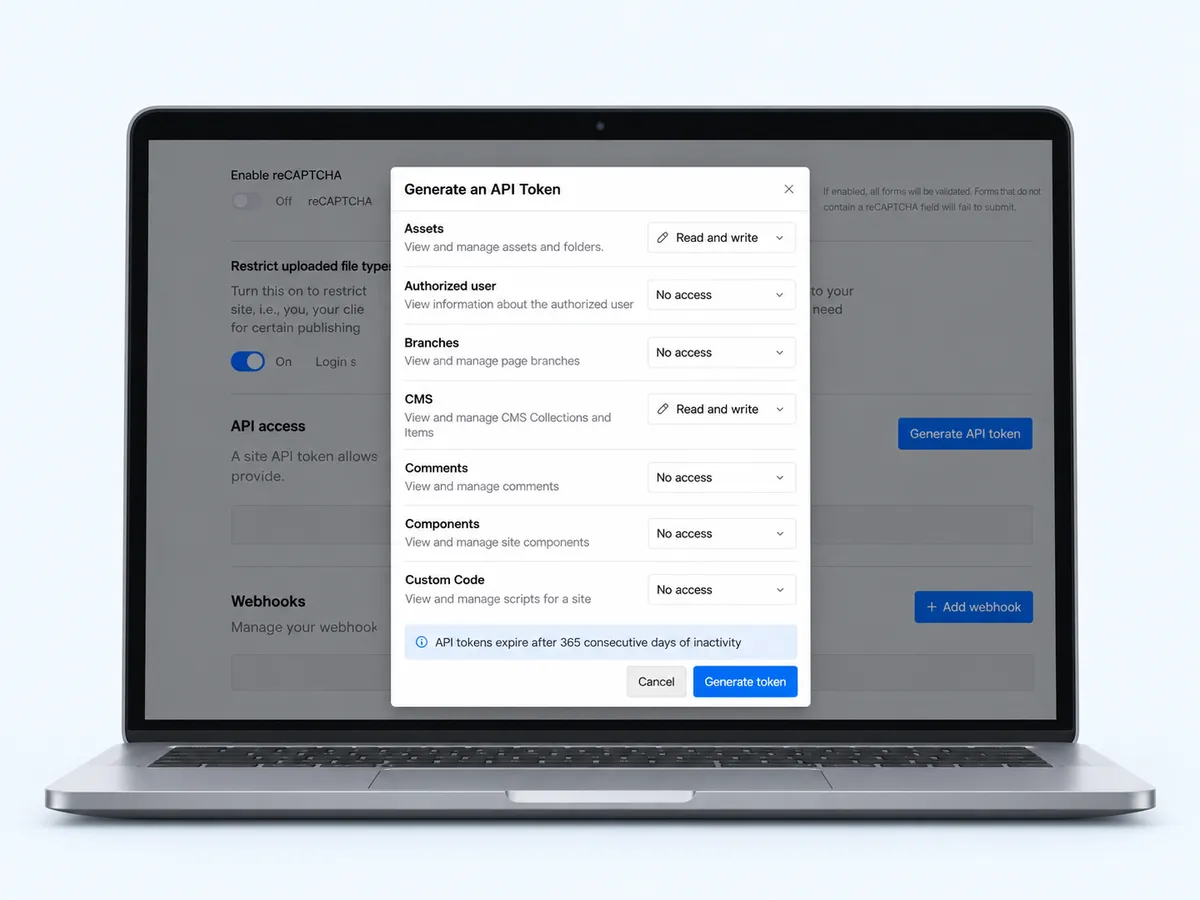
Give the token CMS and Assets access
Name it cmo.so, set Assets to Read and write (for featured pictures) and CMS to Read and write, leave the rest as No access, and press Generate token.
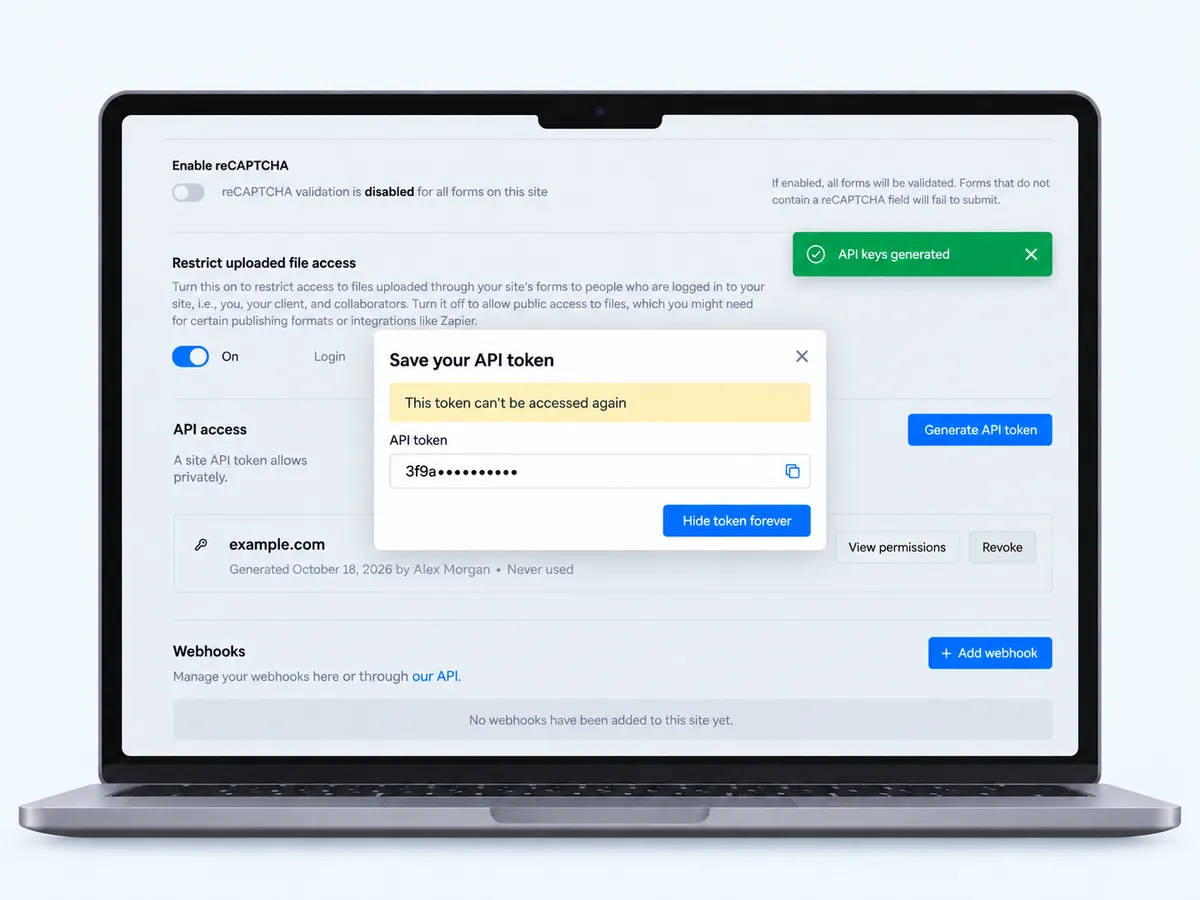
Save the token
Webflow shows the token once (This token can't be accessed again). Keep it somewhere safe, then press Hide token forever.
Tip API tokens expire after 365 days without use.
Ask us to connect it
Contact us from the Contact page or ask Maggie to talk to a person. We'll arrange a safe way to receive the token; never paste it into a chat.

We set up the collection
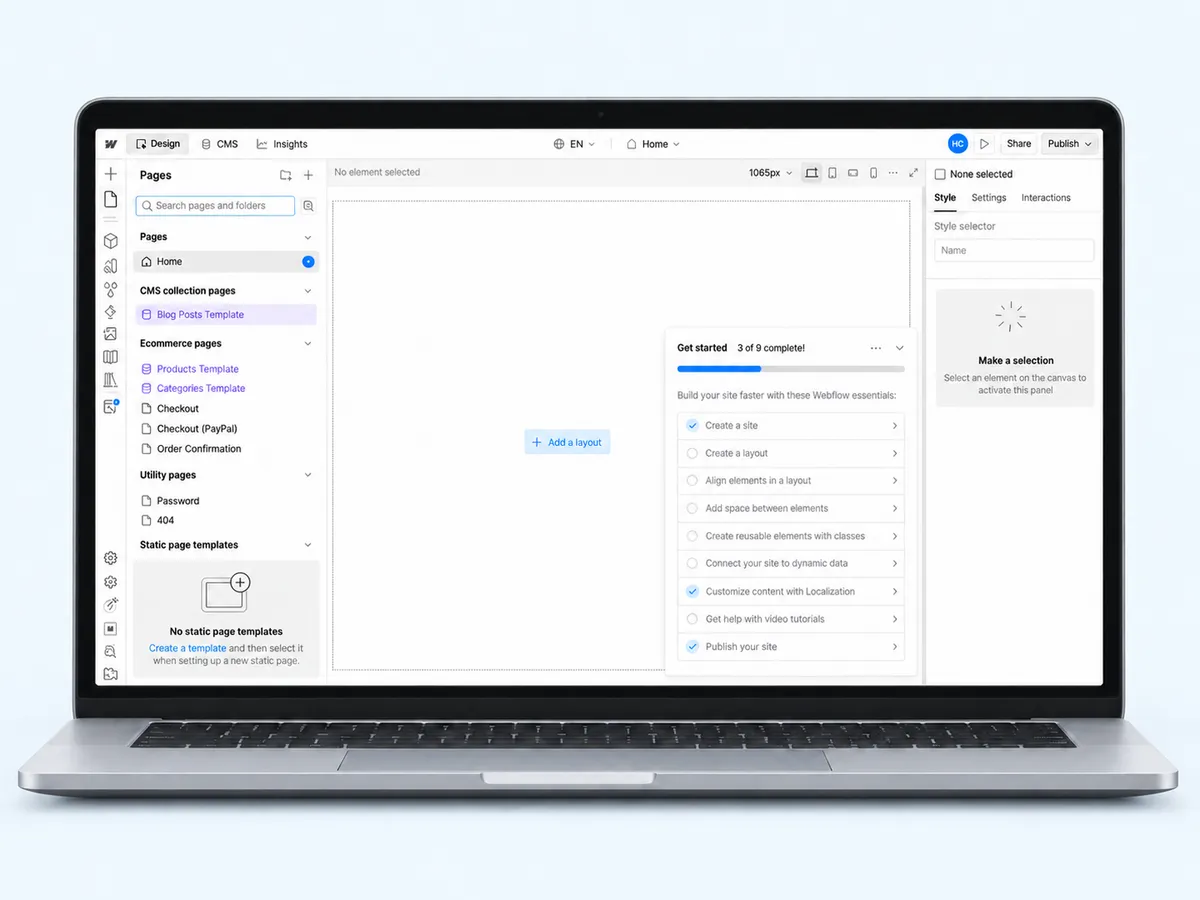
We create a Resources collection (name, slug, excerpt, body, featured image), or map your existing blog collection, such as Blog Posts in the CMS.
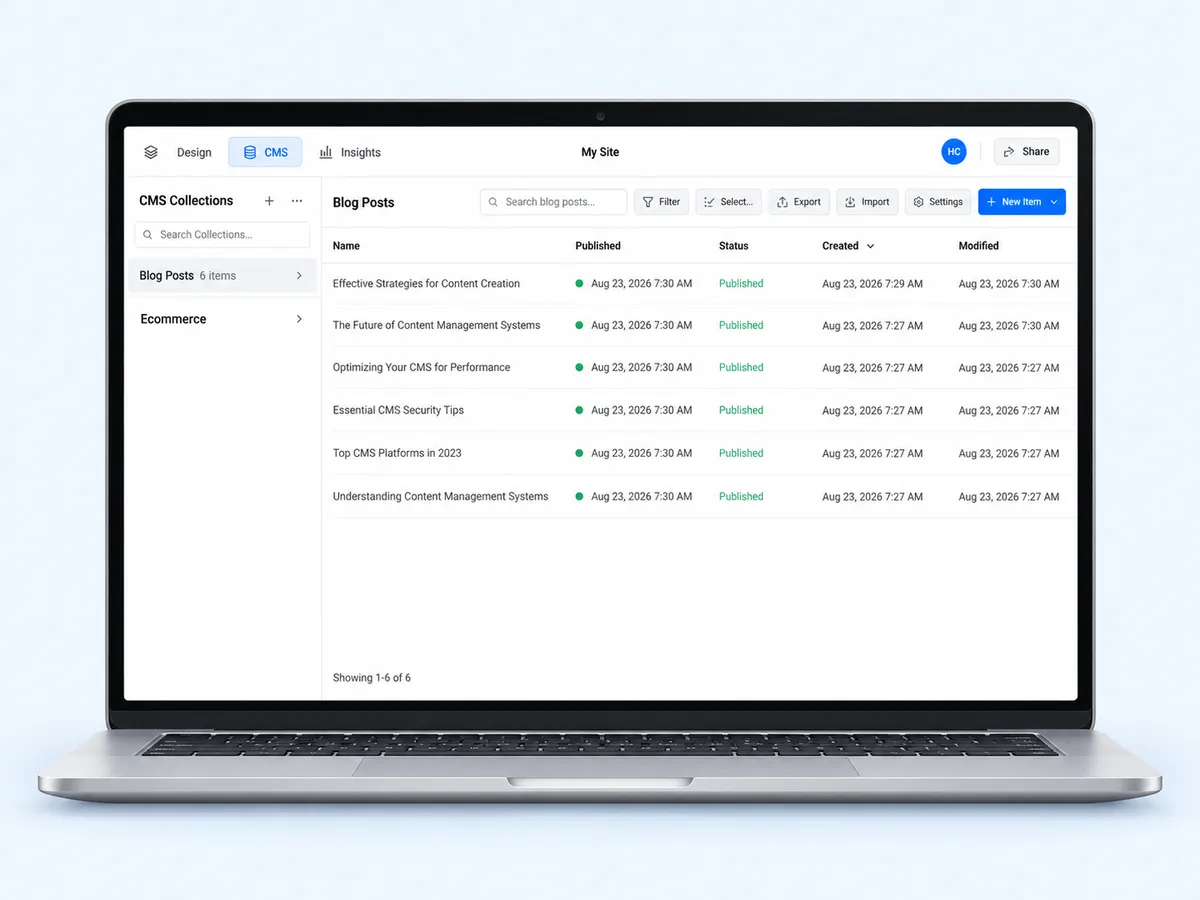
Open the Collection page
In the Designer's Pages panel, under CMS collection pages, open the collection's Template page (for example Blog Posts Template).
Bind the fields
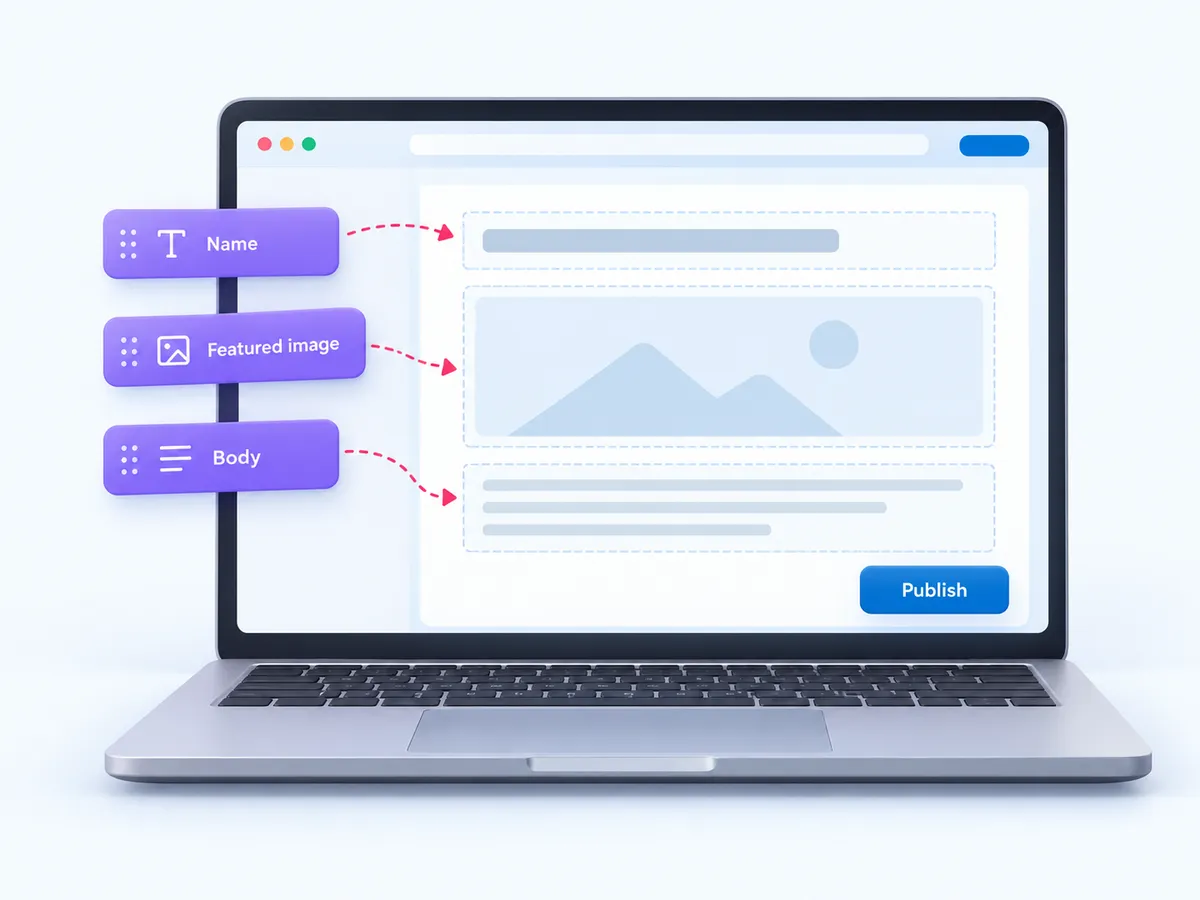
On that Template page, bind a heading to Name, an image to Featured image and a Rich Text block to Body (or duplicate your existing blog post page).
Tip Until the Collection page is published, Webflow can't publish items.
Publish once
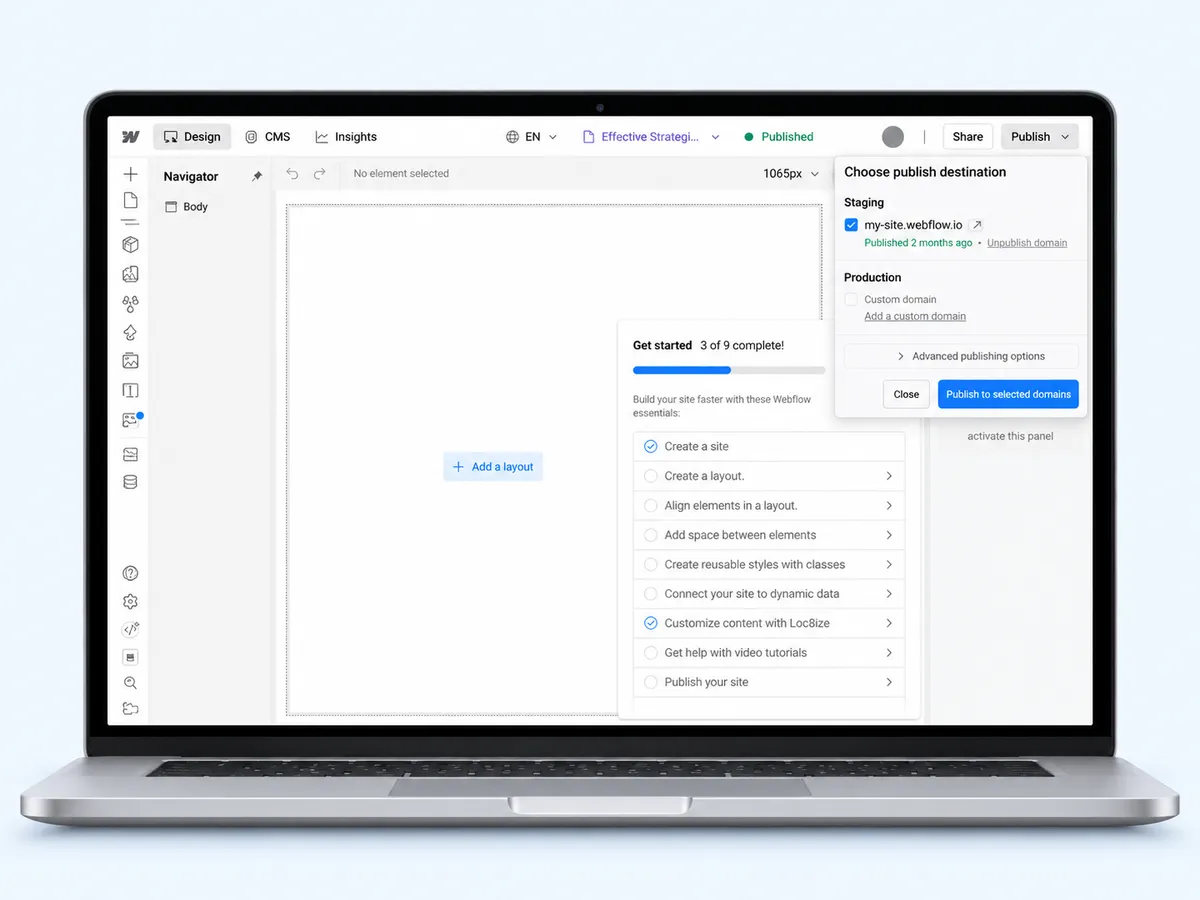
Press Publish, tick your domain and press Publish to selected domains.
Articles flow in
From then on each approved article becomes a published item with its own page on your site.

What you need
- A Webflow site with CMSA site plan that includes the CMS.
- Designer accessTo bind the Collection page and publish.
- A Site API tokenCMS read and write, assets write.
- Your website added to cmo.soSo Maggie knows your brand.
Used by 600+ users and trusted by teams at
aeglesriphal.com
moonlakespa.com
shop.theteagroup.com
clo100.com
logtrics.io
mymorez.com
nextidal.com
otisapp.com
storaitelling.com
theheatpumps.co.uk
web-translations.com
exposeai.tech
orielipo.com
whitelabelcrowd.fund
elliptic.co
med.moonlakespa.com
netdex.co.il
orawellness.uk
reenest.com
syngage.ai
thepenthouseliving.com
zengolf.studio
imaintain.uk
rebuildingsociety.com
aurasocial.world
goaimex.com
moneyparents.com
newgenrenewables.uk
osmosisai.co
saunders.ac
teeza.app
thursdayclub.com
Your collection fills itself
Real collection items
Each article is a CMS item with its own page, slug and fields.
Featured pictures uploaded
Pictures go into your Webflow assets, then onto the item.
Your design, untouched
Maggie fills fields; your Collection page decides how it looks.
Approve first
Articles wait in Posts → Ready for your OK, or go out on their own.
Your marketing team, in your pocket
Real screens from the cmo.so app on iPhone.
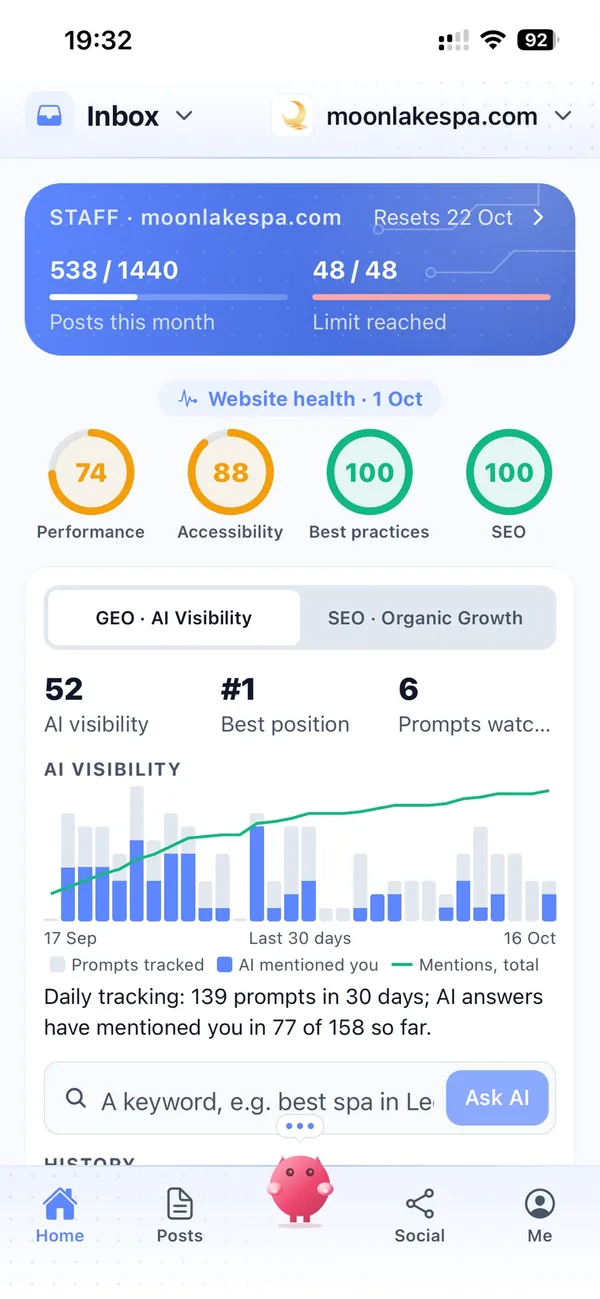
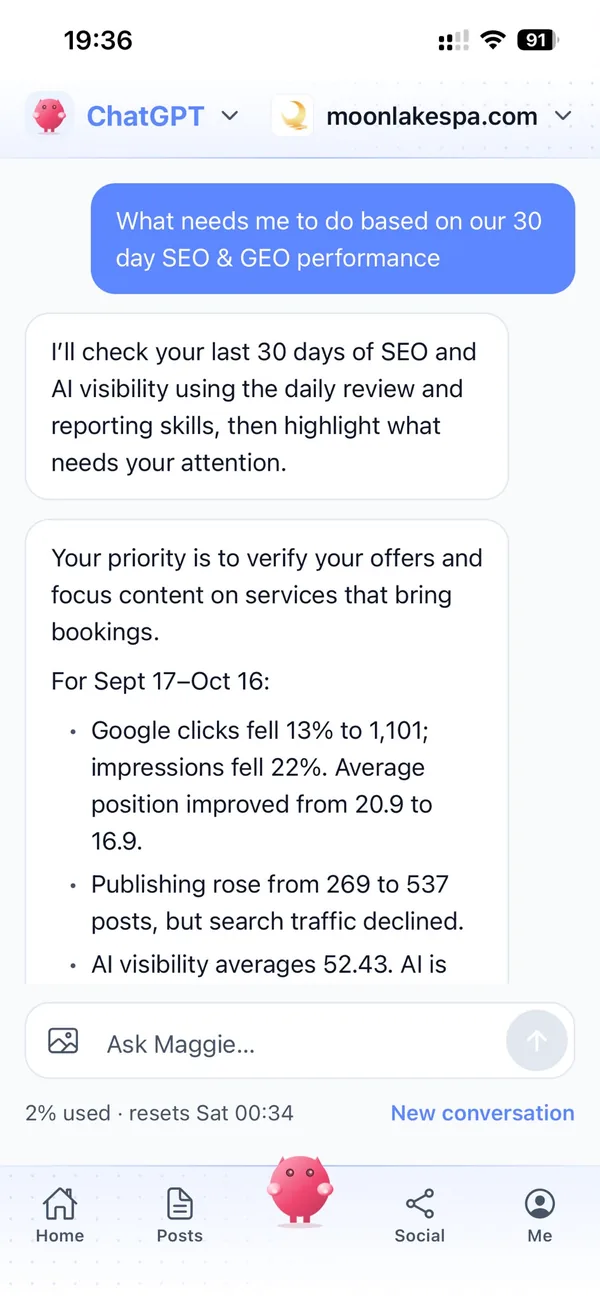
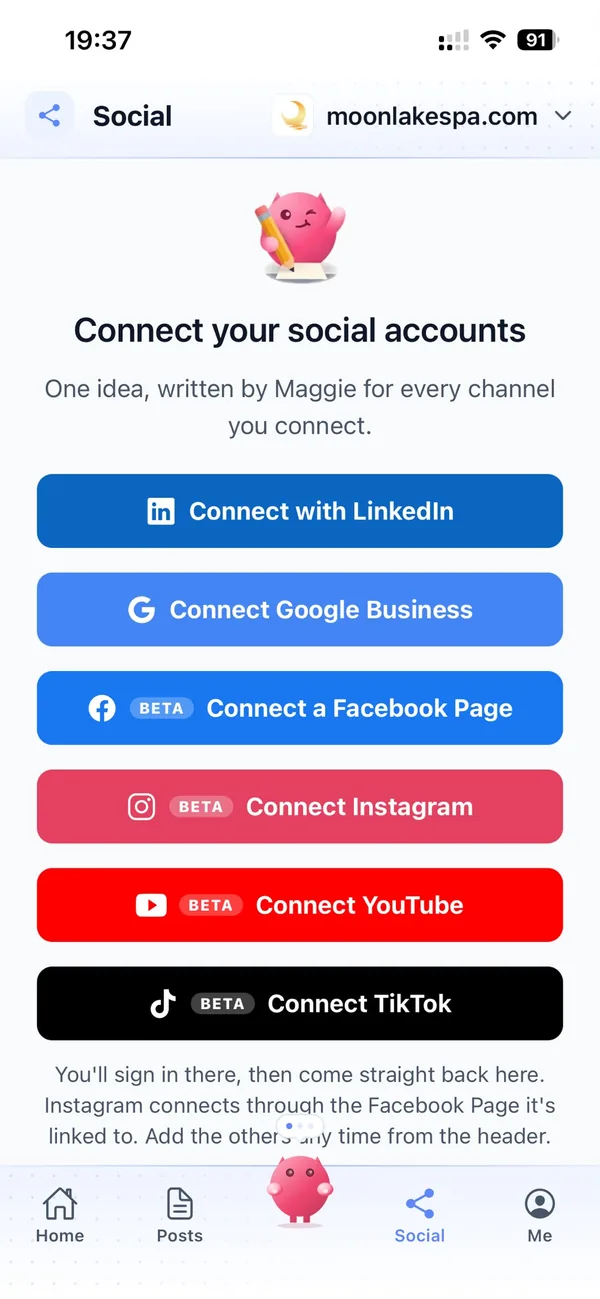
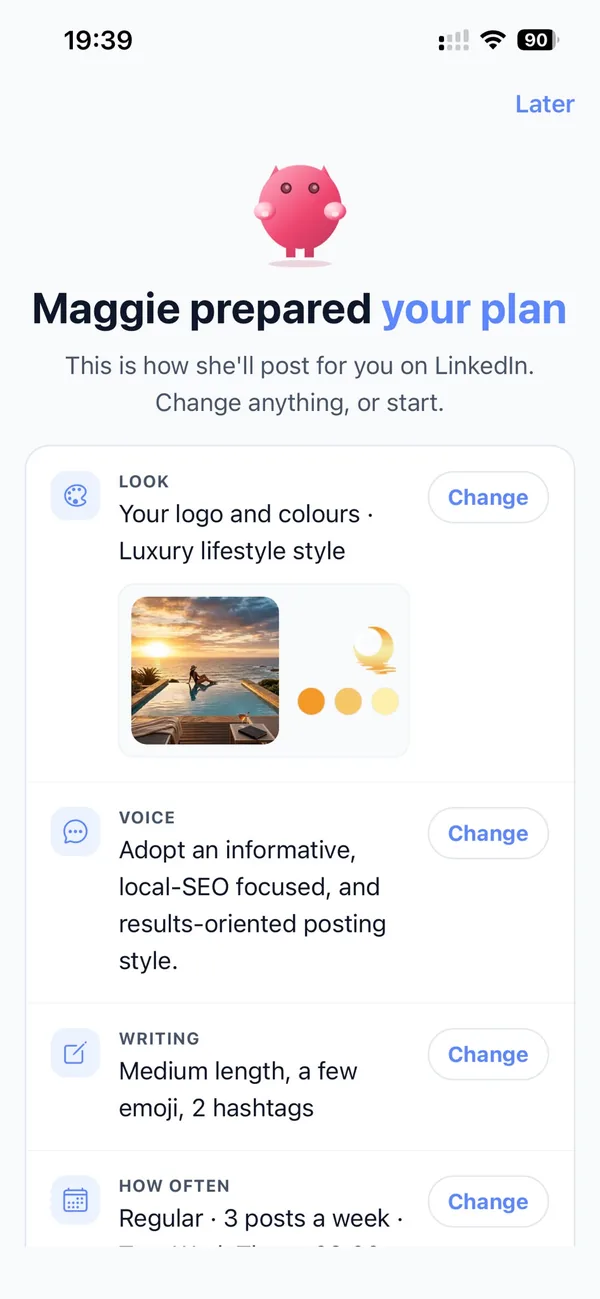
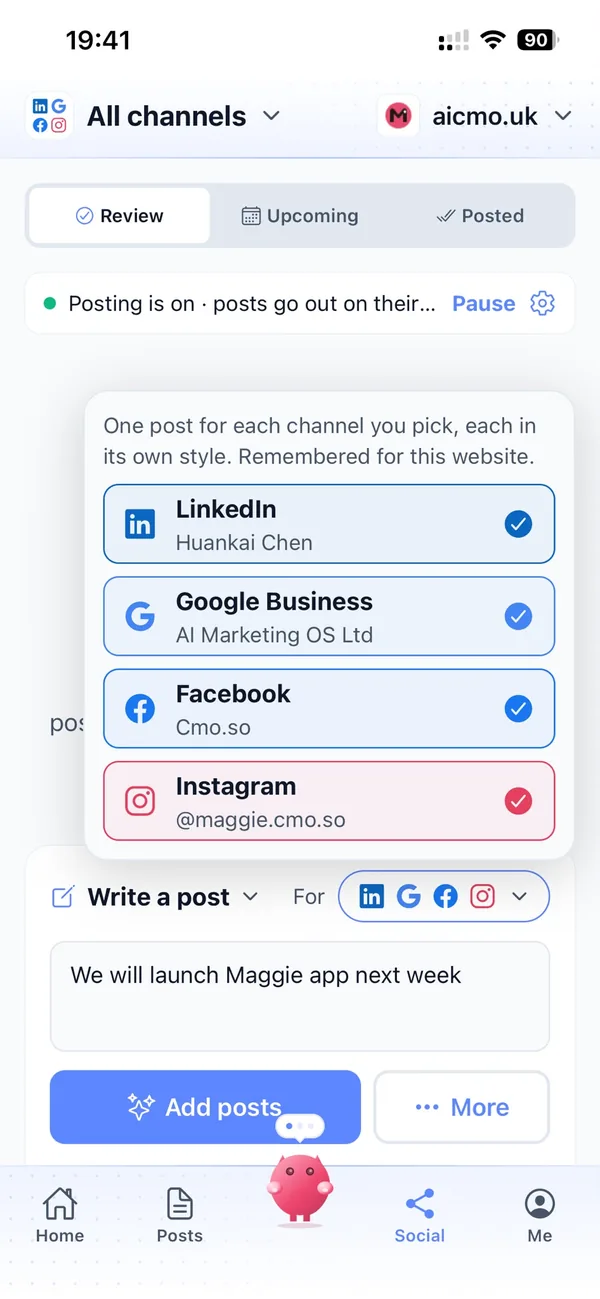

A week with Maggie on Webflow
Articles wait in the app for your OK, like on any other platform.
Once approved, each one is created in your Resources collection and published, so it appears on its own page with your design.
Things to watch on Webflow
Set up with our team
There's no self-serve Webflow form in the app yet; we connect it with you.
Bind and publish once
Items can't be published until a Collection page exists and the site is published.
Slugs stay taken
A deleted item's slug stays reserved by Webflow.
Tokens expire when unused
Webflow site tokens expire after a year without use; we'll ask for a new one if needed.
Webflow and cmo.so
- How it connects
- A Site API token, connected by our team
- Permissions
- CMS read and write; assets write
- Where articles go
- A Resources collection we create, or your own collection mapped once
- Fields
- Name, slug, excerpt, body and featured image
- One step for you
- Bind a Collection page in the Designer and publish
Cut the £5,900/mo marketing bill to £15/mo
Everything a marketing team does, done by Maggie.
| What needs doing | Without cmo.so | With cmo.so |
|---|---|---|
| Full-time marketing hire | £3,000/mo | Included |
| SEO and AI search (GEO) agency | £1,000/mo | Included |
| Content writer, AI-assisted | £500/mo | Included |
| Social media manager, freelance | £800/mo | Included |
| Designed pictures for every post | £300/mo | Included |
| SEO and GEO softwareRank tracking, site audits, AI visibility | £250/mo | Included |
| AI writing and image tools | £50/mo | Included |
| Working hours | Office hours | 24/7 |
| Total per month | £5,900+ | From £15/mo |
Typical UK costs for a small business in 2026, with AI already cutting freelance rates. Estimates only; your own quotes will vary.
- 5 social posts, 30 once verified
- 15 Maggie messages a day
- Upgrade any time
- 12 posts a day
- 150 Maggie messages a day
- All channels
- 96 posts a day
- 1,000 Maggie messages a day
- All channels
Per website, billed monthly. Blog and social posts share one allowance; your best plan sets how much you can talk to Maggie across all your websites.
Webflow CMS automation: your questions
Still unsure?
Why isn't Webflow in the app's connect screen?
Every Webflow site structures its CMS differently, so the collection has to be mapped once. We do that with you; after that it runs like any other connection.
Your part takes about 15 minutes: create a Site API token with CMS and Assets access, then bind one Collection page in the Designer and publish. In between, we connect the token and create a Resources collection, or map your existing one. From then on, articles wait in Posts → Ready for your OK like on any other platform, and each approved one becomes a published item with its own page on your site.
Can Maggie use my existing blog collection?
Yes. Instead of creating a Resources collection, we map your collection's fields (name, slug, excerpt, body and image) once.
For example, if your CMS already has a Blog Posts collection, we map its fields and your existing template page shows Maggie's articles in the same design. Maggie only fills the fields; your Collection page decides how each article looks. Featured pictures are uploaded to your Webflow assets and then added to the item. Note that if you delete an item, Webflow keeps its slug reserved.
Why do I need to bind a Collection page?
Webflow can only publish collection items once a Collection page exists for that collection and the site has been published. Bind the page's title, picture and body to the collection's fields in the Designer and publish once.
In the Designer's Pages panel, open the collection's Template page under CMS collection pages. Bind a heading to Name, an image to Featured image and a Rich Text block to Body. Duplicating your existing blog post page is a quick alternative. Then press Publish, tick your domain and press Publish to selected domains. You only do this once; after that, each approved article is published as its own page.
How do I send you the token safely?
Never paste it into a chat. Contact us from the Contact page or ask Maggie to talk to a person, and we'll arrange a secure way to receive it.
Webflow shows the token only once, so keep it somewhere safe before pressing Hide token forever. Give it CMS and Assets read and write access and leave the rest as No access. Webflow tokens expire after 365 days without use. If that happens, we'll ask you for a new one in the same safe way.
How many articles will Maggie publish on Webflow?
New connections start at one article a day. You choose Posts per day in Publishing settings, up to your plan's limit: 1 before a plan, then 2 (Air), 12 (Pro), 24 (Max), 48 (Ultra) or 96 (Elite).
Each delivered article uses one post from your monthly allowance, and the app shows what's left. Turn Publishing off and written articles simply wait in order.
Can I edit an article before it reaches Webflow?
Yes. Open it in Posts → Ready: switch between Preview and Edit, change any words and Save. Rewrite asks Maggie for a new version with your note, Fix Markdown tidies the formatting, and Publish now sends it straight away on connections that support it.
Ideas for future articles sit in Posts → Ideas, where you can add your own, reorder the plan or delete any you don't want.
Will Maggie update older articles on Webflow?
If you want her to. In Publishing settings, Refresh older articles can be Off, When I ask or Automatic. Automatic uses a share of each day's posts (10 to 50%) for rewrites of articles older than 30, 60, 90 or 180 days.
Rewrites keep the same address, so links and search history stay; the Rewrite queue in Me shows what's suggested and what has been rewritten, and Search Console data steers which articles need it most.
What does the content guard check before a Webflow post goes out?
When it's on, the content guard reads each post before it goes out and checks it against your industry's rules (financial, medical, insurance, legal or education) and any rule you write yourself, such as never naming a competitor.
A post that may break a rule is held, as a draft on your website or in Review for social, with the reason and a suggested rewrite, even if posts normally go out on their own. You can see what it held and why in Publishing settings.
Can I check every Webflow post before it goes out?
Yes, and that's how it starts. New posts wait in the app (Posts → Ready for articles, Social → Review for social posts) until you approve them. You can edit any post, ask Maggie to change it in your own words, or delete it.
When you trust the results, switch the channel to go out on its own; the content guard keeps checking each post first and holds anything it isn't sure about. You can switch back, or pause, at any time.
How soon will Webflow bring results?
Your brand profile and the first drafts are ready within minutes of entering your website, and the first posts can go out the same day once you approve them.
Search traffic builds over weeks to months as Google and AI assistants find and trust your pages; social reach grows with regular posting. Connect Search Console to see which posts bring clicks, and Maggie uses it to choose what to improve.
Do I need to verify my website first?
Verifying proves the website is yours. It unlocks your 30 free posts and, for some connections, publishing itself. You can verify with a work email at your domain, a DNS TXT record (one tap if your domain is on Cloudflare), the WordPress plugin, or by asking us to check by hand, usually within one working day.
Free email addresses such as Gmail or Outlook can't be used for the email check.
Can I manage Webflow from my phone?
Yes. Everything on this page works in the cmo.so app on iPhone and on the web at app.cmo.so: connecting, approving, editing and pausing.
You can also ask Maggie from ChatGPT or Claude through the cmo.so connector, for example to see what's waiting for you or to change a post, and she shows a card before she changes anything.
Connect the rest of your marketing
Maggie runs your other channels from the same app as Webflow, each in its own style.





Connect your Webflow site with us
Tell us your site and we'll take you through it.
- Free plan, no card needed
- You approve every post
- Cancel any time