


Connect LinkedIn to cmo.so
Sign in with LinkedIn and Maggie writes posts in your voice, makes their pictures and posts them at your best times, a few a week. Every post waits for your OK until you say otherwise.
Free to start · No credit card · You approve every post
Sign in with LinkedIn
No password to type into cmo.so: you sign in on LinkedIn and allow posting. No verified website needed to start.
Connect LinkedIn
Open Social and tap Connect with LinkedIn
In the cmo.so app, go to the Social tab. With nothing connected, tap Connect with LinkedIn on the Connect your social accounts card; otherwise tap the header to open Channels and choose LinkedIn.
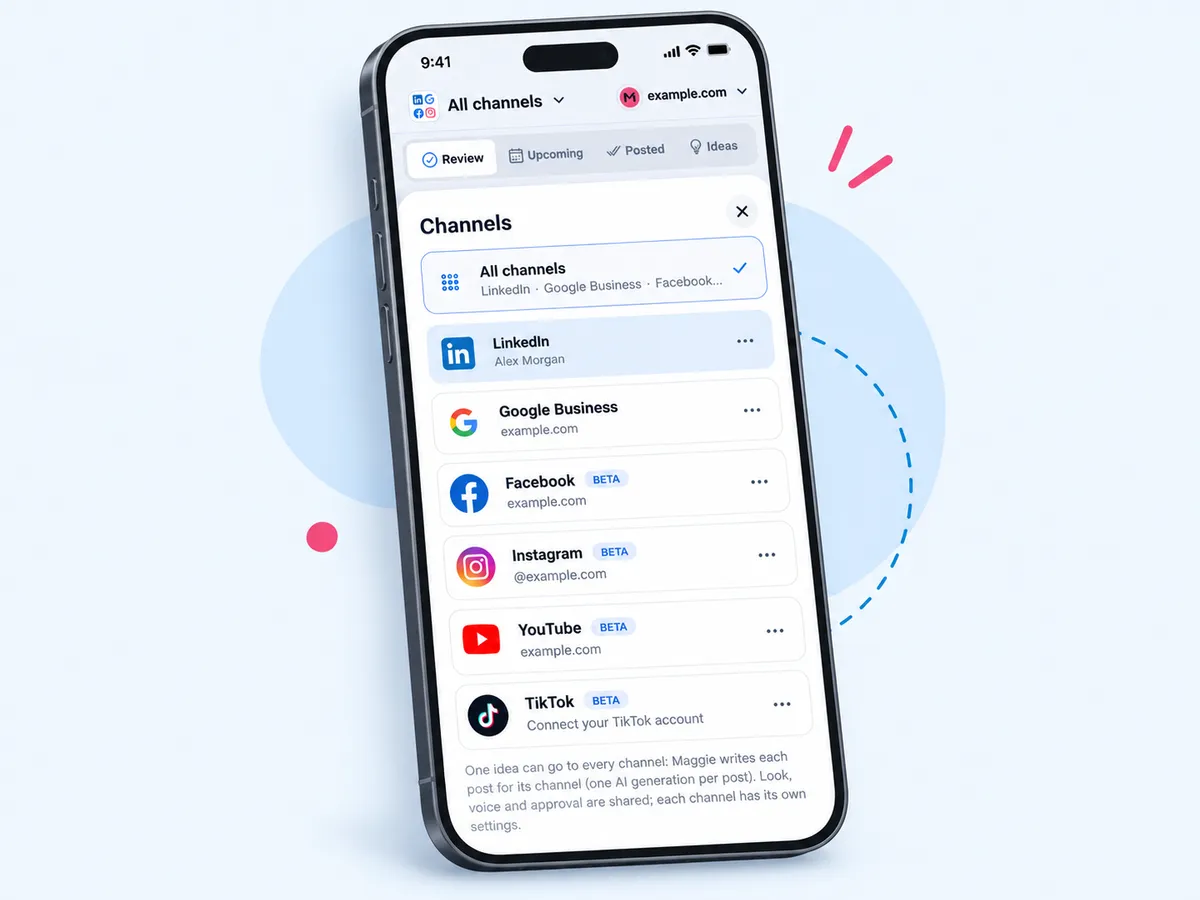
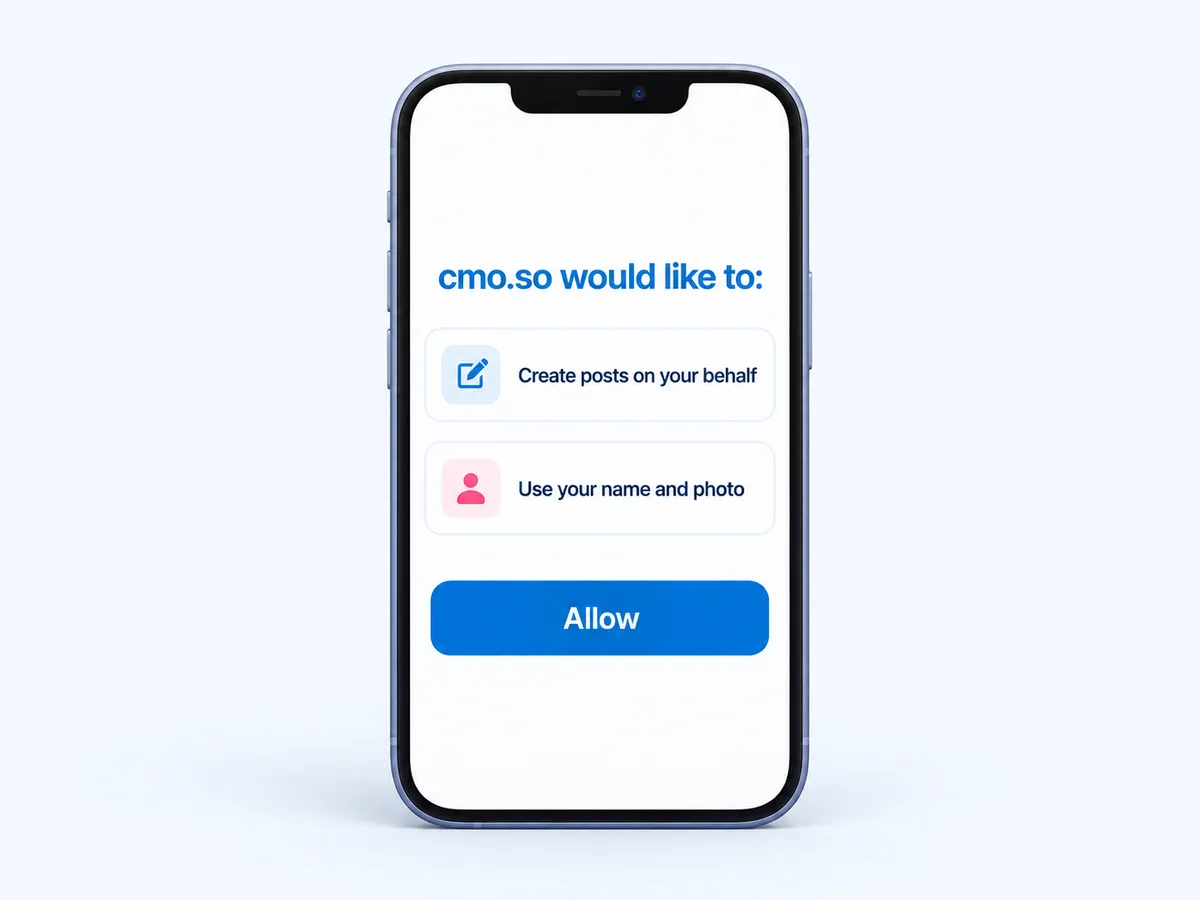
Sign in and allow posting
LinkedIn opens in a browser sheet. Sign in and allow cmo.so to post for you; you come back to the app with LinkedIn is connected.
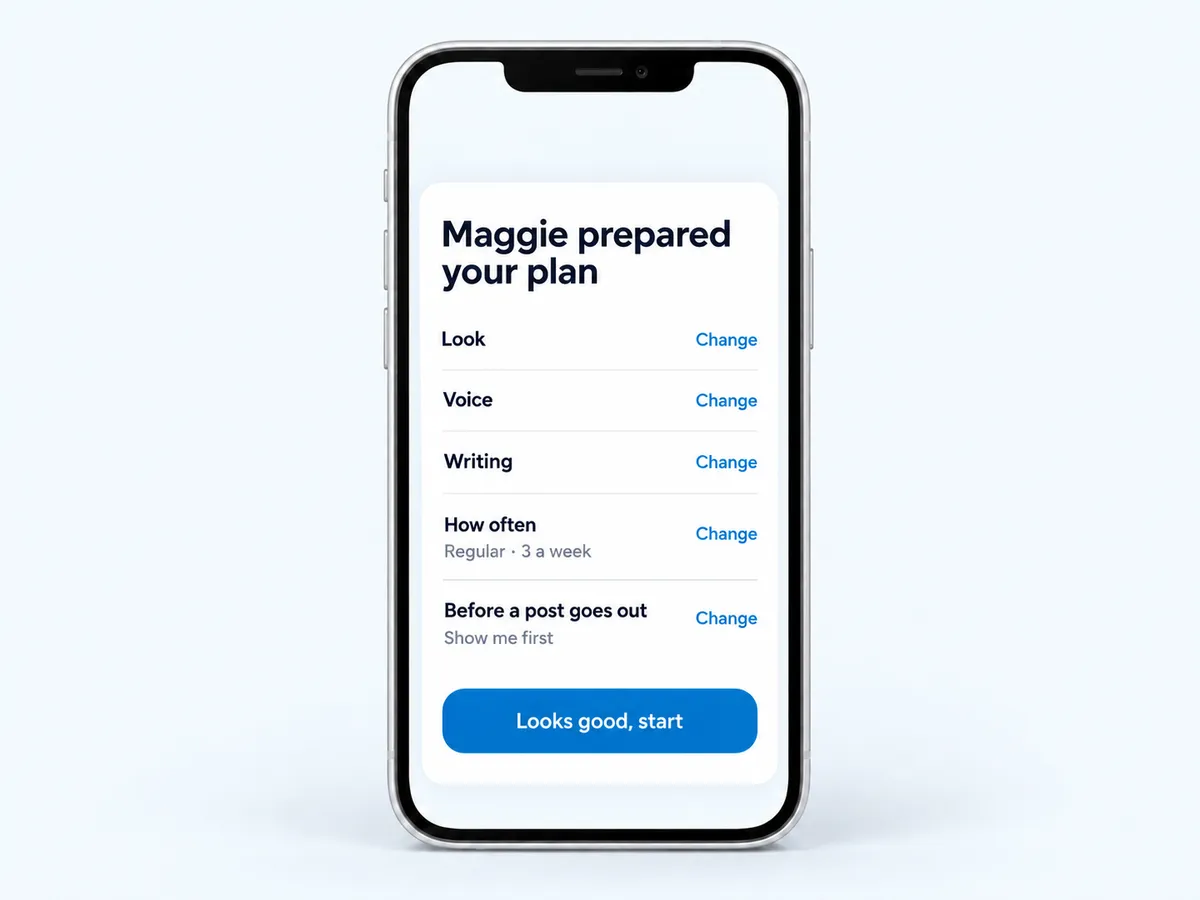
Pick a plan and the pace
After connecting, Maggie shows Maggie prepared your plan: your picture look, voice, writing, how often (Light 2 a week, Regular 3 a week, Active every weekday) and whether posts wait for you. Tap Looks good, start.
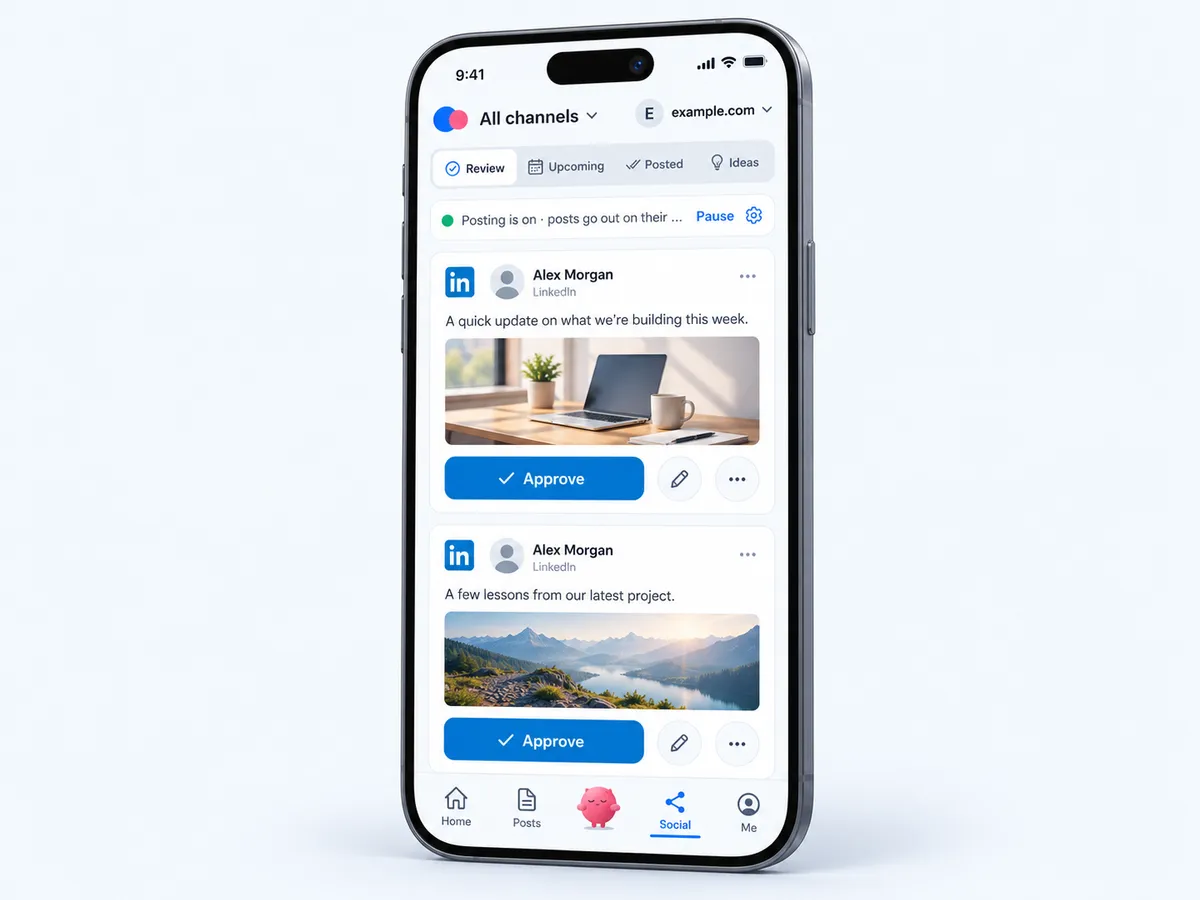
Approve in Review
New posts wait under Social → Review. Swipe right or tap Approve, change one with Ask Maggie to change it, or Approve all.
Posts go out at your times
Approved posts go out one at each posting time, Tuesday to Thursday at 09:00 by default. Change the times in the channel's settings.
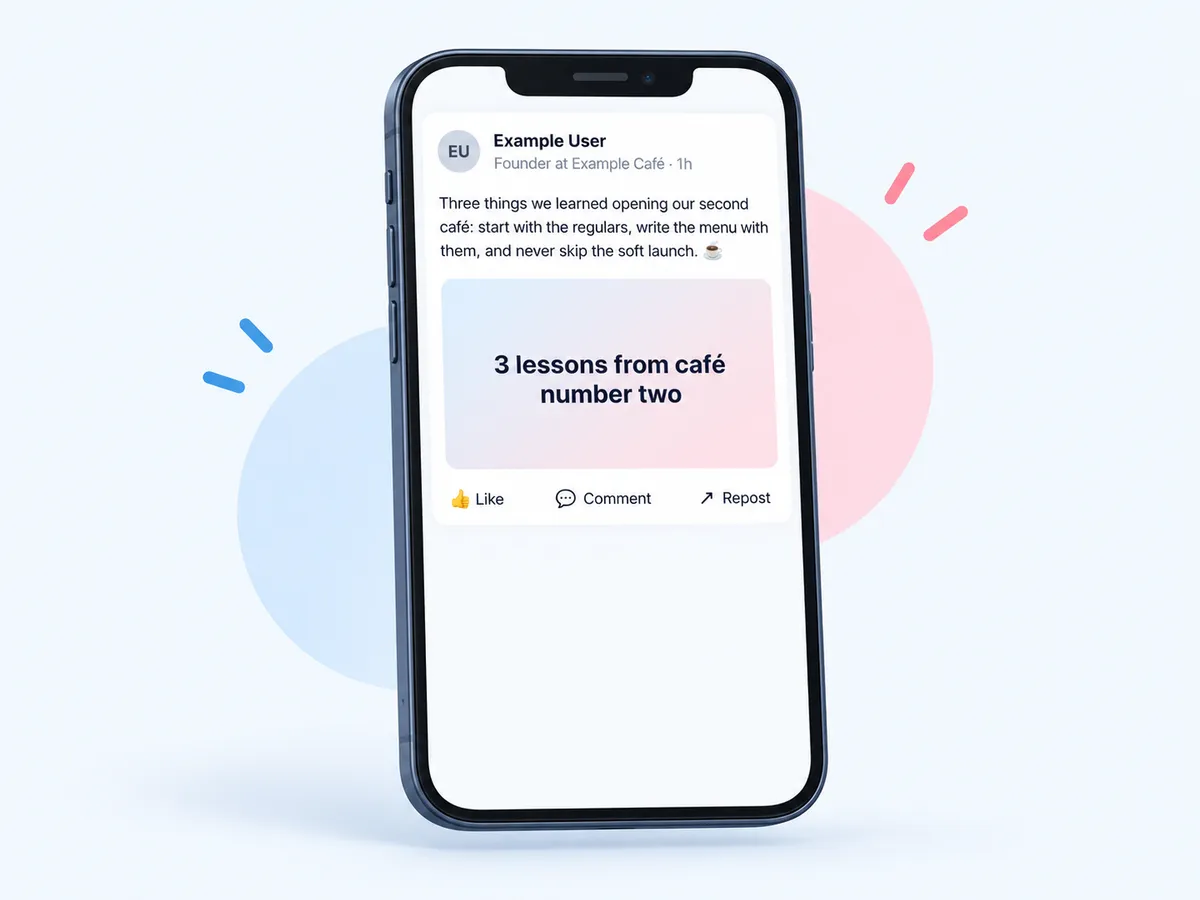
What you need
- A LinkedIn profileMaggie posts to your personal profile.
- Your website added to cmo.soYour posts are written from your brand profile.
- Two minutesSign in, allow posting, check the plan.
Used by 600+ users and trusted by teams at
aeglesriphal.com
moonlakespa.com
shop.theteagroup.com
clo100.com
logtrics.io
mymorez.com
nextidal.com
otisapp.com
storaitelling.com
theheatpumps.co.uk
web-translations.com
exposeai.tech
orielipo.com
whitelabelcrowd.fund
elliptic.co
med.moonlakespa.com
netdex.co.il
orawellness.uk
reenest.com
syngage.ai
thepenthouseliving.com
zengolf.studio
imaintain.uk
rebuildingsociety.com
aurasocial.world
goaimex.com
moneyparents.com
newgenrenewables.uk
osmosisai.co
saunders.ac
teeza.app
thursdayclub.com
LinkedIn, handled every week
Posts in your voice
Up to 3,000 characters, usually about 900, written in the voice Maggie learns from you.
Pictures in your look
One picture or a set of 4, with a title and line, in your chosen style.
Series that build
Start a series on a day you pick, with up to 3 posts a day; your own posts go first.
Monday batch
Every Monday morning Maggie writes next week's posts; they wait in Review.
Video posts too
Add a 5 to 30 second video and Maggie writes the post around it.
5 free posts
Try it before your website is verified: five free posts per account.
Your marketing team, in your pocket
Real screens from the cmo.so app on iPhone.
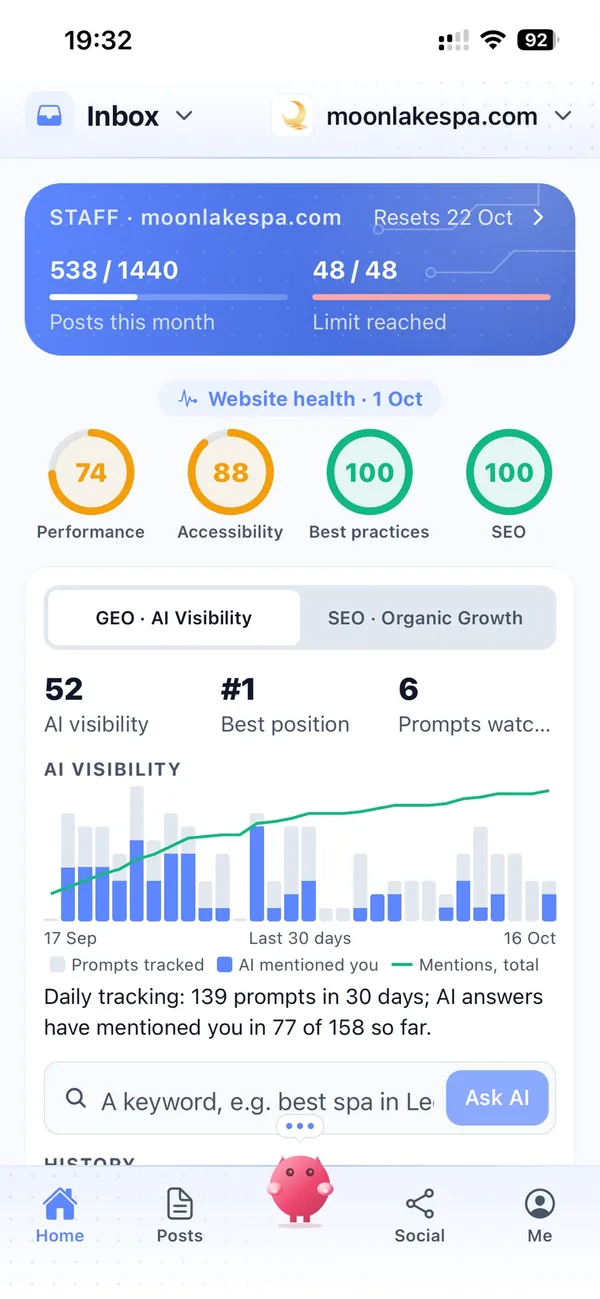
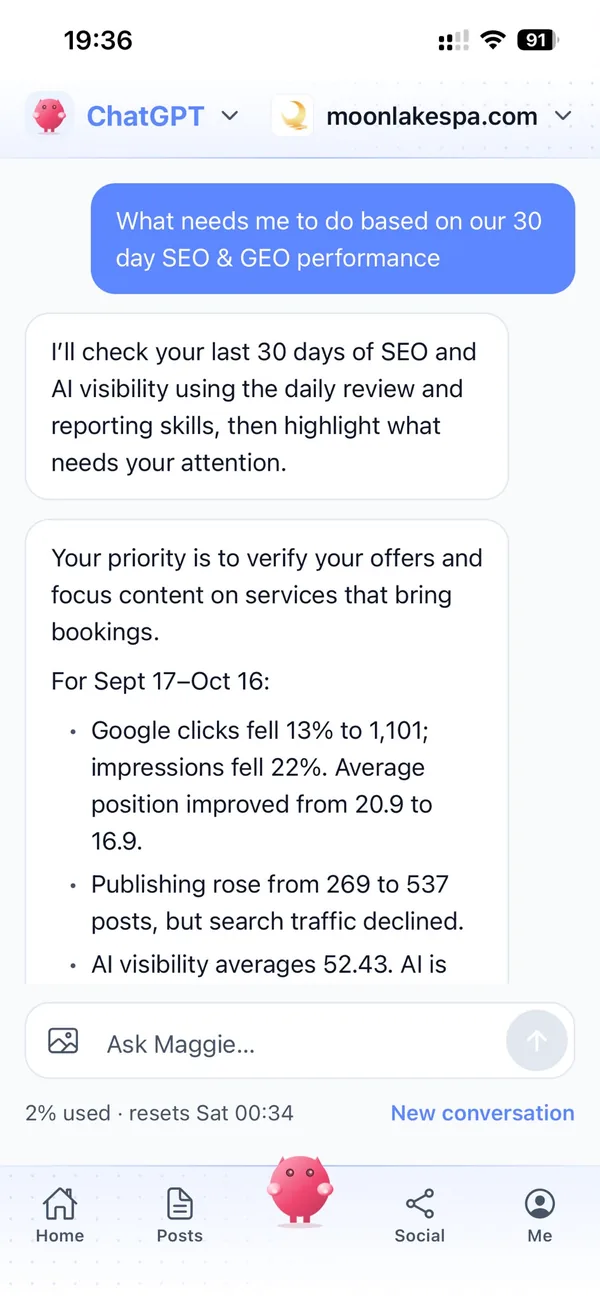
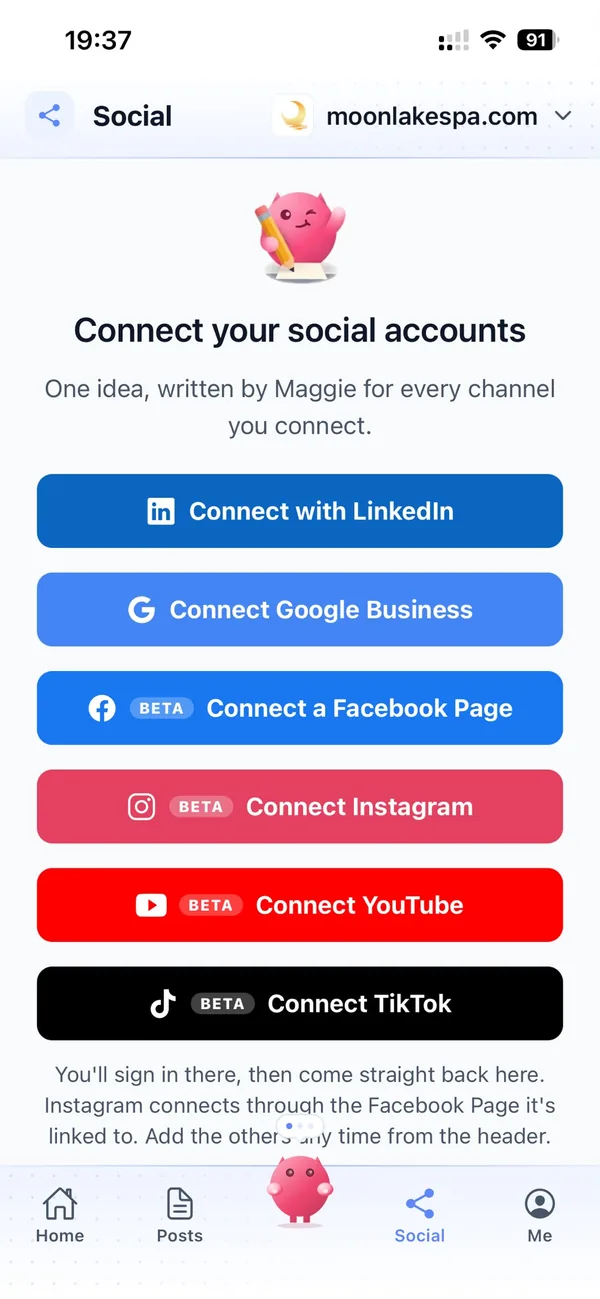
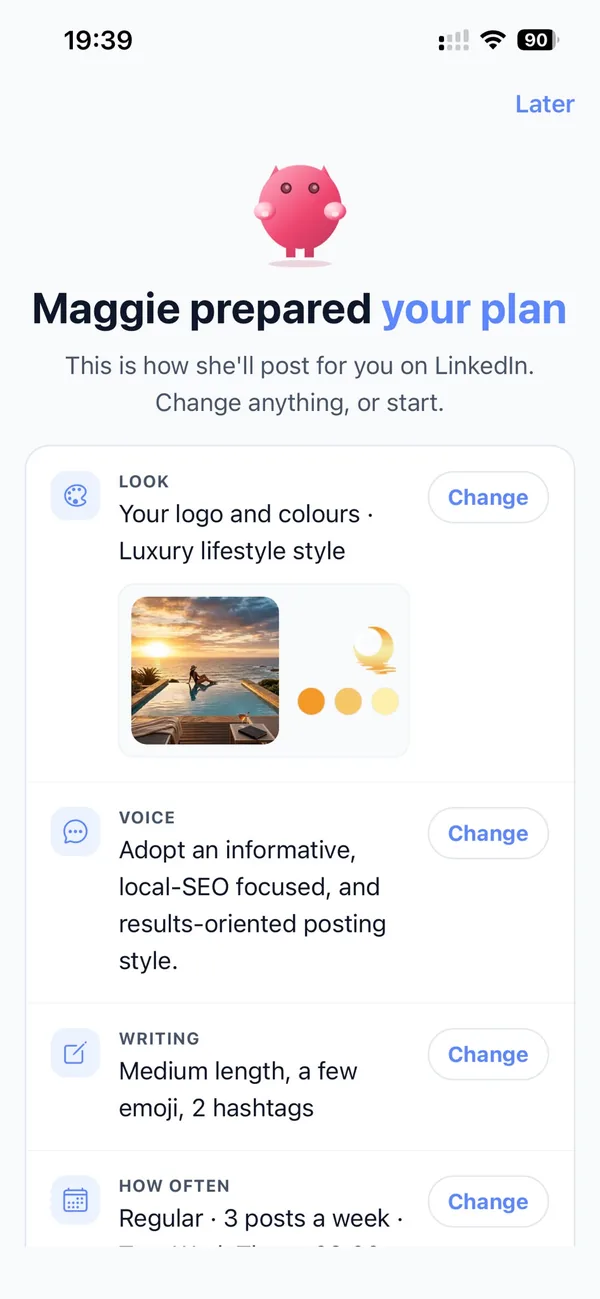
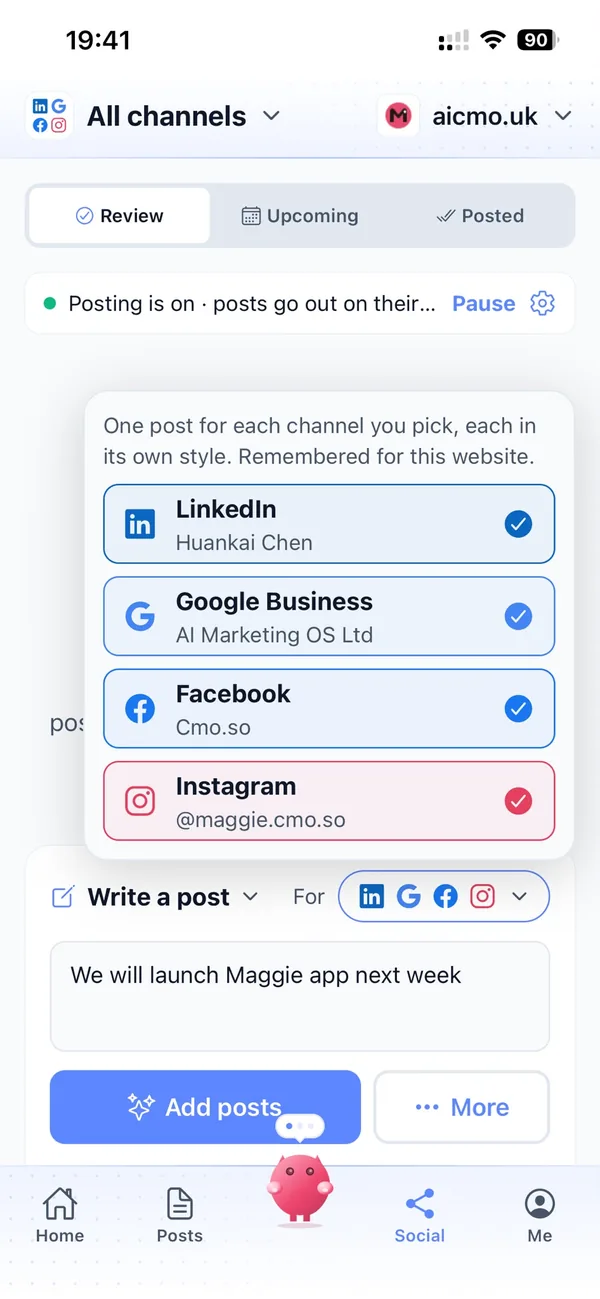
A week with Maggie on LinkedIn
Monday at 7, a notification: Your 3 LinkedIn posts are ready.
You read them over coffee, ask Maggie to make one shorter, and approve all three.
Tuesday, Wednesday and Thursday at 9, one goes out each day with its picture. You get on with your week.
Things to watch on LinkedIn
Personal profile only
Maggie posts to your own LinkedIn profile, not to a company Page.
Reconnect when asked
LinkedIn signs apps out after a while. The app shows the date and a Reconnect LinkedIn button.
No post stats
LinkedIn doesn't share your post numbers with apps like ours, so they aren't in cmo.so.
Missed slots are skipped
If a posting time passes, the next post waits for the next time rather than doubling up.
LinkedIn and cmo.so
- How it connects
- Sign in with LinkedIn
- Posts to
- Your personal LinkedIn profile
- Post types
- Text, one picture, a set of 4, a link, or a 5 to 30 second video
- Length
- Up to 3,000 characters, about 900 usually; up to 5 hashtags
- Default times
- Tuesday, Wednesday and Thursday at 09:00
- How often
- 2 a week, 3 a week or every weekday
- Free to try
- 5 posts before your website is verified
Cut the £5,900/mo marketing bill to £15/mo
Everything a marketing team does, done by Maggie.
| What needs doing | Without cmo.so | With cmo.so |
|---|---|---|
| Full-time marketing hire | £3,000/mo | Included |
| SEO and AI search (GEO) agency | £1,000/mo | Included |
| Content writer, AI-assisted | £500/mo | Included |
| Social media manager, freelance | £800/mo | Included |
| Designed pictures for every post | £300/mo | Included |
| SEO and GEO softwareRank tracking, site audits, AI visibility | £250/mo | Included |
| AI writing and image tools | £50/mo | Included |
| Working hours | Office hours | 24/7 |
| Total per month | £5,900+ | From £15/mo |
Typical UK costs for a small business in 2026, with AI already cutting freelance rates. Estimates only; your own quotes will vary.
- 5 social posts, 30 once verified
- 15 Maggie messages a day
- Upgrade any time
- 12 posts a day
- 150 Maggie messages a day
- All channels
- 96 posts a day
- 1,000 Maggie messages a day
- All channels
Per website, billed monthly. Blog and social posts share one allowance; your best plan sets how much you can talk to Maggie across all your websites.
LinkedIn automation: your questions
Still unsure?
Can Maggie post to my company Page?
Not today: LinkedIn connects to your personal profile, which is where most small-business owners get the most reach.
When you connect, you sign in with your own LinkedIn account and allow cmo.so to post for you. Posts go out on your profile at your posting times, Tuesday to Thursday at 09:00 by default, and you can choose 2 a week, 3 a week or every weekday. LinkedIn doesn't share post numbers with apps like ours, so check how posts do in LinkedIn itself.
What's a series?
A run of posts on one theme, such as a launch or a week of tips. Start it on a day you choose with up to 3 posts a day; your own posts go first in each slot.
For example, before a product launch you might start a five-day series with two posts a day. If you've written a post yourself for the same slot, yours goes out first and the series carries on in the next slot. Series posts wait in Review like any others, so you can read them in order, change one with Ask Maggie to change it and approve the rest.
What happens if I don't approve?
Nothing goes out. Drafts wait in Review, Maggie writes next week's posts every Monday morning, and she reminds you after three days.
Drafts stay in Review until you approve, change or delete them, so you can leave them and come back. Reading the week's posts on Monday and tapping Approve all is often enough. If you'd rather not check every post, switch LinkedIn to post on its own. The content guard still checks each post first, and you can switch back or pause the channel at any time.
Can I try it before verifying my website?
Yes. Each account gets five free social posts before the website is verified; the Social tab shows how many are left.
It's a good way to see how Maggie writes in your voice before you commit. Connect LinkedIn, check the plan she prepared and approve your first posts. Verifying your website unlocks 30 free blog posts. You can verify with a work email at your domain, a DNS TXT record (one tap if your domain is on Cloudflare), the WordPress plugin, or by asking us to check by hand.
Will LinkedIn posts sound like us?
Maggie writes from your brand profile and the voice she learns from you: the words you use, how formal you are and what you never say. Tell her a rule once, such as no emojis, and Maggie Memory keeps it for this channel.
Every post can be changed before it goes out with Ask Maggie to change it, and you can retrain the voice from posts you like.
Who makes the pictures for LinkedIn posts?
Maggie does, in your picture look: up to three styles and five text styles you choose under Your picture look, with a title and line on each picture. You can ask for a set of 4 or change a picture for free.
Prefer your own photos? Add up to five and Maggie writes posts around them. A picture that might show something invented is held for your OK even when posts go out on their own.
When do LinkedIn posts go out, and can I change it?
Each channel has posting times. One post goes out at each time on each channel: your own posts first, then your campaigns'. Change the days and times in the LinkedIn settings, or pause just this channel.
If a time passes while posting is paused, that slot is skipped rather than doubled up later, so your audience never gets a burst of posts at once.
Can I check every LinkedIn post before it goes out?
Yes, and that's how it starts. New posts wait in the app (Posts → Ready for articles, Social → Review for social posts) until you approve them. You can edit any post, ask Maggie to change it in your own words, or delete it.
When you trust the results, switch the channel to go out on its own; the content guard keeps checking each post first and holds anything it isn't sure about. You can switch back, or pause, at any time.
How many social channels can I connect alongside LinkedIn?
The free plan and verified websites without a plan can use two social channels; paid plans more. Each channel has its own posting times and its own queue, so one never crowds out another.
One idea can become a post for every channel you pick, each written in that channel's style, with one AI generation per channel.
What if LinkedIn disconnects?
Platforms sign apps out from time to time. When that happens, the Social tab shows a Reconnect button and a note explaining what happened, and the LinkedIn account sheet shows when the platform will next ask you to sign in.
Posts waiting to go out stay in the queue until you reconnect. From the account sheet you can also change the page, profile or channel, or disconnect for good.
What does the content guard check before a LinkedIn post goes out?
When it's on, the content guard reads each post before it goes out and checks it against your industry's rules (financial, medical, insurance, legal or education) and any rule you write yourself, such as never naming a competitor.
A post that may break a rule is held, as a draft on your website or in Review for social, with the reason and a suggested rewrite, even if posts normally go out on their own. You can see what it held and why in Publishing settings.
How soon will LinkedIn bring results?
Your brand profile and the first drafts are ready within minutes of entering your website, and the first posts can go out the same day once you approve them.
Search traffic builds over weeks to months as Google and AI assistants find and trust your pages; social reach grows with regular posting. Connect Search Console to see which posts bring clicks, and Maggie uses it to choose what to improve.
Connect the rest of your marketing
Maggie runs your other channels from the same app as LinkedIn, each in its own style.



Show up on LinkedIn every week
Enter your website. Maggie writes your first posts in minutes; connect LinkedIn when you're ready.
- Free plan, no card needed
- You approve every post
- Cancel any time