


Marketing automation for arts and cultural organisations
A full season means dozens of shows, exhibitions and workshops, each needing its own posts, and a comms team of one or two. Maggie, your AI CMO, writes them for your website, Google Business and social channels, and you approve every one.
Free to start · No credit card · 30 free posts
Used by 600+ users and trusted by teams at
aeglesriphal.com
moonlakespa.com
shop.theteagroup.com
clo100.com
logtrics.io
mymorez.com
nextidal.com
otisapp.com
storaitelling.com
theheatpumps.co.uk
web-translations.com
exposeai.tech
orielipo.com
whitelabelcrowd.fund
elliptic.co
med.moonlakespa.com
netdex.co.il
orawellness.uk
reenest.com
syngage.ai
thepenthouseliving.com
zengolf.studio
imaintain.uk
rebuildingsociety.com
aurasocial.world
goaimex.com
moneyparents.com
newgenrenewables.uk
osmosisai.co
saunders.ac
teeza.app
thursdayclub.com
Why arts and cultural organisations struggle to promote everything
The programme is full of good work. The trouble is telling enough people about it, early enough, with a team that also runs the box office and writes the funding reports.
Too many events, too few hands
A touring play, a family workshop at half term, a new exhibition and a jazz night, all in one month. Each needs its own posts, and the smaller ones get none at all.
Tickets sell in the last fortnight
Audiences decide late, so the weeks before opening are when posting matters most. They're also the weeks your team is busy with rehearsals, hangs and front of house.
“Things to do this weekend” goes elsewhere
Families and visitors search for what's on nearby. If your Google Business profile and website don't show this weekend's events, listings sites and bigger venues get the visit.
Funders want to see you're reaching people
Grant reports ask how you engage your community. A website with regular stories about your work, your artists and your learning programme makes that much easier to show.

Your autumn season opens in a month, and every event already has its posts.
It's Monday, the autumn brochure has just come back from the printer, and you count fourteen events between now and Christmas. Only the headline show has had any posts so far.
You paste your venue's website into cmo.so. Maggie reads it and writes your brand profile: your studio theatre and gallery, the touring companies and local artists you programme, your family workshops and schools work, the venues nearby and the warm, curious voice you use in your brochure. You correct one thing: the café now closes at 5pm on weekdays.
By Tuesday the drafts are waiting, each with a picture in your look: a blog post introducing the artist behind the new exhibition, a Google Business event for the half-term clay workshop with a button to book, an Instagram post about the first week of rehearsals and a LinkedIn post for local businesses about supporting the Christmas show. You approve three from your phone during the tech run and soften a line in the fourth.
The posts go out at the times you set for each channel, spread across the season, and each comes back with its link. While you're at the box office, Maggie is already planning posts for the Christmas show, and Search Console in cmo.so shows which events people are searching for.
A marketing assistant for your whole programme
Each of those problems has an answer, and you still decide what goes out under your organisation's name.
Stories behind the work
Artist interviews, behind-the-scenes posts, exhibition guides and what-to-expect pages, written for Google and for AI answers. Published to your WordPress, Shopify, Wix or Webflow site, or any site through the cmo.so API.
Blog on autopilotEvery event, queued ahead
Season launches, openings, half-term workshops and last-chance reminders. Posts are written and queued weeks ahead, so even the small events get their moment.
Seasonal scheduleOn the map for what's on
Regular Google Business posts keep your venue visible to people searching for things to do nearby, with events, offers and a Book button straight to your ticket page.
Google BusinessYour voice, not a listings blurb
Enter your website and Maggie builds your brand profile: what you programme, who comes, what makes you special, the venues nearby and your voice. Every post and picture starts from it.
Brand profileOne show, every channel
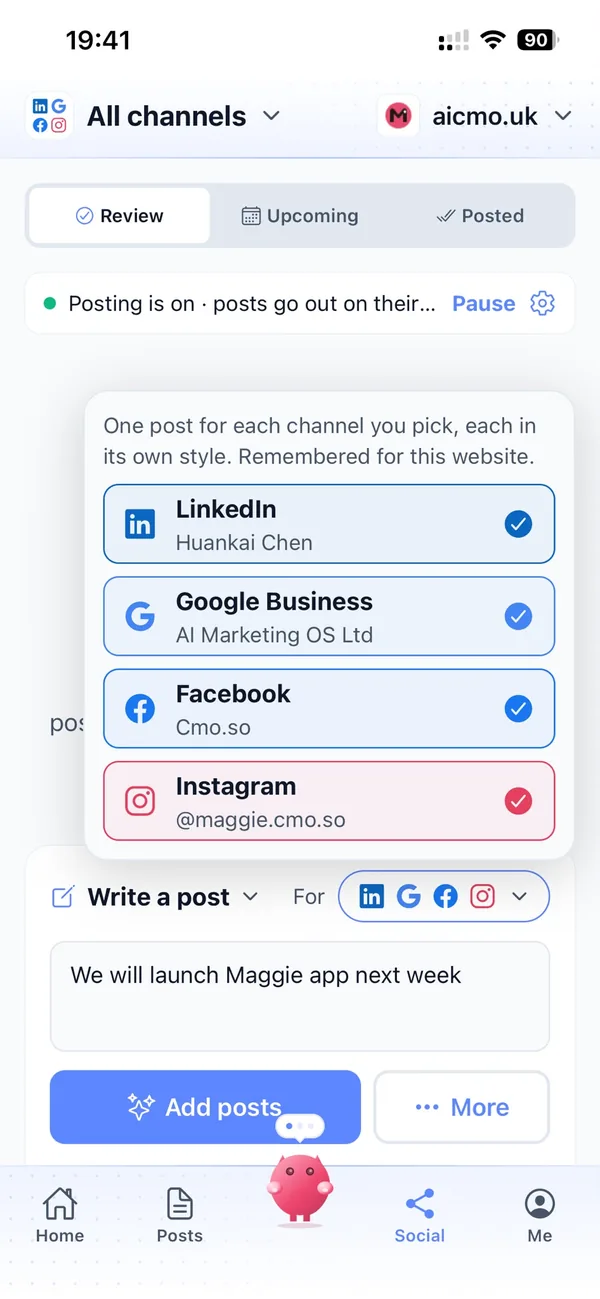
One idea becomes a post for each channel in its own style: Instagram, Facebook and YouTube for audiences and families (in beta), LinkedIn for funders, sponsors and corporate partners.
Every channelApprove between rehearsals
By default nothing goes out until it's approved. Swipe through drafts in the iPhone app or at app.cmo.so, edit a line, skip a post, or pause a channel when a show sells out.
ApprovalsYour marketing team, in your pocket
Real screens from the cmo.so app on iPhone.
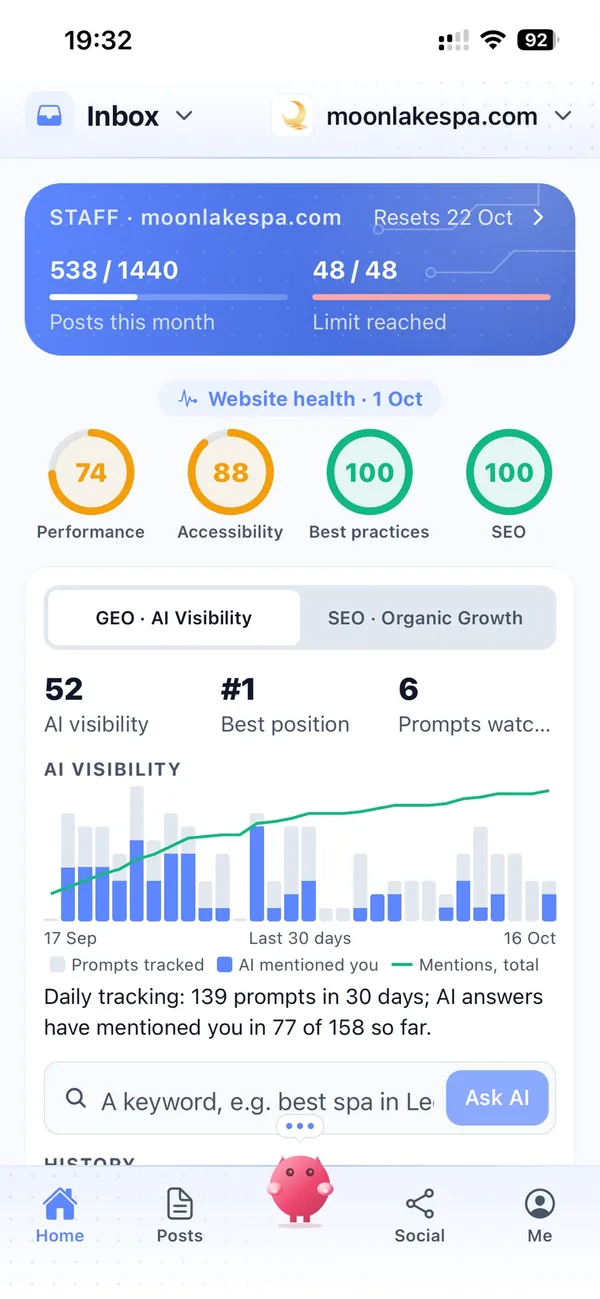
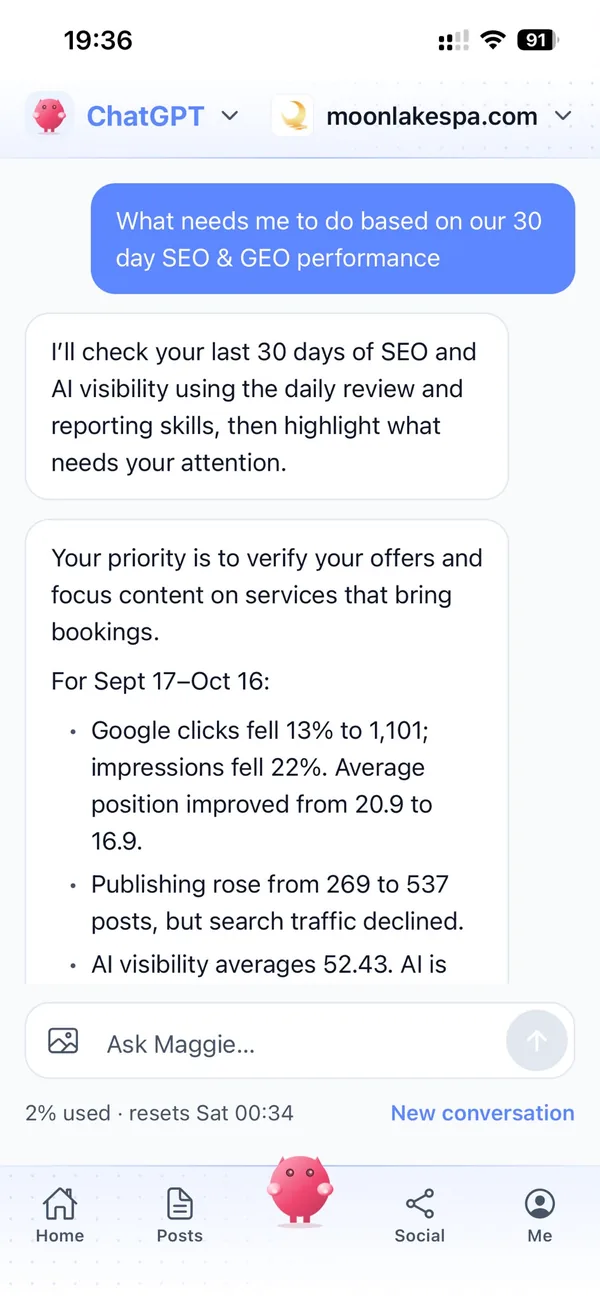
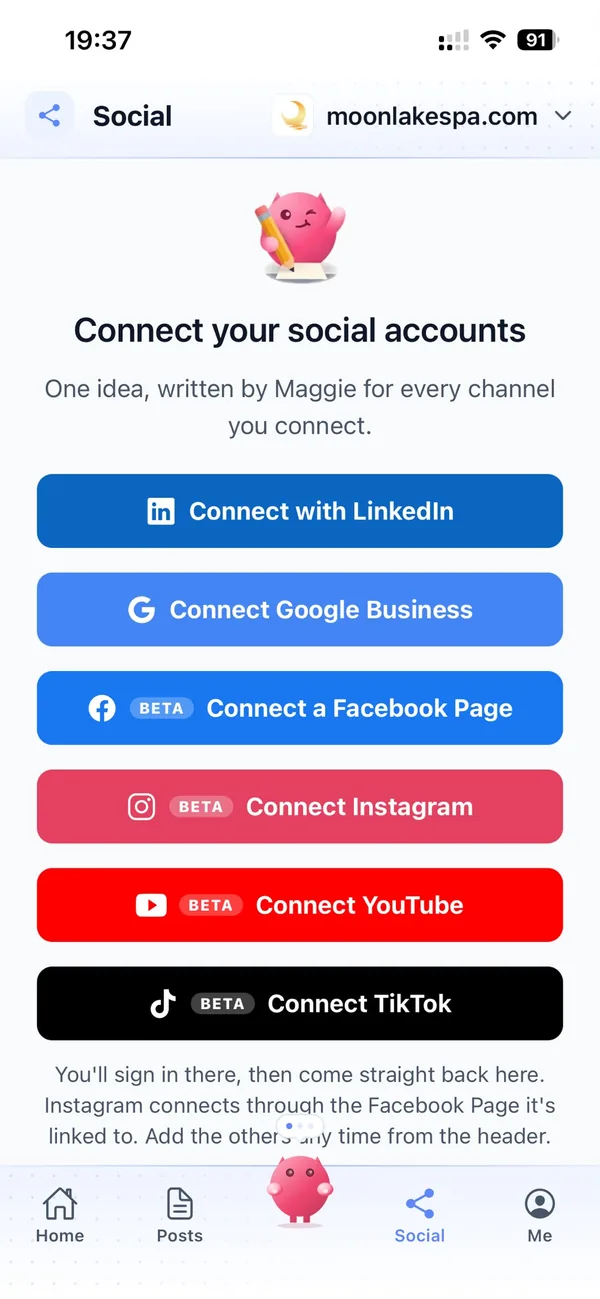
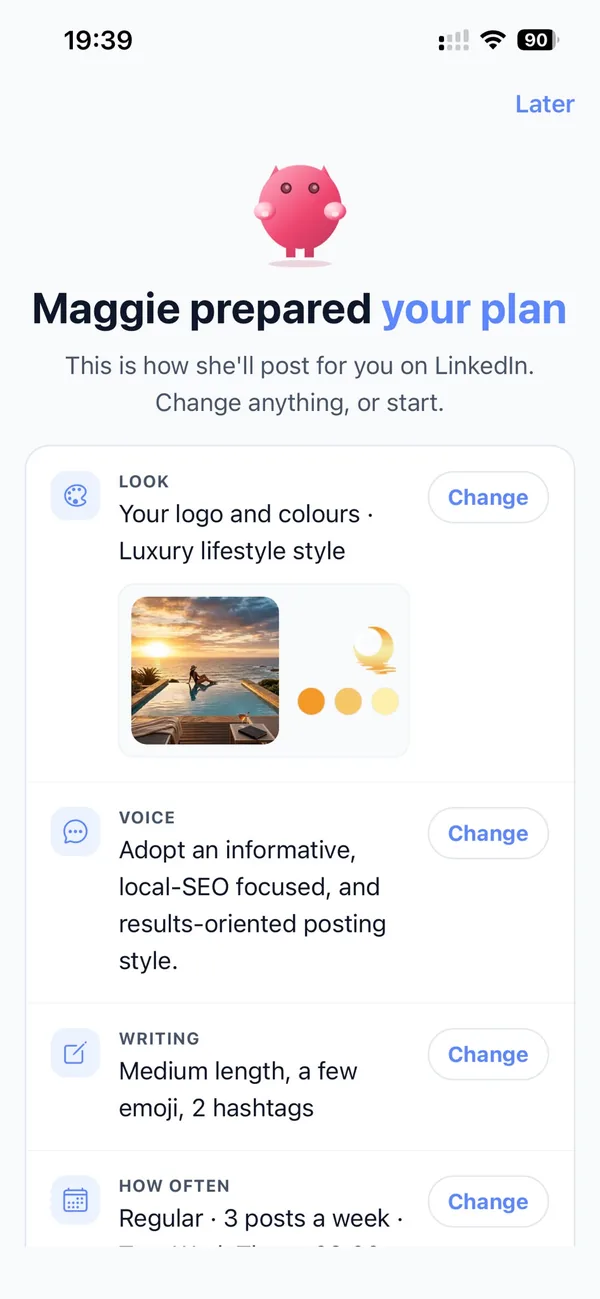
From your website to a season of posts in four steps
Enter your website
Maggie reads it and drafts your organisation's brand profile in minutes.
Check your profile
Correct your spaces and opening times, add your season's dates and choose your channels.
Review the drafts
Your first week of posts arrives with pictures. Approve, edit or skip each one.
Let them go out
Approved posts go out at each channel's times and every one comes back with its link.
Why not just…
The usual ways arts and cultural organisations try to fill seats and galleries, and where each one runs out.
…rely on the printed brochure?
A brochure is lovely, but it's fixed months ahead and only reaches people who pick one up. Posts keep each event in front of people in the weeks they decide.
…leave it to listings sites?
Listings help people discover you, but they show a line or two among hundreds of events. Your own website and Google Business posts tell the full story and send people to your box office.
…hire a freelance marketer?
A few days of freelance help each month soon costs a few hundred pounds, and it usually covers the headline shows. Maggie writes for every event every week from £15 a month.
…write it with ChatGPT?
You still brief it, check it, make the picture and post it yourself, and it doesn't know your venue or your audiences. Maggie remembers your organisation and posts on schedule.
Cut the £5,900/mo marketing bill to £15/mo
Everything a marketing team does, done by Maggie.
| What needs doing | Without cmo.so | With cmo.so |
|---|---|---|
| Full-time marketing hire | £3,000/mo | Included |
| SEO and AI search (GEO) agency | £1,000/mo | Included |
| Content writer, AI-assisted | £500/mo | Included |
| Social media manager, freelance | £800/mo | Included |
| Designed pictures for every post | £300/mo | Included |
| SEO and GEO softwareRank tracking, site audits, AI visibility | £250/mo | Included |
| AI writing and image tools | £50/mo | Included |
| Working hours | Office hours | 24/7 |
| Total per month | £5,900+ | From £15/mo |
Typical UK costs for a small business in 2026, with AI already cutting freelance rates. Estimates only; your own quotes will vary.
- 5 social posts, 30 once verified
- 15 Maggie messages a day
- Upgrade any time
- 12 posts a day
- 150 Maggie messages a day
- All channels
- 96 posts a day
- 1,000 Maggie messages a day
- All channels
Per website, billed monthly. Blog and social posts share one allowance; your best plan sets how much you can talk to Maggie across all your websites.
Marketing automation for arts and cultural organisations: your questions
Still unsure?
What is marketing automation for arts and cultural organisations?
It's software that does the repeating work of promoting your programme: planning posts around your season, writing website and social posts, making pictures and publishing them on schedule.
With cmo.so, Maggie does all of it from your organisation's website, and nothing goes out until it's approved.
How do arts and cultural organisations get more visitors online?
Arts and cultural organisations get more visitors online by being visible when people decide what to do: an active Google Business profile, clear event pages and regular posts in the weeks before each opening.
Maggie writes those posts every week and queues them across your season, and Search Console shows which events and pages bring people to your website.
How much does marketing automation cost for an arts organisation?
There's a free plan with no card needed. Paid plans are per website and billed monthly: Air at £15 a month covers two posts a day, which suits most small venues, and Pro at £45 a month suits a busy programme posting on several channels.
Founding members get lower prices for good on every plan until 1 January 2027. You can cancel any time.
Which channels should arts and cultural organisations start with?
Most start with Google Business, because people searching for what's on nearby decide there, plus their own website for event pages and the stories behind the work.
Instagram, Facebook and YouTube are in beta and suit audiences and families, and LinkedIn reaches funders, sponsors and corporate partners. Each channel has its own posting times and queue.
Does cmo.so connect to our ticketing system?
No, cmo.so doesn't connect to ticketing or booking systems. Maggie writes and publishes posts that link to your own ticket pages.
Google Business posts can carry events and a Book button, so people can go straight from search to your box office.
Can it promote lots of small events, not just the big shows?
It can, and that's where it helps most. Add your season's dates and Maggie plans posts for each event, from the headline show to a Saturday drawing class.
Each channel has its own queue, so a busy month is spread out rather than posted all at once.
Can it write about artists and their work respectfully?
It writes from your website, brand profile and the details you give it, and you approve every post. Check names, titles and credits as you review, as you would for your own brochure.
You can tell Maggie how you like artists to be introduced, and she learns from your edits.
Can it help with funders and sponsors?
It can help by keeping a steady record of your work in public: stories about your learning programme, community projects and partners, on your website and LinkedIn.
Every post comes back with its link, which makes it easy to point funders to what you've shared. It doesn't write grant applications.
Can posts have a different tone for families and for funders?
They can, channel by channel. Maggie picks a voice, post template and picture look for each channel, so Instagram can be playful while LinkedIn speaks to partners.
All of it starts from one brand profile, so the voice still sounds like you.
We're a charity with volunteers. Can they approve posts?
They can. In Me → Team you can add staff and volunteers and choose what each can see or change, using presets such as editor or manager.
So your learning officer can approve workshop posts while the director checks LinkedIn.
Is it safe to let AI post for our organisation?
It is safe because nothing goes out until it's approved. Approvals are on by default, and you can keep them on for every channel or let a channel you trust run on autopilot.
Social channels connect through each platform's official sign-in, so cmo.so never sees your passwords, and cmo.so never sells or rents your data.
Which websites does it work with?
cmo.so publishes to WordPress, Shopify, Wix and Webflow, and to any other website through the cmo.so API.
Each post is reported back with its link once it is live.
Give every event in your season the posts it deserves
Enter your organisation's website. Your brand profile and first week of posts are ready in minutes, and nothing goes out until it's approved.
- Free plan, no card needed
- You approve every post
- Cancel any time