


Marketing automation for payroll providers
Employers start looking for a payroll provider when something goes wrong or a deadline looms, and they search before they call. Maggie, your AI CMO, writes clear payroll explainers and timely posts for your website, LinkedIn and Google Business, checked against financial rules, and your team approves every one.
Free to start · No credit card · 30 free posts
Used by 600+ users and trusted by teams at
aeglesriphal.com
moonlakespa.com
shop.theteagroup.com
clo100.com
logtrics.io
mymorez.com
nextidal.com
otisapp.com
storaitelling.com
theheatpumps.co.uk
web-translations.com
exposeai.tech
orielipo.com
whitelabelcrowd.fund
elliptic.co
med.moonlakespa.com
netdex.co.il
orawellness.uk
reenest.com
syngage.ai
thepenthouseliving.com
zengolf.studio
imaintain.uk
rebuildingsociety.com
aurasocial.world
goaimex.com
moneyparents.com
newgenrenewables.uk
osmosisai.co
saunders.ac
teeza.app
thursdayclub.com
Why payroll providers struggle to keep their marketing going
Payroll runs to fixed dates and never waits. Marketing is the thing that waits, every single month.
Pay day always comes first
Weekly and monthly runs, starters and leavers, pension submissions and queries from clients' staff fill the calendar. Writing a blog post never beats a payroll deadline.
The busiest moments are the best to post
Tax year end, new minimum wage rates in April, P60 season and pension re-enrolment are when employers search for help. They're also when your team has no time at all.
Accuracy can't slip
A post about tax codes, holiday pay or statutory sick pay that's out of date or loosely worded can mislead employers. Checking it takes a payroll specialist's time.
You look like every other bureau
Most payroll websites say the same things: accurate, compliant, on time. Without regular posts that show your expertise and the clients you suit, buyers can't tell you apart.

Tax year end is coming, and your explainers are already queued.
It's Monday in February at a payroll bureau that runs payroll for about two hundred small employers. Tax year end is weeks away, new rates arrive in April, and the last post on your website is a Christmas closing notice.
You paste the bureau's website into cmo.so. Maggie reads it and writes your brand profile: your managed payroll, pension and HR support, the cafés, care providers, trades firms and charities you work for, the accountants who refer clients, the bureaux you compete with and the calm, plain way you explain payroll. You switch on Content Policy Guard for financial rules and add your own rule: never give advice on one employer's situation.
By Tuesday the drafts are waiting, each with a picture in your bureau's look: a blog post on what small employers need to do before the tax year ends, a guide to what changes for payroll in April written in general terms, a LinkedIn post for accountants about partnering on payroll, and a Google Business post for local businesses looking for a payroll bureau. Content Policy Guard holds one line that reads like individual advice and suggests a rewrite. Your payroll manager checks the dates and approves them.
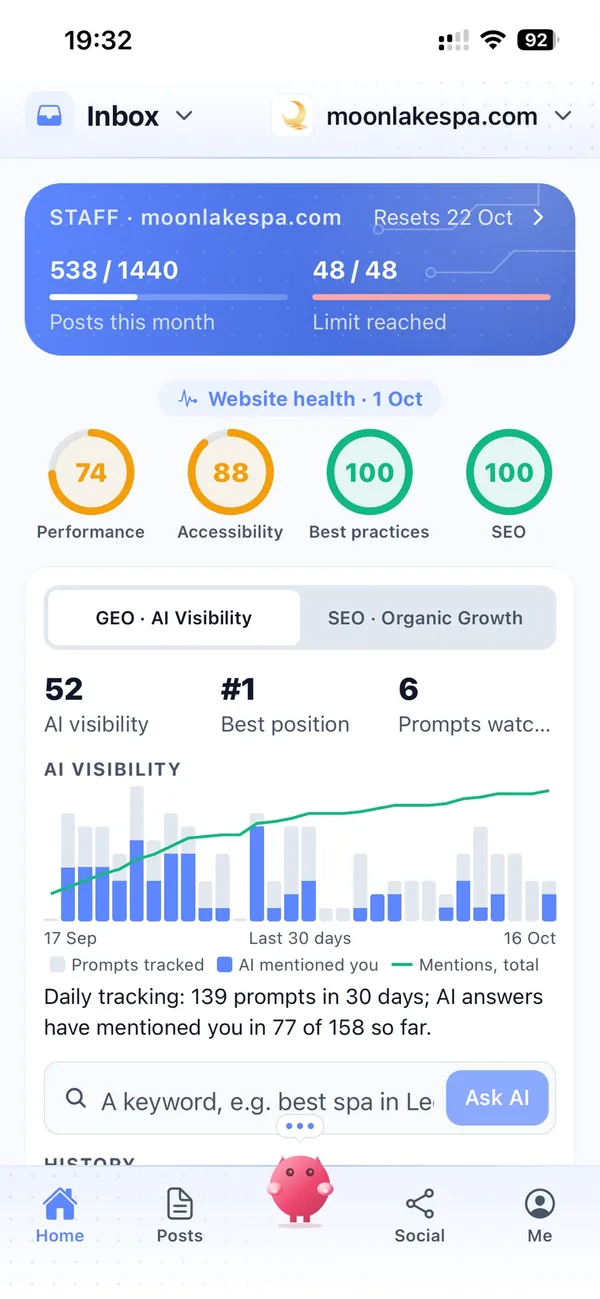
The posts go out at the times you set for each channel, spread through the run-up to April, and each comes back with its link. Search Console in cmo.so shows which explainers employers are finding, and AI visibility shows how Google's AI answers describe your bureau.
A marketing assistant who works to the payroll calendar
Each of those problems has an answer, and your team still decides what goes out in your name.
Explainers employers search for
Posts on taking on a first employee, pension auto-enrolment, year-end steps, holiday pay and switching provider, in general terms, written for Google and for AI answers. Published to your WordPress, Wix, Webflow or Shopify site, or any site through the cmo.so API.
Blog on autopilotPlanned around payroll deadlines
Tax year end, April rate changes, P60 and P11D season and pension re-enrolment are planned and queued weeks ahead, so posts go out while your team is busy running payroll.
Deadline scheduleChecked against financial rules
Turn on Content Policy Guard and posts are checked against financial rules, or your firm's own. A risky post is held as a draft with a suggested rewrite. These are AI suggestions, not legal or compliance advice.
Content Policy GuardLinkedIn for employers and accountants
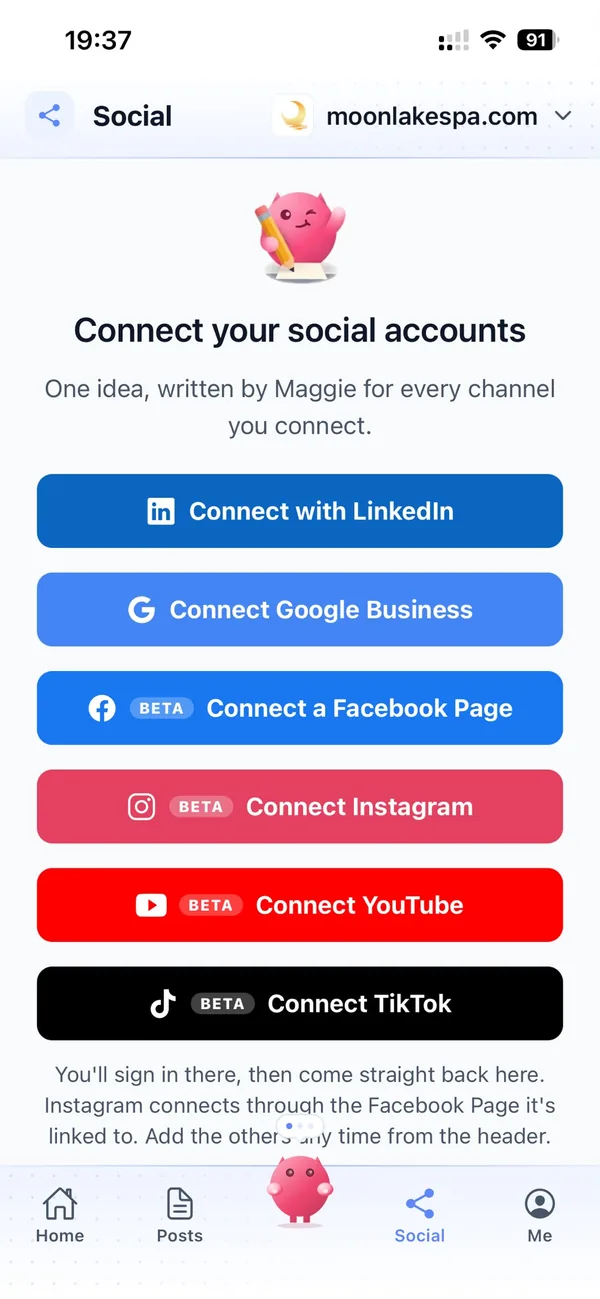
Posts in your firm's voice for business owners, HR and finance managers, and the accountants who refer payroll work, on the days and times you choose. Google Business keeps you visible to employers nearby.
LinkedIn and Google BusinessYour service, not a generic bureau
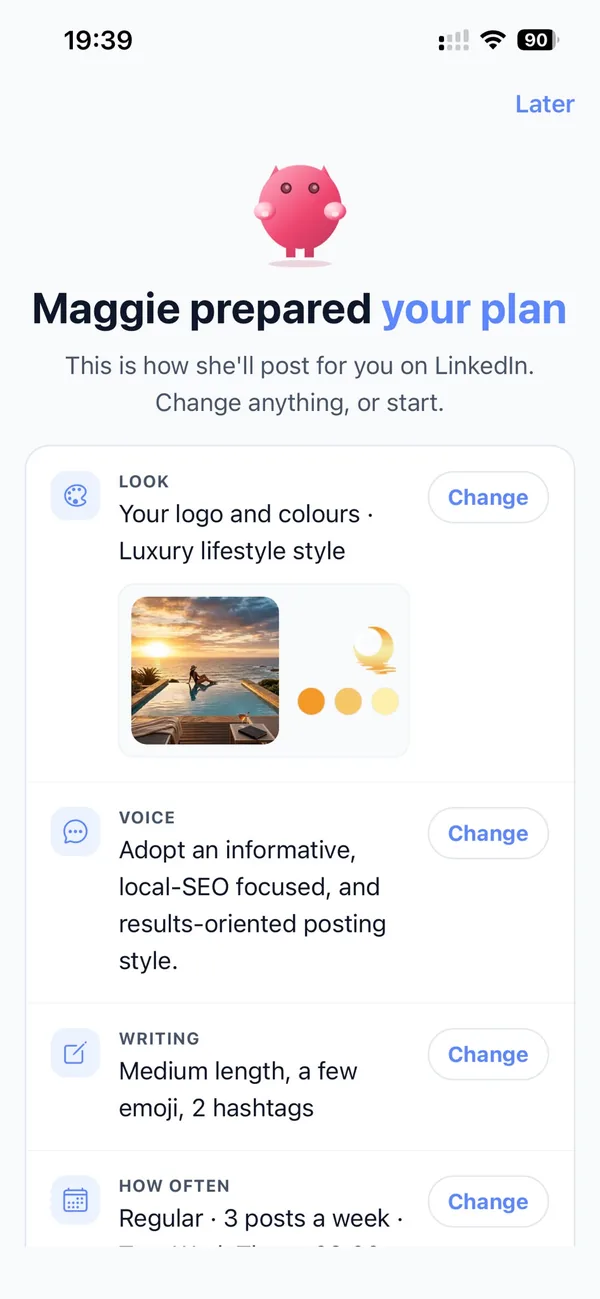
Enter your website and Maggie builds your brand profile: your services, the employers you suit, what sets you apart from other providers, competitors and voice. Every post and picture starts from it.
Brand profileChecked by a payroll specialist
By default nothing goes out until someone approves it. Add your payroll manager in Me → Team, so the person who knows the rules checks every post before it goes live.
ApprovalsYour marketing team, in your pocket
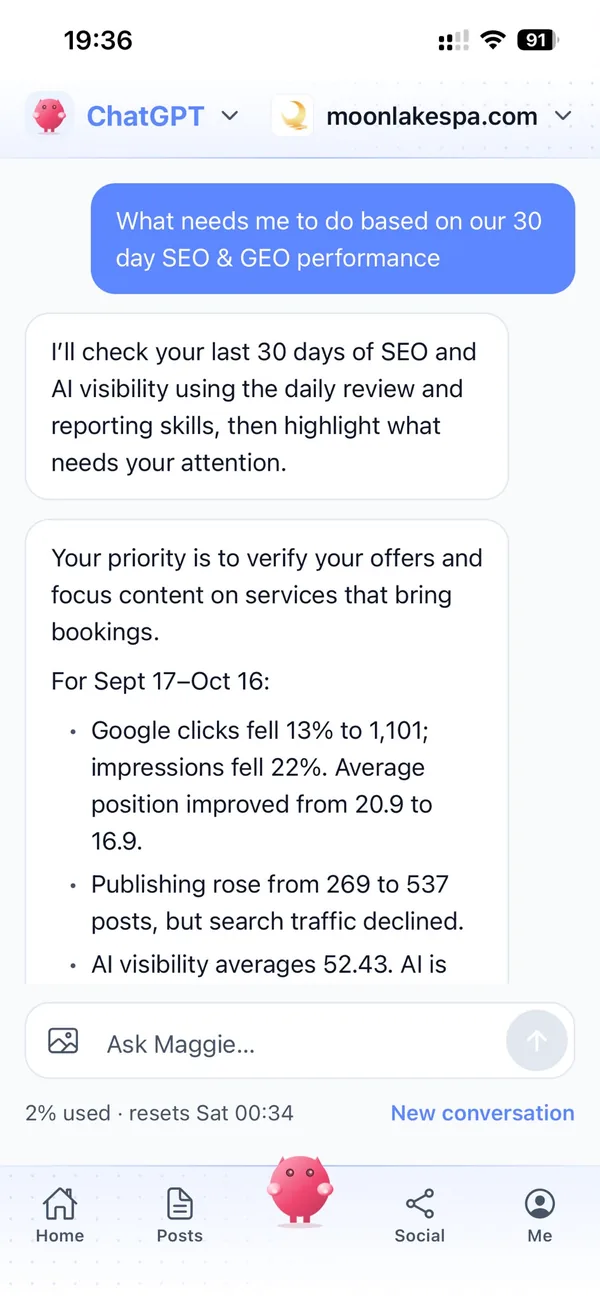
Real screens from the cmo.so app on iPhone.
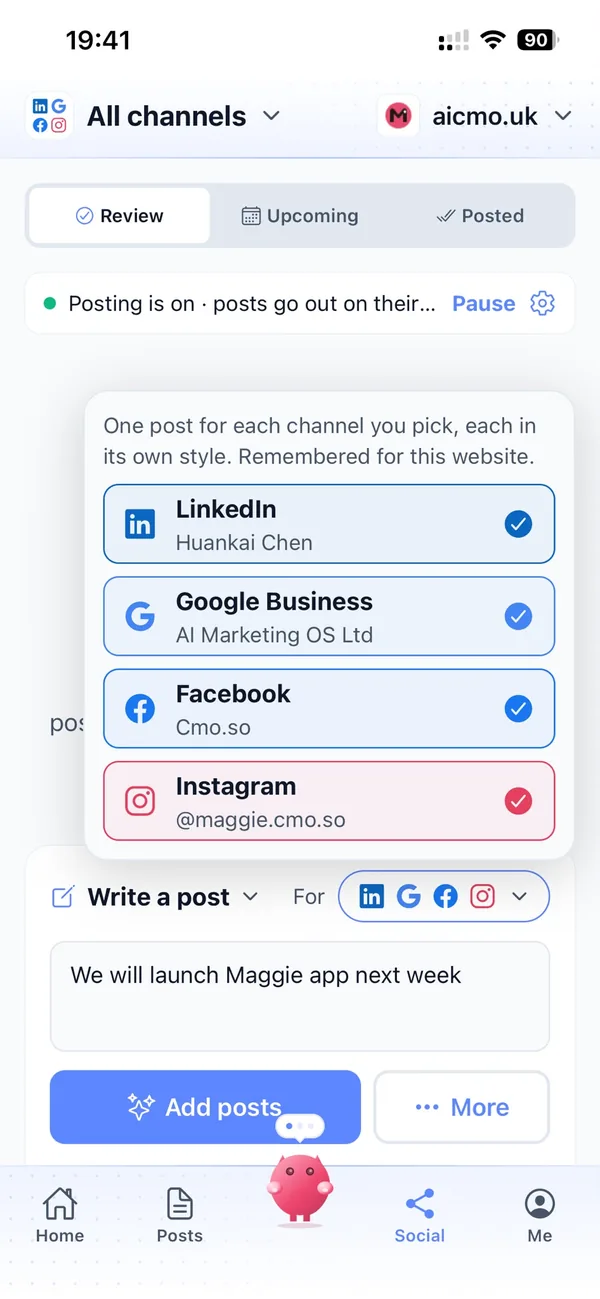
From your website to a year of payroll posts in four steps
Enter your website
Maggie reads it and drafts your firm's brand profile in minutes.
Check your profile
Correct your services and clients, turn on Content Policy Guard, add your own rules and choose your channels.
Review the drafts
Your first week of posts arrives with pictures. A payroll specialist approves, edits or skips each one.
Let them go out
Approved posts go out at each channel's times and every one comes back with its link.
Why not just…
The usual ways payroll providers try to win new clients, and where each one runs out.
…rely on accountant referrals?
Referrals bring good clients, but accountants recommend the providers they hear from regularly. Steady LinkedIn posts and useful guides keep you in mind, and bring in employers who search directly.
…send the occasional client newsletter?
It reaches the clients you already have. Posts on your website, LinkedIn and Google Business reach the employers who don't know you yet, at the moment they're searching.
…pay a marketing agency?
SEO and content agencies often cost around £1,000 a month, and your payroll team still has to check every technical line. Maggie writes and publishes every week from £15 a month.
…write it with ChatGPT?
You still brief it, check it, find a picture and post it yourself, and it doesn't know your services, clients or rules. Maggie remembers your firm and puts posts out on schedule.
Cut the £5,900/mo marketing bill to £15/mo
Everything a marketing team does, done by Maggie.
| What needs doing | Without cmo.so | With cmo.so |
|---|---|---|
| Full-time marketing hire | £3,000/mo | Included |
| SEO and AI search (GEO) agency | £1,000/mo | Included |
| Content writer, AI-assisted | £500/mo | Included |
| Social media manager, freelance | £800/mo | Included |
| Designed pictures for every post | £300/mo | Included |
| SEO and GEO softwareRank tracking, site audits, AI visibility | £250/mo | Included |
| AI writing and image tools | £50/mo | Included |
| Working hours | Office hours | 24/7 |
| Total per month | £5,900+ | From £15/mo |
Typical UK costs for a small business in 2026, with AI already cutting freelance rates. Estimates only; your own quotes will vary.
- 5 social posts, 30 once verified
- 15 Maggie messages a day
- Upgrade any time
- 12 posts a day
- 150 Maggie messages a day
- All channels
- 96 posts a day
- 1,000 Maggie messages a day
- All channels
Per website, billed monthly. Blog and social posts share one allowance; your best plan sets how much you can talk to Maggie across all your websites.
Marketing automation for payroll providers: your questions
Still unsure?
What is marketing automation for payroll providers?
It's software that does the repeating work of marketing a payroll service: planning posts around the payroll calendar, writing explainers and LinkedIn posts, making pictures and publishing them on schedule.
With cmo.so, Maggie does all of it from your website, and nothing goes out until someone at your firm approves it.
How do payroll providers get more clients online?
Payroll providers get more clients online by answering the questions employers search for when they need help, clearly and in good time: explainers on their own website, regular LinkedIn posts for employers and accountants, and an active Google Business profile.
Maggie writes those posts every week and queues them ahead of payroll deadlines, and Search Console in cmo.so shows which ones bring people to your site.
Is it safe to use AI for payroll content?
It is safe when a qualified person reviews every post before it is published. cmo.so keeps approvals on by default, and Content Policy Guard can hold a post that may break financial rules as a draft with a suggested rewrite.
Content Policy Guard gives AI suggestions, not legal or compliance advice. It does not check that rates or thresholds are current; your payroll specialist should review each post, and your firm stays responsible for what it publishes.
How much does marketing automation cost for a payroll provider?
There's a free plan with no card needed. Paid plans are per website and billed monthly: Air at £15 a month covers two posts a day, which suits most bureaux, and Pro at £45 a month suits a growing provider posting on several channels.
Founding members get lower prices for good on every plan until 1 January 2027. You can cancel any time.
Which channels should payroll providers start with?
Most start with LinkedIn, where business owners, HR and finance managers and accountants already are, plus their own blog for payroll explainers.
Google Business helps employers nearby find a local bureau, and Facebook, Instagram and YouTube are in beta. Each channel has its own posting times and queue.
Will posts about rates and thresholds be accurate?
They will be as accurate as your review. Maggie writes from your website, your brand profile and the details you give, and rates change each year, so your team should check every figure before approving.
A good habit is to keep posts general where possible, such as what to prepare before April, and link to your own up-to-date rates page.
Does cmo.so need access to our payroll software or client data?
It doesn't, and it never connects to payroll, client record or HR systems. Maggie works from your public website and the brand profile you check.
cmo.so never sells or rents your data, and Search Console data is only used to show your site's results and plan its content, never for advertising or to train AI models.
Can it write for accountants who refer payroll work?
It can write a separate stream of posts for accountants: how partnering on payroll works, how you handle their clients and what's changing in the year ahead, mostly for LinkedIn.
Your brand profile keeps accountants as a separate audience from employers, so each gets the right tone and detail.
We sell payroll software rather than a bureau service. Does it still fit?
It fits just as well. For software, Maggie writes about features, setup, integrations and honest comparisons with other options, as well as the payroll calendar your customers work to.
Your team can also work with Maggie from ChatGPT or Claude through the cmo.so connector, or use the MCP server and CLI.
Can it help us stand out from other payroll bureaux?
It can show what you're actually like. Posts about the sectors you know, how you handle a tricky run, your support hours and the people on your team give employers reasons to choose you.
Your brand profile records what sets you apart, and every post starts from it.
Which websites does it work with?
cmo.so publishes to WordPress (including WooCommerce), Shopify, Wix and Webflow, and to any other website through the cmo.so API.
Each post is reported back with its link once it is live.
Can my team approve posts too?
You can add people in Me → Team and choose what each can see or change, using presets such as editor or manager.
So your payroll manager can approve technical posts while someone else looks after LinkedIn.
Be the payroll provider employers find before the deadline
Enter your website. Your brand profile and first week of posts are ready in minutes, and nothing goes out until your team approves it.
- Free plan, no card needed
- You approve every post
- Cancel any time