


Marketing automation for construction companies
Clients choose a builder by the work they can see and the company they can find. Maggie, your AI CMO, turns your site progress and finished projects into posts for Google Business, LinkedIn and your website, and you approve every one.
Free to start · No credit card · 30 free posts
Used by 600+ users and trusted by teams at
aeglesriphal.com
moonlakespa.com
shop.theteagroup.com
clo100.com
logtrics.io
mymorez.com
nextidal.com
otisapp.com
storaitelling.com
theheatpumps.co.uk
web-translations.com
exposeai.tech
orielipo.com
whitelabelcrowd.fund
elliptic.co
med.moonlakespa.com
netdex.co.il
orawellness.uk
reenest.com
syngage.ai
thepenthouseliving.com
zengolf.studio
imaintain.uk
rebuildingsociety.com
aurasocial.world
goaimex.com
moneyparents.com
newgenrenewables.uk
osmosisai.co
saunders.ac
teeza.app
thursdayclub.com
Why construction companies struggle to keep their marketing going
Days are spent on site, evenings on quotes and paperwork. Marketing is whatever is left, and there's rarely anything left.
Feast, then famine
When the order book is full nobody thinks about marketing. Then a big job finishes, the next one is months away, and there's nothing in the pipeline because nothing went out.
Hundreds of photos, no posts
Foundations, steel going up, the handover with the keys. The site manager's phone is full of progress photos that never make it onto the website or Google.
Lead sites sell your enquiry to others
Pay-per-lead websites send the same homeowner to several builders at once, and you pay whether you win the job or not. Clients who find you directly come ready to talk to you.
“Builders near me” goes to someone else
Homeowners planning an extension search locally and compare profiles. A Google Business profile with no recent posts and a website with no recent projects looks like a company that isn't busy, or isn't trading.

The school extension is handed over on Friday, and the posts are already written.
It's Monday. Your team is finishing a two-storey extension for a local primary school over the summer holidays, and your own website still shows projects from three years ago.
You paste your website into cmo.so. Maggie reads it and writes your brand profile: house extensions and refurbishments, small commercial and education projects, the towns you work in, your accreditations, the apprentices you train and the straightforward way you talk to clients. You correct one thing: you no longer take on new-build housing.
By Tuesday the drafts are waiting, each with a picture in your company's look: a blog post on what to expect during a school build in the holidays, a LinkedIn post for architects and facilities managers about finishing on time, a Google Business update with a button to request a quote, and a homeowner's guide to how long a single-storey extension usually takes. You approve three on site from your phone and add the head teacher's thank-you, with permission, to the fourth.
The posts go out at the times you set for each channel, and each comes back with its link. While you're on the snagging walk-round, Maggie is already planning posts for the autumn jobs, and Search Console in cmo.so shows which guides homeowners are reading.
A marketing assistant who keeps up with your sites
Each of those problems has an answer, and you still decide what goes out under your company's name.
Project stories on your own site
Write-ups of finished builds, progress updates and guides on costs, timelines and what to expect, written for Google and for AI answers. Published to your WordPress, Shopify, Wix or Webflow site, or any site through the cmo.so API.
Blog on autopilotFound by local clients
Regular Google Business posts keep your company visible when homeowners and businesses search for builders nearby, with buttons that take them straight to your quote page.
Google BusinessLinkedIn for commercial work
Posts for architects, developers, facilities managers and procurement teams about your projects, your safety record in your own words and your people, so you're known before the tender arrives.
LinkedInYour company, not a stock builder
Enter your website and Maggie builds your brand profile: the work you do, where you work, who hires you, what sets you apart, competitors and voice. Every post and picture starts from it.
Brand profileOne project, every channel
One finished build becomes a post for each channel in its own style: a blog case study, a LinkedIn post, a Google Business update, and Facebook and Instagram posts for homeowners (in beta).
Every channelApprove from site
By default nothing goes out until you approve it. Swipe through drafts in the iPhone app or at app.cmo.so, edit a line, skip a post, or pause a channel when you're fully booked.
ApprovalsYour marketing team, in your pocket
Real screens from the cmo.so app on iPhone.
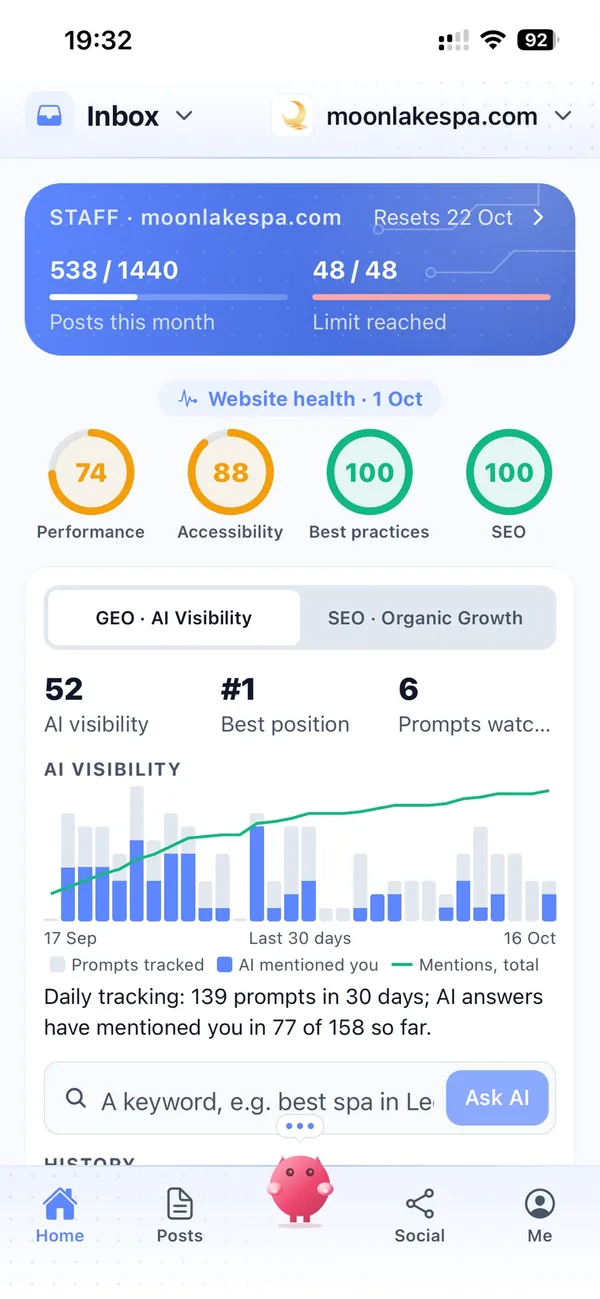
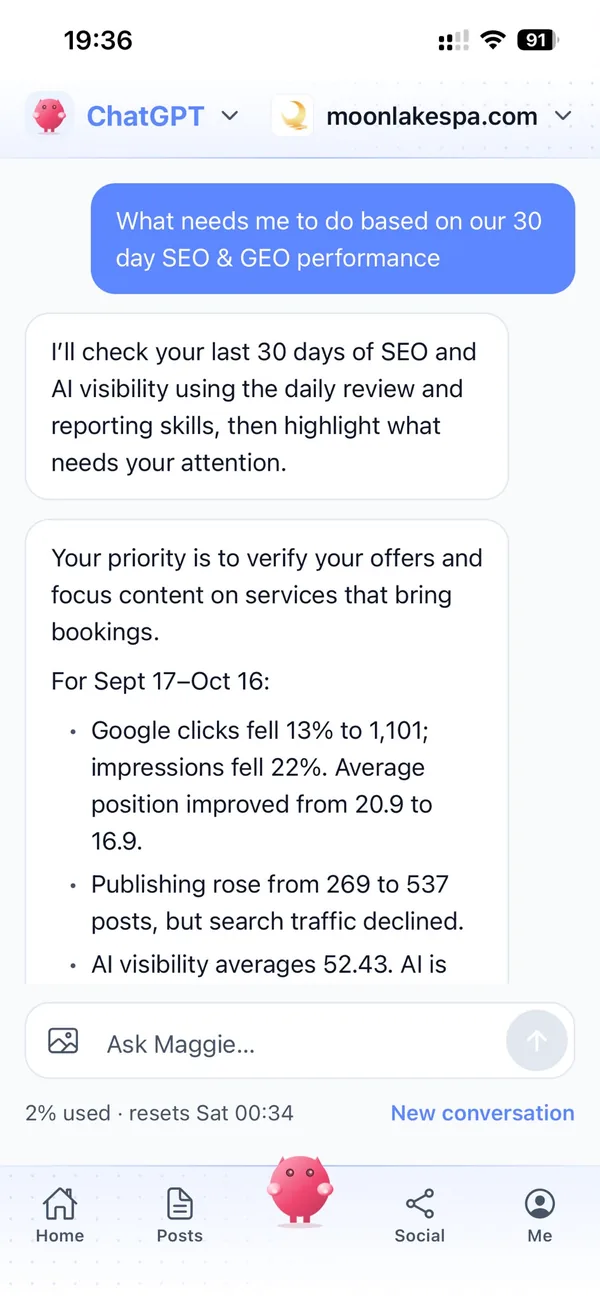
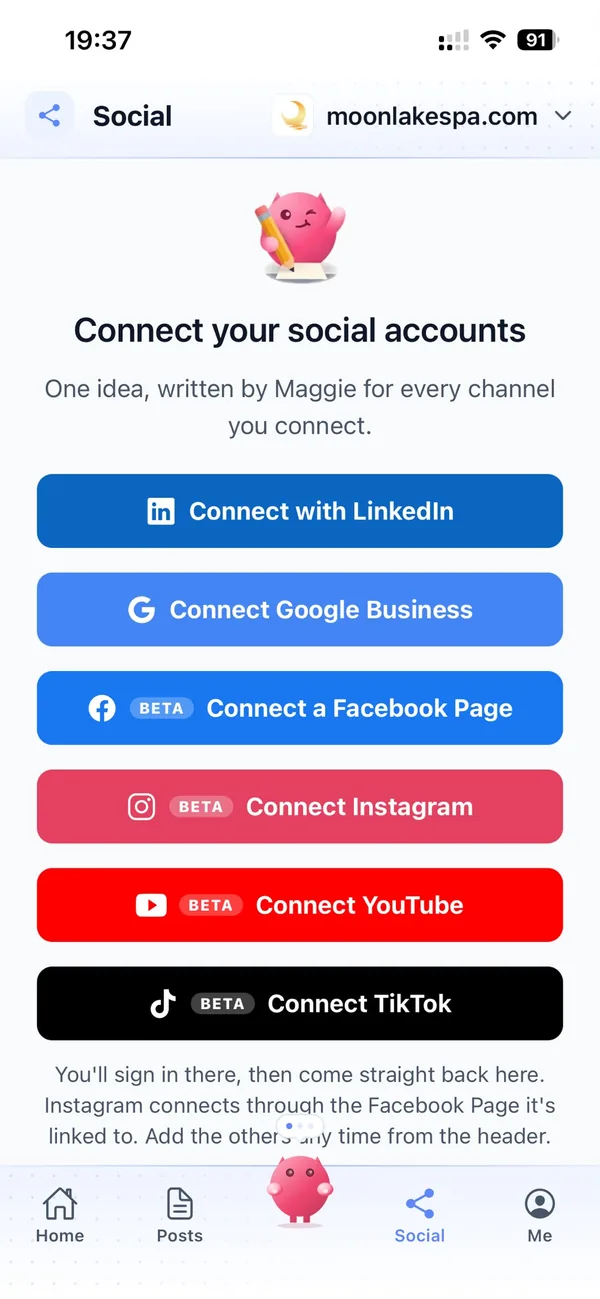
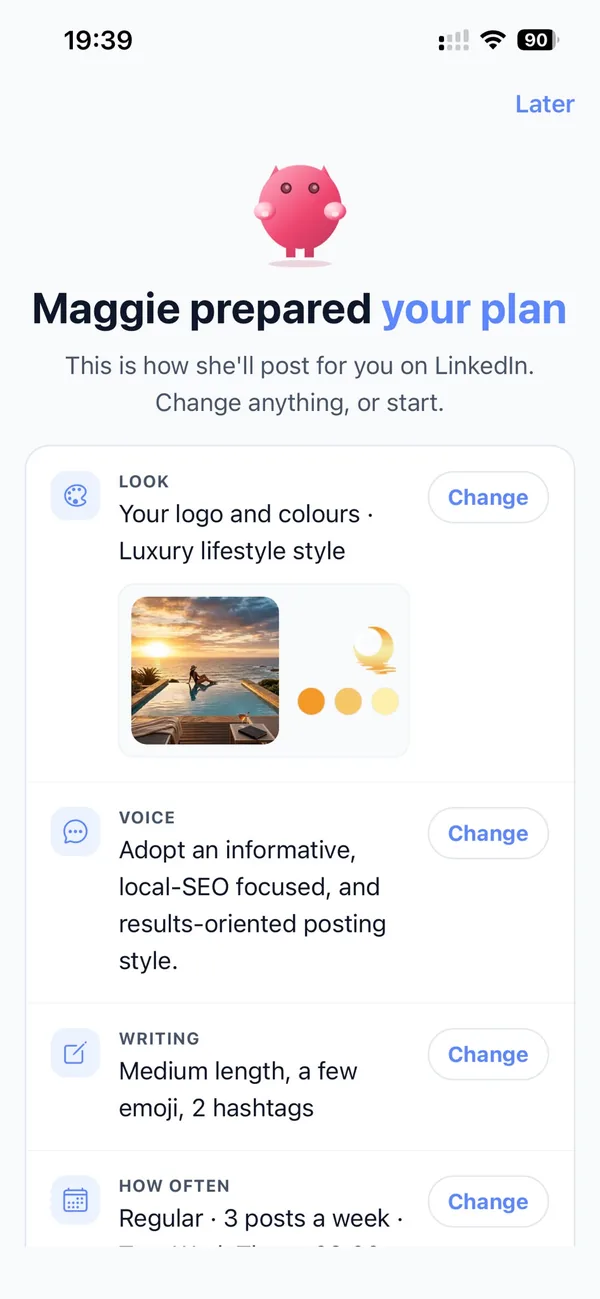
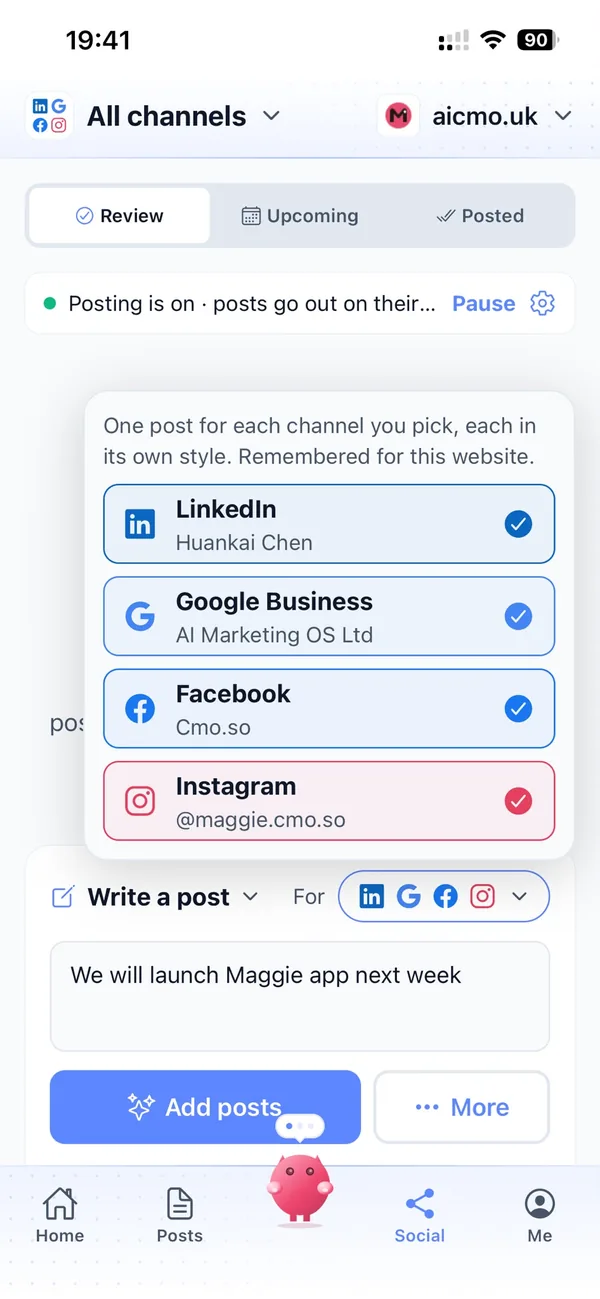
From your website to a steady flow of project posts in four steps
Enter your website
Maggie reads it and drafts your company's brand profile in minutes.
Check your profile
Correct the work you take on and the areas you cover, add current projects and choose your channels.
Review the drafts
Your first week of posts arrives with pictures. Approve, edit or skip each one.
Let them go out
Approved posts go out at each channel's times and every one comes back with its link.
Why not just…
The usual ways construction companies try to win work, and where each one runs out.
…pay for leads from directory sites?
You pay for each enquiry, and the same homeowner is often sent to several other builders. Posts on your own website and Google Business profile bring people who want you.
…rely on word of mouth?
Recommendations are the best work you can get, and they arrive when they arrive. Even a recommended client looks you up online first, and finds either recent projects or nothing.
…pay a marketing agency?
SEO and content agencies often cost around £1,000 a month, and they still need your photos and project details. Maggie writes and publishes every week from £15 a month.
…write it with ChatGPT?
You still brief it, check it, make the picture and post it yourself, and it doesn't know your projects, areas or the way you work. Maggie remembers your company and puts posts out on schedule.
Cut the £5,900/mo marketing bill to £15/mo
Everything a marketing team does, done by Maggie.
| What needs doing | Without cmo.so | With cmo.so |
|---|---|---|
| Full-time marketing hire | £3,000/mo | Included |
| SEO and AI search (GEO) agency | £1,000/mo | Included |
| Content writer, AI-assisted | £500/mo | Included |
| Social media manager, freelance | £800/mo | Included |
| Designed pictures for every post | £300/mo | Included |
| SEO and GEO softwareRank tracking, site audits, AI visibility | £250/mo | Included |
| AI writing and image tools | £50/mo | Included |
| Working hours | Office hours | 24/7 |
| Total per month | £5,900+ | From £15/mo |
Typical UK costs for a small business in 2026, with AI already cutting freelance rates. Estimates only; your own quotes will vary.
- 5 social posts, 30 once verified
- 15 Maggie messages a day
- Upgrade any time
- 12 posts a day
- 150 Maggie messages a day
- All channels
- 96 posts a day
- 1,000 Maggie messages a day
- All channels
Per website, billed monthly. Blog and social posts share one allowance; your best plan sets how much you can talk to Maggie across all your websites.
Marketing automation for construction companies: your questions
Still unsure?
What is marketing automation for construction companies?
It's software that does the repeating work of marketing a building company: planning topics around your projects, writing blog and social posts, making pictures and publishing them on schedule.
With cmo.so, Maggie does all of it from your company's website, and nothing goes out until you approve it.
How do construction companies get more clients online?
Construction companies get more clients online by showing their work where clients look: an active Google Business profile, recent projects and helpful guides on their own website, and LinkedIn posts for commercial clients.
Maggie, your AI CMO, writes those posts every week from your brand profile, and Search Console shows which pages bring people to your website and quote form.
How much does marketing automation cost for a construction company?
There's a free plan with no card needed. Paid plans are per website and billed monthly: Air at £15 a month covers two posts a day, which suits most local builders, and Pro at £45 a month suits a company posting on several channels such as Google Business, LinkedIn and Facebook.
Founding members get lower prices for good on every plan until 1 January 2027. You can cancel any time.
Which channels should construction companies start with?
Most construction companies start with Google Business, because that's where local clients compare builders, plus their own blog for project stories and guides.
LinkedIn reaches architects, developers and commercial clients, and Facebook and Instagram are in beta for homeowners. Each channel has its own posting times and queue.
What pictures go with the posts?
Every post comes with a picture in your company's look, made from your brand profile, and you can edit or skip any post before approving it.
You decide which projects and clients are shown. You can also upload your own site videos for channels that take video; they are only used to post them and deleted within 7 days.
We do both domestic and commercial work. Can it handle that?
Yes. Posts can be planned for both: homeowner guides and Google Business updates for domestic work, and LinkedIn posts for architects, developers and facilities managers.
Each channel has its own voice and template, so the same project can be written up differently for each audience.
Will it name our clients or show their homes?
Only if you say so. You decide which projects are posted, and you can tell Maggie to keep client names and addresses out of every post.
Every post waits for your approval by default, so nothing about a client goes out without your say.
Can it help with tenders and frameworks?
It helps buyers know who you are before a tender lands. Maggie writes case studies and LinkedIn posts about relevant projects, your team and how you work.
She doesn't write or submit tender responses, and she doesn't connect to tender portals.
Does it help us show up in AI answers?
It can help with that. Maggie writes clear, quotable answers to the questions clients ask, such as how long an extension takes or what a build involves, the kind of content Google and AI answers can pick up.
AI visibility in cmo.so shows how Google's AI answers describe and mention your company.
Is it safe to let AI post for our company?
Yes, because nothing goes out until you approve it. Approvals are on by default, and you can keep them on for every channel or let a channel you trust run on autopilot.
Social channels connect through each platform's official sign-in, so cmo.so never sees your passwords, and cmo.so never sells or rents your data.
Can our site managers send updates for posts?
Yes. In Me → Team you can add people and choose what each can see or change, using presets such as editor or manager.
A site manager can check a progress post about their own job, while the office keeps an eye on the blog and LinkedIn.
Let your next client see the work you're doing now
Enter your website. Your brand profile and first week of posts are ready in minutes, and nothing goes out until you approve it.
- Free plan, no card needed
- You approve every post
- Cancel any time