


Marketing automation for career coaches
You help people tell their story to employers, but your own LinkedIn goes quiet whenever your diary fills up. Maggie, your AI CMO, writes your posts on CVs, interviews and career change every week for LinkedIn and your website, and you approve every one.
Free to start · No credit card · 30 free posts
Used by 600+ users and trusted by teams at
aeglesriphal.com
moonlakespa.com
shop.theteagroup.com
clo100.com
logtrics.io
mymorez.com
nextidal.com
otisapp.com
storaitelling.com
theheatpumps.co.uk
web-translations.com
exposeai.tech
orielipo.com
whitelabelcrowd.fund
elliptic.co
med.moonlakespa.com
netdex.co.il
orawellness.uk
reenest.com
syngage.ai
thepenthouseliving.com
zengolf.studio
imaintain.uk
rebuildingsociety.com
aurasocial.world
goaimex.com
moneyparents.com
newgenrenewables.uk
osmosisai.co
saunders.ac
teeza.app
thursdayclub.com
Why career coaches struggle to keep their marketing going
Your week is client sessions, CV reviews and follow-up notes. Writing about your own work comes last, and your next clients are deciding without you.
Busy months, then an empty diary
When sessions are booked solid, nobody posts. A few weeks later the programme ends, the diary has gaps and there's no stream of people who've been reading your advice.
LinkedIn rewards consistency you can't give
Your future clients scroll LinkedIn every day, looking for someone who understands their situation. A burst of posts every couple of months isn't enough to be the coach they remember.
You can't share your best stories
A client who changed careers at 45, a returner who landed a senior role. You'd never share their details, so the proof of what you do stays in your notes.
People search at specific moments
After a redundancy, in January, at graduation, after a disappointing appraisal. They search for help with a CV or a career change, and the coach with clear, recent posts gets the call.

January is when people decide to change jobs, and your posts are ready in December.
It's early December, your diary is full of clients wrapping up before Christmas, and you know January is when people finally book the call they've been putting off. Your LinkedIn last posted in October.
You enter your website into cmo.so. Maggie reads it and writes your brand profile: your coaching for mid-career changers and parents returning to work, your CV and interview packages, the free discovery call, other coaches in your area and the encouraging, straight-talking voice you use with clients. You correct one thing: you also run group workshops for companies going through restructures.
By Tuesday the drafts are waiting: a blog post on the five questions to ask yourself before changing career, a LinkedIn post on explaining a career gap in an interview, a post about your January group programme with a link to your booking page, and a LinkedIn post for HR managers about your outplacement workshops. You approve three and add a line from your own experience to the fourth.
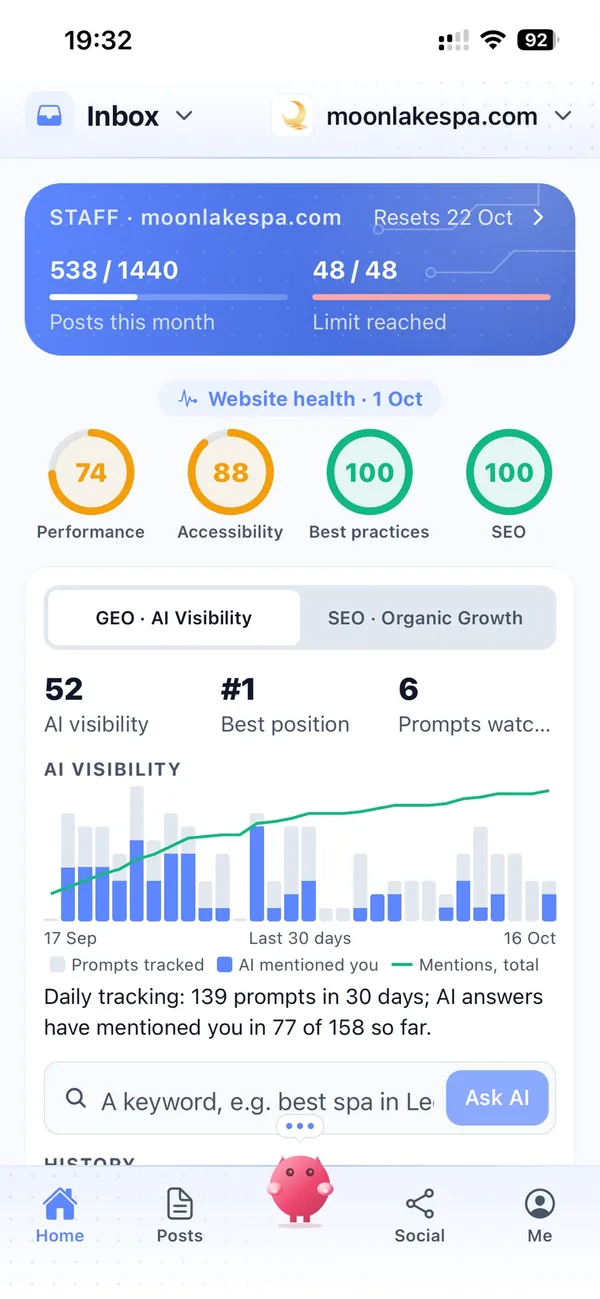
The posts go out at the times you set for each channel, spread across December and January, and each comes back with its link. While you're with clients, Maggie is planning posts for graduation season, and Search Console in cmo.so shows which guides people are reading.
A marketing assistant who keeps your name in front of the next client
Each of those problems has an answer, and you still decide what goes out under your name.
LinkedIn posts every week
Practical advice on CVs, interviews, salary conversations and career change, written in your voice for the people you coach, and posted at the times you choose.
LinkedInGuides people find when they need them
Blog posts on the questions your clients ask, written for Google and for AI answers. Published to your WordPress, Wix, Webflow or Shopify site, or any site through the cmo.so API.
Blog on autopilotPlanned around career moments
January resolutions, graduation season, the autumn hiring rush and redundancy rounds. Posts are written and queued ahead, so you're visible when people start looking.
Seasonal scheduleStories without names
Posts about the kinds of change you help with, told without client details. Your brand profile can note that no client is ever named or identifiable.
Brand profileEvery post leads to a call
Posts link to your discovery call, packages or workshop pages. Google Business posts can carry a Book button that takes people straight to you.
Google BusinessApprove between sessions
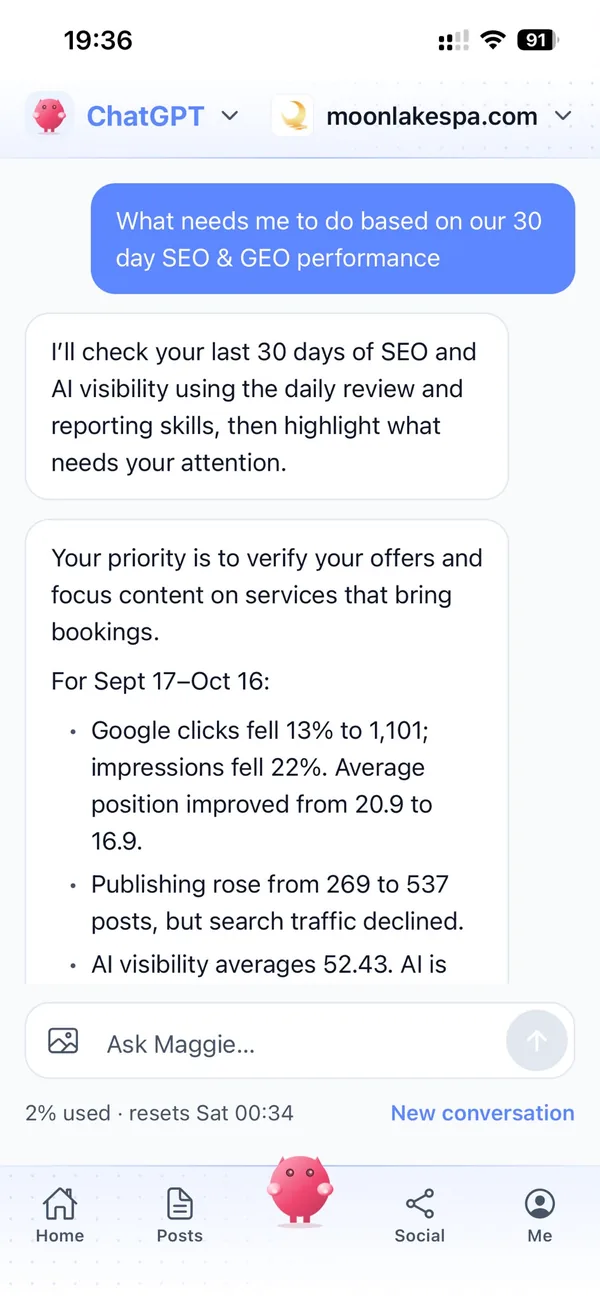
By default nothing goes out until you approve it. Check drafts in the iPhone app or at app.cmo.so between clients, edit a line, skip one or pause a channel.
ApprovalsYour marketing team, in your pocket
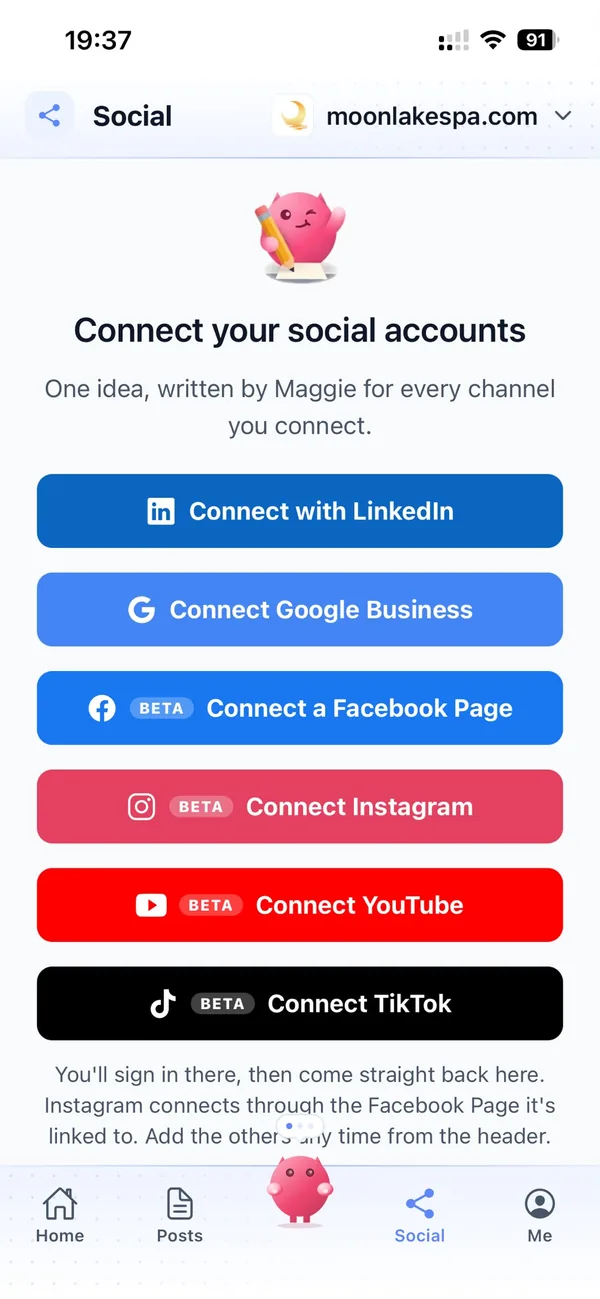
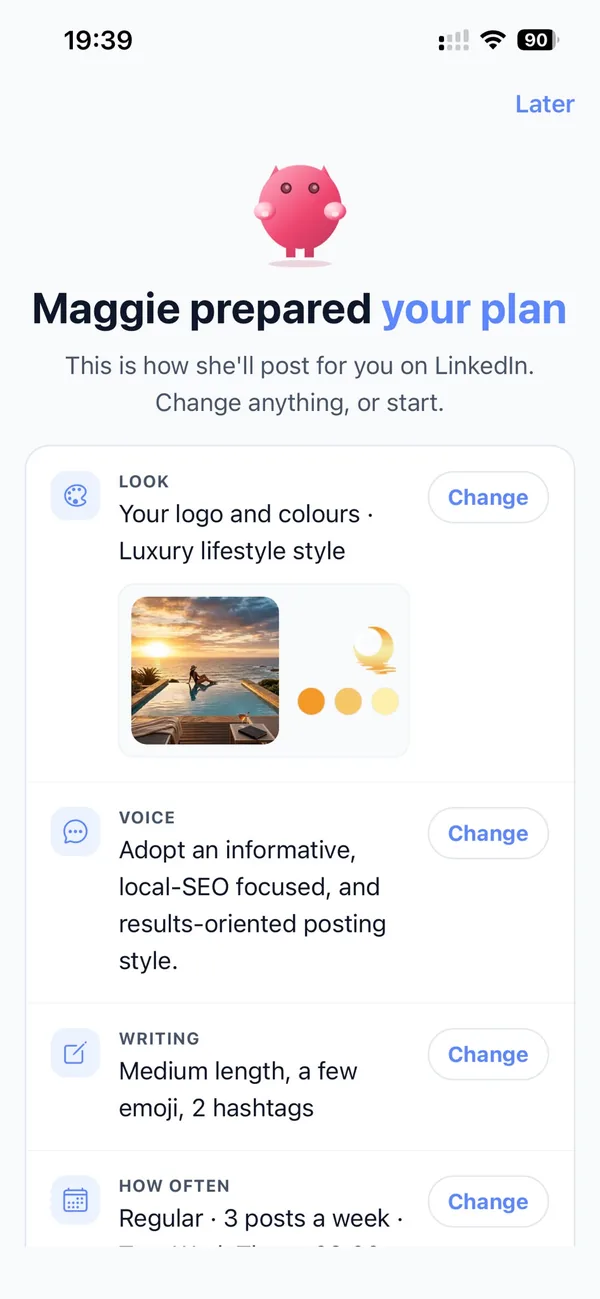
Real screens from the cmo.so app on iPhone.
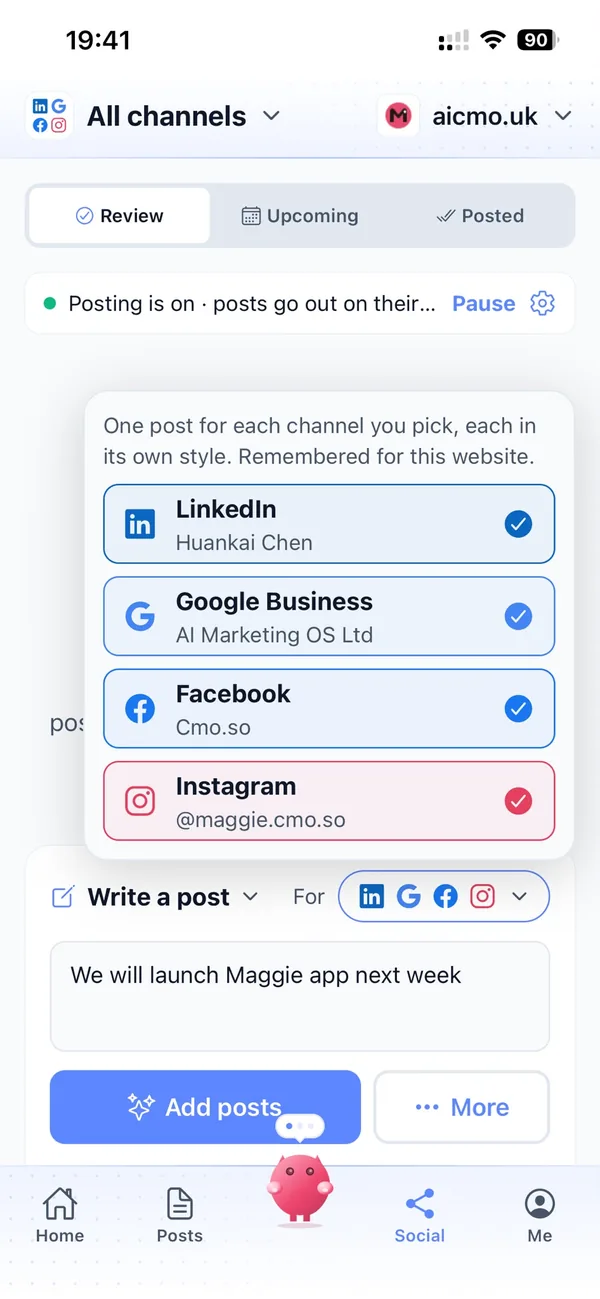
From your coaching website to a season of posts in four steps
Enter your website
Maggie reads it and drafts your coaching brand profile in minutes.
Check your profile
Correct who you coach, your packages and the moments your clients usually come to you.
Review the drafts
Your first week of posts arrives with pictures. Approve, edit or skip each one.
Let them go out
Approved posts go out at each channel's times and every one comes back with its link.
Why not just…
The usual ways career coaches try to find clients, and where each one runs out.
…post on LinkedIn when I have a spare hour?
Spare hours disappear when the diary is full, which is exactly when you should be building the next pipeline. Maggie drafts every week, so posting carries on while you coach.
…list on coaching directories?
Directories put you in a list beside dozens of other coaches, often sorted by price. Your own posts show how you think and why someone should pick you.
…hire a LinkedIn ghostwriter?
Ghostwriters often charge a few hundred pounds a month for LinkedIn alone. Maggie writes for LinkedIn, your blog and Google Business from £15 a month.
…write it with ChatGPT?
You still brief it, check it, find a picture and post it yourself, and it doesn't remember who you coach. Maggie keeps your brand profile and puts posts out on schedule.
Cut the £5,900/mo marketing bill to £15/mo
Everything a marketing team does, done by Maggie.
| What needs doing | Without cmo.so | With cmo.so |
|---|---|---|
| Full-time marketing hire | £3,000/mo | Included |
| SEO and AI search (GEO) agency | £1,000/mo | Included |
| Content writer, AI-assisted | £500/mo | Included |
| Social media manager, freelance | £800/mo | Included |
| Designed pictures for every post | £300/mo | Included |
| SEO and GEO softwareRank tracking, site audits, AI visibility | £250/mo | Included |
| AI writing and image tools | £50/mo | Included |
| Working hours | Office hours | 24/7 |
| Total per month | £5,900+ | From £15/mo |
Typical UK costs for a small business in 2026, with AI already cutting freelance rates. Estimates only; your own quotes will vary.
- 5 social posts, 30 once verified
- 15 Maggie messages a day
- Upgrade any time
- 12 posts a day
- 150 Maggie messages a day
- All channels
- 96 posts a day
- 1,000 Maggie messages a day
- All channels
Per website, billed monthly. Blog and social posts share one allowance; your best plan sets how much you can talk to Maggie across all your websites.
Marketing automation for career coaches: your questions
Still unsure?
What is marketing automation for career coaches?
It's software that does the repeating marketing work of a coaching practice: planning posts around the moments people look for career help, writing LinkedIn and blog posts, making pictures and publishing on schedule.
With cmo.so, Maggie does this from your website, and nothing goes out until you approve it.
How do career coaches get more clients online?
Career coaches get more clients online by posting useful advice regularly where job seekers and career changers already look, mostly LinkedIn, and by having clear guides on their own website that answer the questions people search for.
Maggie writes those posts every week, links them to your discovery call, and Search Console in cmo.so shows which ones bring people to your site.
How much does cmo.so cost for a career coach?
There's a free plan with no card needed. Paid plans are per website and billed monthly: Air at £15 a month covers two posts a day, which suits most solo coaches, and Pro at £45 a month suits a coaching business posting on several channels.
Founding members get lower prices for good on every plan until 1 January 2027. You can cancel any time.
Which channels should career coaches start with?
Most career coaches start with LinkedIn, where professionals and HR managers spend time, plus their own blog for guides people can find through search.
Google Business suits coaches who meet clients locally, and Instagram, TikTok and YouTube are in beta if you coach graduates and younger professionals. Each channel has its own posting times and queue.
Will the posts sound like me?
They will, more each week. Your brand profile records how you talk to clients, and you choose a voice and post template per channel.
Maggie learns from your edits, so the encouraging or straight-talking tone you use comes through more clearly over time.
How does cmo.so protect my clients' privacy?
cmo.so doesn't connect to your client records, so it only knows what's on your website and what you tell it. Your brand profile can note that no client is ever named or identifiable.
You review every post before it goes out, so nothing about a client is published without your approval.
Is it safe to let AI write career advice?
It's safe when you read every post before it's published, and cmo.so keeps approvals on by default. You can correct anything that doesn't match how you coach.
Content Policy Guard is optional and can check posts against education rules or your own house rules, such as never promising a job or a salary. These are AI suggestions, not legal or compliance advice; a qualified person should still review, and you stay responsible for what you publish.
Can cmo.so book discovery calls for me?
It doesn't connect to booking systems, so it doesn't take bookings itself. Posts link to your own booking page or contact form.
Google Business posts can also carry a Book button that takes people straight to where they can arrange a call.
Can it help me win outplacement and corporate work?
It can write LinkedIn and blog posts for HR managers and business owners about your workshops, outplacement support and group programmes.
You choose a voice per channel, so posts for HR teams can sit alongside posts for individual job seekers.
Does cmo.so send newsletters to my mailing list?
No, cmo.so doesn't send email newsletters or run ads. Maggie writes and publishes posts to your website and connected channels.
Many coaches link their newest posts from their own newsletter, so one piece of writing works twice.
Is my data safe?
cmo.so never sells or rents your data. Search Console data is only used to show your own results and plan your content, never for advertising or to train AI models.
Social channels connect through each platform's official sign-in, so cmo.so never sees your passwords.
I coach with a colleague. Can we both approve posts?
You can. In Me → Team you add people with presets such as editor or manager, so a colleague can check posts before they go out.
If you each run your own website, both can sit in one account with their own brand profile, channels, schedule and approvals.
Be the coach people find when they're ready for a change
Enter your website. Your brand profile and first week of posts are ready in minutes, and nothing goes out until you approve it.
- Free plan, no card needed
- You approve every post
- Cancel any time