


Marketing automation for social platforms and online communities
Your community is busy every day, but the people who would love it most have never heard of it. Maggie, your AI CMO, turns your events, guides and new features into weekly posts for your blog, LinkedIn and social channels, and you approve every one.
Free to start · No credit card · 30 free posts
Used by 600+ users and trusted by teams at
aeglesriphal.com
moonlakespa.com
shop.theteagroup.com
clo100.com
logtrics.io
mymorez.com
nextidal.com
otisapp.com
storaitelling.com
theheatpumps.co.uk
web-translations.com
exposeai.tech
orielipo.com
whitelabelcrowd.fund
elliptic.co
med.moonlakespa.com
netdex.co.il
orawellness.uk
reenest.com
syngage.ai
thepenthouseliving.com
zengolf.studio
imaintain.uk
rebuildingsociety.com
aurasocial.world
goaimex.com
moneyparents.com
newgenrenewables.uk
osmosisai.co
saunders.ac
teeza.app
thursdayclub.com
Why online communities struggle to market themselves
You spend your days moderating, welcoming new members, fixing bugs and keeping conversations healthy. Telling the outside world why it should join comes last.
All the good stuff is behind the login
The best threads, AMAs and member guides live inside your app or forum, where Google and AI assistants can't see them. From outside, your community looks quieter than it is.
Growth means the wrong kind of member
A viral moment brings thousands of sign-ups who leave in a week, or who don't fit your rules. You want steady arrivals of people who actually share the interest.
Two audiences, no time
Members want to hear about new features and events. Brands, sponsors, partners and investors want growth, safety and engagement stories on LinkedIn. Writing for both is a job nobody on a small team owns.
The big networks own the search
Search for a hobby or a professional topic and the giant social networks and forums fill the page. A focused community needs pages that answer questions well enough to be found and quoted.

Your new feature ships on Thursday, and the announcement is already approved.
It's Monday. Your community for amateur astronomers is shipping a new observing-log feature on Thursday, there's a live Q&A with a telescope maker on Saturday, and the last post on your blog is from the spring.
You enter your website into cmo.so. Maggie reads it and writes your brand profile: who your members are, what they talk about, the beginner guides on your public pages, your house rules and moderation approach, the brands that sponsor your events, and your enthusiastic, welcoming voice. You correct one thing: your app is free, but the event recordings are for paying members.
By Tuesday the drafts are waiting, each with a picture in your community's look: a blog post on how to start a stargazing log, a feature announcement for Thursday, an Instagram post inviting people to Saturday's Q&A and a LinkedIn post for equipment brands about sponsoring your next event. You approve three from your phone between moderation queues and cut a line from the fourth.
The posts go out at the times you set for each channel and each one comes back with its link. Search Console in cmo.so shows which beginner guides bring new visitors, and Maggie is already planning posts for the next meteor shower.
Steady marketing for a community that never sleeps
Each of those problems has an answer, and you still decide what goes out under your community's name.
Public guides that show what's inside
Beginner guides, topic explainers and roundups of what your community is talking about, written for Google and for AI answers. Published to your WordPress, Webflow, Wix or Shopify site, or any site through the cmo.so API.
Blog on autopilotEvery release and event announced
New features, AMAs, challenges, meet-ups and anniversaries become a short series of posts before and after, so members and newcomers both hear about them.
Launches and eventsLinkedIn for partners and sponsors
Posts for brands, sponsors and partners about who your members are, how you keep the space safe and what you've built, in a more businesslike voice than your member posts.
LinkedInYour community's voice
Enter your website and Maggie builds your brand profile: members, topics, house rules, what sets you apart from the big networks, competitors and voice. Every post and picture starts from it.
Brand profileOne idea, every channel
A new feature becomes a blog post, a LinkedIn post and Instagram, TikTok or Facebook posts (in beta), each written in the style of the place it appears.
Every channelApprovals your team can share
By default nothing goes out until it's approved. Add your community and product leads in Me → Team with presets such as editor or manager, and approve from the iPhone app or app.cmo.so.
ApprovalsYour marketing team, in your pocket
Real screens from the cmo.so app on iPhone.
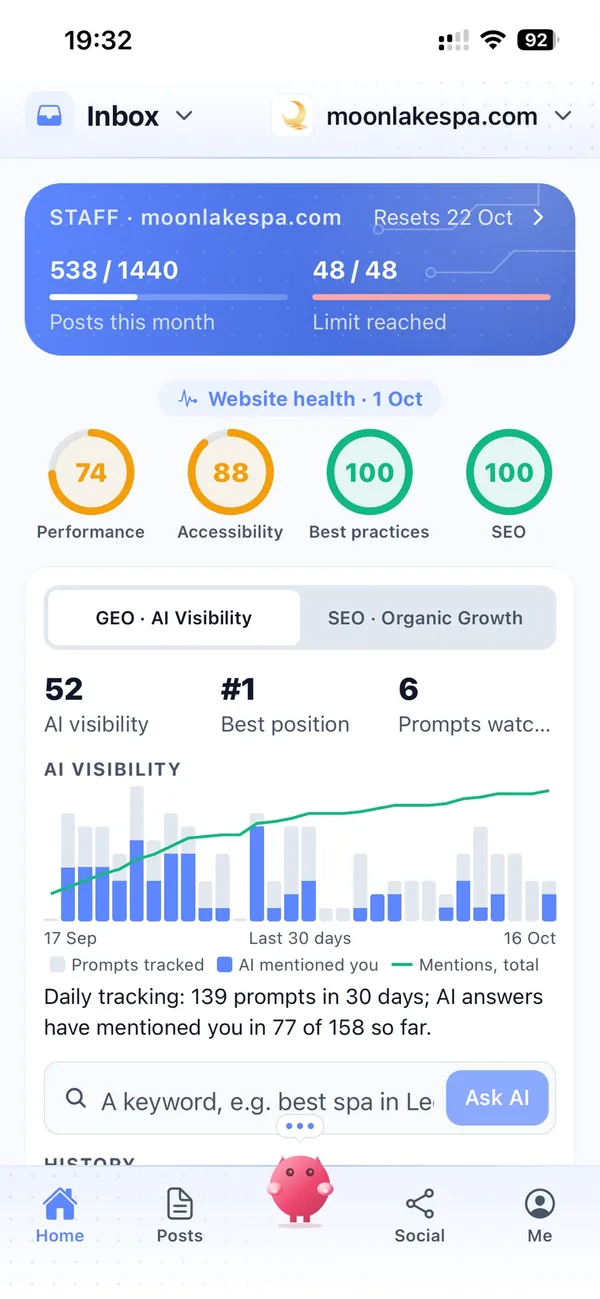
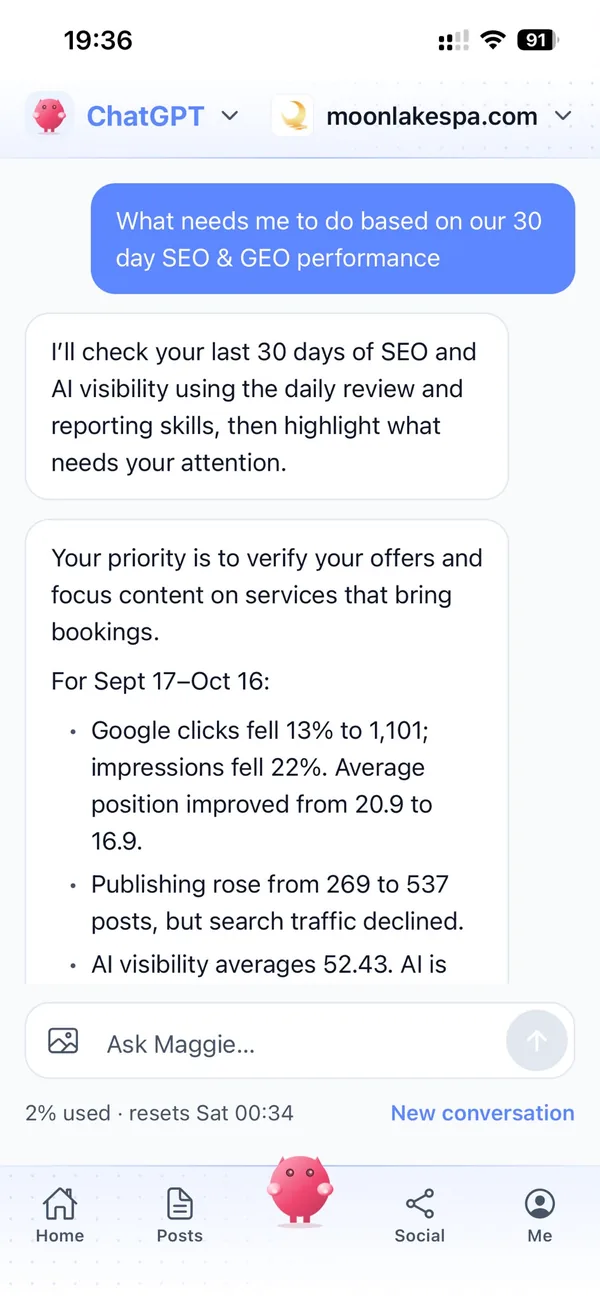
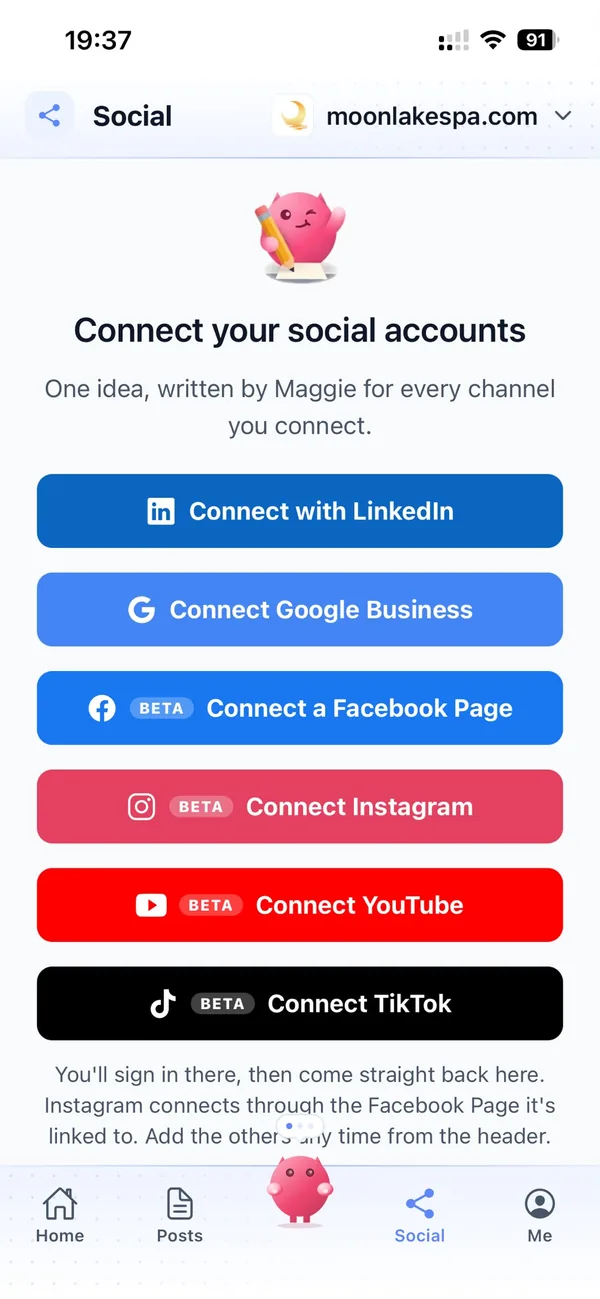
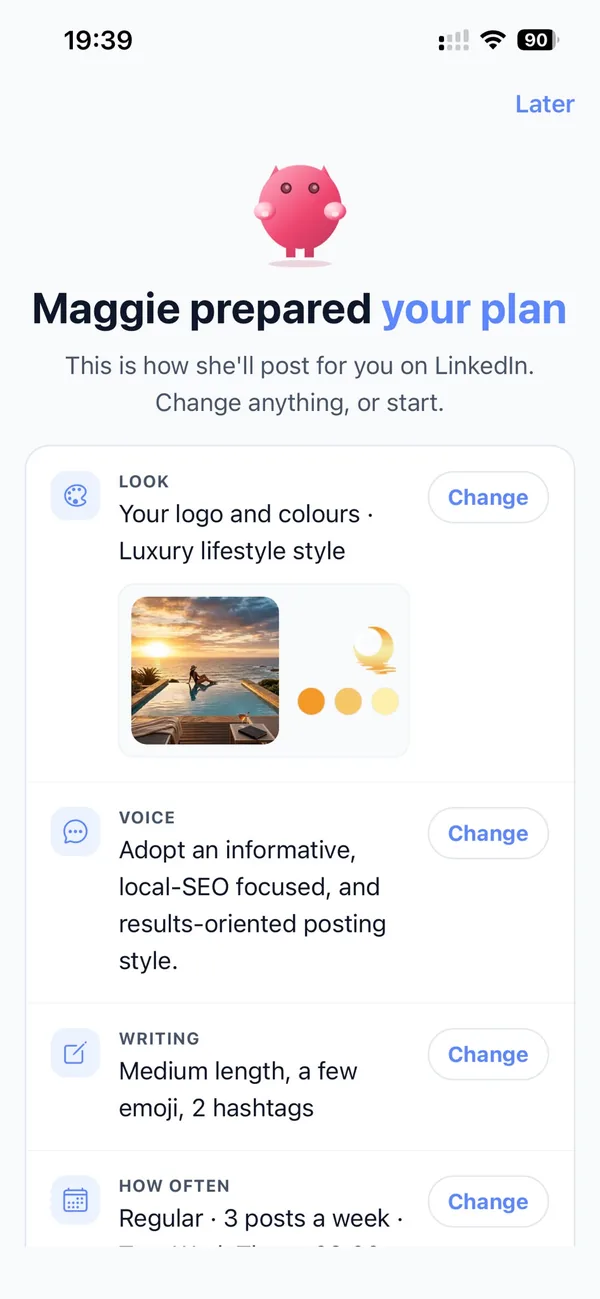
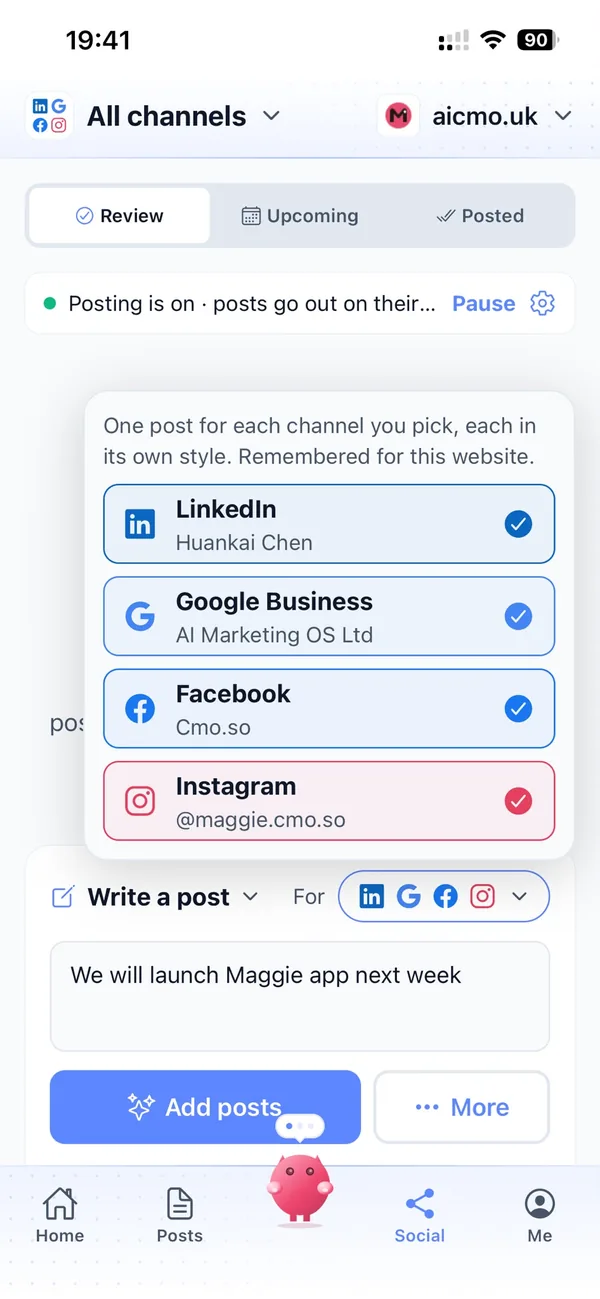
From your website to a steady stream of posts in four steps
Enter your website
Maggie reads it and drafts your community's brand profile in minutes.
Check your profile
Correct your members, topics and house rules, and choose the channels you want.
Review the drafts
Your first week of posts arrives with pictures. Approve, edit or skip each one.
Let them go out
Approved posts go out at each channel's times and every one comes back with its link.
Why not just…
The usual ways communities try to grow, and where each one runs out.
…rely on members inviting friends?
Word of mouth brings the best members, but it's slow and it stalls when your keenest people get busy. Public guides and regular posts bring in people who are already searching for your topic.
…run app-install ads?
Paid installs can spike your numbers, but many of those people never post and leave soon after. Content about your topic attracts members who stay for the conversation.
…hire a growth or content agency?
Agencies often cost around £1,000 a month, and they rarely understand your niche or your house rules. Maggie writes from your own brand profile, from £15 a month.
…write it with ChatGPT?
You still brief it, check it, make the picture and post it on every channel yourself, and it forgets your community between chats. Maggie remembers your members and your voice and posts on schedule.
Cut the £5,900/mo marketing bill to £15/mo
Everything a marketing team does, done by Maggie.
| What needs doing | Without cmo.so | With cmo.so |
|---|---|---|
| Full-time marketing hire | £3,000/mo | Included |
| SEO and AI search (GEO) agency | £1,000/mo | Included |
| Content writer, AI-assisted | £500/mo | Included |
| Social media manager, freelance | £800/mo | Included |
| Designed pictures for every post | £300/mo | Included |
| SEO and GEO softwareRank tracking, site audits, AI visibility | £250/mo | Included |
| AI writing and image tools | £50/mo | Included |
| Working hours | Office hours | 24/7 |
| Total per month | £5,900+ | From £15/mo |
Typical UK costs for a small business in 2026, with AI already cutting freelance rates. Estimates only; your own quotes will vary.
- 5 social posts, 30 once verified
- 15 Maggie messages a day
- Upgrade any time
- 12 posts a day
- 150 Maggie messages a day
- All channels
- 96 posts a day
- 1,000 Maggie messages a day
- All channels
Per website, billed monthly. Blog and social posts share one allowance; your best plan sets how much you can talk to Maggie across all your websites.
Marketing automation for social platforms and online communities: your questions
Still unsure?
What is marketing automation for social platforms and online communities?
It's software that does the repeating work of telling the world about your community: planning topics, writing blog and social posts about your guides, events and features, making pictures and publishing them on schedule.
With cmo.so, Maggie does all of it from your website, and nothing goes out until you approve it.
How do social platforms and online communities get more members online?
Online communities get more members by being visible where people already search for their topic: public guides that answer real questions, regular posts about what's happening inside and clear reasons to join.
Maggie writes those guides and posts every week, and Search Console in cmo.so shows which ones bring new visitors to your sign-up page.
How much does marketing automation cost for an online community?
There's a free plan with no card needed. Paid plans are per website and billed monthly: Air at £15 a month covers two posts a day, and Pro at £45 a month suits a community posting to members and partners on several channels.
Founding members get lower prices for good on every plan until 1 January 2027. You can cancel any time.
Which channels should online communities start with?
Most start with a public blog, because it gives Google and AI answers something to find, plus the social channel where their kind of member already spends time.
Instagram, TikTok and Facebook are in beta and suit hobby and lifestyle communities. LinkedIn suits professional communities and posts for sponsors and partners. Each channel has its own posting times and queue.
Is it safe to let AI post for our community?
It is, because nothing goes out until you approve it. Approvals are on by default, and you can keep them on for every channel or let a channel you trust run on autopilot.
Social channels connect through each platform's official sign-in, so cmo.so never sees your passwords, and cmo.so never sells or rents your data.
Does cmo.so read our members' private posts?
No, it doesn't connect to your app, forum or member data. Maggie works from your public website and the brand profile you check.
If you want to feature a member's story or a great thread, you add it yourself, ideally with the member's permission, and approve the post before it goes out.
Can it announce new features and app updates?
It can. Tell Maggie what's shipping and she writes an announcement for your blog and a short series for each channel, in your community's voice.
You can queue them for release day and pause a channel if a launch slips.
Can it help us attract sponsors and partners?
It can help them find you and understand your value. Maggie writes LinkedIn posts about your audience, your events and how you keep the space safe and well moderated.
It doesn't send emails or sell sponsorships, so conversations still start through your website or your own outreach.
Will the posts match our house rules and tone?
They will, because your house rules and voice are part of your brand profile. Every post starts from it, whether your community is playful, technical or supportive.
You review every post before it goes out, and Maggie learns from your edits, so the tone gets closer to yours each time.
Does it help us appear in AI answers?
Posts are written to be clear and quotable, which helps Google's AI answers and assistants such as ChatGPT mention your community when people ask where to talk about your topic.
AI visibility in cmo.so shows how Google's AI answers describe your community, so you can see what to write about next.
We run several communities. Can cmo.so handle them?
Yes. Add each website to one account and each gets its own brand profile, channels, schedule and approvals.
Each community keeps its own voice, so a gaming group and a parenting forum never sound the same.
Can developers use it from their own tools?
They can, through the cmo.so connector for ChatGPT and Claude, the MCP server or the CLI. Anyone on your team can ask Maggie for drafts from the chat they already use.
So a product team can hand over release notes and get draft announcements back without leaving the tools they already use.
Show the world what your community is talking about
Enter your website. Your brand profile and first week of posts are ready in minutes, and nothing goes out until you approve it.
- Free plan, no card needed
- You approve every post
- Cancel any time