


Marketing automation for productivity software companies
People find a new productivity tool while searching how to run a better meeting, organise a project or stop drowning in messages. Maggie, your AI CMO, writes those workflow guides, comparisons and posts every week, and you approve every one.
Free to start · No credit card · 30 free posts
Used by 600+ users and trusted by teams at
aeglesriphal.com
moonlakespa.com
shop.theteagroup.com
clo100.com
logtrics.io
mymorez.com
nextidal.com
otisapp.com
storaitelling.com
theheatpumps.co.uk
web-translations.com
exposeai.tech
orielipo.com
whitelabelcrowd.fund
elliptic.co
med.moonlakespa.com
netdex.co.il
orawellness.uk
reenest.com
syngage.ai
thepenthouseliving.com
zengolf.studio
imaintain.uk
rebuildingsociety.com
aurasocial.world
goaimex.com
moneyparents.com
newgenrenewables.uk
osmosisai.co
saunders.ac
teeza.app
thursdayclub.com
Why productivity software companies struggle to stand out
It's a crowded category, and the tools people already use are free or bundled. Your product only wins if people discover the way of working it makes possible.
Everyone looks like a to-do list
Tasks, docs, notes, boards. From a landing page, most productivity tools look the same, so a team lead comparing five of you picks the one they've heard of.
The searches are about work, not software
People type “how to run a weekly team meeting”, “project plan template” or “how to stop context switching”. If you only write about features, you miss the moment they're open to a new tool.
Alternatives pages are written about you
Buyers search for alternatives to the big names and comparisons between tools. The pages that rank are often written by competitors or review sites, and you're described in their words.
Integrations and features ship unnoticed
A new calendar sync or template gallery deserves a walkthrough and a few posts. It gets one line in the changelog, and users keep asking for something you already built.

A new calendar integration on Tuesday. Guides, a comparison and a week of posts by Friday.
It's Tuesday, and your team has just shipped two-way calendar sync, the feature your users have asked for longer than any other. So far, the announcement is a changelog entry and a message in your community chat.
Your brand profile in cmo.so already describes your product, the small teams and agencies who use it, the bigger tools they move from and your friendly, practical voice. You tell Maggie what shipped in a sentence, and she plans the week: a guide to time-blocking your week with tasks and calendar together, an honest comparison with the tool your users most often leave, and LinkedIn posts for team leads and operations managers.
By Thursday the drafts are waiting, each with a picture in your brand's look. Your product marketer makes one claim in the comparison fairer and approves the rest in the app. The same idea also becomes a caption for a short screen recording your designer made, ready for your YouTube and TikTok beta channels.
By Friday the guide and comparison are live on your blog and the posts are going out on schedule, each reported back with its link. Next month, Search Console in cmo.so shows which workflow searches are bringing people in, and Maggie plans more around them.
A marketing assistant for a crowded category
Each of those problems has an answer, and your team still checks everything that goes out under your brand.
Workflow guides that bring in new teams
Articles on the work behind your product: running meetings, planning projects, onboarding a new hire, cutting down on messages. Written for Google and for AI answers, and published to WordPress, Webflow or any site through the cmo.so API.
Blog on autopilotFair comparisons and alternatives pages
Your brand profile includes your competitors and unique selling points, so Maggie can write comparison and alternatives articles. You review every claim about another product before it's published.
ComparisonsEvery feature gets its moment
Tell her what shipped and who asked for it, and she plans a short series: a how-to guide, LinkedIn posts and a post for each beta channel, each in its own style with its own picture.
Launch seriesLinkedIn for team leads
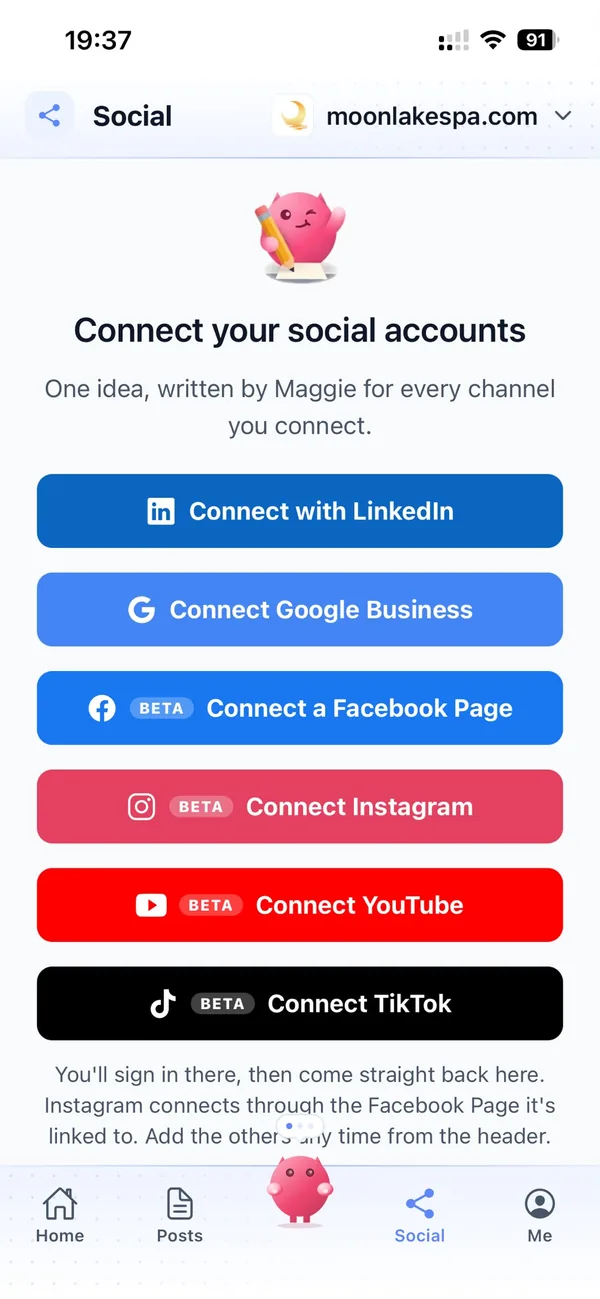
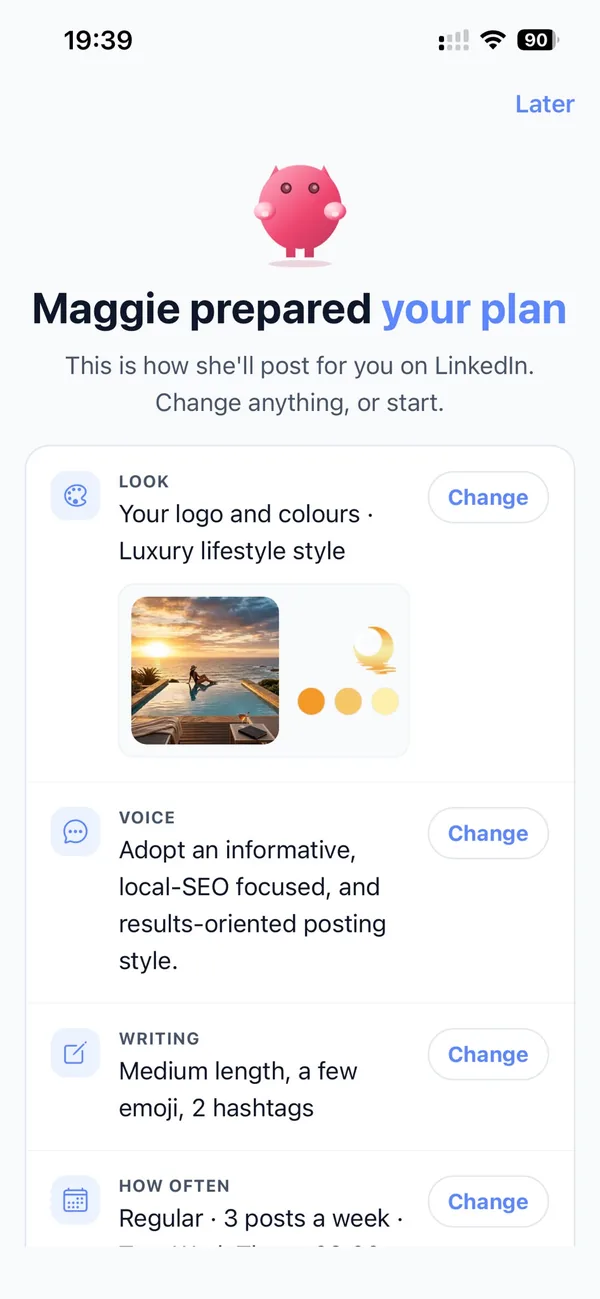
Posts for team leads, operations managers and founders who choose tools for their teams, in your voice, on the days you choose. YouTube and TikTok are in beta for tutorials and quick tips.
LinkedInBuilt for software teams
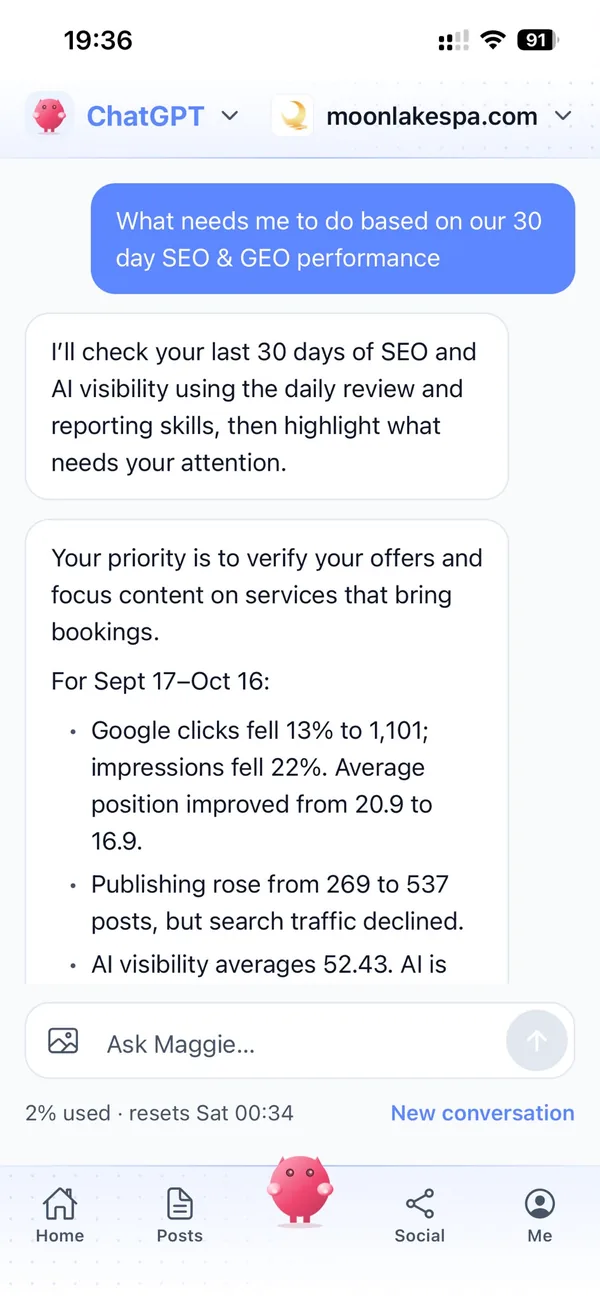
Approve from the iPhone app or app.cmo.so, ask Maggie from ChatGPT or Claude through the cmo.so connector, or use the MCP server and CLI. The same memory and approvals apply everywhere.
Connectors, MCP and CLISee what search and AI make of you
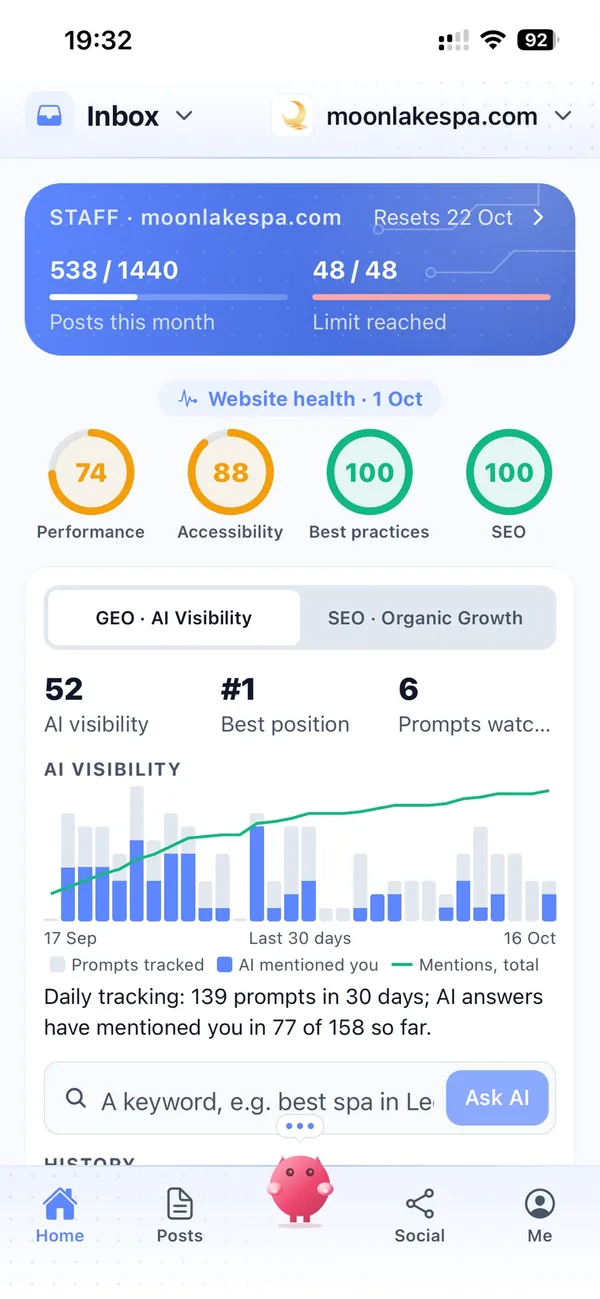
Connect Search Console to see which guides bring people in. AI visibility shows how Google's AI answers describe your product when people ask for the best tool for a job.
Search Console and AI visibilityYour marketing team, in your pocket
Real screens from the cmo.so app on iPhone.
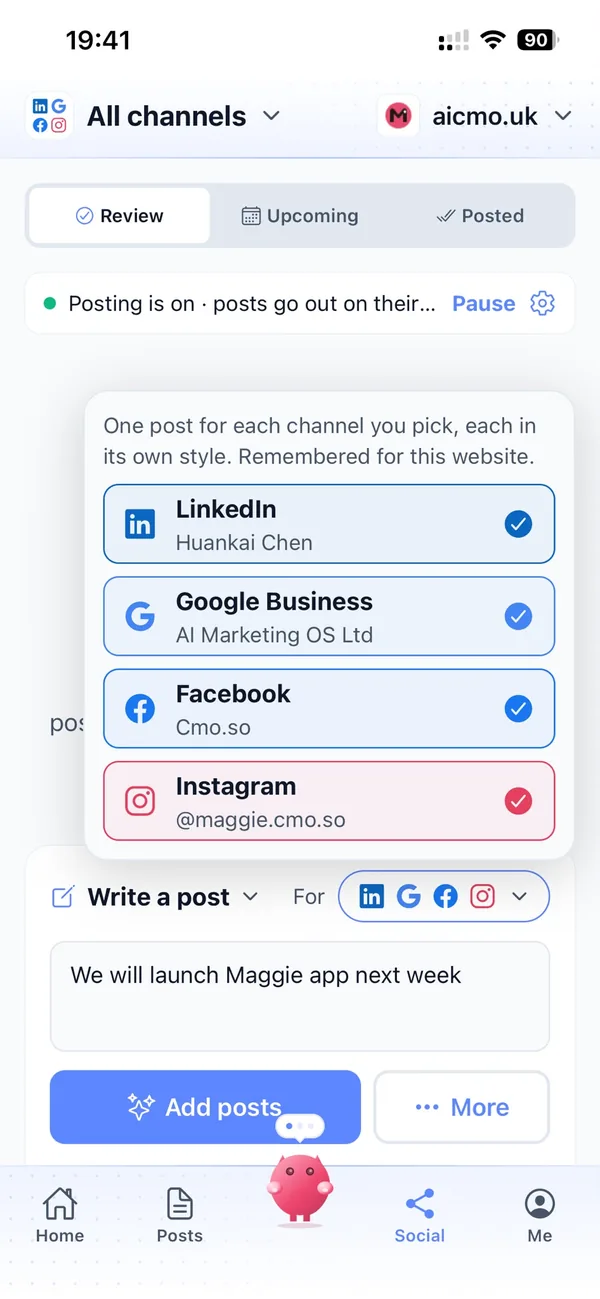
From your product site to a month of guides in four steps
Enter your website
Maggie reads your product pages and drafts your brand profile, competitors included.
Check your positioning
Correct who you're for, which tools people switch from and what you do better.
Review the drafts
Workflow guides, comparisons and posts arrive with pictures. Approve, edit or skip each one.
Let it run
Posts go out on your schedule and each comes back with its link. Put a channel on autopilot when you trust it.
Why not just…
The usual ways productivity software companies try to get discovered, and where each one runs out.
…rely on product-led growth alone?
A great free plan helps people who already found you. Guides and comparisons are how new teams find you in the first place, while they're searching for a better way to work.
…hire a content marketer?
A full-time marketing hire in the UK costs around £3,000 a month before tools, and one person can only write so many guides a week. Your AI CMO, Maggie, starts from your website today.
…pay an SEO agency for templates and guides?
SEO and content agencies often cost around £1,000 a month and work to their own schedule. Maggie writes every week and keeps your LinkedIn and beta channels going too.
…prompt ChatGPT for each article?
You still brief it every time, paste in your positioning, make the pictures and publish by hand. Maggie remembers your product and competitors and runs the whole loop.
Cut the £5,900/mo marketing bill to £15/mo
Everything a marketing team does, done by Maggie.
| What needs doing | Without cmo.so | With cmo.so |
|---|---|---|
| Full-time marketing hire | £3,000/mo | Included |
| SEO and AI search (GEO) agency | £1,000/mo | Included |
| Content writer, AI-assisted | £500/mo | Included |
| Social media manager, freelance | £800/mo | Included |
| Designed pictures for every post | £300/mo | Included |
| SEO and GEO softwareRank tracking, site audits, AI visibility | £250/mo | Included |
| AI writing and image tools | £50/mo | Included |
| Working hours | Office hours | 24/7 |
| Total per month | £5,900+ | From £15/mo |
Typical UK costs for a small business in 2026, with AI already cutting freelance rates. Estimates only; your own quotes will vary.
- 5 social posts, 30 once verified
- 15 Maggie messages a day
- Upgrade any time
- 12 posts a day
- 150 Maggie messages a day
- All channels
- 96 posts a day
- 1,000 Maggie messages a day
- All channels
Per website, billed monthly. Blog and social posts share one allowance; your best plan sets how much you can talk to Maggie across all your websites.
Marketing automation for productivity software companies: your questions
Still unsure?
What is marketing automation for productivity software companies?
It's software that does the repeating content work of a productivity or collaboration tool: planning workflow topics, writing guides, comparisons and social posts, making pictures and publishing on schedule.
With cmo.so, Maggie does all of it from your website and brand profile, and nothing goes out until you approve it.
How do productivity software companies get more customers online?
Productivity software companies get more customers online by answering the work questions people search for, such as running meetings or planning projects, and by publishing fair comparisons with the tools buyers already know.
Maggie, your AI CMO, writes those guides and comparisons every week, and Search Console in cmo.so shows which ones bring new teams to your site.
How much does cmo.so cost for a software company?
There's a free plan with no card needed. Paid plans are per website and billed monthly: Air is £15 a month for two posts a day, and Pro at £45 a month suits a growing product posting on several channels.
Founding members get lower prices for good on every plan until 1 January 2027, and you can cancel any time.
Which channels should productivity software companies start with?
Most start with their blog, for workflow guides and comparisons that Google and AI answers can quote, and LinkedIn, where team leads and founders talk about how they work.
YouTube and TikTok are in beta and suit tutorials and quick tips. Each channel has its own posting times and queue, and one idea can become a post for every channel.
Can it write alternatives and comparison pages?
Yes. Your brand profile includes your competitors, so Maggie can write “alternatives to” and “versus” articles from your point of view.
You review each one before it's published, so you can make sure every claim about another product is fair and accurate.
Will it get our features wrong?
It writes from your brand profile, which you can correct, and by default every post waits for your approval. Your product team can edit any draft before it goes out.
Maggie learns from those edits, so drafts get closer to how you describe your product each time.
Can it help us show up when people ask AI for the best tool?
Yes, cmo.so can help with that. Maggie writes articles with clear, quotable answers about who your product is for and what it replaces, which is what AI tools draw on.
AI visibility in cmo.so shows how Google's AI answers describe your product, so you can follow the change over time.
Does it work inside ChatGPT, Claude and our developer tools?
Yes. Connect cmo.so to ChatGPT or Claude to ask for drafts and approve posts there, and developers can use the cmo.so MCP server and CLI from their editor or terminal.
She shows each change before she makes it, and the same memory and approvals apply everywhere.
We already have a blog. Will it repeat what we've written?
No, cmo.so builds on what you've already written. Maggie reads your sitemap and existing articles first and plans new topics around what you already cover.
If you want, she can also refresh older guides so they keep earning search traffic, at the same address so your links stay intact.
Does it send onboarding emails or in-app messages?
No, cmo.so leaves email and in-app messages to your other tools. Maggie plans, writes and publishes blog and social posts; she doesn't send email newsletters, onboarding sequences or in-app messages.
Your guides can link to sign-up pages and templates, so readers can try the workflow straight away.
Which websites does it publish to?
cmo.so publishes to WordPress, Shopify, Wix and Webflow, and to any other site, including a custom-built marketing site, through the cmo.so API.
Each post is reported back with its link once it is live.
Can my team approve posts too?
Yes. In Me → Team you can add people and choose what each can see or change, using presets such as editor or manager.
So a product manager can check feature guides while your founder looks after LinkedIn.
Be the tool people find while they're looking for a better way to work
Enter your product's website. Your brand profile and first week of guides, comparisons and posts are ready in minutes, and nothing goes out until you approve it.
- Free plan, no card needed
- You approve every post
- Cancel any time