


Marketing automation for project management software companies
Your buyers search for Gantt chart templates, sprint planning guides and "alternatives to" the tool they're leaving. Maggie, your AI CMO, writes the guides, comparisons and LinkedIn posts that answer them, and you approve every one.
Free to start · No credit card · 30 free posts
Used by 600+ users and trusted by teams at
aeglesriphal.com
moonlakespa.com
shop.theteagroup.com
clo100.com
logtrics.io
mymorez.com
nextidal.com
otisapp.com
storaitelling.com
theheatpumps.co.uk
web-translations.com
exposeai.tech
orielipo.com
whitelabelcrowd.fund
elliptic.co
med.moonlakespa.com
netdex.co.il
orawellness.uk
reenest.com
syngage.ai
thepenthouseliving.com
zengolf.studio
imaintain.uk
rebuildingsociety.com
aurasocial.world
goaimex.com
moneyparents.com
newgenrenewables.uk
osmosisai.co
saunders.ac
teeza.app
thursdayclub.com
Why project management software is hard to market
Your category is crowded, every tool claims to be simple, and buyers decide long before they book a demo.
Everyone says "all-in-one"
Boards, timelines, time tracking, resource planning. Every competitor lists the same features, so a buyer comparing five tabs can't tell why yours fits their agency, construction firm or product team better.
The big names own the "vs" searches
Team leads search "alternatives to" the tool their company outgrew. The pages that answer are written by the largest vendors and review sites, and your product isn't on the list.
Templates sell, but nobody writes them up
A good sprint retrospective, RACI or launch plan template is exactly what a project manager searches for on a Monday morning. Your product team builds them, and they sit in the app without a page that Google can find.
Features ship faster than the blog
Dependencies, workload views, a new integration. The changelog gets a line, the help centre gets an article, and the people deciding between tools never hear about it.

A new workload view on Monday. A guide, a comparison and three LinkedIn posts by Friday.
It's Monday and your new workload view is live. It's the feature agencies have asked for all year, and so far the only announcement is a changelog entry and an in-app tooltip.
You paste your website into cmo.so. Maggie reads it and writes your brand profile: who you're built for (creative agencies and small product teams), the tools your customers usually move from, the integrations they rely on and the plain, practical voice of your help centre. You correct one line: you dropped the enterprise plan last spring.
By Wednesday the drafts are waiting, each with a picture in your brand's look: a guide on balancing team workload across client projects, an honest comparison with the tool agencies usually outgrow, a sprint planning template post and three LinkedIn posts for operations leads and agency owners. Your head of product sharpens one sentence and approves the rest from the iPhone app.
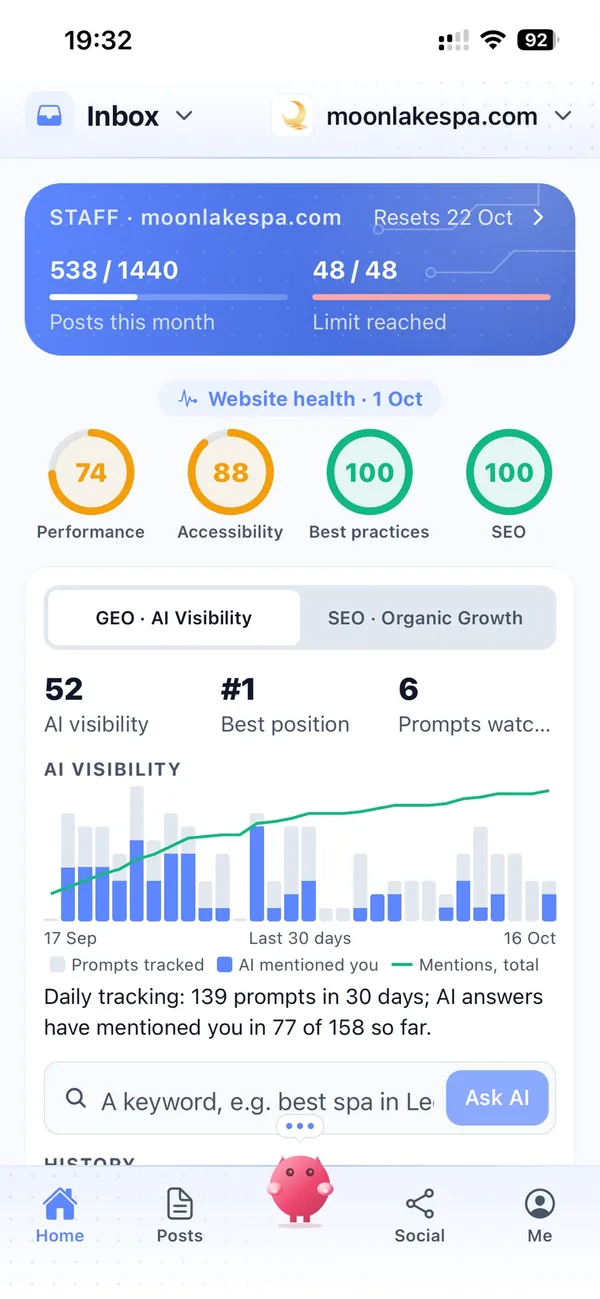
By Friday the guide and the comparison are live on your blog and the LinkedIn posts are going out on the days you chose, each reported back with its link. Next month, Search Console in cmo.so shows which searches brought people in, and AI visibility shows whether Google's AI answers mention you when someone asks for a project tool for agencies.
Content that helps teams choose your tool
Each of those problems has an answer, and you still decide what goes out under your product's name.
Your niche, written down
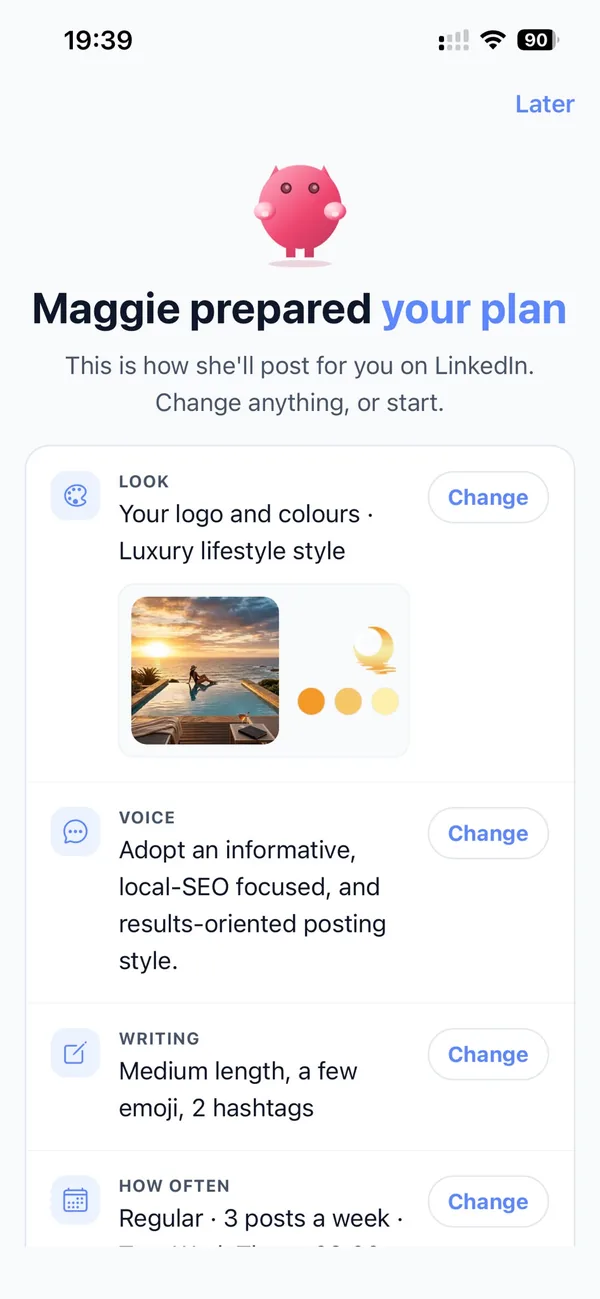
Enter your website and Maggie builds a brand profile: products, audience, unique selling points, SWOT, competitors and voice. Posts then speak to the teams you actually serve, not to everyone who has ever run a project.
Brand profileComparisons and alternatives
Fair, clear articles on how you compare with the tools your buyers already know, and who each one suits. Written for Google and for AI answers, so you appear when people ask what to switch to.
Comparison articlesMethods and templates on your blog
Guides to sprint planning, Gantt charts, resource planning, client approvals and retrospectives, each linking to the feature that does it. Published to WordPress, Shopify, Wix, Webflow or any site through the cmo.so API.
Blog on autopilotLinkedIn for the people who choose
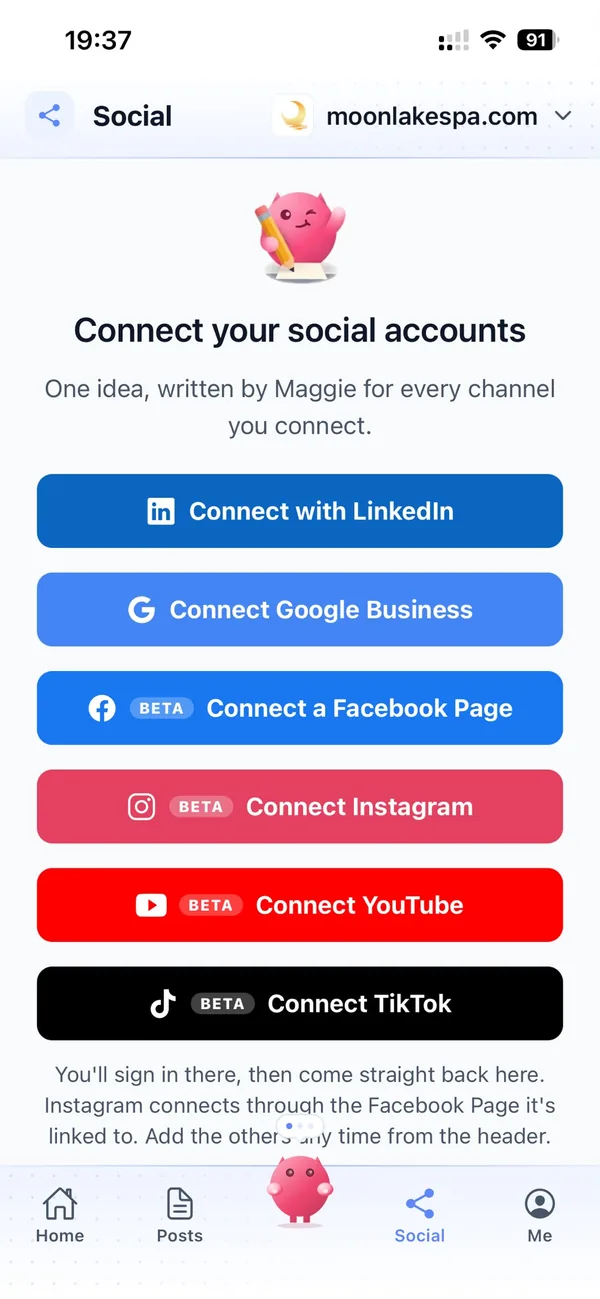
Operations leads, PMO heads and agency owners decide on LinkedIn. Maggie writes posts in your voice on the days you set, and Facebook, Instagram, YouTube and TikTok are in beta if you want them too.
LinkedInEvery release becomes a series
One idea becomes a post for each channel in its own style, so a new integration gets an explainer on the blog and a run of LinkedIn posts, each with its own picture.
Every channelAsk from the tools you already use
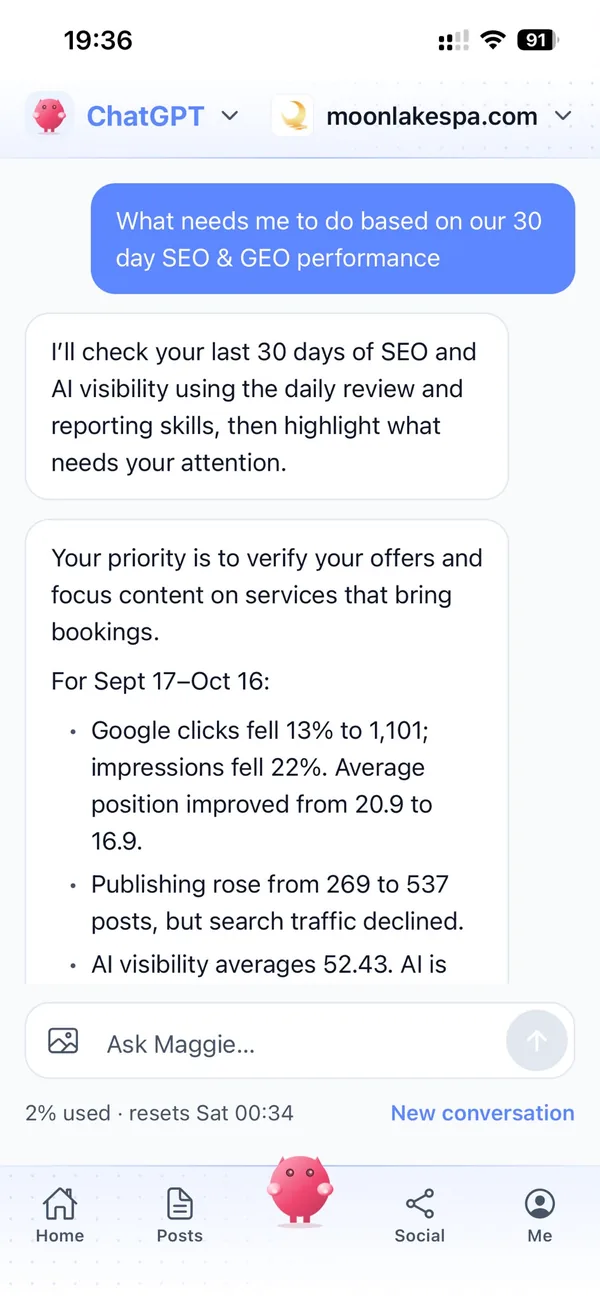
Connect cmo.so to ChatGPT or Claude, or use the MCP server and CLI. The same brand profile, memory and approvals apply wherever you ask.
AI connectors, MCP and CLIYour marketing team, in your pocket
Real screens from the cmo.so app on iPhone.
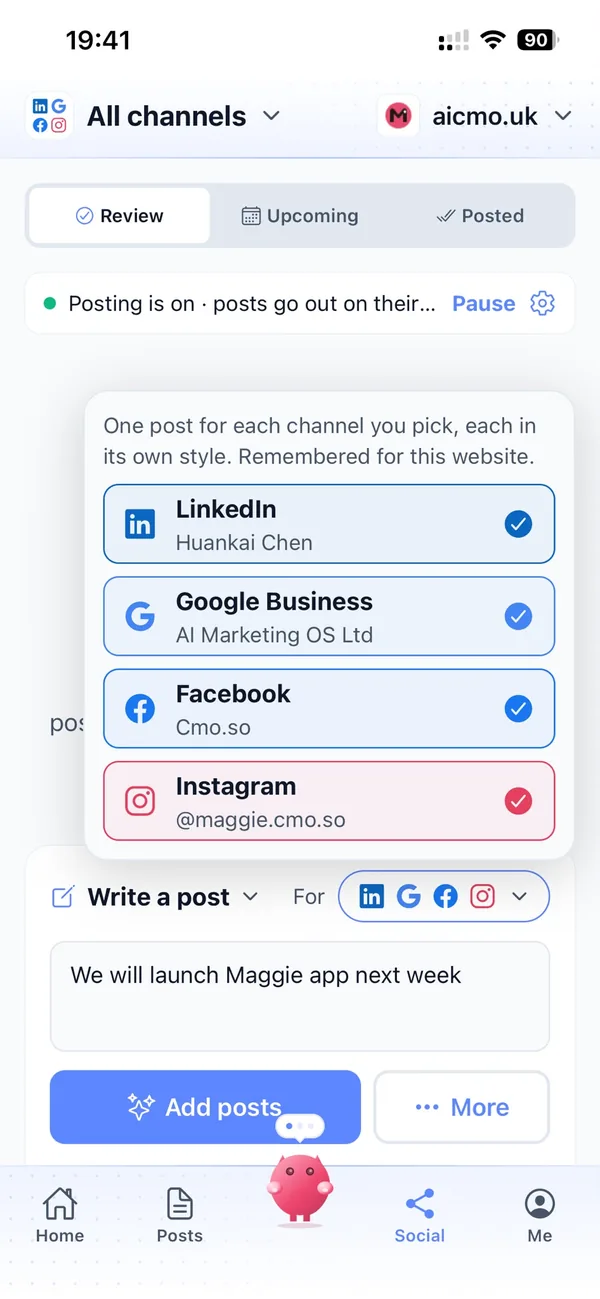
From your product's website to a full content plan in four steps
Enter your website
Maggie reads it and drafts your brand profile in minutes.
Check your profile
Correct who you're for, which tools you compete with and which features matter most.
Review the drafts
Your first week of guides, comparisons and posts arrives with pictures. Approve, edit or skip each one.
Let them go out
Approved posts go out at each channel's times and every one comes back with its link.
Why not just…
The usual ways project management tools try to keep content going, and where each one runs out.
…hire a content marketer?
A full-time marketing hire in the UK costs around £3,000 a month before tools, and spends the first weeks learning the difference between your workload view and a resource planner.
…pay an SEO agency?
SEO and content agencies often cost around £1,000 a month and write to their own calendar. Maggie writes from your brand profile every week, from £15 a month.
…ask the product team to blog?
They know the features best, but the post always waits behind the next sprint. Maggie drafts it, and they only need to check it.
…rely on review sites and directories?
Listings help, but they compare you on someone else's terms. Your own guides and comparisons explain who your tool is really for.
Cut the £5,900/mo marketing bill to £15/mo
Everything a marketing team does, done by Maggie.
| What needs doing | Without cmo.so | With cmo.so |
|---|---|---|
| Full-time marketing hire | £3,000/mo | Included |
| SEO and AI search (GEO) agency | £1,000/mo | Included |
| Content writer, AI-assisted | £500/mo | Included |
| Social media manager, freelance | £800/mo | Included |
| Designed pictures for every post | £300/mo | Included |
| SEO and GEO softwareRank tracking, site audits, AI visibility | £250/mo | Included |
| AI writing and image tools | £50/mo | Included |
| Working hours | Office hours | 24/7 |
| Total per month | £5,900+ | From £15/mo |
Typical UK costs for a small business in 2026, with AI already cutting freelance rates. Estimates only; your own quotes will vary.
- 5 social posts, 30 once verified
- 15 Maggie messages a day
- Upgrade any time
- 12 posts a day
- 150 Maggie messages a day
- All channels
- 96 posts a day
- 1,000 Maggie messages a day
- All channels
Per website, billed monthly. Blog and social posts share one allowance; your best plan sets how much you can talk to Maggie across all your websites.
Marketing automation for project management software companies: your questions
Still unsure?
What is marketing automation for project management software companies?
It's software that does the repeating work of content marketing for a project tool: planning topics, writing guides, comparisons and social posts, making pictures and publishing them on schedule.
With cmo.so, Maggie does all of it from your product's website, and nothing goes out until you approve it.
How do project management software companies get more customers online?
Project management software companies get more customers online by answering the searches teams make before they switch: how to run a process, which template to use and which tool suits their kind of work.
Maggie writes those guides and comparisons every week, adds LinkedIn posts for the people who choose the tool, and Search Console in cmo.so shows which ones bring visitors.
How much does cmo.so cost for a project management software company?
There's a free plan with no card needed. Paid plans are per website and billed monthly: Air at £15 a month covers two posts a day, and Pro at £45 a month suits a growing team posting to the blog and several channels.
Max is £75 a month and Elite £195 a month. Founding members get lower prices for good on every plan until 1 January 2027, and you can cancel any time.
Which channels should project management software companies start with?
Start with your own blog for guides, templates and comparisons, because that's what people find when they search, plus LinkedIn, where operations leads and agency owners spend their working day.
Facebook, Instagram, YouTube and TikTok are in beta. Each channel has its own posting times and queue, so you can add them later without changing the rest.
Can cmo.so write comparison and alternatives pages?
Yes. Your brand profile includes your competitors and what sets you apart, so Maggie can write comparisons and alternatives articles that explain who each tool suits.
You review every one before it goes out, so you can check any claim about another product and keep the tone fair.
How does it keep up with our release schedule?
Once a release is out, you tell Maggie, your AI CMO, what shipped, in the app or from ChatGPT or Claude, and she plans posts around it: an explainer, a how-to and LinkedIn posts.
Because she starts from your brand profile, each post connects the feature to the teams that asked for it rather than repeating the changelog.
Can it write guides about Agile, Scrum and Kanban?
Yes. Method guides are some of the most searched topics in your category, and she writes them in plain language, linking to the features in your product that support each step.
If your tool suits one way of working best, say so in your brand profile and the guides will lean that way.
Will AI-written posts get our features wrong?
They start from your brand profile, which you check and correct, and nothing is published until you approve it.
When you edit a draft, Maggie learns from the change, so the same mistake doesn't come back next week.
Does it help us appear in AI answers?
It can help a great deal. Maggie writes with clear, quotable answers, which is the kind of text AI answers draw on, though nobody can promise a mention.
AI visibility in cmo.so shows how Google's AI answers describe your product, so you can see whether that changes over time.
Our product serves agencies and construction firms. Can it write for both?
Yes. Add both audiences to your brand profile and Maggie plans topics for each, such as client approvals for agencies and site schedules for construction teams.
If each audience has its own website, add both to one account, and each gets its own brand profile, channels, schedule and approvals.
Can developers on our team use it from the terminal?
Yes. The cmo.so MCP server and CLI let developers check the queue, draft posts and approve them from the tools they already use.
The same approvals apply there, so nothing reaches your blog or LinkedIn that hasn't been signed off.
Is it safe to let AI post for our product?
Yes, because nothing goes out until you approve it. Approvals are on by default and set per channel, and any channel can run on autopilot or be paused.
Social channels connect through each platform's official sign-in, so cmo.so never sees your passwords, and cmo.so never sells or rents your data.
Give your next release the write-up it deserves
Enter your product's website. Your brand profile and first week of guides, comparisons and LinkedIn posts are ready in minutes, and nothing goes out until you approve it.
- Free plan, no card needed
- You approve every post
- Cancel any time