


Marketing automation for automation and no-code companies
Your buyers don't search for your product category. They search for the job they're tired of doing by hand. Maggie, your AI CMO, writes the tutorials, comparisons and LinkedIn posts that meet them there, and you approve each one before it goes out.
Free to start · No credit card · 30 free posts
Used by 600+ users and trusted by teams at
aeglesriphal.com
moonlakespa.com
shop.theteagroup.com
clo100.com
logtrics.io
mymorez.com
nextidal.com
otisapp.com
storaitelling.com
theheatpumps.co.uk
web-translations.com
exposeai.tech
orielipo.com
whitelabelcrowd.fund
elliptic.co
med.moonlakespa.com
netdex.co.il
orawellness.uk
reenest.com
syngage.ai
thepenthouseliving.com
zengolf.studio
imaintain.uk
rebuildingsociety.com
aurasocial.world
goaimex.com
moneyparents.com
newgenrenewables.uk
osmosisai.co
saunders.ac
teeza.app
thursdayclub.com
Why automation companies struggle to keep their marketing going
You help other teams stop doing repetitive work by hand. Your own marketing is often the one process nobody has automated.
Every use case needs its own page
Invoice approvals, lead routing, onboarding checklists, stock alerts. Your platform handles hundreds of jobs, but each one is a separate search, and you have written up a handful.
Buyers don't know your category name
An operations manager types “stop copying orders into a spreadsheet”, not “workflow automation platform”. If your site only uses your own words, they never find you.
Bigger tools own the comparisons
The well-known automation platforms appear in every “best tool” list and AI answer. A smaller or more specialist product needs its own honest comparisons to be considered at all.
Your experts are busy building
The people who know the clever workflows are shipping features, building templates for customers or answering the community. Writing them up for the blog waits for a quiet week that never comes.

Your new invoice template launches on Wednesday, with a tutorial already live.
It's Monday. Your team has just finished a template that reads supplier invoices and routes them for approval, and the template gallery entry is the only place it is mentioned.
You paste your website into cmo.so. Maggie reads it and writes your brand profile: your visual workflow builder, the finance and operations teams in small companies who use it, the apps you connect to, the bigger platforms you compete with and your practical, show-don't-tell voice. You correct one thing: you now have a self-hosted option for teams that need it.
By Tuesday the drafts are waiting, each with a picture in your brand's look: a step-by-step tutorial on automating invoice approvals without code, a comparison of building it yourself and buying a finance tool, two LinkedIn posts for finance managers and one from your founder on the hours small teams lose to copy and paste. Your product lead fixes a step name and approves the rest from the web app.
From Wednesday the posts go out at the times you set, each reported back with its link. Next month, Search Console in cmo.so shows which use-case searches found the tutorial, and Maggie suggests the next workflows to write about.
Your marketing, finally automated too
Each of those problems has an answer, and you still decide what goes out under your name.
A tutorial for every job people search
Step-by-step guides for the tasks your platform automates, in the words your buyers use, written for Google and for AI answers. Published to your WordPress, Webflow, Wix or Shopify site, or any site through the cmo.so API.
Blog on autopilotHonest comparisons
Your brand profile includes your competitors and unique selling points, so Maggie can write fair comparisons and alternatives articles that show where your product fits best.
ComparisonsLinkedIn for the people who sign off
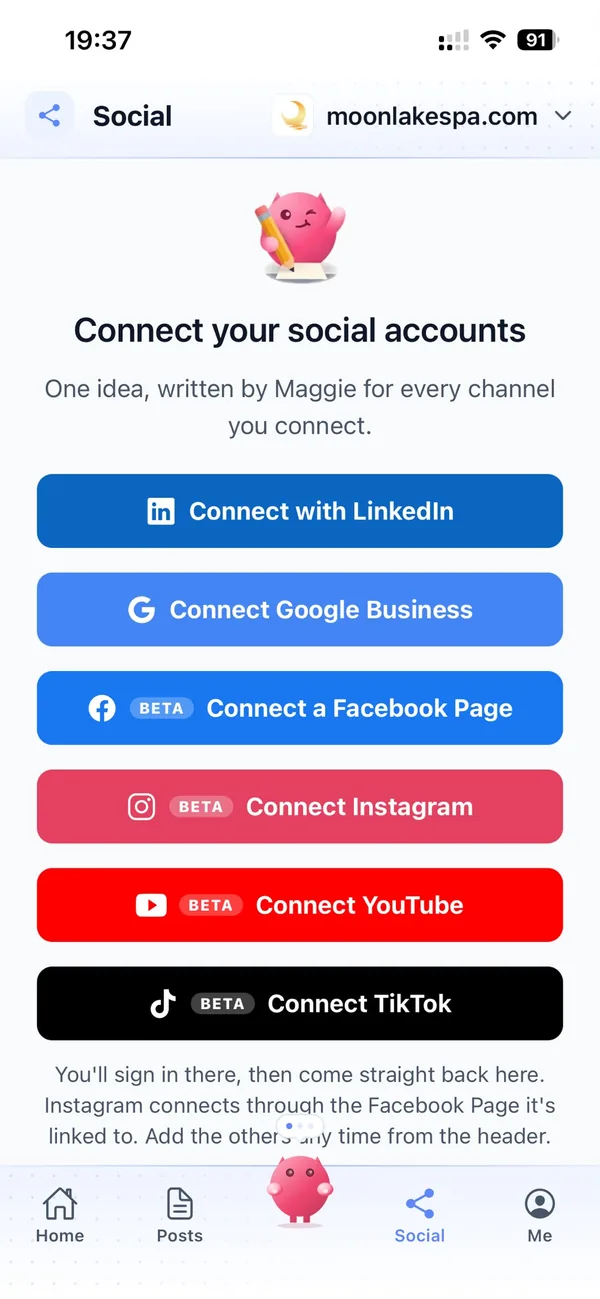
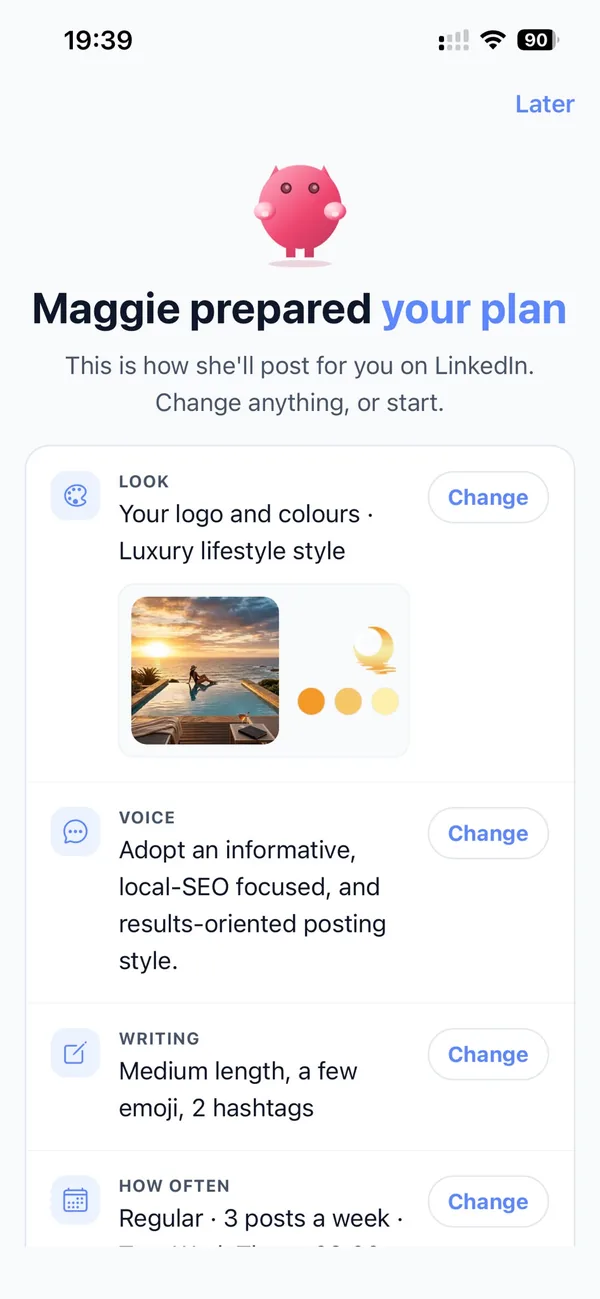
Operations, finance and IT leads decide on automation tools, and they're on LinkedIn. Maggie turns new templates, integrations and workflow ideas into posts in your voice, on the days you choose.
LinkedInShe knows your platform
Enter your website and Maggie builds your brand profile: product, users, integrations, unique selling points, SWOT, competitors and voice. Every post starts from it, and you can correct any part.
Brand profilePart of your own stack
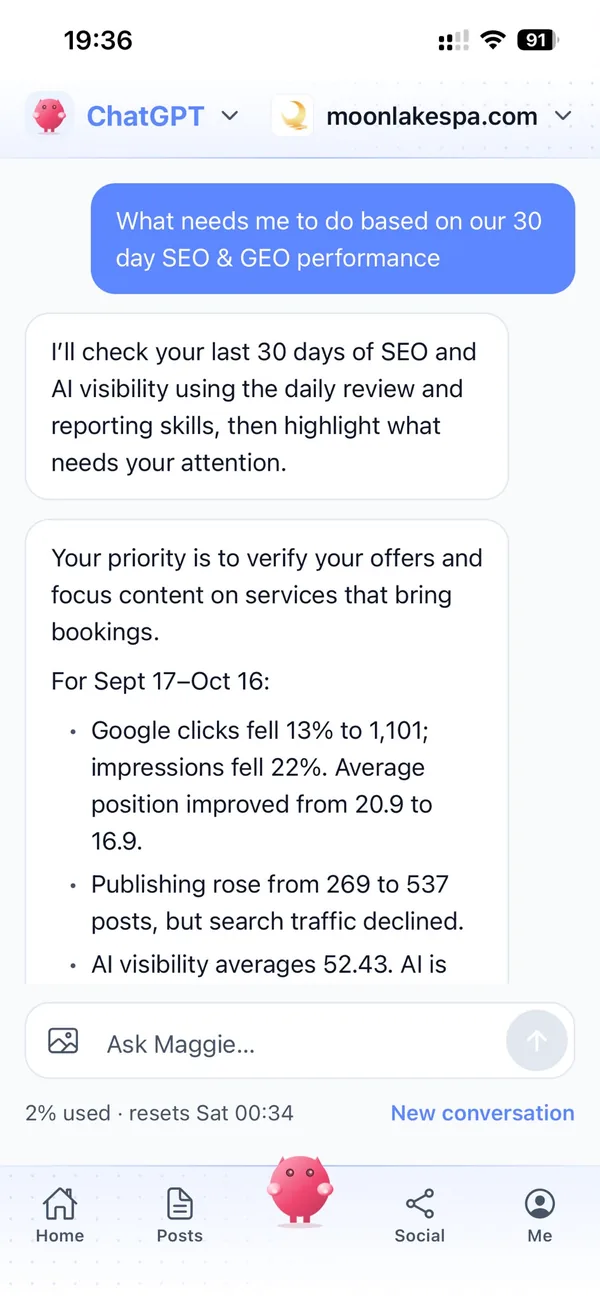
Work with your AI CMO, Maggie, from ChatGPT or Claude through the cmo.so connector, or through the MCP server and CLI. Your builders can check the queue without leaving their tools.
MCP, CLI and connectorsSee what search and AI say
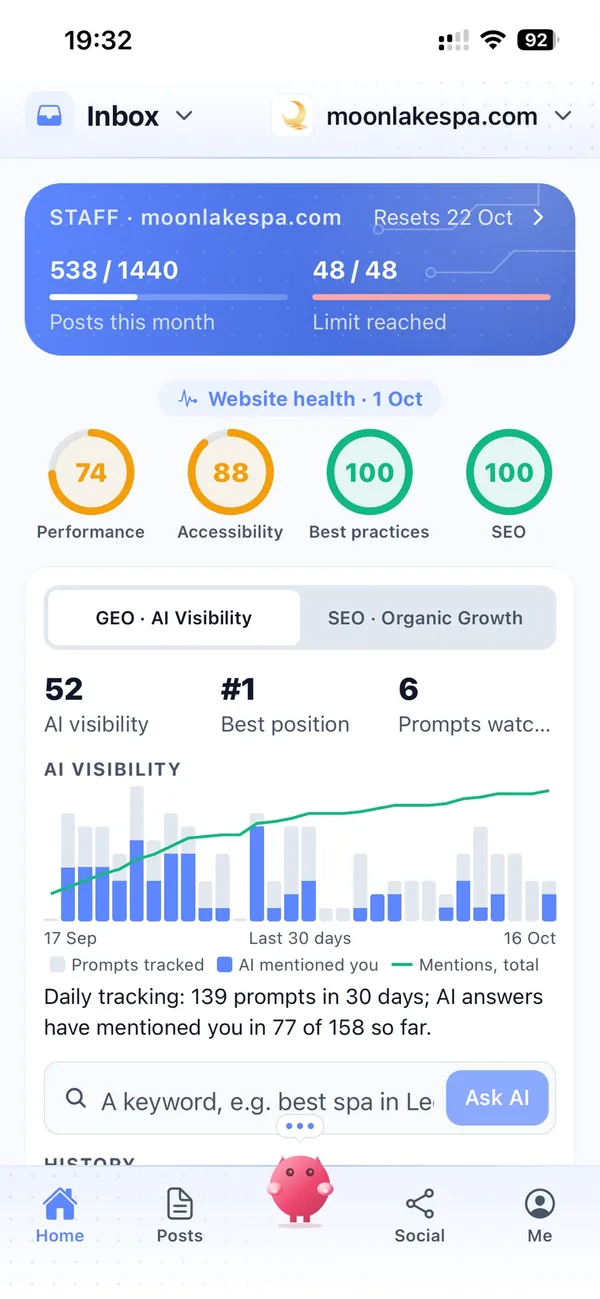
Search Console in cmo.so shows which tutorials bring people in, and AI visibility shows how Google's AI answers describe your product when someone asks for a tool.
Search Console and AI visibilityYour marketing team, in your pocket
Real screens from the cmo.so app on iPhone.
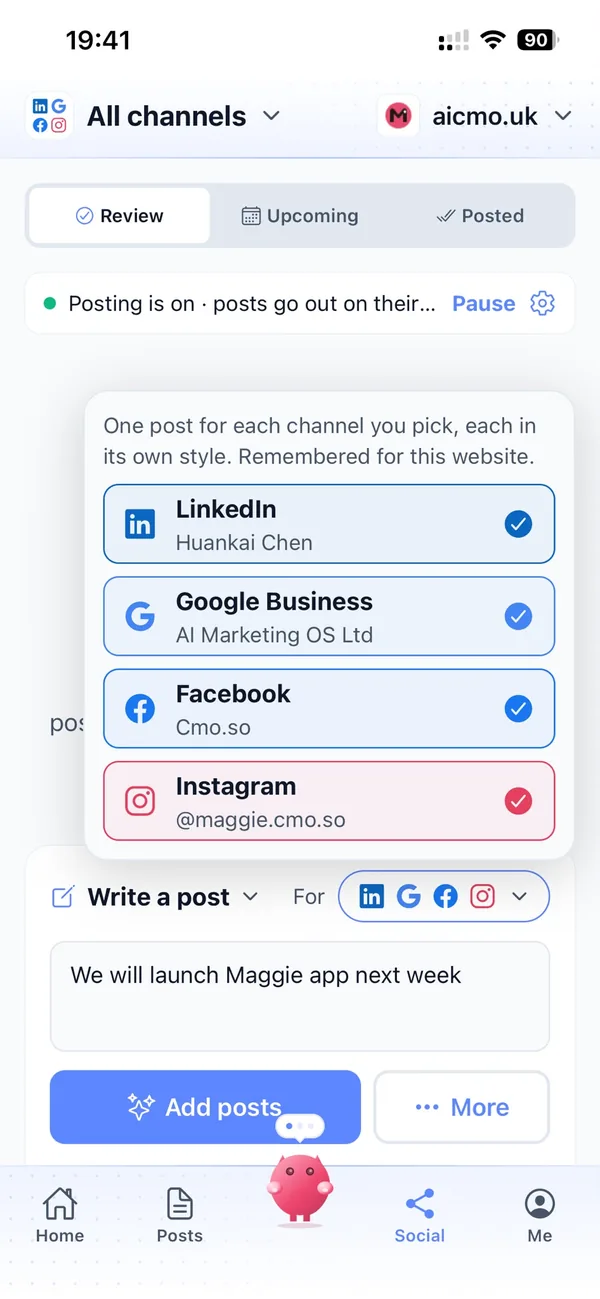
From your website to a library of use-case posts in four steps
Enter your website
Maggie reads your product, template and integration pages and drafts your brand profile in minutes.
Check your profile
Correct features and integrations, add the use cases you want to be known for and choose your channels.
Review the drafts
Tutorials, comparisons and LinkedIn posts arrive with pictures. Approve, edit or skip each one.
Let it run
Approved posts go out on schedule. Switch a channel to autopilot once you trust it.
Why not just…
The usual ways automation companies try to reach buyers, and where each one runs out.
…let the template gallery do it?
A gallery helps people who are already on your site. Tutorials on your blog reach the people searching for the job before they have heard of you, and link straight to the template.
…build our own content workflow?
You could chain a writing model to your blog, but you would still need the brand knowledge, pictures, scheduling, approvals and channel posting. Maggie has all of that ready from £15 a month.
…hire a content agency?
SEO and content agencies often cost around £1,000 a month, and need a lot of briefing to understand a technical product. Maggie learns it from your website and your edits.
…rely on the community?
Community posts are great, but they come when people feel like writing and cover what they built, not what you want to be found for. Maggie fills the gaps every week.
Cut the £5,900/mo marketing bill to £15/mo
Everything a marketing team does, done by Maggie.
| What needs doing | Without cmo.so | With cmo.so |
|---|---|---|
| Full-time marketing hire | £3,000/mo | Included |
| SEO and AI search (GEO) agency | £1,000/mo | Included |
| Content writer, AI-assisted | £500/mo | Included |
| Social media manager, freelance | £800/mo | Included |
| Designed pictures for every post | £300/mo | Included |
| SEO and GEO softwareRank tracking, site audits, AI visibility | £250/mo | Included |
| AI writing and image tools | £50/mo | Included |
| Working hours | Office hours | 24/7 |
| Total per month | £5,900+ | From £15/mo |
Typical UK costs for a small business in 2026, with AI already cutting freelance rates. Estimates only; your own quotes will vary.
- 5 social posts, 30 once verified
- 15 Maggie messages a day
- Upgrade any time
- 12 posts a day
- 150 Maggie messages a day
- All channels
- 96 posts a day
- 1,000 Maggie messages a day
- All channels
Per website, billed monthly. Blog and social posts share one allowance; your best plan sets how much you can talk to Maggie across all your websites.
Marketing automation for automation and no-code companies: your questions
Still unsure?
What is marketing automation for automation and no-code companies?
It's software that does the repeating content work of marketing an automation product: planning use-case topics, writing tutorials, comparisons and LinkedIn posts, making pictures and publishing them on schedule.
With cmo.so, Maggie does all of it from your website and brand profile, and nothing goes out until you approve it.
How do automation and no-code companies get more customers online?
Automation companies get more customers online by writing about the jobs buyers want off their plate, in the buyers' own words: one clear tutorial per use case, honest comparisons and regular posts on LinkedIn.
Maggie writes those every week, Search Console shows which searches they answer, and AI visibility shows whether Google's AI answers mention your product.
How much does marketing automation cost for an automation company?
There's a free plan with no card needed. Paid plans are per website and billed monthly: Air at £15 a month covers two posts a day, and Pro at £45 a month suits a team posting on its blog, LinkedIn and other channels.
Founding members get lower prices for good on every plan until 1 January 2027, and you can cancel any time.
Which channels should automation and no-code companies start with?
Most start with their blog, for a tutorial on each use case, and LinkedIn, where operations, finance and IT leads look for better ways of working.
YouTube suits walkthroughs and is in beta, as are Facebook, Instagram and TikTok. Each channel has its own posting times and queue.
Is it safe to let AI write about our product?
Yes, because by default every post waits for approval, so someone who knows the product checks each step before it is published.
Maggie works from your public website and the brand profile you check, and learns from your edits. cmo.so never sells or rents your data, and social channels connect through each platform's official sign-in.
Can cmo.so write a tutorial for every use case we support?
Over time, cmo.so can cover them all: Maggie plans topics from your product and template pages and from what people search, so the most useful use cases come first.
You can add the workflows you want to be known for, and she works through them week by week.
Can it write comparisons with the big automation platforms?
Yes. Your brand profile includes your competitors, so Maggie can write fair comparisons and alternatives articles that explain where each tool fits.
You review every comparison before it is published, so claims about other products stay accurate.
Can we connect cmo.so to our own tools?
Yes, in a few ways. You can ask Maggie from ChatGPT or Claude through the cmo.so connector, and developers can use the MCP server and the CLI.
Blog posts can also be published to any website through the cmo.so API, if your site isn't on WordPress, Shopify, Wix or Webflow.
We're an automation consultancy, not a platform. Does it still fit?
It fits consultancies well. Maggie writes about the processes you automate for clients, the tools you work with and the questions clients ask before a project, for your blog, LinkedIn and Google Business.
She doesn't publish client details, so anything specific to a project stays out unless you add it yourself.
Does cmo.so run ads or send emails?
That isn't part of what cmo.so does. Maggie writes and publishes blog and social posts; she doesn't run ads or send email newsletters.
Many teams link their ads and emails to the tutorials she writes.
Can my team approve posts too?
Yes. In Me → Team you can add people and choose what each can see or change, using presets such as editor or manager.
Approvals, edits and changes are kept in one place, so you always know who approved what.
Automate the one process you haven't yet
Enter your website. Your brand profile and first week of tutorials and LinkedIn posts are ready in minutes, and nothing goes out until you approve it.
- Free plan, no card needed
- You approve every post
- Cancel any time