

Marketing automation for creative software companies
Your users are designers, editors, illustrators and musicians who learn by watching and trying. Maggie, your AI CMO, turns every release and feature into tutorials, workflow guides and posts for your blog, YouTube, Instagram and LinkedIn, and you approve every one.
Free to start · No credit card · 30 free posts
Used by 600+ users and trusted by teams at
aeglesriphal.com
moonlakespa.com
shop.theteagroup.com
clo100.com
logtrics.io
mymorez.com
nextidal.com
otisapp.com
storaitelling.com
theheatpumps.co.uk
web-translations.com
exposeai.tech
orielipo.com
whitelabelcrowd.fund
elliptic.co
med.moonlakespa.com
netdex.co.il
orawellness.uk
reenest.com
syngage.ai
thepenthouseliving.com
zengolf.studio
imaintain.uk
rebuildingsociety.com
aurasocial.world
goaimex.com
moneyparents.com
newgenrenewables.uk
osmosisai.co
saunders.ac
teeza.app
thursdayclub.com
Why creative software companies struggle to keep their marketing going
You ship features every month, but explaining them takes longer than building them.
Features ship, nobody notices
A new brush engine, a faster export or a smarter mask lands in the changelog and one social post. Most of your users never find out it exists, and nobody new searches their way to it.
Tutorials are always behind
Creators search for how to do one specific thing, like removing a background or building a beat. If your tutorials cover last year's interface, they learn the trick in someone else's tool.
The big suites own the search results
When people search for how to edit, draw or mix, the biggest creative suites and their communities dominate. A smaller tool needs a steady stream of focused guides to show up at all.
Visual audiences, text-heavy team
Your users live on YouTube, Instagram and TikTok, but your small team is busy shipping and answering support. Posting on every visual channel every week is more than anyone can do.

Version 4 shipped on Monday, and the tutorials are out by Wednesday.
It's Monday. Your illustration app has just shipped version 4 with a new brush engine and layer effects, the Black Friday sale is a month away and the blog's last tutorial still shows the old toolbar.
You paste your company's website into cmo.so. Maggie reads it and writes your brand profile: your drawing and painting app for iPad and desktop, the illustrators, comic artists and students who use it, your one-off price instead of a subscription, your competitors and your playful, encouraging voice. You correct one thing: the education licence is now free for schools.
By Tuesday the drafts are waiting, each with a picture in your app's look: a blog tutorial on making your own textured brushes in version 4, an Instagram post on the new layer effects, a YouTube post for the release video your team recorded (in beta), and a LinkedIn post for studios and art schools about team licences. You approve three and add a keyboard shortcut to the fourth.
The posts go out at the times you set for each channel and each comes back with its link. While your team fixes the first bug reports, Maggie is already planning the Black Friday posts and a beginner series, and Search Console in cmo.so shows which tutorials people are finding.
A marketing assistant who speaks to creators
Each of those problems has an answer, and you still decide what goes out under your product's name.
Tutorials and workflow guides
Step-by-step guides on doing specific things in your software, from first project to advanced techniques, written for Google and for AI answers. Published to your WordPress, Webflow, Wix or Shopify site, or any site through the cmo.so API.
Blog on autopilotEvery release explained
New features become a release post, a short tutorial and social posts that show what changed and why it matters, queued for launch week.
Product updatesMade for visual channels
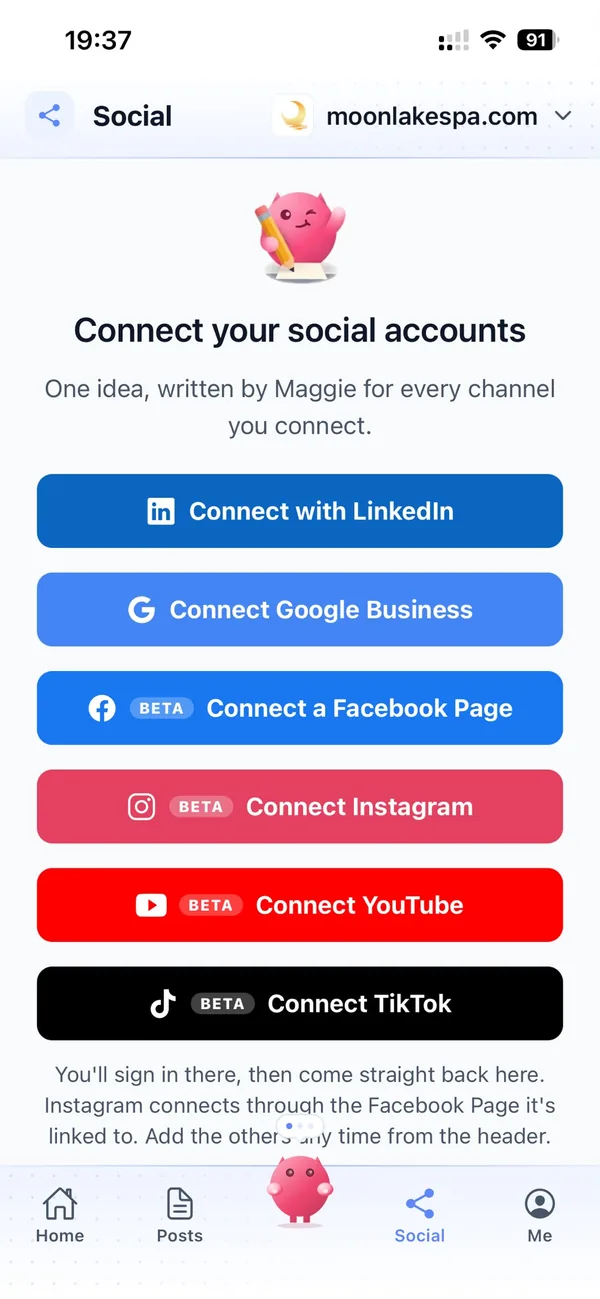
One idea becomes a post for each channel in its own style: Instagram and TikTok for creators, YouTube for tutorials and release videos, Facebook for user groups (all in beta), LinkedIn for studios, agencies and schools.
Every channelYour tool, not generic design tips
Enter your website and Maggie builds your brand profile: your product, the people who use it, what sets it apart, competitors and voice. Every post and picture starts from it.
Brand profilePlanned around launches and sales
Major versions, Black Friday, back to school, new-year resolutions to learn a skill. Topics are planned weeks ahead and queued, so posts are ready before the moment arrives.
Content calendarSeen in search and AI answers
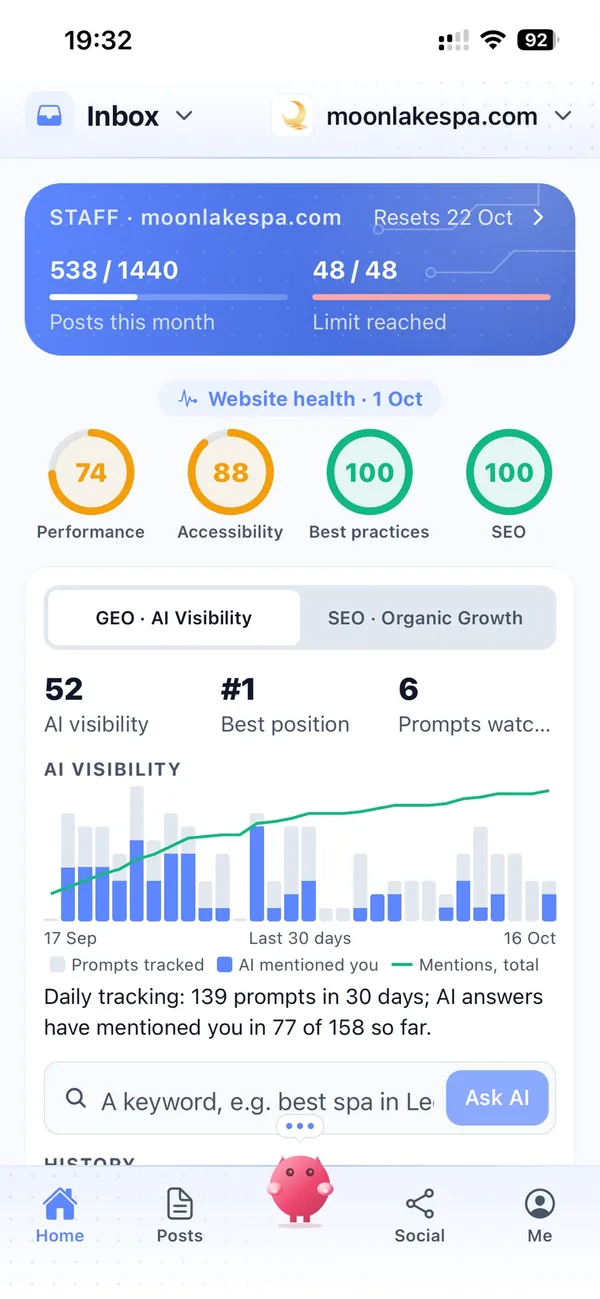
When someone asks an AI assistant how to do a creative task, clear tutorials help your tool get mentioned. AI visibility shows how Google's AI answers describe your product, and Search Console shows what brings people in.
AI visibility and Search ConsoleYour marketing team, in your pocket
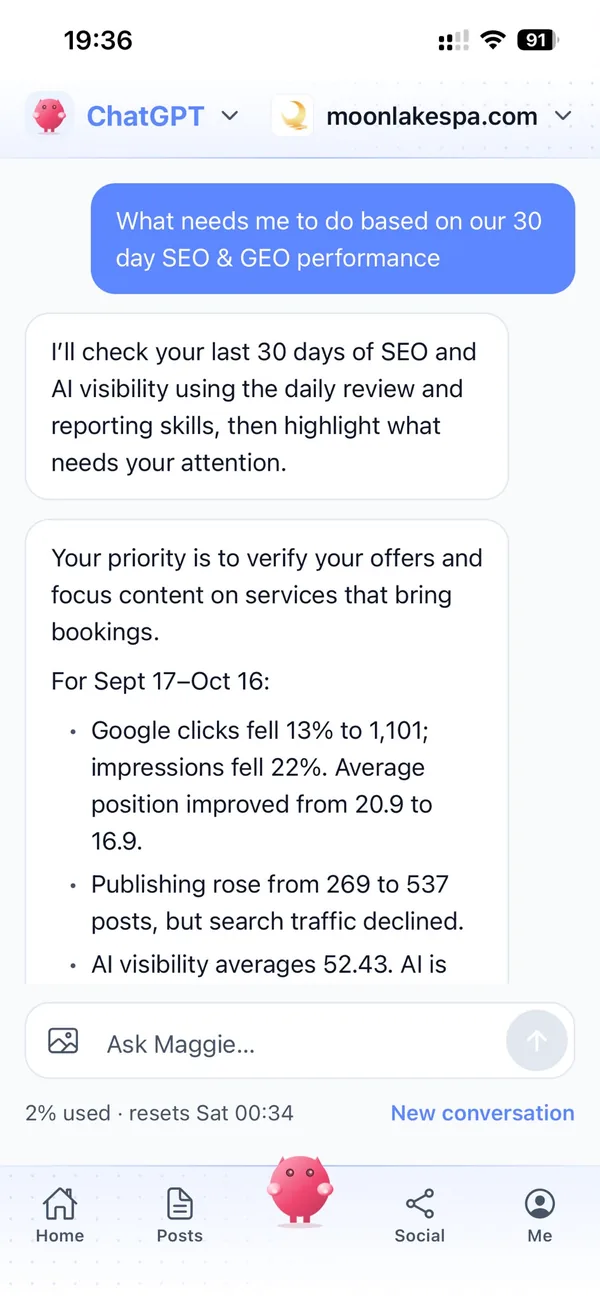
Real screens from the cmo.so app on iPhone.
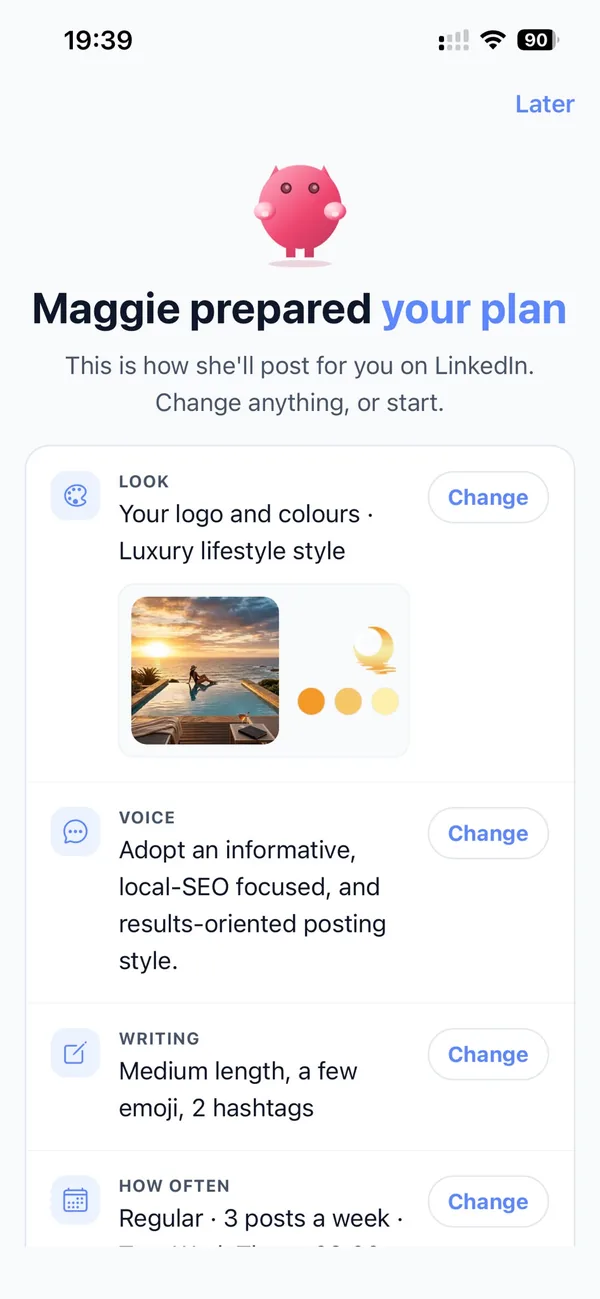
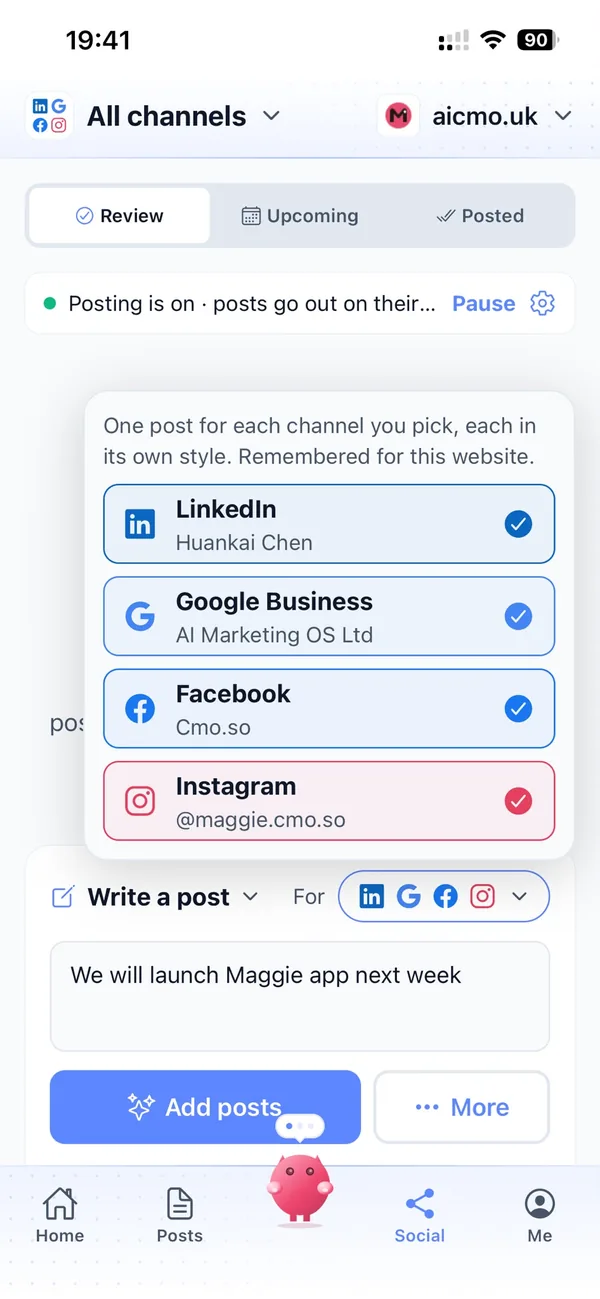
From your product's website to a steady flow of tutorials in four steps
Enter your website
Maggie reads it and drafts your product's brand profile in minutes.
Check your profile
Correct your features, plans and the people who use your software, add your next release and choose your channels.
Review the drafts
Your first week of posts arrives with pictures. Approve, edit or skip each one.
Let them go out
Approved posts go out at each channel's times and every one comes back with its link.
Why not just…
The usual ways creative software companies try to grow, and where each one runs out.
…sponsor creators and YouTubers?
Sponsored videos can bring a spike of downloads, but each one costs money and the attention fades. Tutorials on your own website keep bringing people in from search long after.
…leave it to the user community?
Your fans make great tips, but they cover what they like, not your latest release or your sales. Maggie writes the official guides and announcements every week.
…hire a content agency?
SEO and content agencies often cost around £1,000 a month, and still need your team to explain every feature. Maggie writes and publishes every week from £15 a month, from your own website.
…write it with ChatGPT?
You still brief it, check it, make the picture and post it yourself, and it doesn't know your interface or your latest version. Maggie remembers your product and puts posts out on schedule.
Cut the £5,900/mo marketing bill to £15/mo
Everything a marketing team does, done by Maggie.
| What needs doing | Without cmo.so | With cmo.so |
|---|---|---|
| Full-time marketing hire | £3,000/mo | Included |
| SEO and AI search (GEO) agency | £1,000/mo | Included |
| Content writer, AI-assisted | £500/mo | Included |
| Social media manager, freelance | £800/mo | Included |
| Designed pictures for every post | £300/mo | Included |
| SEO and GEO softwareRank tracking, site audits, AI visibility | £250/mo | Included |
| AI writing and image tools | £50/mo | Included |
| Working hours | Office hours | 24/7 |
| Total per month | £5,900+ | From £15/mo |
Typical UK costs for a small business in 2026, with AI already cutting freelance rates. Estimates only; your own quotes will vary.
- 5 social posts, 30 once verified
- 15 Maggie messages a day
- Upgrade any time
- 12 posts a day
- 150 Maggie messages a day
- All channels
- 96 posts a day
- 1,000 Maggie messages a day
- All channels
Per website, billed monthly. Blog and social posts share one allowance; your best plan sets how much you can talk to Maggie across all your websites.
Marketing automation for creative software companies: your questions
Still unsure?
What is marketing automation for creative software companies?
It's software that does the repeating work of marketing a creative tool: planning topics, writing tutorials, release posts and social posts, making pictures and publishing them on schedule.
With cmo.so, Maggie does all of it from your product's website, and nothing goes out until you approve it.
How do creative software companies get more customers online?
Creative software companies get more customers online by teaching people how to make things with their tool: focused tutorials that answer what creators search for, regular release posts and a steady presence on the visual channels creators use.
Maggie writes those posts every week, and Search Console shows which tutorials bring people to your website.
How much does marketing automation cost for a creative software company?
There's a free plan with no card needed. Paid plans are per website and billed monthly: Air at £15 a month covers two posts a day, and Pro at £45 a month suits a company posting on several channels.
Max at £75 a month gives more room as you grow. Founding members get lower prices for good on every plan until 1 January 2027, and you can cancel any time.
Which channels should creative software companies start with?
Most start with their own blog for tutorials, because that's what creators find in search, plus YouTube (in beta) for tutorial and release videos.
Instagram and TikTok are in beta and suit short visual posts, and LinkedIn reaches studios, agencies and schools buying team or education licences. Each channel has its own posting times and queue.
Can it post our tutorial videos?
It can post videos you upload on channels that take video, such as YouTube, TikTok, Instagram, Facebook and LinkedIn, with the text written for each channel.
Uploaded videos are only used to post them and are deleted within 7 days.
What kind of posts will Maggie write for a creative software company?
She writes step-by-step tutorials, feature explainers, release notes in plain English, workflow tips, beginner series and posts for your sales and launch moments.
Every post starts from your brand profile, with a picture in your product's look that you can change before approving.
Will tutorials match our current interface?
Tutorials are written from your website and the release details you give, so keep your profile up to date with each new version.
You review every post before it goes out, and Maggie learns from your edits, so tool names and steps stay right.
Can cmo.so feature work made by our users?
It can write about user work you have permission to share. Tell Maggie what you'd like to feature and add the details, and she writes the post around it.
It never invents user names, quotes or results, and you approve every post before it goes out.
We sell several apps. Can cmo.so handle them all?
Yes. If each app has its own website, add them all to one account and each gets its own brand profile, channels, schedule and approvals.
If they share one website, Maggie can write posts for each app's users from the same brand profile.
Is it safe to let AI post for our product?
Yes, because nothing goes out until you approve it. Approvals are on by default, and you can keep them on for every channel or let a channel you trust run on autopilot.
Social channels connect through each platform's official sign-in, so cmo.so never sees your passwords, and cmo.so never sells or rents your data.
Can our team approve posts too?
Yes. In Me → Team you can add people and choose what each can see or change, using presets such as editor or manager.
So your community manager can approve social posts while your product lead checks the tutorials.
Make sure every release finds its audience
Enter your website. Your brand profile and first week of posts are ready in minutes, and nothing goes out until you approve it.
- Free plan, no card needed
- You approve every post
- Cancel any time