


选好工具,复制提示词
每段提示词都会告诉你的工具:如何安装 cmo.so、帮你登录、添加网站密钥、搭建博客并开启发布。先在黄色框里填上你的网站,所有高亮的地方都会自动填好。
Connect this website's codebase to cmo.so, so the blog articles Maggie (my AI CMO at cmo.so) writes for my website appear on this site.

My website on cmo.so: example.com

1. Install cmo.so in this tool:
   - Run `npx @cmo-so/skills install -a claude --mcp`. It adds the cmo- skills to .claude/skills and the cmo-so MCP server to .mcp.json.
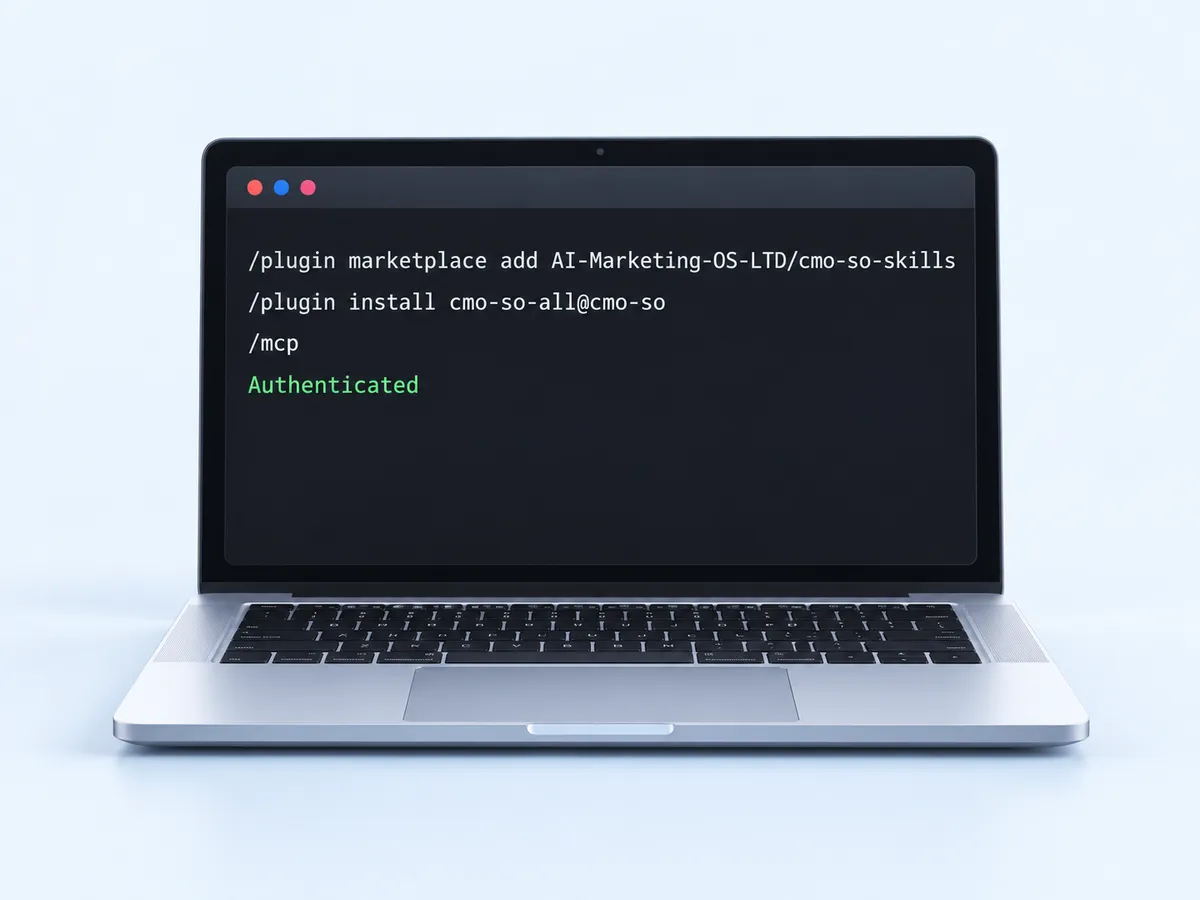
   - (If I'd rather use the plugin, tell me to type `/plugin marketplace add AI-Marketing-OS-LTD/cmo-so-skills` and then `/plugin install cmo-so-all@cmo-so` myself.)
   - Then ask me to run /mcp, choose cmo-so and Authenticate, and wait until I say it's done.
2. Sign in: run `npx @cmo-so/cli login`, show me the link and code it prints, and wait while I approve it in the browser. Then run `npx @cmo-so/cli workspaces` and check my website is listed (it must be verified in cmo.so).
3. Add the website key: run `npx @cmo-so/cli connect api-pull --workspace example.com`. It writes AICMO_API_KEY and AICMO_API_BASE_URL to .env. Never print the key, never commit .env, and never use the key in browser code.
4. Build the blog in this site's own framework and style:
   - A server-side job that calls GET {AICMO_API_BASE_URL}/posts with the header Authorization: Bearer {AICMO_API_KEY} (reference: https://api.cmo.so/docs). Each call returns the next new article (title, excerpt, category, keywords, featured picture with alt text, HTML and Markdown) or nothing. Save each article (database, CMS or content files) so it is never lost, and make its slug from the title if there isn't one.
   - Run that job every hour (a cron job, scheduled function or build hook). Also read GET /updates, which brings improved versions of older articles, and update them in place.
   - Pages /blog (newest first) and /blog/[slug], each with its title, meta description, canonical URL, featured picture with alt text and Article JSON-LD. Add the articles to the sitemap.
5. Run the site, fetch once, and show me /blog with the first article.
6. When I say it looks right, run `npx @cmo-so/cli connect api-pull --workspace example.com --enable` so cmo.so delivers my articles this way (it stops publishing to any other platform for this website). Then tell me what to deploy.Connect this website's codebase to cmo.so, so the blog articles Maggie (my AI CMO at cmo.so) writes for my website appear on this site.
My website on cmo.so: example.com
1. Install cmo.so in this tool:
- Run `npx @cmo-so/skills install -a codex` to add the cmo- skills to .agents/skills.
- Run `codex mcp add cmo-so --url https://mcp.cmo.so/mcp`, then `codex mcp login cmo-so` and wait while I sign in in the browser.
2. Sign in: run `npx @cmo-so/cli login`, show me the link and code it prints, and wait while I approve it in the browser. Then run `npx @cmo-so/cli workspaces` and check my website is listed (it must be verified in cmo.so).
3. Add the website key: run `npx @cmo-so/cli connect api-pull --workspace example.com`. It writes AICMO_API_KEY and AICMO_API_BASE_URL to .env. Never print the key, never commit .env, and never use the key in browser code.
4. Build the blog in this site's own framework and style:
- A server-side job that calls GET {AICMO_API_BASE_URL}/posts with the header Authorization: Bearer {AICMO_API_KEY} (reference: https://api.cmo.so/docs). Each call returns the next new article (title, excerpt, category, keywords, featured picture with alt text, HTML and Markdown) or nothing. Save each article (database, CMS or content files) so it is never lost, and make its slug from the title if there isn't one.
- Run that job every hour (a cron job, scheduled function or build hook). Also read GET /updates, which brings improved versions of older articles, and update them in place.
- Pages /blog (newest first) and /blog/[slug], each with its title, meta description, canonical URL, featured picture with alt text and Article JSON-LD. Add the articles to the sitemap.
5. Run the site, fetch once, and show me /blog with the first article.
6. When I say it looks right, run `npx @cmo-so/cli connect api-pull --workspace example.com --enable` so cmo.so delivers my articles this way (it stops publishing to any other platform for this website). Then tell me what to deploy.Connect this website's codebase to cmo.so, so the blog articles Maggie (my AI CMO at cmo.so) writes for my website appear on this site.
My website on cmo.so: example.com
1. Install cmo.so in this tool:
- Run `npx @cmo-so/skills install -a cursor` to add the cmo- skills.
- Add the MCP server to .cursor/mcp.json: {"mcpServers": {"cmo-so": {"url": "https://mcp.cmo.so/mcp"}}}, then ask me to sign in to cmo-so under Settings → MCP.
2. Sign in: run `npx @cmo-so/cli login`, show me the link and code it prints, and wait while I approve it in the browser. Then run `npx @cmo-so/cli workspaces` and check my website is listed (it must be verified in cmo.so).
3. Add the website key: run `npx @cmo-so/cli connect api-pull --workspace example.com`. It writes AICMO_API_KEY and AICMO_API_BASE_URL to .env. Never print the key, never commit .env, and never use the key in browser code.
4. Build the blog in this site's own framework and style:
- A server-side job that calls GET {AICMO_API_BASE_URL}/posts with the header Authorization: Bearer {AICMO_API_KEY} (reference: https://api.cmo.so/docs). Each call returns the next new article (title, excerpt, category, keywords, featured picture with alt text, HTML and Markdown) or nothing. Save each article (database, CMS or content files) so it is never lost, and make its slug from the title if there isn't one.
- Run that job every hour (a cron job, scheduled function or build hook). Also read GET /updates, which brings improved versions of older articles, and update them in place.
- Pages /blog (newest first) and /blog/[slug], each with its title, meta description, canonical URL, featured picture with alt text and Article JSON-LD. Add the articles to the sitemap.
5. Run the site, fetch once, and show me /blog with the first article.
6. When I say it looks right, run `npx @cmo-so/cli connect api-pull --workspace example.com --enable` so cmo.so delivers my articles this way (it stops publishing to any other platform for this website). Then tell me what to deploy.Connect this website's codebase to cmo.so, so the blog articles Maggie (my AI CMO at cmo.so) writes for my website appear on this site.
My website on cmo.so: example.com
1. Install cmo.so in this tool:
- Run `npx @cmo-so/skills install -a gemini` to add the cmo- skills.
- Run `gemini mcp add --transport http cmo-so https://mcp.cmo.so/mcp` and wait while I sign in when it asks.
2. Sign in: run `npx @cmo-so/cli login`, show me the link and code it prints, and wait while I approve it in the browser. Then run `npx @cmo-so/cli workspaces` and check my website is listed (it must be verified in cmo.so).
3. Add the website key: run `npx @cmo-so/cli connect api-pull --workspace example.com`. It writes AICMO_API_KEY and AICMO_API_BASE_URL to .env. Never print the key, never commit .env, and never use the key in browser code.
4. Build the blog in this site's own framework and style:
- A server-side job that calls GET {AICMO_API_BASE_URL}/posts with the header Authorization: Bearer {AICMO_API_KEY} (reference: https://api.cmo.so/docs). Each call returns the next new article (title, excerpt, category, keywords, featured picture with alt text, HTML and Markdown) or nothing. Save each article (database, CMS or content files) so it is never lost, and make its slug from the title if there isn't one.
- Run that job every hour (a cron job, scheduled function or build hook). Also read GET /updates, which brings improved versions of older articles, and update them in place.
- Pages /blog (newest first) and /blog/[slug], each with its title, meta description, canonical URL, featured picture with alt text and Article JSON-LD. Add the articles to the sitemap.
5. Run the site, fetch once, and show me /blog with the first article.
6. When I say it looks right, run `npx @cmo-so/cli connect api-pull --workspace example.com --enable` so cmo.so delivers my articles this way (it stops publishing to any other platform for this website). Then tell me what to deploy.Connect this website's codebase to cmo.so, so the blog articles Maggie (my AI CMO at cmo.so) writes for my website appear on this site.
My website on cmo.so: example.com
1. Install cmo.so in this tool:
- Run `npx @cmo-so/skills install -a windsurf` to add the cmo- skills to .windsurf/skills.
- Ask me to add a remote MCP server named cmo-so with the URL https://mcp.cmo.so/mcp in Windsurf's MCP settings and sign in.
2. Sign in: run `npx @cmo-so/cli login`, show me the link and code it prints, and wait while I approve it in the browser. Then run `npx @cmo-so/cli workspaces` and check my website is listed (it must be verified in cmo.so).
3. Add the website key: run `npx @cmo-so/cli connect api-pull --workspace example.com`. It writes AICMO_API_KEY and AICMO_API_BASE_URL to .env. Never print the key, never commit .env, and never use the key in browser code.
4. Build the blog in this site's own framework and style:
- A server-side job that calls GET {AICMO_API_BASE_URL}/posts with the header Authorization: Bearer {AICMO_API_KEY} (reference: https://api.cmo.so/docs). Each call returns the next new article (title, excerpt, category, keywords, featured picture with alt text, HTML and Markdown) or nothing. Save each article (database, CMS or content files) so it is never lost, and make its slug from the title if there isn't one.
- Run that job every hour (a cron job, scheduled function or build hook). Also read GET /updates, which brings improved versions of older articles, and update them in place.
- Pages /blog (newest first) and /blog/[slug], each with its title, meta description, canonical URL, featured picture with alt text and Article JSON-LD. Add the articles to the sitemap.
5. Run the site, fetch once, and show me /blog with the first article.
6. When I say it looks right, run `npx @cmo-so/cli connect api-pull --workspace example.com --enable` so cmo.so delivers my articles this way (it stops publishing to any other platform for this website). Then tell me what to deploy.Connect this website's codebase to cmo.so, so the blog articles Maggie (my AI CMO at cmo.so) writes for my website appear on this site.
My website on cmo.so: example.com
1. Install cmo.so in this tool:
- Run `npx @cmo-so/skills install -a copilot` to add the cmo- skills for GitHub Copilot.
- Add the MCP server to .vscode/mcp.json: {"servers": {"cmo-so": {"type": "http", "url": "https://mcp.cmo.so/mcp"}}}, then ask me to start it and sign in.
2. Sign in: run `npx @cmo-so/cli login`, show me the link and code it prints, and wait while I approve it in the browser. Then run `npx @cmo-so/cli workspaces` and check my website is listed (it must be verified in cmo.so).
3. Add the website key: run `npx @cmo-so/cli connect api-pull --workspace example.com`. It writes AICMO_API_KEY and AICMO_API_BASE_URL to .env. Never print the key, never commit .env, and never use the key in browser code.
4. Build the blog in this site's own framework and style:
- A server-side job that calls GET {AICMO_API_BASE_URL}/posts with the header Authorization: Bearer {AICMO_API_KEY} (reference: https://api.cmo.so/docs). Each call returns the next new article (title, excerpt, category, keywords, featured picture with alt text, HTML and Markdown) or nothing. Save each article (database, CMS or content files) so it is never lost, and make its slug from the title if there isn't one.
- Run that job every hour (a cron job, scheduled function or build hook). Also read GET /updates, which brings improved versions of older articles, and update them in place.
- Pages /blog (newest first) and /blog/[slug], each with its title, meta description, canonical URL, featured picture with alt text and Article JSON-LD. Add the articles to the sitemap.
5. Run the site, fetch once, and show me /blog with the first article.
6. When I say it looks right, run `npx @cmo-so/cli connect api-pull --workspace example.com --enable` so cmo.so delivers my articles this way (it stops publishing to any other platform for this website). Then tell me what to deploy.Connect this website's codebase to cmo.so, so the blog articles Maggie (my AI CMO at cmo.so) writes for my website appear on this site.
My website on cmo.so: example.com
1. Install cmo.so in this tool:
- Run `npx @cmo-so/skills install -a opencode` to add the cmo- skills.
- Ask me to add a remote MCP server named cmo-so with the URL https://mcp.cmo.so/mcp to opencode.json and sign in.
2. Sign in: run `npx @cmo-so/cli login`, show me the link and code it prints, and wait while I approve it in the browser. Then run `npx @cmo-so/cli workspaces` and check my website is listed (it must be verified in cmo.so).
3. Add the website key: run `npx @cmo-so/cli connect api-pull --workspace example.com`. It writes AICMO_API_KEY and AICMO_API_BASE_URL to .env. Never print the key, never commit .env, and never use the key in browser code.
4. Build the blog in this site's own framework and style:
- A server-side job that calls GET {AICMO_API_BASE_URL}/posts with the header Authorization: Bearer {AICMO_API_KEY} (reference: https://api.cmo.so/docs). Each call returns the next new article (title, excerpt, category, keywords, featured picture with alt text, HTML and Markdown) or nothing. Save each article (database, CMS or content files) so it is never lost, and make its slug from the title if there isn't one.
- Run that job every hour (a cron job, scheduled function or build hook). Also read GET /updates, which brings improved versions of older articles, and update them in place.
- Pages /blog (newest first) and /blog/[slug], each with its title, meta description, canonical URL, featured picture with alt text and Article JSON-LD. Add the articles to the sitemap.
5. Run the site, fetch once, and show me /blog with the first article.
6. When I say it looks right, run `npx @cmo-so/cli connect api-pull --workspace example.com --enable` so cmo.so delivers my articles this way (it stops publishing to any other platform for this website). Then tell me what to deploy.Connect this website to cmo.so, so the blog articles Maggie (my AI CMO at cmo.so) writes for my website appear here.
My website on cmo.so: example.com
1. Ask me for my website key and store it as a secret named AICMO_API_KEY (never in the page code). I create it in the cmo.so app: Posts → Connect your website → Any site → Set up now → Create key.
2. Add AICMO_API_BASE_URL = https://api.cmo.so as a setting.
3. Add a server function (an edge or backend function, never the browser) that calls GET {AICMO_API_BASE_URL}/posts with the header Authorization: Bearer {AICMO_API_KEY} (reference: https://api.cmo.so/docs). Each call returns the next new article (title, excerpt, category, keywords, featured picture with alt text, HTML and Markdown) or nothing. Save each article in the project's database, and make its slug from the title if there isn't one.
4. Run that function every hour with a scheduled job, and also read GET /updates for improved versions of older articles.
5. Add pages /blog (newest first) and /blog/[slug], each with its title, meta description, canonical URL, featured picture with alt text and Article JSON-LD, and add the articles to the sitemap.
6. Fetch once and show me /blog with the first article. When I'm happy, remind me to turn on API publishing for my website in the cmo.so app.Connect this website's codebase to cmo.so, so the blog articles Maggie (my AI CMO at cmo.so) writes for my website appear on this site.
My website on cmo.so: example.com
1. Install cmo.so in this tool:
- Work out which coding agent you are. Add the cmo- skills with `npx @cmo-so/skills install -a <agent>`, where <agent> is one of: claude, codex, pi, cursor, gemini, opencode, copilot, windsurf, amp, cline, goose, kiro, qwen, trae, roo, kilo, augment, droid, openhands, antigravity. In Pi, run `pi install npm:@cmo-so/skills` instead. If your agent isn't listed, run `npx skills add AI-Marketing-OS-LTD/cmo-so-skills -a <agent>`, or read the skills at https://github.com/AI-Marketing-OS-LTD/cmo-so-skills.
- Connect the cmo-so MCP server: if you can add a remote (HTTP) MCP server, use the URL https://mcp.cmo.so/mcp and ask me to sign in; if you can only run MCP servers as a command (as in Pi), run `npx @cmo-so/cli login` once and add the command `npx -y @cmo-so/mcp`. If you can't use MCP at all, skip this: the steps below only need the CLI.
2. Sign in: run `npx @cmo-so/cli login`, show me the link and code it prints, and wait while I approve it in the browser. Then run `npx @cmo-so/cli workspaces` and check my website is listed (it must be verified in cmo.so).
3. Add the website key: run `npx @cmo-so/cli connect api-pull --workspace example.com`. It writes AICMO_API_KEY and AICMO_API_BASE_URL to .env. Never print the key, never commit .env, and never use the key in browser code.
4. Build the blog in this site's own framework and style:
- A server-side job that calls GET {AICMO_API_BASE_URL}/posts with the header Authorization: Bearer {AICMO_API_KEY} (reference: https://api.cmo.so/docs). Each call returns the next new article (title, excerpt, category, keywords, featured picture with alt text, HTML and Markdown) or nothing. Save each article (database, CMS or content files) so it is never lost, and make its slug from the title if there isn't one.
- Run that job every hour (a cron job, scheduled function or build hook). Also read GET /updates, which brings improved versions of older articles, and update them in place.
- Pages /blog (newest first) and /blog/[slug], each with its title, meta description, canonical URL, featured picture with alt text and Article JSON-LD. Add the articles to the sitemap.
5. Run the site, fetch once, and show me /blog with the first article.
6. When I say it looks right, run `npx @cmo-so/cli connect api-pull --workspace example.com --enable` so cmo.so delivers my articles this way (it stops publishing to any other platform for this website). Then tell me what to deploy.提示词绝不会索要你的密码。网站密钥只放在 .env 或你的密钥管理里,绝不会出现在浏览器代码中。
粘贴之后会发生什么
选好工具,复制提示词
在上方选择 Claude Code、Codex、Cursor、Gemini CLI、Windsurf、VS Code、OpenCode、Lovable/Bolt/v0,或「其他工具」(Pi、Amp、Cline 等),然后点「复制提示词」。在 cmo.so App 里,同样的提示词在「帖子 → 教我怎么做 → Vibe Coding」下,网站已经帮你填好了。
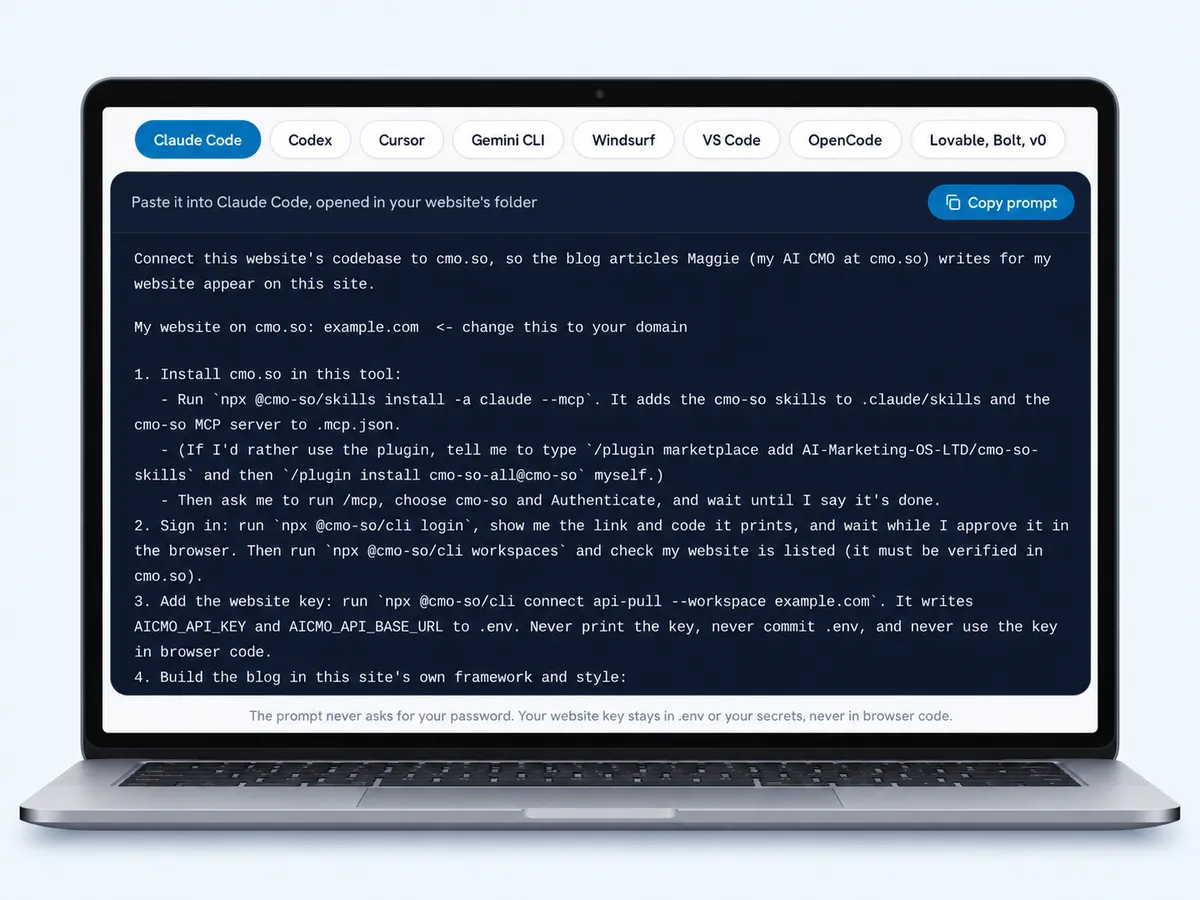
粘贴到网站项目里
在网站文件夹(或项目)中打开你的工具,粘贴即可。如果没在框里填网站,先把高亮的 example.com 改掉。工具会先通读整个计划再动手,遇到需要你处理的事会先问你。
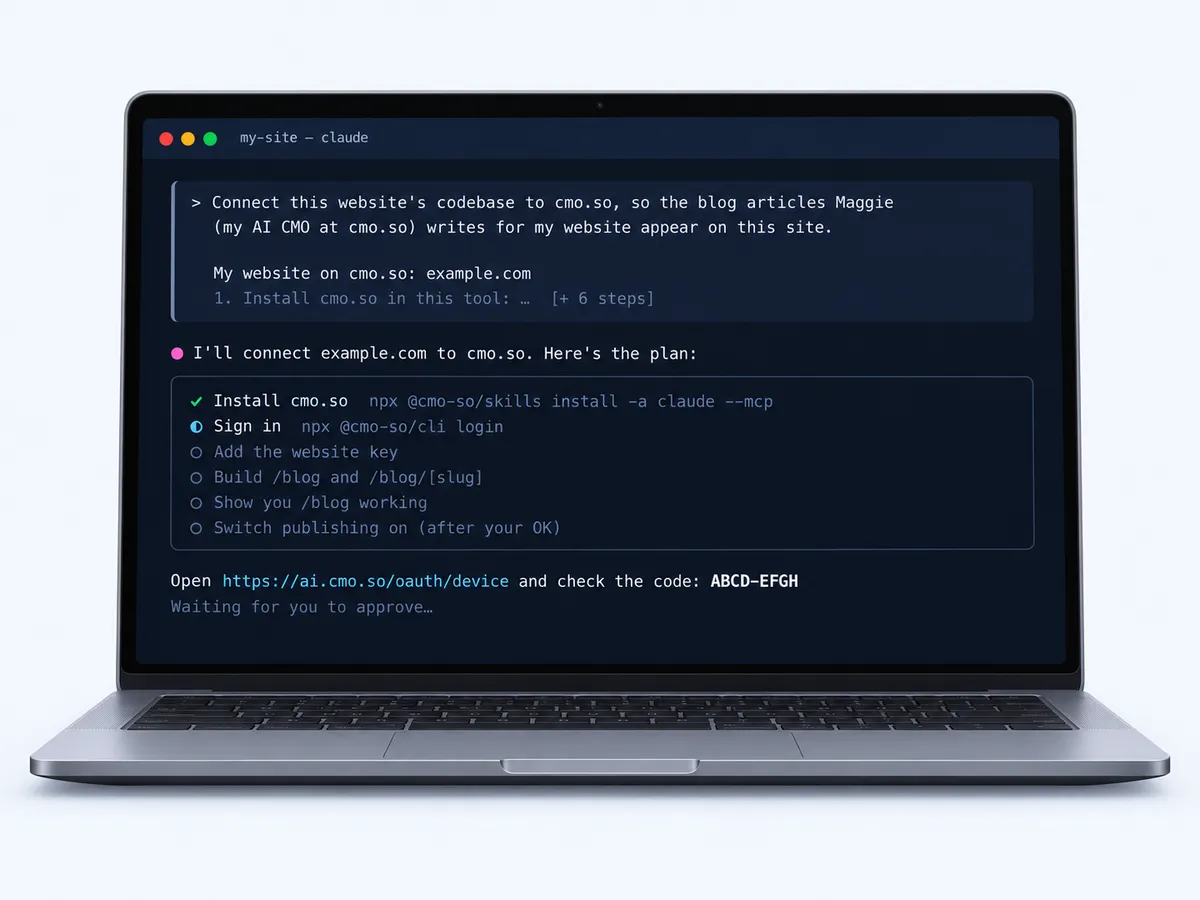
让它安装 cmo.so
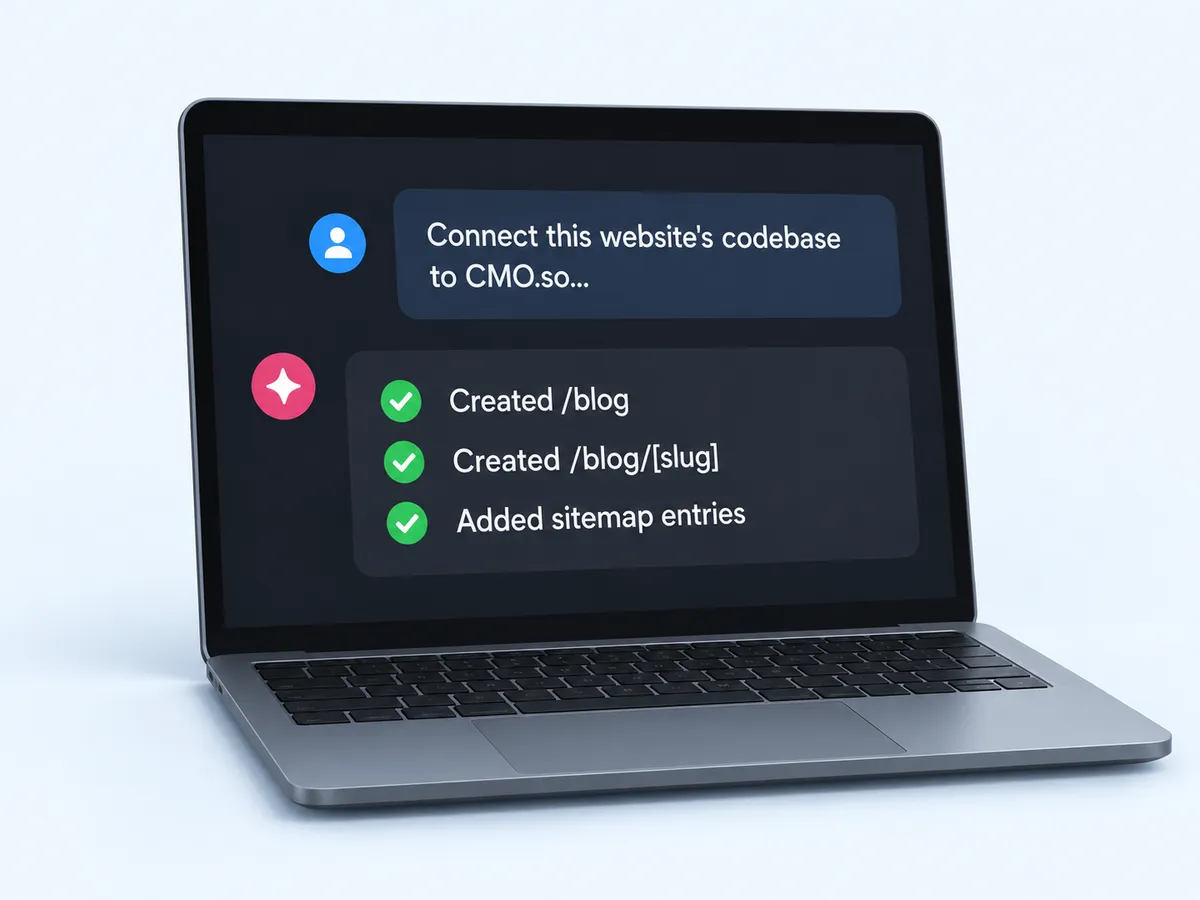
你的工具会添加 cmo- 技能和 cmo-so MCP 服务器。在 Claude Code 里,接着运行 /mcp,选择 cmo-so 并点 Authenticate;其他工具也会用类似方式让你登录。
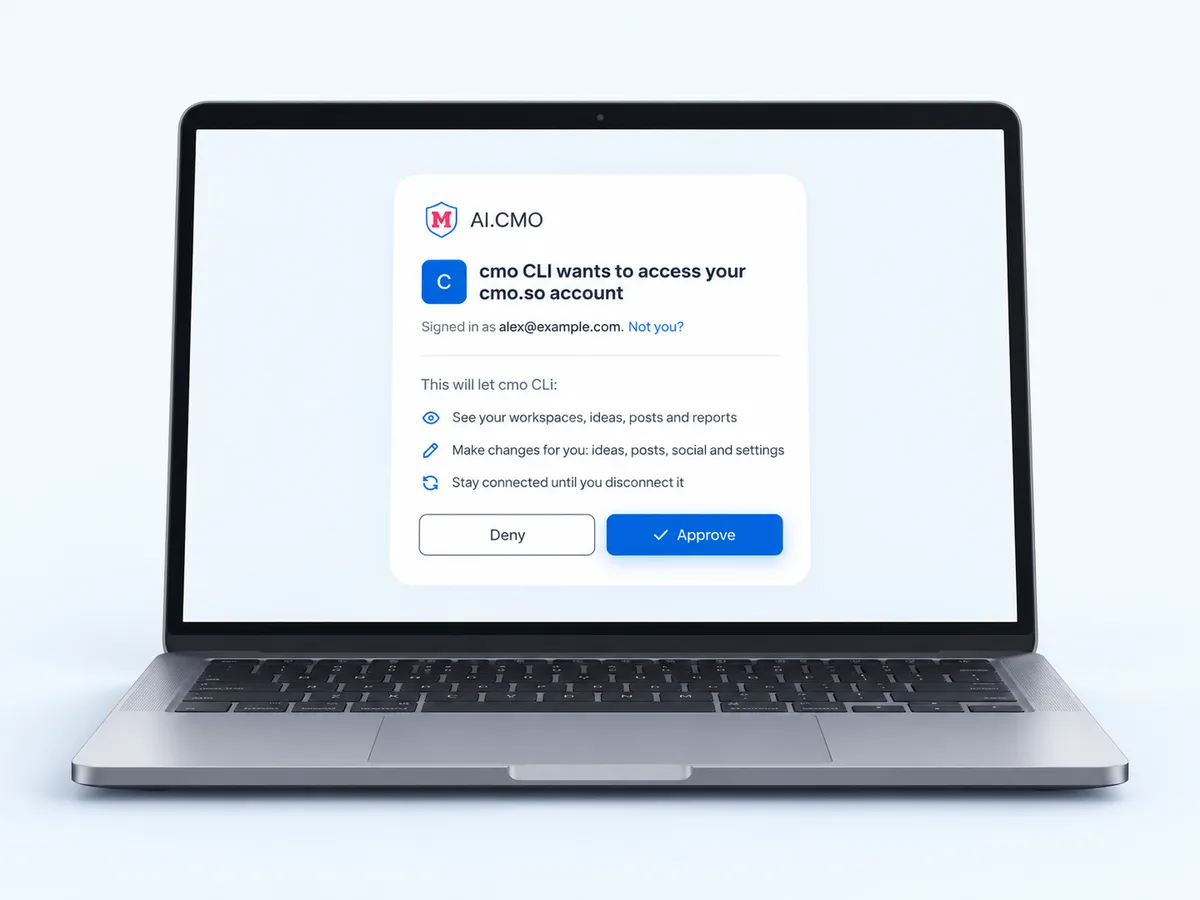
确认登录
工具会运行 npx @cmo-so/cli login,给你一个链接和一串验证码。打开链接,核对验证码,在 cmo.so 页面上点「批准」。随后工具会把网站密钥写进 .env,全程不显示密钥。
小贴士页面上的验证码必须和工具里的一致。不一致就点「拒绝」。
检查新博客
工具会按你网站自己的风格搭建 /blog 和 /blog/[slug],带上元数据、Article JSON-LD 和站点地图条目,拉取第一篇文章,并把运行中的页面展示给你看。
开启发布
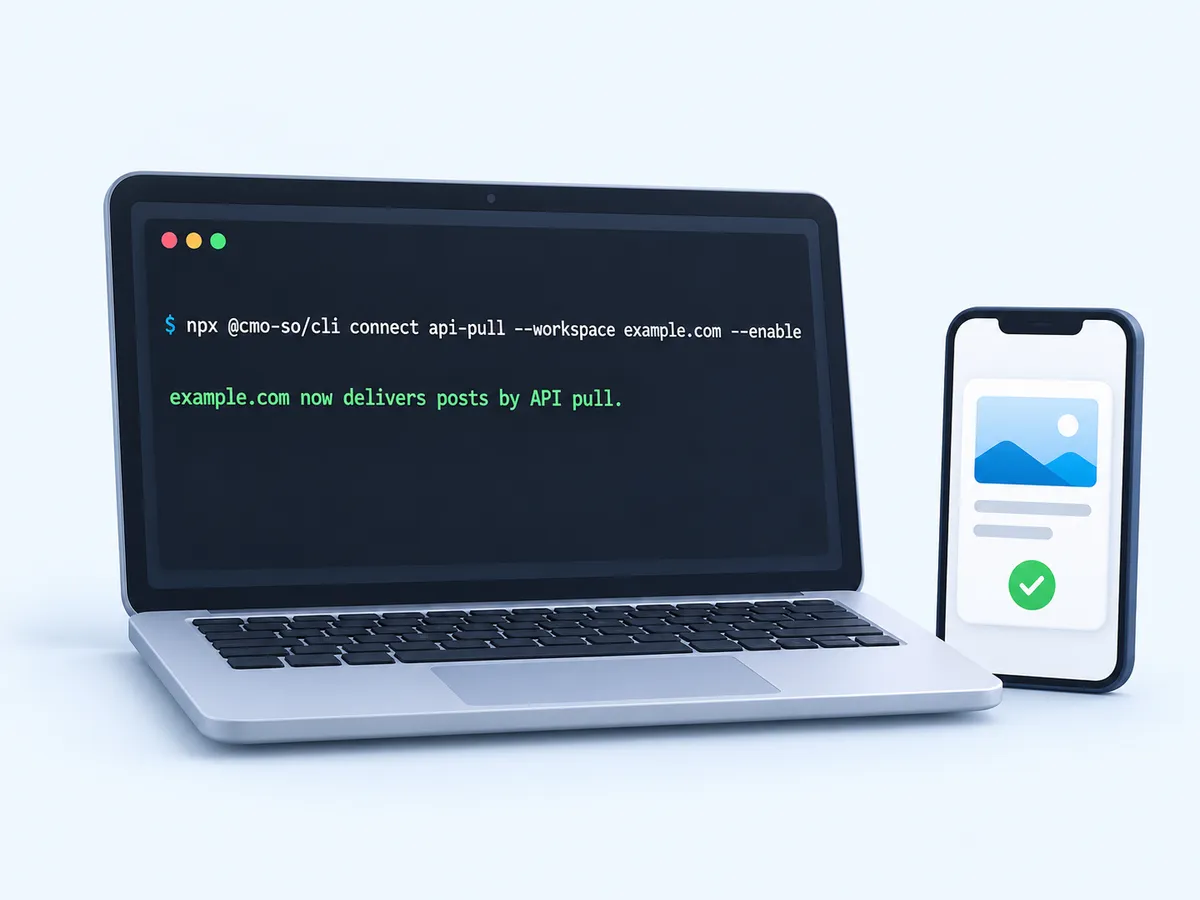
你确认没问题后,工具会运行 npx @cmo-so/cli connect api-pull --enable。从这以后,cmo.so 会把文章推送到你的网站,并停止向这个网站的其他平台发布。
部署,然后确认文章
照常部署你的网站。在 App 的「帖子 → 待发布」里确认文章,每篇都会按排期出现在 /blog。

你需要准备
- 一个已验证的网站网站已添加到 cmo.so 并完成验证:可通过邮箱、DNS(用 Cloudflare 一键完成)或联系我们验证。
- 网站代码在 AI 编程工具里 Claude Code、Codex、Cursor、Gemini CLI、Windsurf、VS Code、OpenCode,或 Lovable、Bolt、v0、Replit 这类网站搭建工具。
- 电脑上装有 Node.js 用于运行 npx:cmo.so 技能和 CLI 都靠它安装。浏览器里的搭建工具不需要。
- 网站能定时运行任务托管平台支持定时任务(cron)、定时函数或构建钩子,这样网站才能每小时拉取一次新文章。
已有 600+ 用户在用,深受这些团队信赖
aeglesriphal.com
moonlakespa.com
shop.theteagroup.com
clo100.com
logtrics.io
mymorez.com
nextidal.com
otisapp.com
storaitelling.com
theheatpumps.co.uk
web-translations.com
exposeai.tech
orielipo.com
whitelabelcrowd.fund
elliptic.co
med.moonlakespa.com
netdex.co.il
orawellness.uk
reenest.com
syngage.ai
thepenthouseliving.com
zengolf.studio
imaintain.uk
rebuildingsociety.com
aurasocial.world
goaimex.com
moneyparents.com
newgenrenewables.uk
osmosisai.co
saunders.ac
teeza.app
thursdayclub.com
博客直接写进你自己的代码
你的设计,你的技术栈
页面用你的框架编写,样式和网站其他部分保持一致,不是嵌入代码,也不是 iframe。
为搜索和 AI 准备就绪
每篇文章都自带标题、meta 描述、canonical URL、Article JSON-LD 和站点地图条目。
密钥不外泄
CLI 把网站密钥写进 .env 且不显示出来,提示词也确保它不会进入浏览器代码。
包含旧文改写
旧文章的优化版本会通过 /updates 送达,直接原地替换旧版。
你的工具还能做更多
装好 cmo- 技能和 MCP 服务器后,随时可以让你的工具做 SEO 检查、写社媒帖子或查看效果数据。
先经你确认
文章会停在「帖子 → 待发布」里,除非你允许它们自动发布。
把营销团队装进口袋
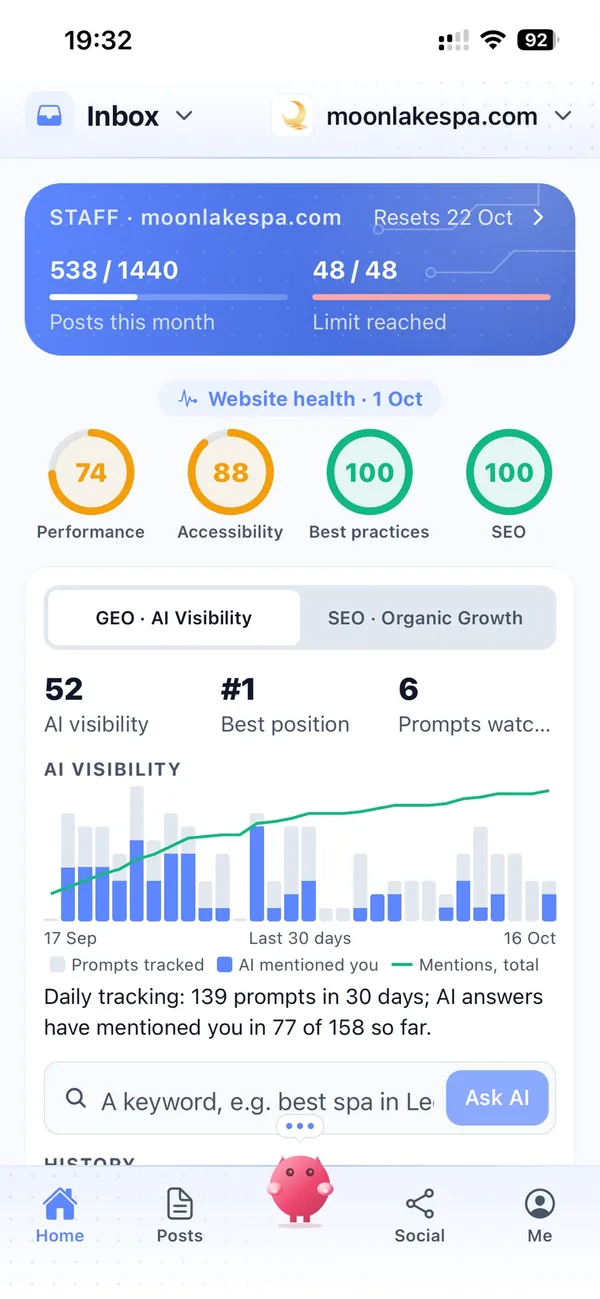
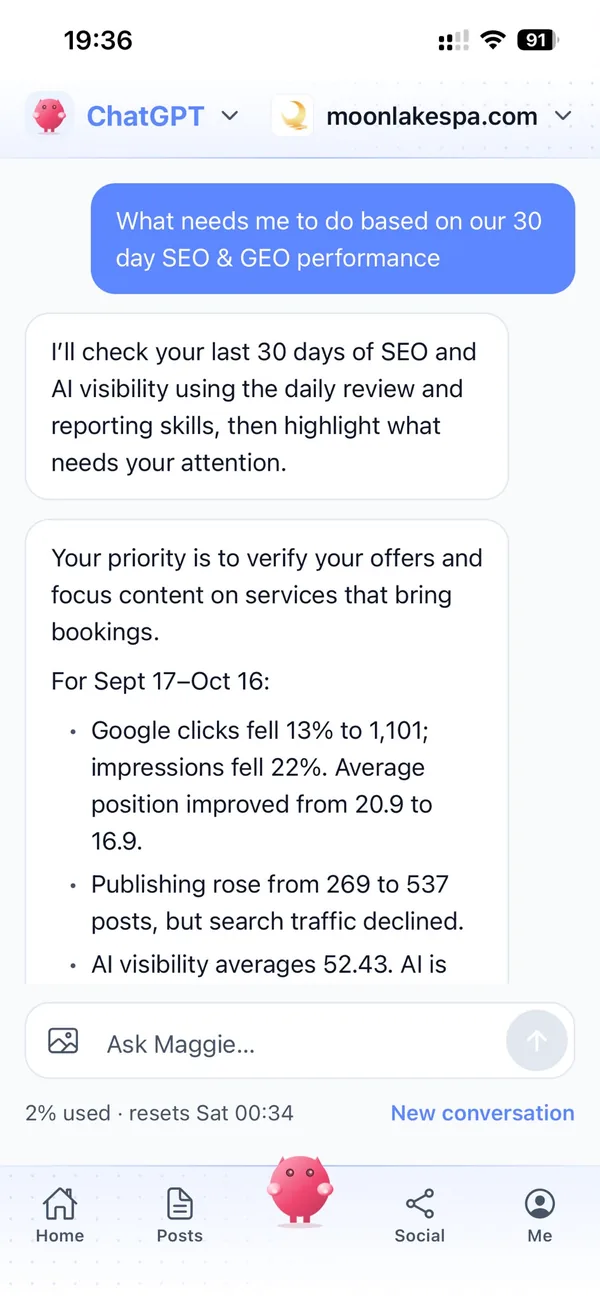
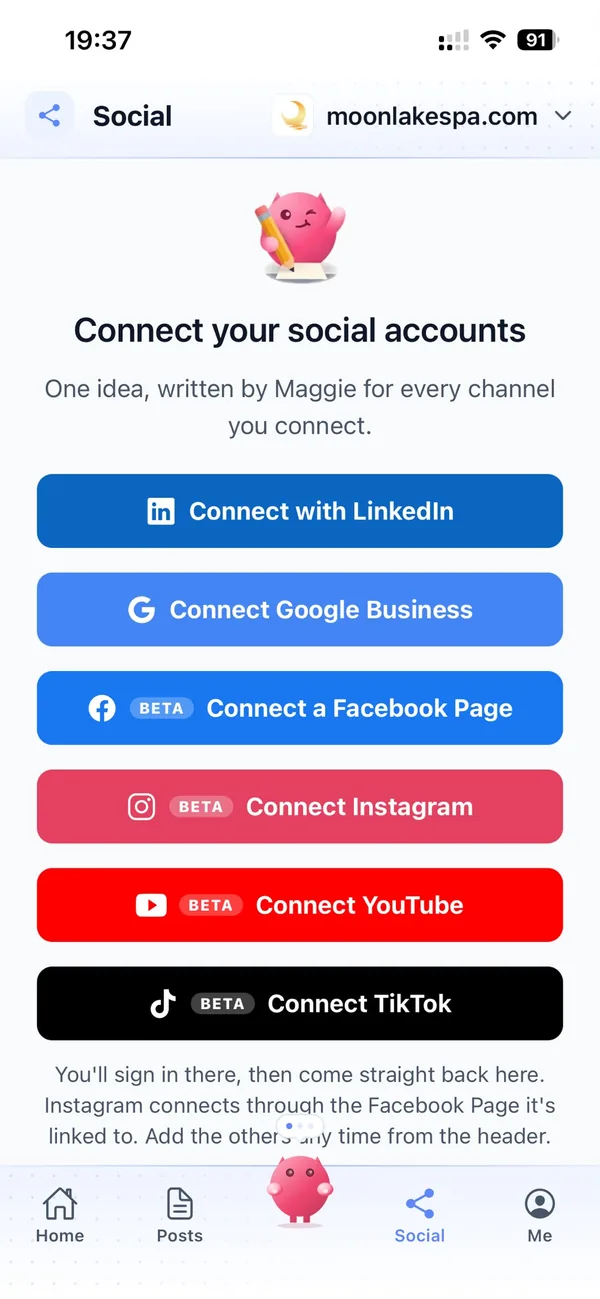
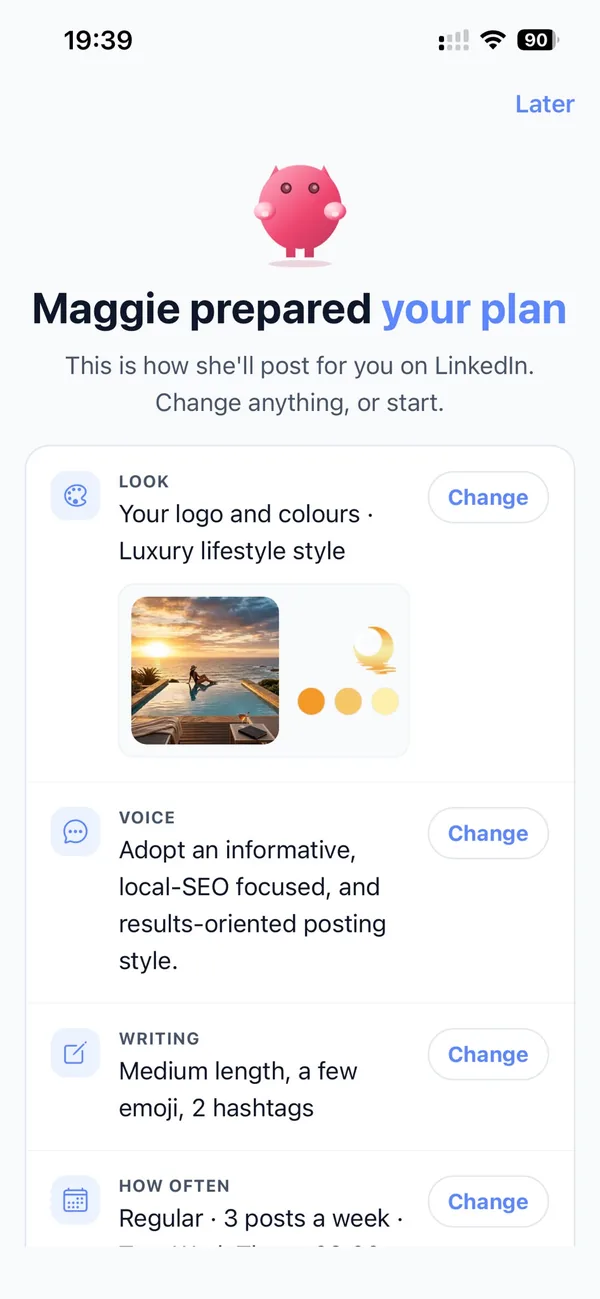
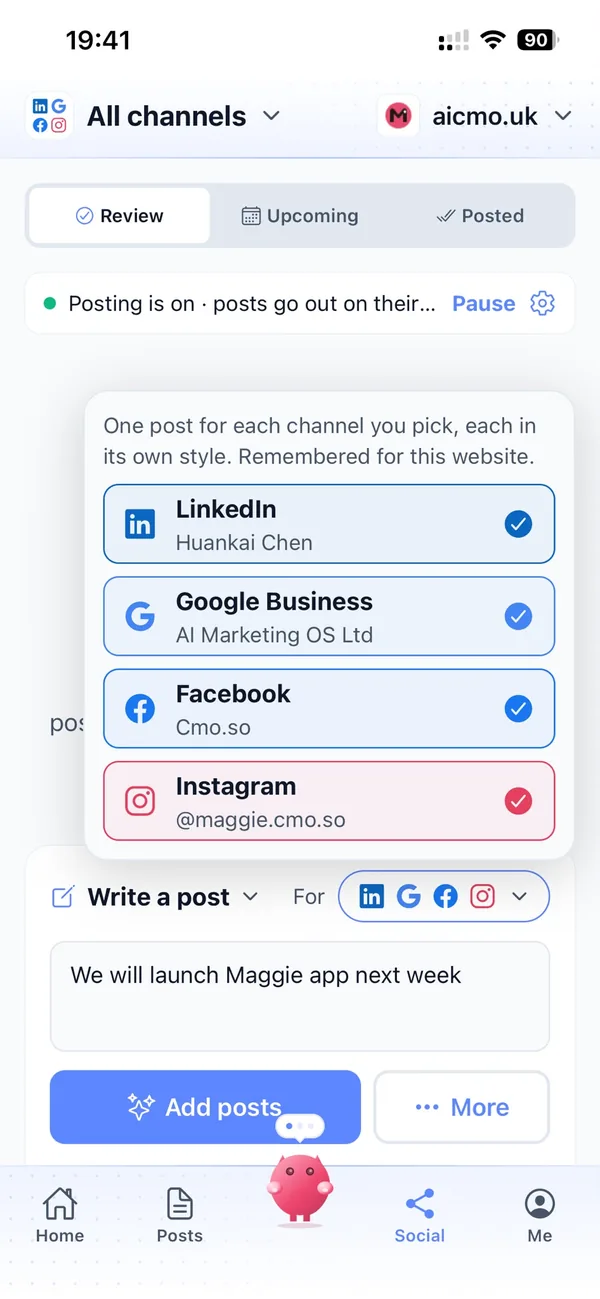
cmo.so iPhone App 真实界面。
和 Maggie 住进你的代码库
周一,你在手机上把这一周的文章确认好。
你的网站每小时向 cmo.so 拉取下一篇。有新文章就保存下来,出现在 /blog,并且已经进了站点地图。除非你想,否则再也不用打开代码;真要打开时,可以直接问你的编程工具「cmo.so 这周发了什么?」,它会通过 cmo-so MCP 服务器回答你。
注意事项
先填好你的网站
在提示词上方的黄色框里填写,或者粘贴前把所有高亮的 example.com 都改掉。
只有一个发布连接
开启发布后,这个网站将不再向 WordPress、Shopify 或其他平台发布。
会休眠的托管平台
如果托管平台不能每小时运行任务,可以改用构建钩子或免费的定时任务服务来触发拉取。
检查它生成的代码
这是你自己的代码:部署前先看一遍改动,就像审核任何一个 pull request 一样。
用 cmo.so 做 Vibe Coding
- 适用于
- Claude Code、Codex、Cursor、Gemini CLI、Windsurf、VS Code、OpenCode、Pi、Lovable、Bolt、v0、Replit
- 安装内容
- cmo- 技能和 cmo-so MCP 服务器(https://mcp.cmo.so/mcp)
- 登录方式
- npx @cmo-so/cli login:在浏览器里批准一个验证码
- 交付方式
- API 拉取:用网站密钥请求 GET https://api.cmo.so/posts
- 生成内容
- /blog、/blog/[slug]、元数据、Article JSON-LD、站点地图条目
- 所需时间
- 大约 15 分钟
把 £5,900/月 的营销开支,降到 £15/月
营销团队要做的事,全部交给 Maggie.
| 要做的事 | 不用 cmo.so | 用 cmo.so |
|---|---|---|
| 全职营销人员 | £3,000/月 | 已包含 |
| SEO 与 AI 搜索(GEO)代理商 | £1,000/月 | 已包含 |
| 内容写手(AI 辅助) | £500/月 | 已包含 |
| 社媒运营(自由职业) | £800/月 | 已包含 |
| 每篇帖子都配设计好的图片 | £300/月 | 已包含 |
| SEO 与 GEO 软件排名追踪、网站审计、AI 可见度 | £250/月 | 已包含 |
| AI 写作和图片工具 | £50/月 | 已包含 |
| 工作时间 | 朝九晚五 | 24/7 |
| 每月合计 | £5,900+ | 低至 £15/月 |
以上为 2026 年英国中小企业的常见费用,已考虑 AI 压低的自由职业报价。仅供参考,实际报价因人而异。
按网站计费,按月付款。博客和社媒帖子共用同一额度;你和 Maggie 的对话额度(所有网站合计)取决于你最高档的套餐。
Vibe Coding 常见问题
还有疑问?
提示词支持哪些编程工具?
Claude Code、Codex、Cursor、Gemini CLI、Windsurf、VS Code(GitHub Copilot)和 OpenCode 各有专属标签页,附带安装 cmo- 技能和 cmo-so MCP 服务器的正确命令。Pi 可以用 Claude Code 或 Codex 的提示词,再加上 `pi install npm:@cmo-so/skills`。
Lovable、Bolt、v0、Replit 这类浏览器搭建工具没有终端,所以它们的提示词会跳过安装:你在 cmo.so App 里创建网站密钥,由搭建工具把它存为密钥变量。
提示词会改动我代码里的什么?
它会添加一个服务端任务,每小时从 cmo.so API 拉取新文章并保存;用你网站自己的框架和风格生成 /blog 和 /blog/[slug] 页面;添加站点地图条目;并在 .env 里写入 AICMO_API_KEY 和 AICMO_API_BASE_URL。这些都是你仓库里的普通代码:部署前先看一遍改动,就像审核任何一个 pull request 一样。
每个页面都带有标题、meta 描述、canonical URL、带替代文字的特色图片和 Article JSON-LD。这个任务还会读取 /updates,获取旧文章的优化版本并原地更新。开启发布前,工具会先把网站跑起来,拉取一篇文章,给你看 /blog。如果托管平台不能每小时运行任务,可以让工具改用构建钩子或免费的定时任务服务。
我的网站密钥安全吗?
安全,只要按提示词来。`npx @cmo-so/cli connect api-pull` 会直接把密钥写进 .env 且不显示出来;提示词会要求你的工具绝不把它放进浏览器代码、也不提交 .env;API 只从你的服务器调用。
万一密钥泄露,在 App 里新建一个并吊销旧的就行,新密钥立即生效。
为什么要我批准一次登录?
cmo.so CLI 用设备码登录:工具显示一个链接和验证码,你在已登录的 cmo.so 页面上批准即可。工具全程看不到你的密码。点「批准」前先核对验证码是否一致,不一致就点「拒绝」。
登录会把 CLI 关联到你的 cmo.so 账号,这样它才能看到你的网站并添加网站密钥。批准后,工具会运行 npx @cmo-so/cli workspaces,确认你的网站在列表里。如果不在,可能是网站还没验证。通过邮箱、DNS(用 Cloudflare 一键完成)或联系我们完成验证,再让工具重试。
开启发布会有什么影响?
`npx @cmo-so/cli connect api-pull --enable` 会让 cmo.so 改用 API 拉取的方式交付这个网站的文章。每个网站只有一个发布连接,所以这个网站会停止向 WordPress、Shopify、Wix 或其他平台发布。已发布的文章保持原样。
所以提示词会等你确认 /blog 没问题后才运行这条命令。先检查页面,确定愿意让网站接手后再开启。开启后照常部署,在「帖子 → 待发布」里确认文章,每篇都会按排期出现在 /blog。每交付一篇文章,会占用你每月额度中的一篇,和其他平台一样。
Maggie 会在你的网站上发布多少篇文章?
新连接默认每天一篇。你可以在「发布设置」里设置「每天发文数」,上限取决于套餐:未订阅套餐时 1 篇,之后为 2 篇(Air)、12 篇(Pro)、24 篇(Max)、48 篇(Ultra)或 96 篇(Elite)。
每交付一篇文章就占用月度额度里的一篇,App 会显示剩余多少。关闭发布后,写好的文章会按顺序等着。
文章发到网站前,我能先修改吗?
可以。在「文章 → 待发布」里打开文章:在「预览」和「编辑」之间切换,改好任何文字后点「保存」。点「改写」可以让 Maggie 按你的备注写个新版本;「修复 Markdown」会整理格式;在支持的连接上,「立即发布」会马上发出。
未来文章的点子都在「文章 → 点子」里,你可以添加自己的点子、调整计划顺序,或删掉不想要的。
Maggie 会更新你网站上的旧文章吗?
看你的意愿。在「发布设置」里,「更新旧文章」可以设为「关闭」「我要求时」或「自动」。「自动」会拿出每天发文量的一部分(10% 到 50%),用来改写发布超过 30、60、90 或 180 天的文章。
改写后地址不变,链接和搜索积累都会保留;「我的」里的改写队列会显示建议改写和已改写的文章,Search Console 数据会帮你判断哪些文章最需要改写。
网站文章发出前,内容合规守护会检查什么?
开启后,内容合规守护会在每篇帖子发出前通读一遍,对照你所在行业的规则(金融、医疗、保险、法律或教育)以及你自己写的规则进行检查,比如绝不提及竞争对手。
可能违规的帖子会被拦下(网站文章存为草稿,社交帖子放进「待审核」),并附上原因和修改建议,即使平时是自动发布也一样。你可以在「发布设置」里查看拦下了哪些内容、原因是什么。
网站文章发出前,我能每篇都先过目吗?
可以,而且默认就是这样。新帖子会在 App 里等你确认(文章在「文章 → 待发布」,社交帖子在「社交 → 待审核」)。你可以编辑任何帖子、用自己的话让 Maggie 修改,或者直接删除。
等你放心了,就把渠道切换成自动发布;内容合规守护依然会先检查每篇帖子,拿不准的都会拦下。你随时可以切换回来,或者暂停。
网站多久能见效?
输入网站后几分钟内,品牌档案和第一批草稿就准备好了;你确认后,第一批帖子当天就能发出。
搜索流量需要几周到几个月慢慢积累,因为 Google 和 AI 助手要逐步发现并信任你的页面;社交触达则随着规律发帖不断增长。连接 Search Console,就能看到哪些帖子带来了点击,Maggie 也会据此决定接下来优化什么。
需要先验证网站吗?
验证是为了证明网站归你所有。验证后可解锁 30 篇免费文章,部分连接方式也要验证后才能发布。你可以用域名下的工作邮箱、DNS TXT 记录(域名在 Cloudflare 上的话一键完成)、WordPress 插件验证,或请我们人工核验,通常一个工作日内完成。
Gmail、Outlook 等免费邮箱不能用于邮箱验证。
把其他营销渠道也连起来
Maggie 在同一个 App 里帮你运营网站之外的其他渠道,每个渠道都有自己的风格。





让编程工具帮你搭博客
输入你的网站,几分钟就能生成品牌档案和首批文章,然后粘贴提示词即可。
- 免费版,无需绑卡
- 每篇都由你确认
- 随时取消