Introduction: Why Your SEO Performance Dashboard Matters
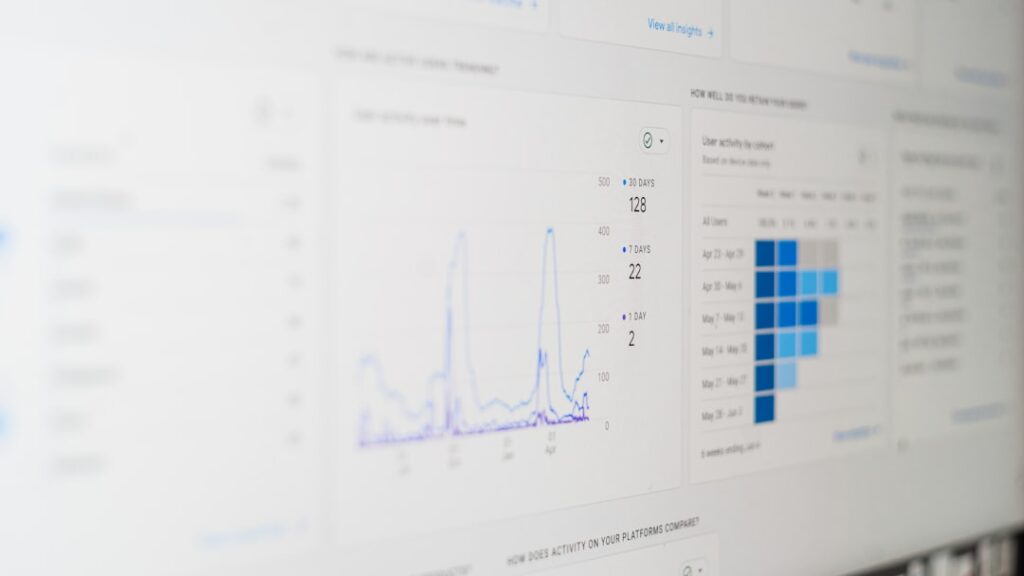
Ever felt blind when it comes to your site’s search numbers? You’re not alone. An SEO performance dashboard pulls key metrics into one view, so you can act fast. Think of it as your marketing control centre. With the right insights, you’ll spot issues before they blow up, fine-tune strategy on the fly and prove ROI in real time.
This article dives into building a top-notch SEO performance dashboard. We’ll cover must-track metrics, AI-powered tools and community-tested tips. By the end, you’ll know how to set up tracking that drives continuous growth. Ready to get started? Master your SEO performance dashboard with CMO.SO
Key Metrics Every Dashboard Should Show
Before you pick tools, lock down metrics. Your SEO performance dashboard should track numbers that really move the needle. Here are the essentials:
- Organic Traffic: How many visitors come from search engines.
- Keyword Rankings: Where your pages sit for target queries.
- Click-Through Rate (CTR): Percentage of searchers who click your result.
- Bounce Rate: How many people leave after viewing one page.
- Conversion Rate: Visitors who take desired actions (sign-ups, purchases).
Each metric tells a story. Traffic spikes might signal seasonal demand or algorithm shifts. A sudden drop in CTR? Time to revise your meta titles. Bounce rate climbing? Check page speed and UX. A well-built SEO performance dashboard brings these data points together in seconds.
Harnessing AI Tools for Smarter Tracking
AI is reshaping how we set up and interpret dashboards. Traditional platforms like SEMrush or Ahrefs offer great features, but they often require manual tweaks. That’s where an AI-driven solution shines. CMO.SO’s platform automates data gathering, saving you hours of grunt work.
You can submit your domain with one click. Behind the scenes, it auto-generates content suggestions, monitors GEO visibility and updates your dashboard daily. No more fiddling with CSV exports or custom code. Plus, community feedback surfaces best practices in real time.
Real-world benefit? Suppose you launch a new landing page. The AI spots ranking dips in specific regions and flags fresh keyword ideas tailored to local demand. Your SEO performance dashboard then updates with region-by-region stats. It’s like having an assistant who never sleeps.
Building Your Custom Dashboard from Scratch
Not ready for a fully automated platform? You can still craft a custom SEO performance dashboard using free and paid tools. Here’s a simple workflow:
- Use Google Analytics for traffic and conversion data.
- Link Google Search Console for keyword rankings and CTR.
- Pull in page speed insights from Lighthouse.
- Set up a spreadsheet (Airtable, Google Sheets) as your dashboard.
- Automate data pulls with APIs or Zapier.
Keep it visual. Use charts for trends and heatmaps for user flow. Label everything clearly. Colour-code high, medium and low priority items. Aim for a dashboard you can glance at over your morning coffee.
At any point, you can compare this DIY approach with an AI-powered alternative. Which one helps you spot opportunities faster? That’s the real question.
Community Tips for Continuous Improvement
The best insights often come from peers. CMO.SO’s community lets you peek into other users’ dashboards. Here are tips professionals share:
- Schedule a weekly review. Spot anomalies before they become problems.
- Benchmark against industry averages. See how you stack up.
- Tag pages by content type (blog, product, landing) to hone in on gaps.
- Share your most successful templates and ask for feedback.
You’ll find new keyword clusters, content angles and even technical fixes. Community wisdom accelerates your learning curve. And when algorithms shift, there’s already a thread debating the best response.
Experience an SEO performance dashboard designed for AI insights
Integrating Technical SEO and On-Page Metrics
A strong SEO performance dashboard doesn’t stop at traffic and rankings. It also includes technical and on-page factors:
- Crawl Errors: From tools like Screaming Frog or Google Search Console.
- Backlink Profile: Quality and quantity from Ahrefs or Moz.
- Content Score: Readability, keyword density and LSI term usage.
- Mobile Usability: Errors affecting smartphone visitors.
CMO.SO’s GEO visibility tracking flags technical issues in key regions automatically. You get alerts when crawl errors spike or backlinks drop off. Combine that with daily content suggestions and you’ve got a system that sustains growth.
Best Practices for Analyzing Your Dashboard
Once your dashboard is live, analysis beats data collection every time. Make these steps routine:
- Set alerts for major ranking shifts.
- Annotate your timeline with content updates or site changes.
- Compare monthly and weekly data side by side.
- Run A/B tests on titles or meta descriptions and log results.
Document hypotheses and outcomes. Over time you’ll build a knowledge library. Those learnings feed back into your dashboard, making it smarter with every cycle.
AI vs Traditional SEO Tools: A Quick Comparison
Traditional platforms are solid. SEMrush excels at competitor analysis; Ahrefs has massive link databases; Moz’s Keyword Explorer is intuitive. Yet they demand setup and manual updates. AI-driven dashboards tackle both data gathering and insights generation.
Strengths of AI solutions like CMO.SO:
- End-to-end automation from domain submission to dashboard.
- Daily updates without manual imports.
- Community-vetted tactics delivered alongside data.
- One platform for SEO, content and GEO tracking.
You still use SEMrush or Ahrefs for deep dives. But your daily go-to is the AI dashboard. It cuts noise, surfaces priorities and frees you to create.
Testimonials
“Switching to CMO.SO was a game-changer for our small business. The automated tracking and content suggestions boosted our organic traffic by 30% in two months.”
— Chloe Martin, Marketing Manager
“I used to juggle five tools and endless spreadsheets. Now I get everything in one dashboard and real community tips. It’s saved me hours each week.”
— Raj Patel, Founder
“The GEO visibility tracking feature helped us identify under-performing regions. Within weeks we saw a 20% lift in local search rankings.”
— Elena Rossi, SEO Consultant
Start Tracking Like a Pro
Building and maintaining a robust SEO performance dashboard is easier than you think. Whether you go DIY or choose an AI-powered platform, keep these takeaways in mind:
- Focus on metrics that drive business outcomes.
- Automate data collection where possible.
- Leverage community insights to stay ahead of algorithm changes.
- Review your dashboard weekly and iterate fast.
Ready for a smarter way to track SEO? Get your free SEO performance dashboard trial today
Share
Related posts