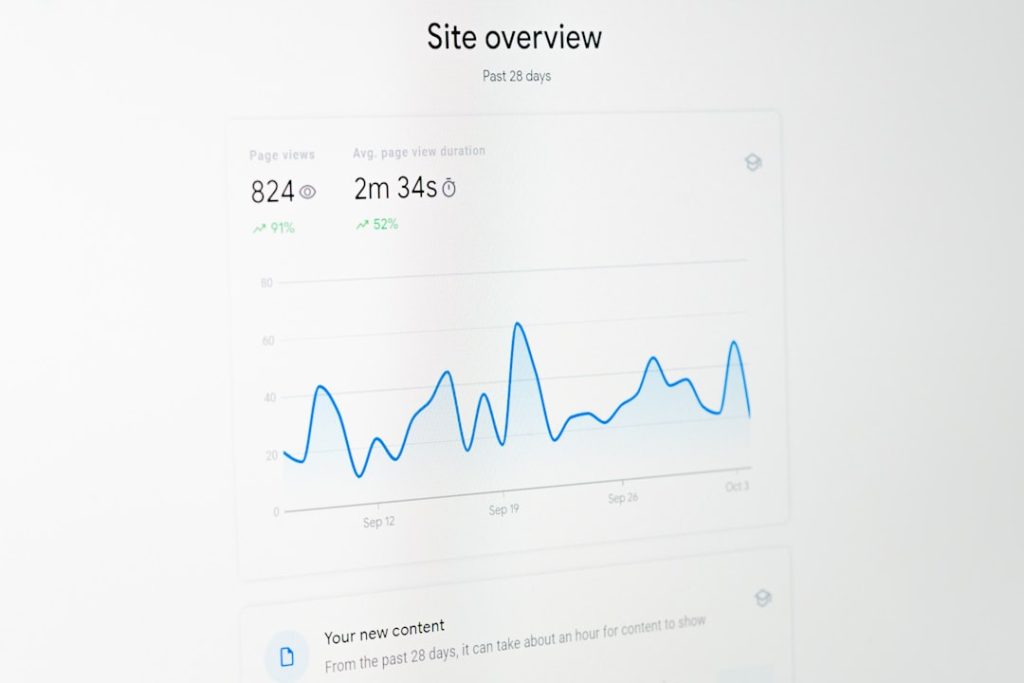
Kickstart Your Analytics with Performance Reporting Tools
We all know data is king. Yet, numbers without context hold no power. That’s where performance reporting tools come in. They transform raw stats into clear insights. And with AI-driven dashboards, you get those insights on demand. CMO.SO’s templates take you from scattered spreadsheets to a sleek, central hub in minutes. Explore performance reporting tools with CMO.SO
In this guide, you’ll learn how to build an AI-enhanced SEO dashboard step by step. We’ll cover template selection, data feeds, and AI-powered metrics. You’ll see how performance reporting tools help you spot trends, optimise campaigns, and share results. Ready to cut through the noise? Let’s dive in.
Understanding the Anatomy of an AI-Driven SEO Dashboard
Before you start, it helps to know what makes an SEO dashboard tick. Here are the core components every dashboard should have:
- Keyword Tracking: Watch your target terms climb or slip in search results.
- Backlink Analysis: Map incoming links to assess quality and quantity.
- Organic Traffic Overview: See where your visitors come from and what they do.
- Site Health Audit: Spot broken links, missing tags and page-speed bottlenecks.
- Conversion Funnels: Tie organic visits back to form fills or e-commerce checkouts.
Combine these with AI-driven insights and you’ve got a dashboard that actually tells a story. A good template packages all this neatly. CMO.SO’s library offers pre-built layouts for SEO pros and novices alike. Pick one that fits your goals, and you’re halfway there.
Step-by-Step Guide to Building Your Dashboard
Let’s break down the process into three bite-size steps. You’ll see how easy it is to go from zero to a live dashboard in under an hour.
1. Choosing Your Template on CMO.SO
CMO.SO curates templates built for real marketing needs. Whether you need a high-level overview or a deep dive into keywords, there’s a design for you.
- Browse the “SEO Analytics” category.
- Preview live data examples.
- Select a template that shows your must-have metrics.
A tailored template means you don’t waste time designing charts from scratch. Plus, it already integrates best practices in data visualisation. And the layout adapts automatically when you add new data streams.
2. Integrating Your Data Feeds
Your template is live, but it’s blank until you connect your sources. Common feeds include:
- Google Analytics (organic traffic, bounce rate, session duration)
- Google Search Console (keyword positions, impressions, clicks)
- Backlink APIs (Moz, Ahrefs, SEMrush)
- Custom CSV uploads (offline or third-party data)
Point each source to CMO.SO, authenticate, and map fields to your visualisations. You’ll see charts populate in real time. No more exporting files every morning or wrestling with spreadsheets.
3. Customising with AI Insights
This is where the magic happens. CMO.SO’s AI layer sits on top of your data feeds, generating:
- Trend forecasts for traffic and rankings
- Automated alerts when key metrics dip or spike
- Suggested optimisation actions for underperforming pages
- In-dashboard content ideas derived from auto-generated SEO blogs
By combining performance reporting tools with AI-based recommendations, you get a system that not only reports but also advises. It’s like having an SEO mentor in your browser.
If you’re keen to see how effortless it can be to adopt these features, Enhance your SEO with performance reporting tools
Comparing CMO.SO to Traditional Tools
You might’ve tried popular platforms like SEMrush, Ahrefs or Moz. They offer powerful features, yet often come with steep learning curves and hefty price tags. Let’s compare:
Competitor Strengths
– SEMrush: Extensive keyword research and competitor analysis
– Ahrefs: Robust backlink data and site audit tools
– Moz: Page optimisation scores and local SEO features
Common Limitations
– Complexity: Too many menus, too much data to sift through
– Cost: High-end plans can break a small marketing budget
– Manual Work: Frequent exports, manual chart building, limited automation
– Steep Learning Curve: Non-marketers struggle to get started
CMO.SO flips the script. It bundles essential performance reporting tools into an intuitive, community-driven platform. Key advantages include:
- One-click domain submissions for instant data pull
- Auto-generated SEO blog suggestions for content gaps
- GEO visibility tracking for regional insights
- A learning ecosystem where you can view and share campaigns
The result? Lower barrier to entry, faster setup, and a supportive community. You spend less time learning the tool and more time acting on insights.
Best Practices for Leveraging Your Dashboard
Once your dashboard is up and running, follow these pointers to squeeze the most value out of it:
- Schedule Daily Reviews: Make a habit of checking critical KPIs each morning.
- Set Automated Alerts: Get notified when key rankings drop or traffic surges.
- Annotate Changes: Note on-page edits, marketing campaigns or algorithm updates right in the dashboard.
- Share Custom Views: Give stakeholders exactly the data they need, without information overload.
- Iterate and Improve: Swap in new metrics, tweak chart types, refine filters as goals evolve.
These steps keep your dashboard alive. And with CMO.SO’s AI recommendations, you always have fresh angles to explore.
Real-World Results
Imagine you run a small e-commerce site. You connect your store analytics, Search Console and backlink data to CMO.SO. Within days, the AI flags a top-performing category page that’s missing a key call to action. You update the copy, and organic conversions climb 15% in a week.
That’s the kind of quick win you can expect when combining smart templates with performance reporting tools and AI-driven suggestions.
What Users Are Saying
“CMO.SO’s dashboard templates transformed how our team views SEO metrics. The AI alerts saved us hours every month. It’s like having a mini-analyst on standby.”
— Sarah L., Digital Marketing Manager
“I was nervous about setting up complex dashboards. CMO.SO made it painless. The community tips and auto-recommendations are brilliant.”
— Tom R., Founder of a London Startup
“Hands down the best way to monitor SEO health without drowning in data. The performance reporting tools are intuitive and truly actionable.”
— Priya K., Content Strategist
Wrapping Up
Building an AI-driven SEO dashboard doesn’t have to be a marathon. With CMO.SO’s ready-made templates and automated features, you can assemble a powerful analytics hub in under an hour. You’ll gain clarity, speed up decision making and avoid manual grunt work.
Ready to give your SEO reporting a boost? Get started with performance reporting tools on CMO.SO
Invest a little time now. Save countless hours later. Your future self will thank you.
Share
Related posts