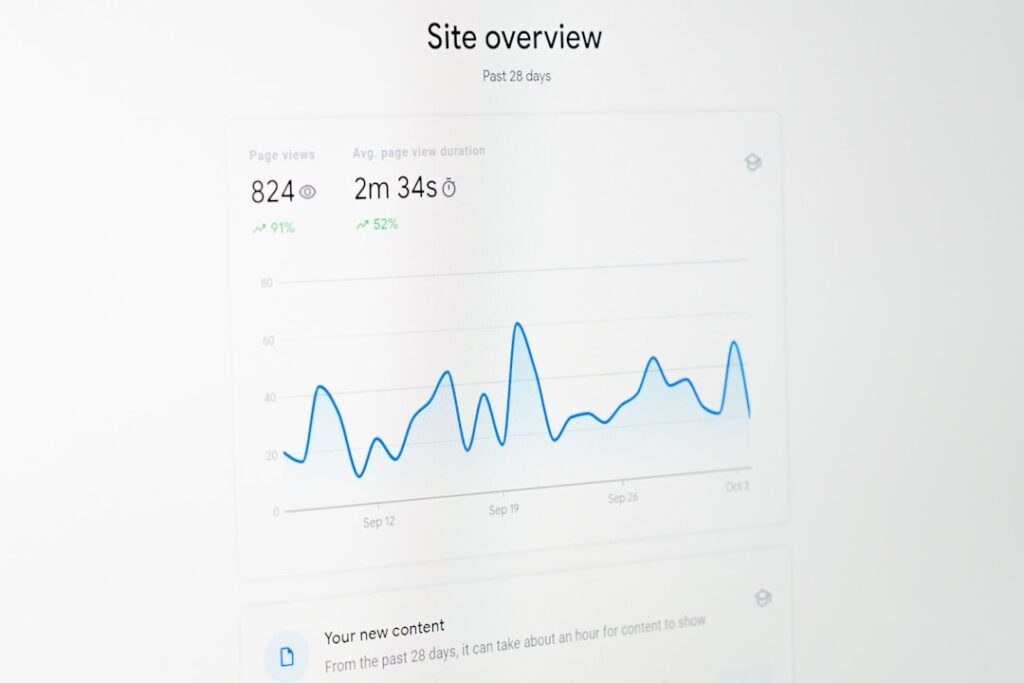
Learn how to automate your SEO audit using Google Sheets and Screaming Frog with our easy-to-follow guide, saving you time and enhancing accuracy.
In the ever-evolving landscape of digital marketing, maintaining a robust SEO strategy is paramount. However, conducting regular SEO audits can be time-consuming and technically challenging, especially for non-marketers. Fortunately, with the right automated SEO tools, such as Google Sheets and Screaming Frog, you can streamline this process, enhance accuracy, and save valuable time. This step-by-step guide will walk you through automating your SEO audit, making it more efficient and effective.
Why Automate Your SEO Audit?
Automating your SEO audit offers several advantages over traditional manual audits:
- Time Efficiency: Manual audits can take anywhere from 5 to 15 minutes per crawl, depending on the website size. Automation reduces this to mere moments.
- Consistency: Automated tools ensure that audits are performed regularly and uniformly, eliminating human error and oversight.
- Comprehensive Data: Automation allows for the collection of extensive data points, such as meta titles, descriptions, alt text, and internal links, which might be tedious to gather manually.
- Real-Time Updates: With automated SEO tools, you can receive the latest crawl data as soon as it’s available, enabling prompt action on any issues.
By leveraging automated SEO tools, businesses can focus more on strategy and less on the mechanics of data collection.
What Data Will Your Automated SEO Audit Reveal?
An automated SEO audit provides a wealth of information that can significantly enhance your website’s performance. Here’s what you can expect:
- Categorized Pages: Distinguish between different types of pages, such as blogs and product pages.
- Indexability: Assess which pages are indexed by search engines and identify any that aren’t.
- Meta Information: Review meta titles and descriptions, including their length and relevance.
- Header Tags: Analyze the use of H1 and H2 tags across your site.
- Status Codes: Identify HTTP status codes like 200, 301, and 404 to ensure all pages are functioning correctly.
- Page Speed Scores: Evaluate your site’s load times with Google’s page speed insights.
- Image Alt Text: Check for missing alt texts and ensure all images are optimized for SEO.
- Internal Linking: Examine the structure and effectiveness of your internal links.
- Content Quality: Identify pages with low word counts that may need more comprehensive content.
- Organic Traffic: Monitor clicks, impressions, CTR, and average position from Google Search Console data.
This comprehensive data collection is made possible through automated SEO tools, providing actionable insights without the need for third-party subscriptions.
How to Create an Automated SEO Audit
Creating an automated SEO audit involves integrating Screaming Frog with Google Sheets to collect and visualize your website’s SEO data seamlessly. Follow these steps to set up your automated audit:
1. Set Up Automated Crawls with Screaming Frog
Start by configuring Screaming Frog to run automated crawls at your preferred intervals (daily, weekly, or monthly):
- Download and Install: Ensure you have Screaming Frog installed and a paid license if your website has more than 500 URLs.
- Scheduling: Navigate to
File → Schedulingand create a new schedule. Name your crawl and set the frequency. - Start Options: Enter your website’s root URL. Optionally, connect your Google Analytics or Google Search Console accounts for additional data.
- Export Settings:
- Enable
headlessmode for exports. - Choose a local folder for crawl data storage.
- Set the format to
Google Sheets. - Select export tabs like
Internal:allandpagespeed:all. - For comprehensive data, include
links: All Inlinksandimages:all image inlinks.
2. Connect Screaming Frog to Google Sheets
To ensure your crawl data feeds directly into Google Sheets:
- API Integration: For page speed insights, create an API key in Screaming Frog and enter it in the settings.
- Folder Integration: Once crawls run, check the
Screaming Frog SEO Spiderfolder in Google Drive for the latest data.
3. Manipulate Data with Google Sheets
Transform the raw crawl data into actionable insights:
- Use the Query Function: Employ advanced functions like
QUERYto filter and manipulate data without extensive modifications. - Organize Data: Create separate sheets for different data categories, such as internal links and organic traffic, for clarity and ease of analysis.
- Integrate with Other Tools: Use tools like Supermetrics to pull in additional organic data from SEMrush if needed.
Tips for Effective Data Manipulation
- Snapshot Comparisons: Keep snapshots of your website’s data before and after updates to track changes effectively.
- Visual Visualization: Utilize Google Sheets’ visualization tools to create charts and graphs that make data interpretation easier.
- Automate Updates: Ensure your scripts and queries are set to update automatically with each new crawl, maintaining real-time accuracy.
Leveraging CMO.SO for Your SEO Automation
Platforms like CMO.SO revolutionize how you manage your SEO audits by combining community-driven insights with powerful automated SEO tools. CMO.SO offers features such as:
- AI-Powered Blog Generator: Automatically generates SEO-optimized content tailored to your domain.
- GEO Visibility Tracker: Monitors your website’s performance across AI-driven search platforms.
- Community Showcase: Learn from high-performing content created by your peers.
- Engagement Love System: Highlight and appreciate content that resonates within the community.
- Real-Time Open Feed: Stay updated with ongoing campaigns, fostering continuous learning and improvement.
By integrating these features, CMO.SO not only simplifies the automation of your SEO audits but also enhances your overall marketing strategy through collaborative learning and advanced analytics.
Conclusion
Automating your SEO audit with tools like Google Sheets and Screaming Frog can transform your SEO strategy, making it more efficient and data-driven. By following this step-by-step guide, you can set up a robust automated system that saves time, increases accuracy, and provides valuable insights to boost your website’s performance.
Embrace the power of automated SEO tools and take your SEO audits to the next level, ensuring your site remains optimized in an ever-changing digital landscape.
Unlock the full potential of your SEO strategy with CMO.SO today!
Share
Related posts