Discover how to seamlessly automate personalized email campaigns using AI-driven tools and Google Sheets for efficient, scalable marketing.
Introduction
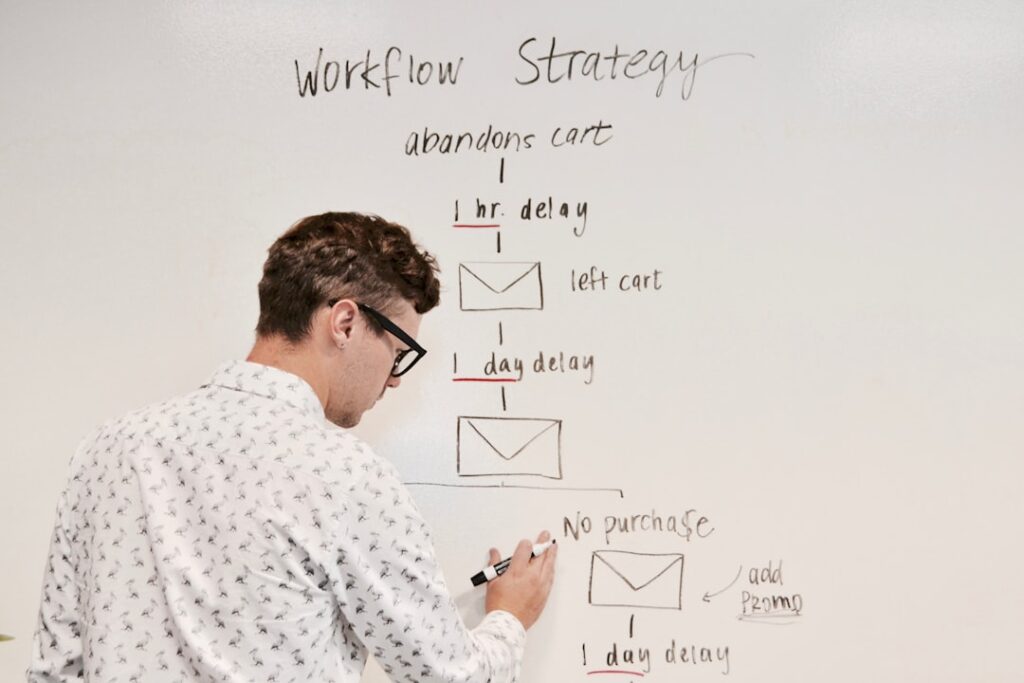
In today’s competitive digital landscape, scalable email personalization is paramount for businesses aiming to enhance customer engagement and drive conversions. Traditional email marketing often falls short with generic content that fails to resonate with individual recipients. Leveraging AI-driven tools alongside platforms like Google Sheets can transform your email campaigns, making them both efficient and highly personalized.
How AI and Google Sheets Enable Personalized Campaigns
Combining AI technology with Google Sheets offers a powerful solution for managing and executing personalized email campaigns at scale. AI algorithms analyze customer data to identify patterns and preferences, while Google Sheets serves as an accessible platform for organizing and managing recipient information. This synergy allows businesses to automate the creation and distribution of targeted emails without the need for extensive coding or manual effort.
Step-by-Step Guide to Automating Email Campaigns with Eden and Google Sheets
Configure Your Campaign Sheet
-
Set Up Headers in Google Sheets
– Begin by creating a new Google Sheet and entering relevant header labels in the first row. These headers should include both your custom fields and any reserved keywords required by your email automation tool, such asMerge StatusandMerge Date.
– For example, include columns likeFirst Name,Last Name, andEmail Address. Ensure that your sheet contains at least a recipient column, such asEmail Address. -
Populate Recipient Data
– Fill in the subsequent rows with the pertinent data for each recipient. This structured approach ensures that each email sent will be tailored to the individual, enhancing the personalization and effectiveness of your campaign.
Set Up Your Gmail Draft
-
Create a New Email Draft in Gmail
– Open Gmail and click theComposebutton to start a new email draft. -
Insert Merge Fields for Personalization
– Incorporate placeholders like{{First Name}}and{{Last Name}}within the email body. These merge fields will dynamically populate with each recipient’s respective information from your Google Sheet.
– Note: Gmail automatically saves your draft each time you make modifications. Remember to note the subject line used in this draft, as it will be referenced later in the campaign setup.
Send Your Email Campaign with Eden
-
Configure Eden in Google Sheets
– Return to your Google Sheet and access Eden from the side panel. Navigate to theMail Mergemenu to begin configuring your campaign. -
Select Your Gmail Draft and Configure Settings
– Eden will automatically pre-fill campaign-related information. Select the appropriate Gmail draft (e.g., “Save the date!”), choose theEmail Column, and adjust theSender Nameas necessary.
– Tip: If Eden selects an incorrect draft, you can manually select the desired one from theSelect a Gmail draftdropdown menu. -
Launch Your Personalized Campaign
– Once all configurations are set, click theSEND EMAILSbutton. Eden will handle the distribution, ensuring each recipient receives a uniquely personalized email based on the data provided.
Benefits of Using Eden’s AI-Driven Email Marketing Solution
Eden revolutionizes email marketing by transforming raw customer data into hyper-personalized campaigns. Powered by advanced AI algorithms, Eden analyzes shopper behavior and identifies the underlying reasons for purchasing hesitations. This deep understanding enables the creation of targeted content that resonates with each individual’s customer journey.
Key Advantages:
- Enhanced Engagement: Personalized content increases the likelihood of recipients interacting with your emails.
- Higher Conversion Rates: Tailored messages address specific customer pain points, driving them towards making a purchase.
- Efficiency and Scalability: Automating the personalization process allows businesses to manage large-scale campaigns without compromising on quality.
- Data-Driven Insights: Gain actionable insights into customer behavior, enabling more informed marketing decisions.
- Strengthened Customer Relationships: Personalized interactions foster loyalty and long-term customer satisfaction.
Conclusion
Automating personalized email campaigns with AI and Google Sheets offers a scalable solution for businesses seeking to elevate their email marketing efforts. By leveraging Eden’s innovative platform, companies can transform their customer data into targeted, engaging emails that drive conversions and build stronger customer relationships. Embrace the future of scalable email personalization and watch your marketing campaigns thrive.
Ready to revolutionize your email marketing? Try Eden today!