Alt: Assorted-color handheld tools representing SEO Tools
Meta Description: Follow our SEO checklist tailored for Squarespace to optimize your website’s visibility and ensure clean indexing by search engines.
Introduction
In today’s digital landscape, effective SEO strategies are crucial for enhancing your website’s visibility and driving organic traffic. For Squarespace users, a well-optimized site can make all the difference in achieving online success. This essential SEO checklist for Squarespace will guide you through the key steps to ensure your website stands out in search engine results and attracts your target audience.
Before Publishing Your Site
Site Information
Add a Site Title: Even if your logo includes your brand name, adding a clear site title ensures search engines can index it correctly. Keep the title under 60 characters and include relevant keywords to enhance visibility.
Add a Site Description: Craft a concise (50-300 characters), readable description for your homepage. This description may appear below your site title in search results, providing potential visitors with a snapshot of your content.
SEO Descriptions
Unique SEO Descriptions: Ensure each page on your Squarespace site has a unique SEO description. These descriptions should be short, readable (50-300 characters), and accurately describe the content of each page, including blog posts, products, and events.
Page and Title Formats
Customize Page Titles: Control how your page titles appear in browser tabs, social shares, and search engine results. Properly formatted titles improve user experience and search engine indexing.
Use the SEO Report Tool
SEO Analysis: Utilize Squarespace’s SEO report tool to scan your site for missing alt texts or SEO descriptions. This tool provides valuable suggestions to enhance your site’s SEO performance, ensuring all key elements are optimized.
Site Design Optimization
Add a Browser Icon
Favicon: Incorporate a favicon to strengthen your brand identity. A recognizable icon appears in browser tabs and search results, making your site more memorable to visitors.
Add Social Sharing Images
Social Media Visibility: Add social sharing images for your entire site and individual pages, blog posts, products, and events. These images enhance your content’s appearance on social media platforms, increasing click-through rates.
Create a Custom 404 Page
User Experience: Customize your 404 error page with links to key areas of your site. This encourages visitors who encounter a broken link to explore other parts of your website instead of leaving immediately.
Domain and URL Setup
Connect a Custom Domain
Brand Strengthening: Using a custom domain (e.g., www.yourbrand.com) reinforces your brand and improves search engine rankings compared to the default .squarespace.com URLs.
Connect to Social Media
Social Integration: Link your site to your social media profiles to facilitate content sharing and increase your online presence. This integration helps drive traffic and enhances your site’s SEO.
Ensure SSL is Enabled
Website Security: Confirm that SSL is enabled to ensure your site is secure. SSL certificates are essential for protecting user data and are a critical ranking factor for search engines.
Check URL Slugs
SEO-Friendly URLs: Ensure your URL slugs are descriptive and reflect the content of each page. Avoid random strings of characters by updating slugs to include relevant keywords and real words.
Choose Your Blog Post URL Format
Consistent Blogging: When blogging, set your blog post URLs to include the post’s title. This practice improves SEO and makes it easier for users to understand the content based on the URL.
Location Information
Add Your Location
Local SEO: Enhance your site’s chance of appearing in local searches by adding your business location. Create a Contact Us page with your address and a map to help search engines and customers find your physical location.
Publish Your Location Online
Google Business Profile: Establish your online presence by creating a Google Business Profile. This profile manages your business’s online listings, serviced areas, and operational hours, boosting your local SEO efforts.
After Publishing Your Site
Verify Your Site with Google Search Console
Search Engine Management: Verify your site with Google Search Console to manage your site’s presence in Google search results and to monitor how visitors discover your site.
Request Google Indexing
Faster Indexing: Request that Google index your new site to expedite the inclusion of your content in search results. This ensures that your site is visible to your audience as soon as possible.
Verify Your Site with Bing Webmaster Tools
Broader Visibility: Verify your site with Bing Webmaster Tools to manage its presence in Bing and Yahoo search results, increasing your overall search engine visibility.
Connect to Google Analytics
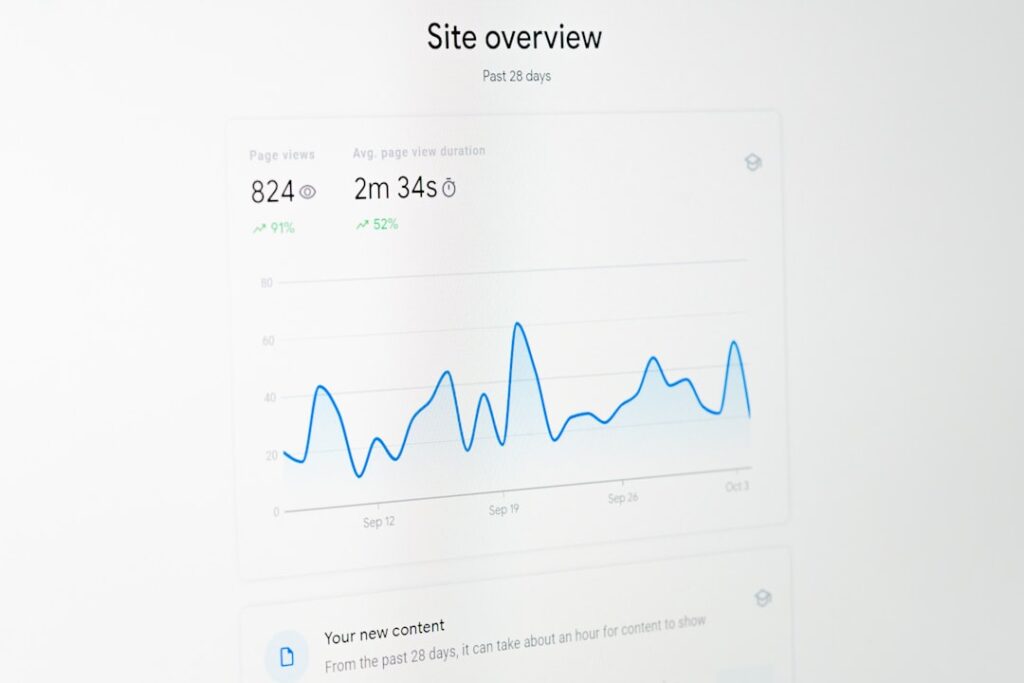
Performance Tracking: Integrate Google Analytics with your Squarespace site to track visits, user behavior, and other key metrics. Analyzing this data helps you refine your SEO strategies for better results.
As Your Site Evolves
Optimize New Content
Continuous Improvement: Regularly optimize new content by following SEO best practices. This ongoing process ensures your site remains search-engine friendly as you add or update content.
Redirect Changed or Broken Links
Maintain Link Integrity: If you change a page’s URL slug, create URL redirects to forward visitors from the old URL to the new one. This prevents broken links and preserves your site’s SEO value.
Continue Updating and Adding Content
Active Site: Frequently updating your site signals to search engines that your site is active, which can improve your rankings. Consistently adding content, such as blog posts, keeps your audience engaged and attracts more visitors.
Track Your Site Traffic
Analytics Monitoring: Use your site’s analytics tools to monitor traffic and search engine ranking changes. Tracking these metrics helps you understand your site’s performance and make informed SEO decisions.
Follow Google Analytics
Advanced Tracking: Leverage your Squarespace integration with Google Analytics for deeper insights into visitor behavior and site performance. This data-driven approach enables you to enhance your SEO strategies effectively.
Content Best Practices
Text Content
Strategic Keywords: Incorporate relevant keywords naturally into your site’s text, including page titles and descriptions. This alignment with search terms helps improve your site’s discoverability.
Structure Your Content
Headings and Formatting: Use headings to structure your content, making it easier for both users and search engines to navigate your site. Well-organized content enhances readability and SEO performance.
Images
Alt Text: Add descriptive alt texts to your images to improve accessibility and help search engines understand your content. Well-optimized images contribute to better SEO rankings.
Readable File Names: Use clear, descriptive file names for your images. This practice not only benefits SEO but also makes managing your media files easier.
Optimized Image Size: Keep your image files under 500 KB and your overall page size under 5 MB to ensure fast loading times, which are crucial for both user experience and SEO.
Pages and Collection Items
Social Sharing and SEO Descriptions: Assign social sharing images and unique SEO descriptions to each new page, blog post, product, and event. This ensures each piece of content is optimized for social media and search engines.
Tags and Categories: Organize your content with relevant tags and categories to facilitate easy navigation for visitors and improve your site’s SEO structure.
Internal Linking: Use internal links to connect related pages on your site. This practice improves SEO by helping search engines understand the relationship between your pages.
Customize URL Slugs: Ensure all URLs reflect the content of their respective pages by customizing slugs to include relevant keywords and meaningful words.
Managing Site Ranking Changes
Understanding Fluctuations: It’s normal to experience ranking changes after optimizing your site. Monitor your analytics to identify trends or external factors that might impact your visibility.
Adjusting Strategies: If rankings decline, consider updating your keywords or improving how other websites link to your site. Continuous adaptation is key to maintaining and improving your SEO performance.
More Help and Resources
SEO strategies are dynamic and require ongoing learning and adaptation. If you need additional assistance:
- Attend Webinars: Join expert-led webinars focused on SEO best practices for Squarespace to deepen your understanding and apply effective strategies.
- Community Forums: Engage with the Squarespace community forums to seek advice and share experiences with other users.
- Hire Experts: Consider hiring a vetted SEO expert to build and optimize your site with advanced strategies tailored to your needs.
Conclusion
Optimizing your Squarespace site with this essential SEO checklist can significantly enhance your online visibility and drive more traffic to your site. By systematically addressing each aspect of SEO, you ensure that your website stands out in search engine results and attracts your target audience effectively.
Ready to take your SEO to the next level? Explore CMO.SO and unlock advanced tools and community-driven insights to elevate your digital marketing strategy.
Share
Related posts